
1. Introduzione
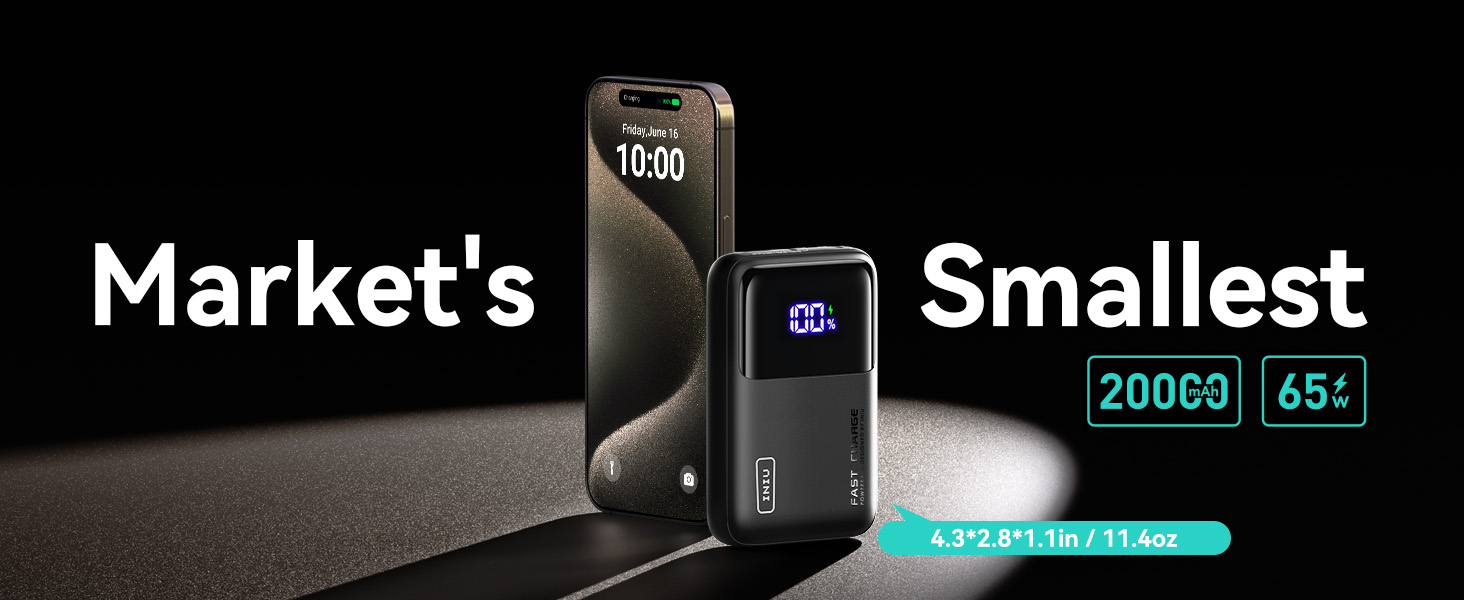
Thank you for choosing the INIU Power Bank P62-E1. This ultra-compact 20000mAh 65W portable charger is designed to provide fast and efficient power to a wide range of devices, including laptops, smartphones, tablets, and smaller accessories. This manual provides essential information for safe and optimal use of your power bank.
2. Prodotto finitoview
2.1 Contenuto della confezione
- INIU 20000mAh Power Bank (P62-E1) x 1
- Cavo USB-C a USB-C da 100 W (1 piedi) x 1
- Guida di benvenuto x 1
2.2 Disposizione del dispositivo
The INIU Power Bank P62-E1 features multiple ports and a clear digital display for convenient operation.

- USB-C In/Out 1 (65W): Primary port for both charging the power bank and fast charging compatible devices, including laptops.
- USB-C Out 2 (36W): Secondary USB-C output port for fast charging.
- USB-A Out 3 (18W): Standard USB-A output port.
- Display LED digitale: Mostra la percentuale di batteria rimanentetage del power bank.
- Pulsante di accensione: Activates the display and initiates charging.
- Built-in USB-C GoCord Cable: A detachable braided USB-C cable integrated into the power bank for convenience.


3. Specifiche
| Caratteristica | Dettaglio |
|---|---|
| Numero di modello | P62-E1 |
| Capacità della batteria | 20000 milioneamp Ore (74 Wh) |
| Potenza massima in uscita | 65W |
| Ingresso (USB-C1) | Fino a 45W |
| Uscita (USB-C1) | Fino a 65W |
| Uscita (USB-C2) | Fino a 36W |
| Uscita (USB-A3) | Fino a 18W |
| Dimensioni del prodotto | 4.3 x 1.1 x 2.8 pollici |
| Peso dell'articolo | 13.1 once |
| Caratteristiche speciali | LED Display, Mini Size, Ultra Compact Design, Detachable USB-C GoCord |
4. Impostazione
4.1 Ricarica del Power Bank
Before initial use, fully charge your INIU Power Bank. Use a compatible USB-C power adapter (not included) and the provided USB-C to USB-C cable. Connect the cable to the USB-C In/Out 1 port on the power bank and to your power adapter.
- The digital LED display will show the charging progress.
- A full recharge typically takes approximately 1.7 hours with a 45W input power source.

5. Istruzioni per l'uso
5.1 Ricarica dei dispositivi
To charge your devices, connect them to the appropriate output ports on the power bank using a compatible charging cable.
- Ricarica rapida: Use the USB-C In/Out 1 port for up to 65W output to quickly charge laptops (e.g., MacBook Air 13"), smartphones (e.g., iPhone 15/16/17 Pro, Samsung S24), and tablets (e.g., iPad Pro, Steam Deck).
- Ricarica multi-dispositivo: The power bank supports simultaneous charging of up to three devices using its USB-C and USB-A ports.
- Low-Current Charging: For smaller devices like AirPods, Bluetooth headphones, fitness trackers, and smartwatches, the power bank automatically adjusts its output to prevent overcharging.
- Samsung Super Fast Charging 2.0: This power bank supports Samsung's Super Fast Charging 2.0 protocol for compatible Samsung devices.

5.2 Using the Built-in GoCord Cable
The integrated USB-C GoCord cable can be detached from its storage slot and used to charge your USB-C devices or to recharge the power bank itself.
5.3 Dimostrazioni video
Video: A power test of the INIU 20000mAh 65W Ultra Compact Power Bank, demonstrating its charging capabilities and output.
Video: Un review mostrareasing the usage of the INIU 20000mAh Power Bank, including its features and practical application.
6. Manutenzione
- Tenere il power bank asciutto e lontano dall'umidità.
- Evitare di esporre il dispositivo a temperature estreme (caldo o freddo).
- Pulisci il power bank con un panno morbido e asciutto. Non utilizzare prodotti chimici aggressivi o materiali abrasivi.
- Conservare il power bank in un luogo fresco e asciutto quando non viene utilizzato.
7. Risoluzione Dei Problemi
- Dispositivo non in carica: Ensure the power bank is sufficiently charged. Check all cable connections and try a different cable or port.
- Ricarica lenta: Verify that your device and cable support fast charging protocols. Ensure the power bank is adequately charged.
- Il power bank non si ricarica: Confirm the charging cable and wall adapter are functioning correctly. Ensure the cable is securely connected to the USB-C In/Out 1 port.
- Il display digitale non funziona: Press the power button to activate the display. If it remains unresponsive, try recharging the power bank.
8. Informazioni sulla sicurezza
- Non smontare, aprire o distruggere il power bank.
- Non esporre il power bank a fonti di calore o fiamme. Evitare di conservarlo alla luce diretta del sole.
- Non cortocircuitare il power bank.
- Non esporre il power bank a urti meccanici.
- In caso di perdita dalla batteria, evitare che il liquido entri in contatto con la pelle o gli occhi. In caso di contatto, lavare la zona interessata con abbondante acqua e consultare un medico.
- Tenere il power bank fuori dalla portata dei bambini.
- This power bank is TSA-compliant for air travel.
9. Garanzia e supporto
INIU stands by the quality of its products. The INIU Power Bank P62-E1 comes with an industry-leading Assistenza iNiu di 3 anni warranty, ensuring peace of mind. Additionally, lifetime technical support is provided for any assistance you may need.
Each item is verified by Transparency with a unique code before shipping, ensuring authenticity.
10. Responsabilità ambientale
INIU is committed to environmental sustainability. This product is part of the Climate Pledge Friendly initiative, featuring:
- Reduced CO2 Emissions: Utilizing pollution-free nylon to decrease petroleum consumption by 30-40% and carbon emissions by 52%.
- Less Plastic Packaging: Packaging materials are FSC-certified 100% recycled paper and natural soy inks.
