
Introduzione
This manual provides instructions for the installation, operation, and maintenance of your Mcezdy P5C-6-Pin Ebike LCD Display. This display is designed to enhance your electric bike experience by providing real-time data and control over various functions.
Nota importante sulla compatibilità: This P5C ebike display operates using the Protocollo UART n. 2. Ensure your ebike controller is compatible with this protocol and features a Connettore a 6 pin per una corretta funzionalità.
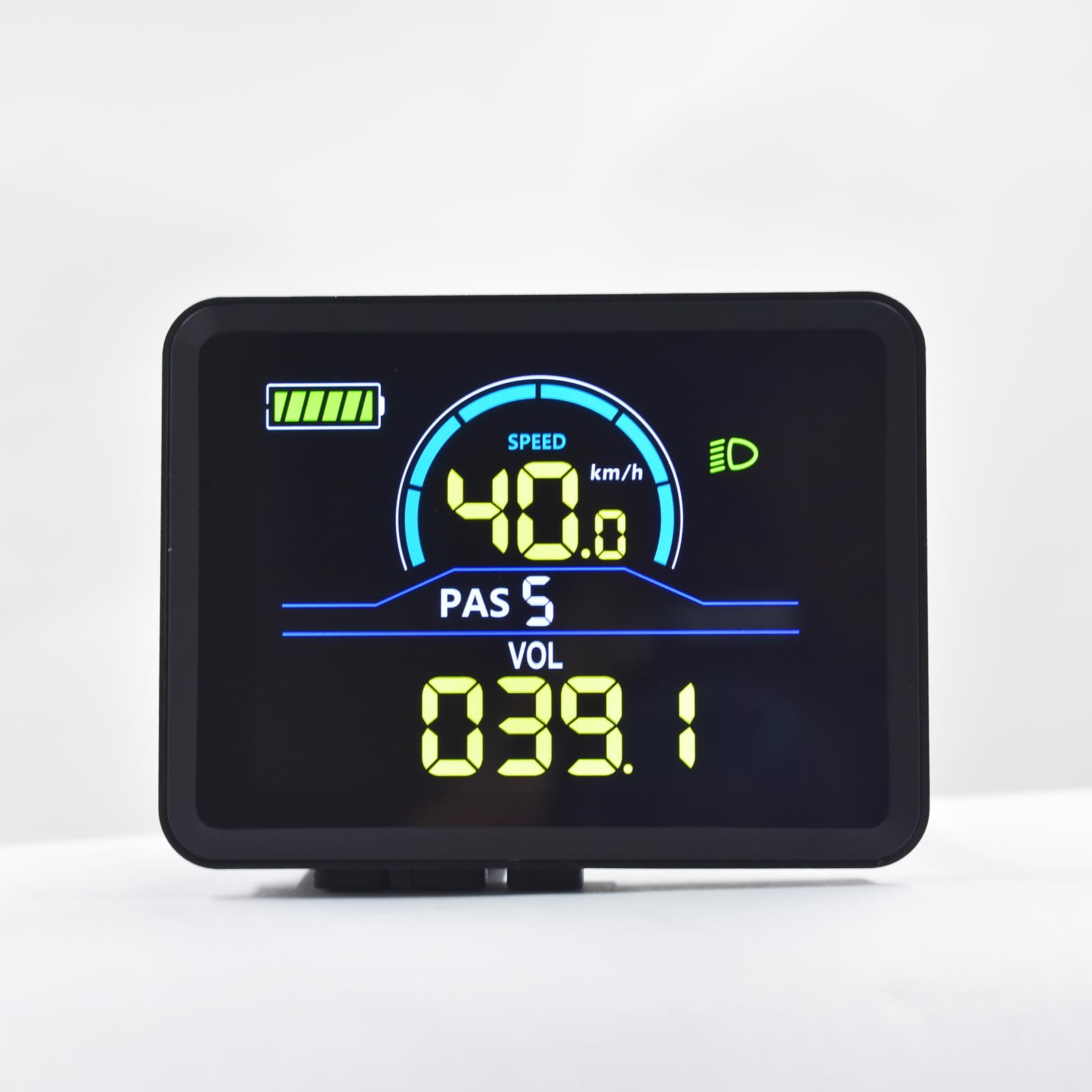
Image: Mcezdy P5C Ebike LCD Display. This image highlights the critical requirement for UART No. 2 protocol compatibility.
The display features a durable ABS+PC housing, a tempered glass screen for clarity and scratch resistance, and an IPX65 waterproof rating for protection against water splashes and rain.
Configurazione e installazione
- Verifica compatibilità: Before installation, confirm that your ebike controller uses the UART No. 2 protocol and has a compatible 6-pin connector. Incompatible systems will not function correctly.
- Montaggio dello schermo:
The display comes with an adjustable mount designed to fit handlebars with a diameter of 22.2mm. Position the display on the left side of your handlebar for optimal viewing and access to controls. Secure the mount firmly using the provided hardware.

Image: The Mcezdy P5C Ebike LCD Display mounted on a handlebar, demonstrating the adjustable mount for 22.2mm handlebars.
- Collegamento del cavo:
Locate the 6-pin waterproof cable (model JL-F-Z609AG) on your display. The exposed cable length is 150mm. Carefully connect this cable to the corresponding 6-pin connector on your ebike controller. Ensure the connection is secure and fully seated to prevent water ingress and ensure reliable communication.

Image: A selection of ebike display connector types, including the 6-pin connector relevant to this model. Ensure you use the correct connector for your system.
- Accensione: Once securely mounted and connected, power on your ebike. The display should illuminate, indicating a successful connection.
Istruzioni per l'uso
The P5C-6-Pin display provides comprehensive information and control features for your ebike. Familiarize yourself with the display layout and button functions.

Image: The Mcezdy P5C Ebike LCD Display illustrating key metrics such as speed, battery level, Pedal Assist System (PAS) level, and voltage.
Visualizza metriche:
- Velocità: Velocità di guida attuale (km/h o mph).
- Livello della batteria: Indicatore di carica della batteria in tempo reale.
- PAS (Sistema di pedalata assistita): Current assist level.
- Voltage (VOL): Batteria in tempo reale voltage.
- Indicatore dei fari: Shows if the ebike's headlight is active.
- Chilometraggio del viaggio: Distanza percorsa durante il percorso attuale.
- Chilometraggio totale (ODO): Distanza totale percorsa dalla bici elettrica.
Funzioni e controlli:
- Accensione/spegnimento: Typically controlled by a dedicated button on the display or ebike system. Refer to your ebike's main manual for specific power procedures.
- Regolazione del livello PAS: Use the '+' and '-' buttons (or similar controls) to increase or decrease the pedal assist level.
- Modalità di assistenza alla camminata: Activates a low-speed assist for walking the ebike. Consult your ebike's manual for activation method, usually by holding a specific button.
- Controllo della velocità di crociera: Allows the ebike to maintain a set speed without continuous throttle input. Activation varies by ebike model; refer to your ebike's manual.
- Modifica dei parametri: The display allows customization of certain parameters such as wheel diameter and speed limit. Accessing these settings typically involves a sequence of button presses. Exercise caution when modifying parameters, as incorrect settings can affect performance and safety.
Manutenzione
Proper maintenance ensures the longevity and optimal performance of your Mcezdy P5C-6-Pin Ebike LCD Display.
- Pulizia: Utilizzare un morbido, damp cloth to clean the display screen and housing. Avoid abrasive cleaners, solvents, or harsh chemicals that could damage the tempered glass or plastic components.
- Resistenza all'acqua: The display has an IPX65 waterproof rating, meaning it is protected against low-pressure water jets from any direction. While it can withstand rain and splashes, avoid submerging the display in water or exposing it to high-pressure water streams.
- Ispezione dei cavi: Periodically check the connection cable for any signs of wear, damage, or loose connections. Ensure the waterproof connector remains clean and free of debris.
- Magazzinaggio: When not in use for extended periods, store the ebike and display in a dry, temperate environment, away from direct sunlight and extreme temperatures.
Risoluzione dei problemi
If you encounter issues with your Mcezdy P5C-6-Pin Ebike LCD Display, refer to the following common problems and solutions:
| Problema | Possibile causa | Soluzione |
|---|---|---|
| Il display non si accende. |
|
|
| Letture errate della velocità o del chilometraggio. |
|
|
| Il display mostra i codici di errore. |
| Refer to the "Fault Code Description" document included with your display or ebike for specific error code meanings and troubleshooting steps. |
| Il display è scuro o illeggibile. |
|
|
If problems persist, contact customer support or a qualified ebike technician.
Specifiche

Image: Detailed specifications of the Mcezdy P5C Ebike LCD Display, including dimensions, cable length, model numbers, and work voltage.
- Modello: P5C-6-Pin
- Marca: Mcezdy
- Tipo di visualizzazione: LCD, Color
- Protocollo di connettività: UART No. 2 (Wired)
- Vol. compatibiletage: Corrente continua 24 V, 36 V, 48 V, 60 V
- Materiale dell'alloggiamento: ABS + PC
- Materiale dello schermo: Vetro temperato
- Materiale della staffa: Nylon
- Compatibilità diametro manubrio: 22.2mm
- Tipo di cavo: 6-pin waterproof cable (JL-F-Z609AG)
- Exposed Cable Length: 150mm
- Grado di protezione internazionale: IPX65 (Protected against dust and low-pressure water jets)
- Input dell'interfaccia umana: Pulsanti
- Tipo di sensore: Sensore di velocità
- Dimensioni (approssimative): 2.7" (width) x 2.1" (height) - Refer to image for detailed measurements.
- Peso: Circa 91 g
Informazioni sulla garanzia
Specific warranty terms and conditions for the Mcezdy P5C-6-Pin Ebike LCD Display may vary. Please retain your proof of purchase and refer to the retailer or manufacturer's official websito per informazioni dettagliate sulla garanzia e sulle procedure di registrazione.
Assistenza clienti
For technical assistance, troubleshooting beyond this manual, or inquiries regarding your Mcezdy P5C-6-Pin Ebike LCD Display, please contact your point of purchase or the manufacturer, Mcezdy, through their official support channels.