
ShanWan Q36-XPS-KABRILAN
Manuale utente del mini controller ShanWan Bluetooth Gamepad portachiavi
Model: Q36-XPS-KABRILAN
1. Introduzione
This manual provides comprehensive instructions for the ShanWan Bluetooth Gamepad Keychain Sized Mini Controller. Please read this manual carefully before use to ensure proper operation and to maximize your gaming experience. This device is designed for use with Android phones and tablets, PS4/Slim/Pro, iPhone, iPad, Nintendo Switch, and Windows PCs.
2. Prodotto finitoview
The ShanWan Mini Controller is a compact and versatile gamepad designed for portability and multi-platform compatibility. It features 17 buttons and a D-Pad, all within a keychain-sized form factor.
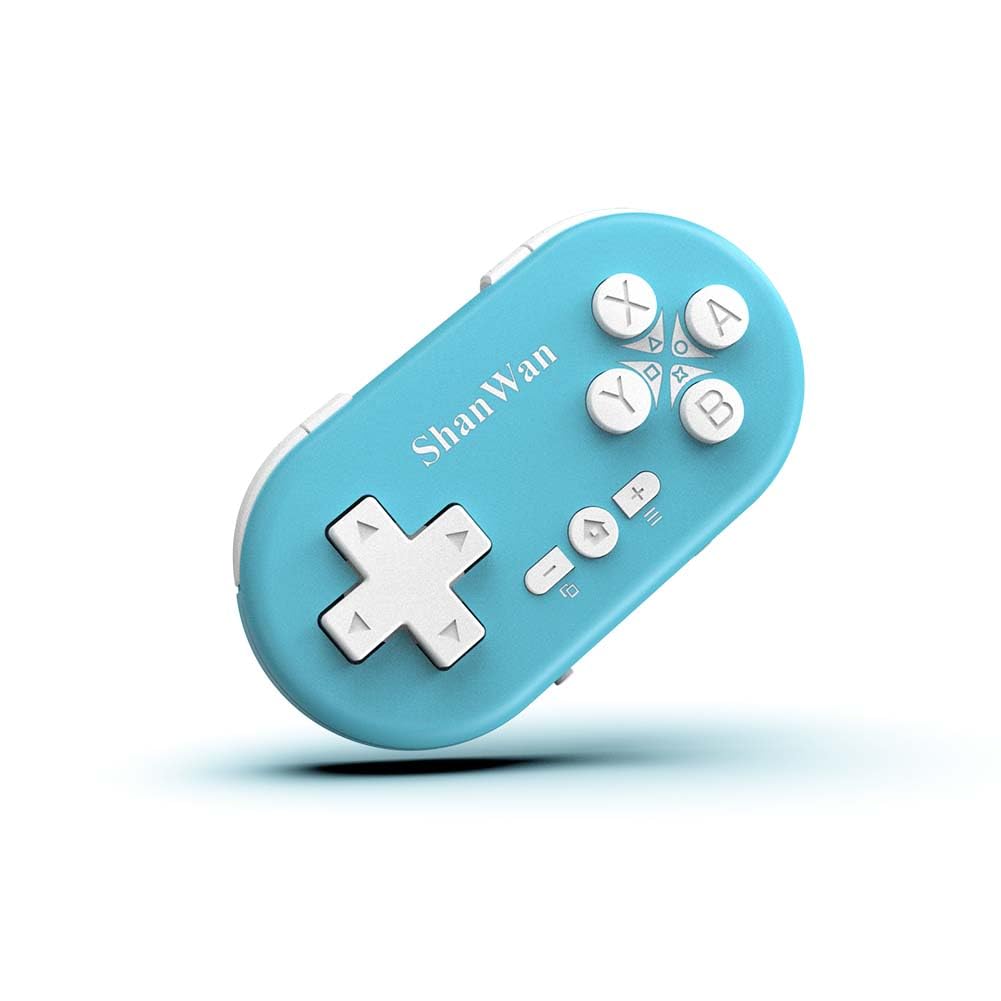
Figure 2.1: ShanWan Mini Bluetooth Gamepad, showcasingrazie al suo design compatto e alla disposizione dei pulsanti.

Figure 2.2: Dimensions of the ShanWan Mini Bluetooth Gamepad, measuring 2.83 inches in length, 1.57 inches in width, and 0.55 inches in thickness.
2.1 Contenuto della confezione
- ShanWan Bluetooth Gamepad Keychain Sized Mini Controller
- Cavo di ricarica USB
- Manuale dell'utente (questo documento)
3. Specifiche
| Caratteristica | Dettaglio |
|---|---|
| Numero di modello | Q36-XPS-KABRILAN |
| Connettività | Bluetooth senza fili |
| Compatibilità | Android, iOS, Windows, Nintendo Switch, PlayStation 4 |
| Capacità della batteria | Polimeri di litio da 180 mAh (inclusi) |
| Tempo di ricarica | Circa 1 ora |
| Tempo di funzionamento | Fino a 5-6 ore |
| wireless Range | Fino a 10 metri (33 piedi) |
| Dimensioni del prodotto | 2.83 x 1.57 x 0.55 pollici |
| Peso dell'articolo | 1.44 once (circa 41 grammi) |
| Caratteristiche speciali | Gyroscope motion sensing, One-button wake-up function |
4. Configurazione e associazione
4.1 Ricarica del controller
Before first use, fully charge the controller. Connect the provided USB charging cable to the controller's charging port and the other end to a USB power source (e.g., computer, USB wall adapter). The charging indicator light will show the charging status and turn off when fully charged. A full charge typically takes about 1 hour.
4.2 Accensione/Spegnimento
- Accensione: Press and hold the Home button (usually the button with a house icon) for a few seconds until the indicator lights turn on.
- Spegni: Press and hold the Home button for approximately 5 seconds until the indicator lights turn off. The controller will also automatically power off after a period of inactivity to conserve battery.
4.3 Istruzioni per l'associazione Bluetooth
The controller supports multiple platforms. Ensure the mode switch on the controller is set to the correct platform before pairing.
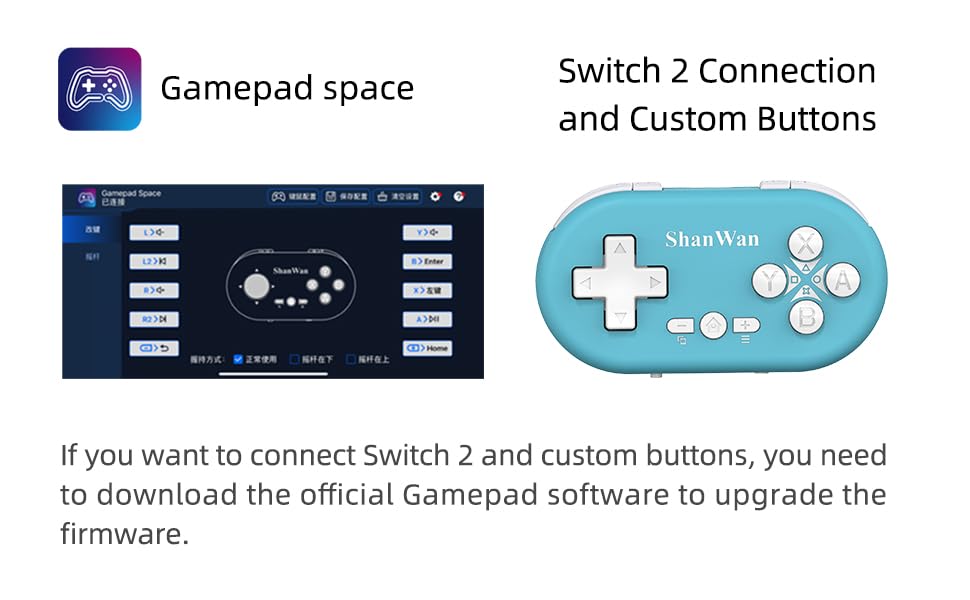
Figure 4.1: The mode switch on the controller, allowing selection between X (Xbox/PC), S (Switch), and P (PlayStation) modes for multi-device compatibility.
4.3.1 Abbinamento con Nintendo Switch
- Sul tuo Nintendo Switch, vai al menu HOME.
- Selezionare "Controller", quindi "Cambia impugnatura/ordine".
- Set the controller's mode switch to "S" (Switch mode).
- Press and hold the "Pair" button on the controller until the indicator lights begin to blink rapidly.
- The Switch will detect the controller. Once paired, the LED indicator on the controller will remain solid, and the controller will be displayed on the Switch host screen.

Figure 4.2: Visual guide for connecting the controller to a Nintendo Switch, showing menu navigation and the pairing button location.
4.3.2 Pairing with Android/iOS Devices
- Set the controller's mode switch to the appropriate mode (e.g., "X" for Android, or a specific iOS mode if available, refer to device-specific instructions).
- Sul tuo dispositivo Android o iOS, vai alle impostazioni Bluetooth.
- Assicurati che il Bluetooth sia abilitato.
- Press and hold the "Pair" button on the controller until the indicator lights blink rapidly.
- Select "ShanWan Controller" or a similar name from the list of available devices on your phone/tablet.
- Una volta effettuata la connessione, la spia luminosa sul controller diventerà fissa.
4.3.3 Pairing with PS4
- Set the controller's mode switch to "P" (PlayStation mode).
- On your PS4, go to "Settings" > "Devices" > "Bluetooth Devices".
- Press and hold the "Pair" button on the controller until the indicator lights blink rapidly.
- Select "ShanWan Controller" or a similar name from the list of available devices on your PS4.
- Una volta effettuata la connessione, la spia luminosa sul controller diventerà fissa.
4.3.4 Pairing with Windows PC
- Set the controller's mode switch to "X" (Xbox/PC mode).
- On your Windows PC, go to "Settings" > "Devices" > "Bluetooth & other devices".
- Ensure Bluetooth is enabled and click "Add Bluetooth or other device".
- Selezionare "Bluetooth".
- Press and hold the "Pair" button on the controller until the indicator lights blink rapidly.
- Select "ShanWan Controller" or a similar name from the list of available devices.
- Una volta effettuata la connessione, la spia luminosa sul controller diventerà fissa.
5. Istruzioni per l'uso
5.1 Funzioni dei pulsanti
The controller features standard gamepad buttons. Their specific function may vary slightly depending on the platform and game.
- Tasto direzionale: Input direzionale.
- Pulsanti A, B, X, Y: Pulsanti di azione.
- Pulsanti L1, L2, R1, R2: Pulsanti a spalla e a grilletto.
- Pulsante Home: Accensione/spegnimento, ritorno alla schermata iniziale (dipende dalla piattaforma).
- Pulsanti Più (+) / Meno (-): Start/Select or menu functions.
- Pulsante di coppia: Avvia l'associazione Bluetooth.
5.2 Funzioni speciali
5.2.1 One-Button Wake-Up Function
After initial pairing, you can wake up the controller and reconnect it to the last paired device by simply pressing the Home button. This feature allows for quick resumption of gameplay.
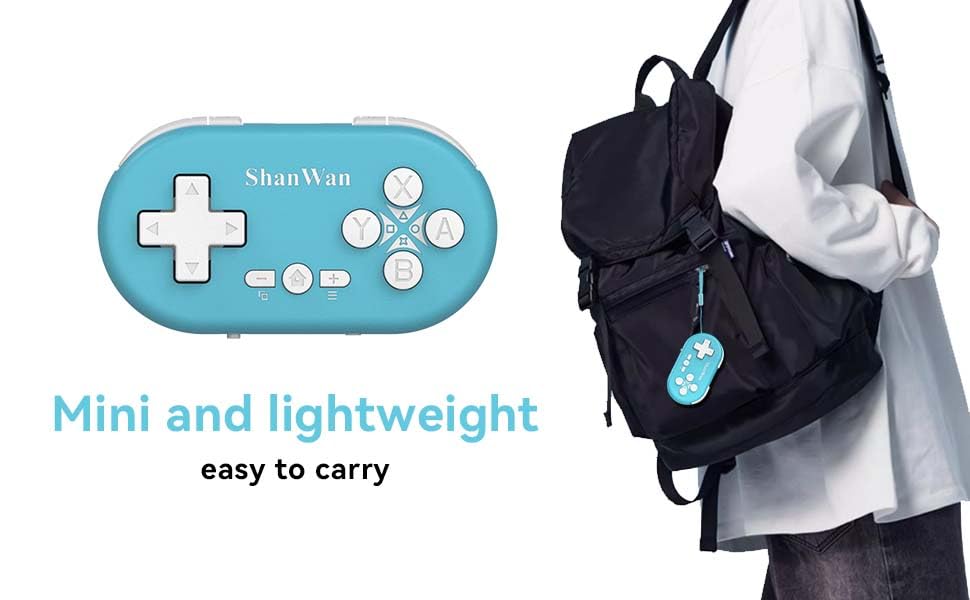
Figure 5.1: Illustration of the one-button wake-up function, highlighting the Home button used to quickly reactivate the controller.
5.2.2 Gyroscope Motion Sensing
The controller is equipped with a gyroscope for motion sensing effects, providing an immersive gaming experience in supported games, particularly on platforms like Nintendo Switch.
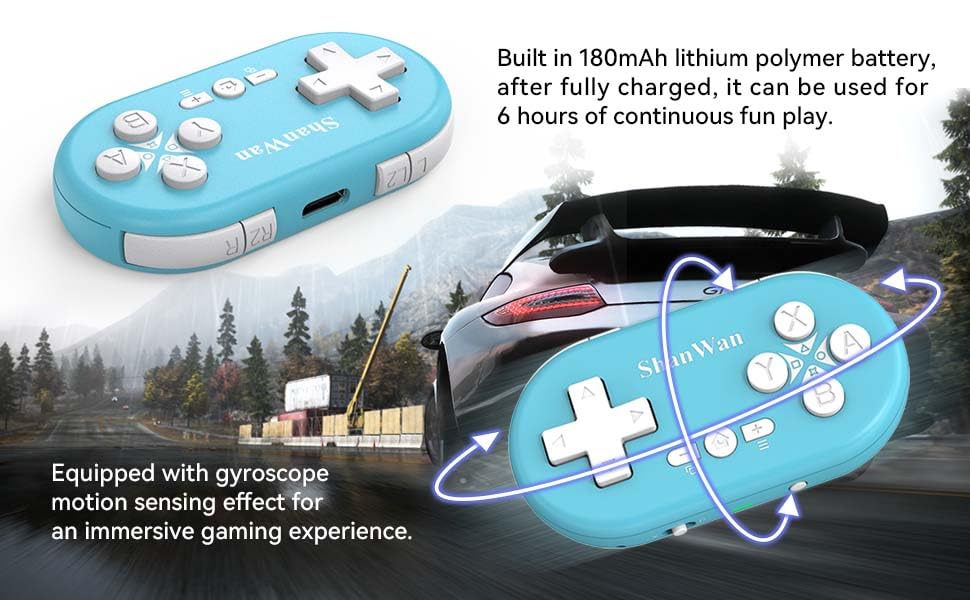
Figure 5.2: Visual representation of the gyroscope motion sensing effect, showing the controller being tilted to influence in-game actions.
5.2.3 Firmware Upgrade for Switch 2 and Custom Buttons
For compatibility with Switch 2 and to customize button mappings, it may be necessary to download the official Gamepad software and upgrade the controller's firmware. Refer to the manufacturer's official websito per i software e le istruzioni più recenti.

Figure 5.3: Screenshot illustrating the "Gamepad Space" software interface, used for firmware upgrades and custom button configurations, particularly for Switch 2 compatibility.
6. Manutenzione
- Pulizia: Utilizzare un panno morbido e asciutto per pulire il controller. Evitare l'uso di prodotti chimici aggressivi o materiali abrasivi.
- Magazzinaggio: Conservare il controller in un luogo fresco e asciutto, lontano dalla luce solare diretta e da temperature estreme.
- Cura della batteria: Per prolungare la durata della batteria, evitare di scaricarla completamente frequentemente. Caricare il controller regolarmente, anche se non lo si utilizza per lunghi periodi.
- Evitare l'impatto: Non far cadere il controller né sottoporlo a forti urti, poiché ciò potrebbe danneggiare i componenti interni.
7. Risoluzione Dei Problemi
7.1 Controller Does Not Power On
- Assicurati che il controller sia completamente carico. Collegalo a una fonte di alimentazione e lascialo caricare per almeno 15 minuti prima di riprovare ad accenderlo.
- Verificare che il cavo di ricarica e la fonte di alimentazione funzionino correttamente.
7.2 Unable to Pair Controller
- Ensure the controller is in pairing mode (indicator lights blinking rapidly).
- Check that the mode switch on the controller is set to the correct platform (S for Switch, X for Android/Windows, P for PS4).
- Make sure Bluetooth is enabled on your device (Switch, phone, PC, PS4).
- Move the controller closer to the device you are trying to pair with.
- Remove any previous pairings of the controller from your device's Bluetooth settings and try pairing again.
- Riavviare sia il controller che il dispositivo.
7.3 Input Lag o disconnessioni
- Assicurati che il controller si trovi entro un raggio di azione wireless di 10 metri dal tuo dispositivo.
- Ridurre al minimo le interferenze provenienti da altri dispositivi wireless (router Wi-Fi, altri dispositivi Bluetooth).
- Ensure the controller is fully charged. Low battery can affect connection stability.
- Prova ad associare nuovamente il controller al tuo dispositivo.
- Update the controller's firmware if available (refer to Section 5.2.3).
7.4 Buttons Not Responding Correctly
- Test the controller on a different game or application to determine if the issue is game-specific.
- Assicurarsi che il firmware del controller sia aggiornato.
- Perform a factory reset if possible (refer to manufacturer's support for specific instructions, as this model may not have a dedicated reset button).
8. Garanzia e supporto
ShanWan products are designed for reliability and performance. For warranty information, technical support, or further assistance, please visit the official ShanWan webo contattare il servizio clienti. Conservare la ricevuta d'acquisto come prova d'acquisto per eventuali reclami in garanzia.
Official ShanWan Store: ShanWan Store on Amazon
9. Informazioni aggiuntive
The ShanWan Mini Controller's compact and lightweight design makes it highly portable, allowing users to carry it easily and enjoy gaming on the go.

Figure 9.1: The ShanWan Mini Bluetooth Gamepad attached to a backpack, illustrating its keychain-sized portability and ease of transport.

Figure 9.2: The ShanWan Mini Bluetooth Gamepad being used outdoors with a portable screen, demonstrating its ease of transport and use anywhere.