
BtcLink BBQ-03
BtcLink Smart Wireless Meat Thermometer BBQ-03 User Manual
Model: BBQ-03 | Brand: BtcLink
1. Introduzione
The BtcLink Smart Wireless Meat Thermometer BBQ-03 is designed to provide precise temperature monitoring for various cooking methods, including grilling, smoking, oven baking, and rotisserie. This device utilizes Bluetooth 5.4 technology to connect to your smartphone, allowing you to monitor cooking progress remotely via the dedicated app. Its wire-free design and high accuracy ensure optimal cooking results.
2. Contenuto della confezione
- 1 x BtcLink Wireless Meat Probe
- 1 x Charging Booster Base (wooden block)
- Cavo di ricarica 1 x USB-C
- 1 x Manuale utente (questo documento)

Figure 2.1: Components of the BtcLink Smart Wireless Meat Thermometer, including the probe, charging booster, and app interface.
3. Guida all'installazione
3.1 Carica iniziale
Before first use, ensure both the probe and the charging booster are fully charged. Insert the probe into the charging booster. Connect the USB-C cable to the charging booster and a suitable power source. The indicator light on the booster will show charging status. It is recommended to charge for at least 10 minutes before each use, even if it has been in the cradle for a long time, to ensure optimal performance.
3.2 Download e installazione dell'app
Download the "BBQOVN" app from your device's app store (available for iOS and Android). Cercare "BBQOVN" and install the application.
3.3 Associazione del dispositivo
- Assicurati che il Bluetooth sia abilitato sul tuo smartphone.
- Open the BBQOVN app.
- Remove the probe from the charging booster. The probe and booster are pre-paired from the factory.
- The app should automatically detect and connect to the charging booster. Follow any on-screen prompts to complete the pairing process.
- If connection issues occur, ensure the booster is within 3 feet of the probe and your phone is within range of the booster.

Figure 3.1: The BBQOVN app interface, demonstrating meat presets, real-time temperature monitoring, and alert functions.
4. Istruzioni per l'uso
4.1 Inserimento della sonda
Insert the metal probe into the thickest part of the meat, avoiding bones. Ensure the probe is inserted up to the small mark on the probe shaft. The internal temperature sensor is located at the tip, while the handle withstands higher temperatures.

Figure 4.1: The slim design of the BtcLink probe (3.9mm diameter) allows for versatile use across various meat types.
4.2 Using the BBQOVN App
- Once connected, select your desired cooking scenario from the app's menu. The app offers pre-programmed settings for various meat types (e.g., steak, turkey, fish).
- You can also customize your target temperature and cooking preferences.
- The app will display the real-time internal temperature of your food and the target temperature.
- An alert notification will be sent to your phone when the food reaches the desired temperature.
4.3 Portata wireless
The BtcLink 5.4 Bluetooth technology provides a stable connection range of up to 777ft (without obstacles) or 500ft (with minor obstructions like solid substances, glass, wood, metal, and concrete). This allows you to monitor your cooking from a distance.
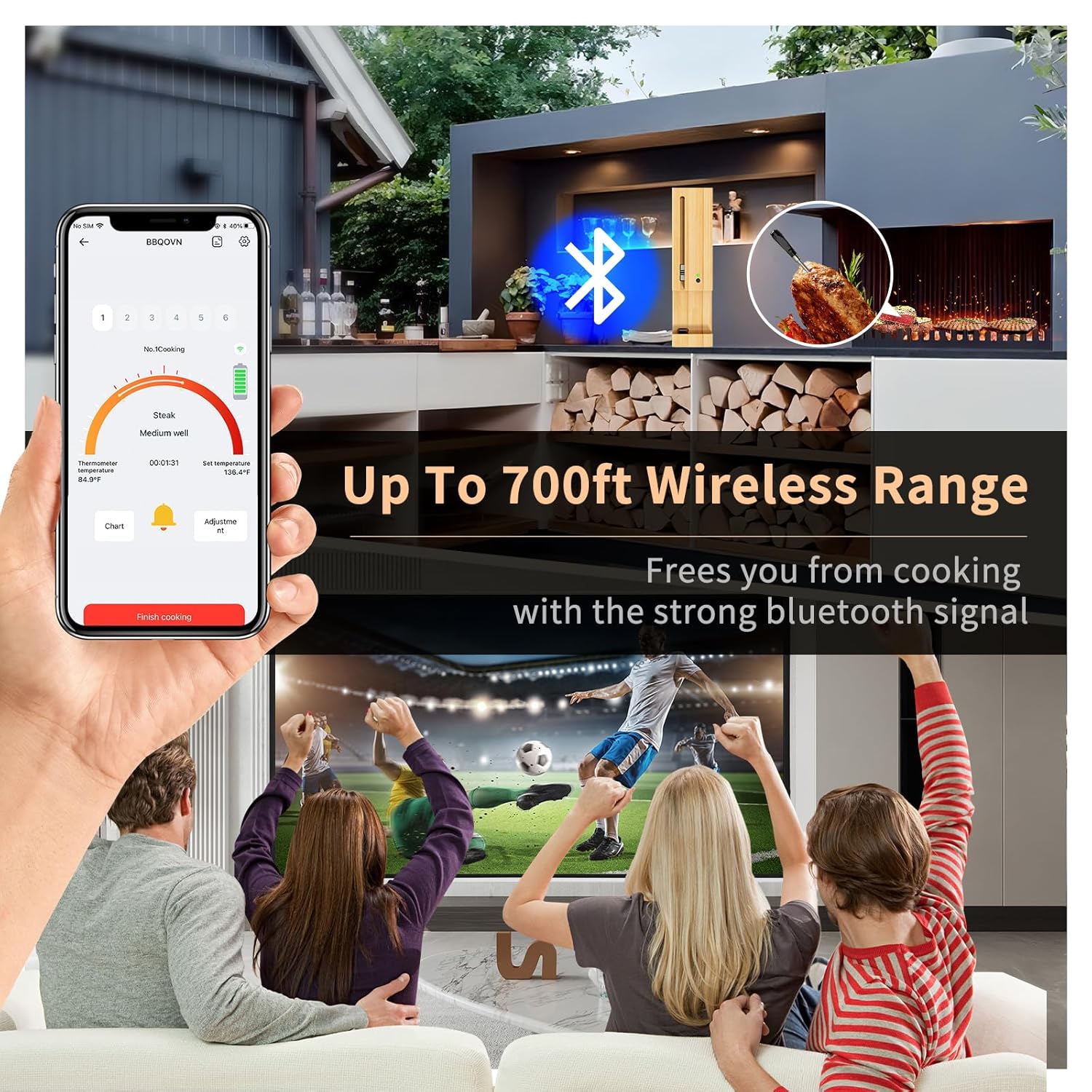
Figure 4.2: Enjoy remote monitoring with the extended wireless range, freeing you from constant kitchen presence.
4.4 Wire-Free Design
The 100% wire-free design eliminates tangled wires, making it suitable for rotisserie, smoker, oven, and grilling applications. The probe sensor provides temperature accuracy within ±1.8°F (1°C) and responds within 2 seconds.

Figure 4.3: The wire-free system allows seamless monitoring of temperatures from your smartphone.
4.5 Versatile Cooking
This thermometer is suitable for various cooking environments, including air fryers, ovens, stoves, grills, smokers, and rotisseries.
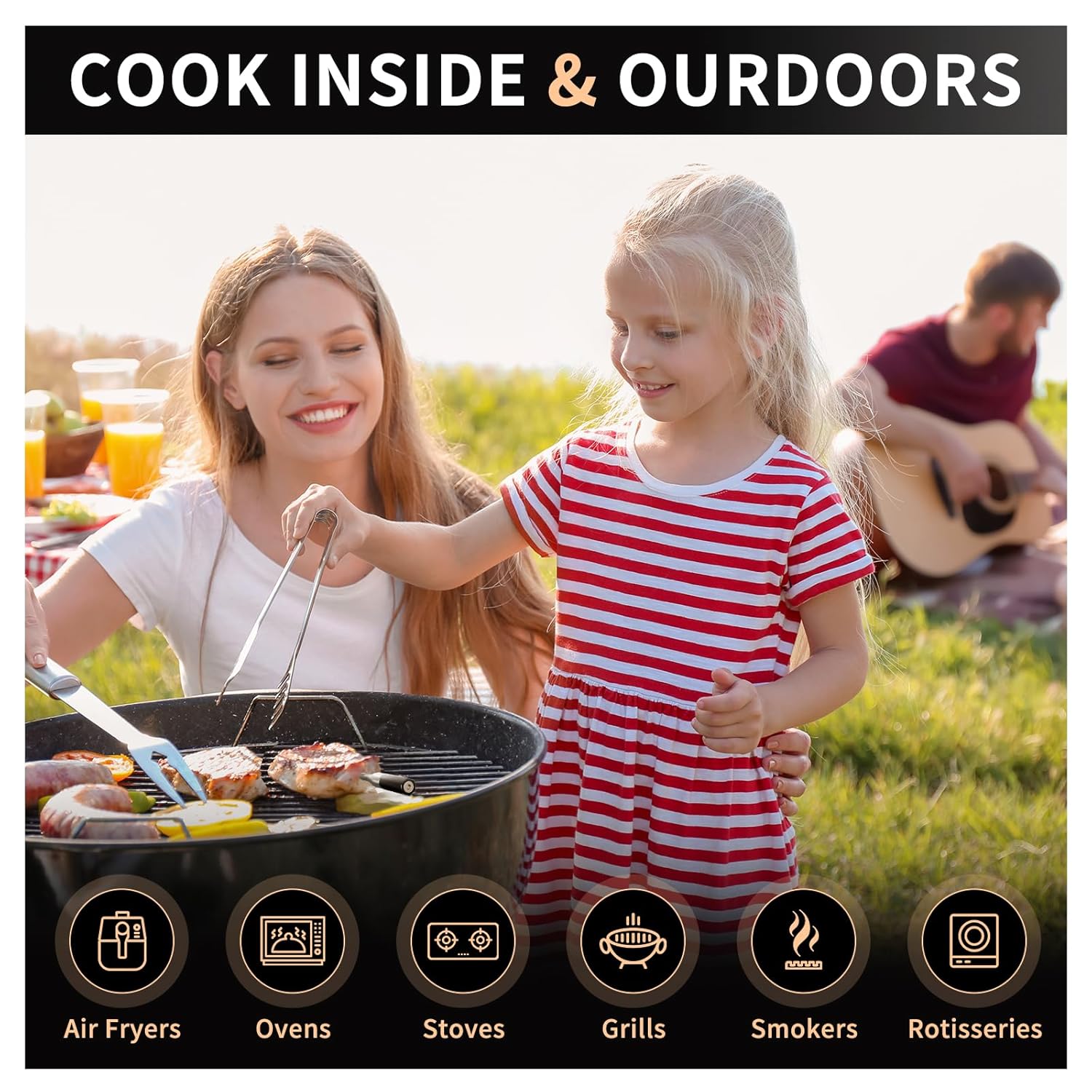
Figure 4.4: The BtcLink thermometer is designed for use in a wide range of indoor and outdoor cooking appliances.
5. Manutenzione e cura
5.1 Pulizia della sonda
After each use, clean the metal probe thoroughly with warm, soapy water. Rinse well and dry completely before storing. Do not immerse the entire probe or the charging booster in water. The probe is not dishwasher safe.
5.2 Ricarica del dispositivo
Always store the probe in its charging booster when not in use to keep it charged. Connect the booster to a USB power source periodically to ensure it maintains a charge. A blinking red light on the booster indicates low power.
5.3 Conservazione
Store the thermometer and booster in a cool, dry place away from direct sunlight and extreme temperatures.
6. Risoluzione Dei Problemi
6.1 Problemi di connessione
- Nessuna connessione/Disconnessioni frequenti:
- Ensure the probe and booster are sufficiently charged.
- Verifica che il Bluetooth sia attivo sul tuo smartphone.
- Keep the charging booster within 3 feet of the probe during cooking.
- Reduce obstacles between the booster and your smartphone. While the range is extensive, dense materials can interfere.
- Riavvia l'app e/o il telefono.
- L'app non trova il dispositivo:
- Confirm the probe is removed from the booster to activate it for pairing.
- Check if the app requires an account login. Create one if necessary.
- Ensure you have the correct "BBQOVN" app installed.
6.2 Letture della temperatura imprecise
- Ensure the probe is inserted correctly into the thickest part of the meat, avoiding bone.
- Verify the probe is clean and free of residue that might affect readings.
- Compare readings with another calibrated thermometer if available.
6.3 Problemi di addebito
- Ensure the USB-C cable is securely connected to both the booster and the power source.
- Prova un cavo USB-C o un adattatore di alimentazione diverso.
- Confirm the probe is correctly seated in the charging slot of the booster.
7. Specifiche
| Caratteristica | Dettaglio |
|---|---|
| Numero di modello | Barbecue-03 |
| Marca | BtcLink |
| Connettività | Bluetooth 5.4 |
| wireless Range | Up to 777ft (unobstructed), 500ft (with obstructions) |
| Probe Temperature Range (Internal) | Da -4°C a 212°C (da -20°F a 100°F) |
| Handle Withstand Temperature | Fino a 932 ° C (500 ° F) |
| Precisione | ± 1.8 ° F (± 1 ° C) |
| Tempo di risposta | 2 secondi |
| Fonte di alimentazione | Alimentato a batteria (1 batteria agli ioni di litio inclusa) |
| Materiale esterno | Acciaio inossidabile |
| Dimensioni (confezione) | 6.54 x 2.64 x 1.38 pollici |
| Peso (articolo) | 7.04 once |
8. Informazioni sulla sicurezza
- Do not expose the probe or booster to open flames directly.
- The probe's internal temperature sensor is designed for food, not ambient oven temperatures exceeding 212°F (100°C) for prolonged periods. The handle can withstand higher temperatures.
- Tenere fuori dalla portata dei bambini.
- Non tentare di smontare o modificare il dispositivo.
- Utilizzare solo il cavo di ricarica fornito o un cavo USB-C certificato.
- Avoid sudden temperature changes that could damage the probe.
9. Garanzia e supporto
For warranty information and customer support, please refer to the official BtcLink websito o contattare direttamente il servizio clienti. Conservare la ricevuta d'acquisto per eventuali reclami in garanzia.
Ask a question about this manual
Ask about setup, troubleshooting, compatibility, parts, safety, or missing instructions. Manuals+ will review the question and use this page’s manual context to help answer it.