
Introduzione
This manual provides detailed instructions for the installation, operation, and maintenance of your Junsun Android 13 Car Radio Stereo. Please read this manual thoroughly before installation and use to ensure proper functionality and safety. This head unit is designed for Subaru Forester, WRX, and Impreza models from 2013 to 2015, and is compatible with factory sound systems.
Componenti inclusi
Verifica che tutti gli articoli elencati di seguito siano presenti nel tuo pacco:
- Unità principale
- Microfono
- Cables (Power Cable, RCA Cable, Reversing Line, USB Cables)
- Modulo GPS
- Scatola Canbus
- Piede di porco (strumento di leva)
- Cacciavite
- Gift Camera (Backup Camera)

Immagine: Oltreview of all included components: Head unit, various cables, GPS module, Canbus box, tools, and backup camera.
Specifiche
| Marca | Sole di giugno |
| Nome del modello | JS Forester 315 |
| Sistema operativo | Androide 13 |
| Dimensioni dello schermo | 9 pollici |
| Risoluzione | 1280x720 (IPS) |
| Capacità di archiviazione della memoria | 32 GB di ROM, 2 GB di RAM |
| Tecnologia di connettività | Bluetooth, Wi-Fi, USB |
| Caratteristiche speciali | CarPlay, Android Auto, SWC, GPS, WiFi, BT, FM, RDS, AM, DSP, Rear Camera Support |
| Modalità di uscita audio | Stereo |
| Tipo di montaggio | Supporto per cruscotto |

Image: The 9-inch HD touch screen with 1280x720 resolution, supporting 1080P video playback.
Configurazione e installazione
Proper installation is crucial for the optimal performance of your car stereo. It is recommended to have this unit installed by a professional if you are not familiar with car electronics. Ensure the vehicle's battery is disconnected before beginning installation.
Passaggi generali di installazione:
- Remove Decorative Panel: Carefully use the provided pry tool (crowbar) to remove the decorative panel surrounding your factory radio.
- Rimuovere la radio di fabbrica: Unscrew and remove the fixing screws holding the factory radio in place. Gently pull out the old player.
- Scollegare i fili: Disconnect all plugs and cables from the back of the factory radio.
- Prese d'aria di trasferimento: Remove the air vents from the old decorative panel and install them into the new product decoration frame.
- Collegare i cavi: Introduce the USB cables, reversing image video cable, and GPS antenna into the center console. Connect the power harness plug to the corresponding socket on the back of the new head unit. Connect the reversing image video plug and detection line. Connect the ground wire of the power harness to the car's body iron frame.
- Installare l'unità principale: Carefully install the new head unit into the center console, ensuring all wires are properly routed and not pinched. Secure it with screws.
- Ricollegare il pannello: Reattach the decorative panel, ensuring it snaps securely into place.
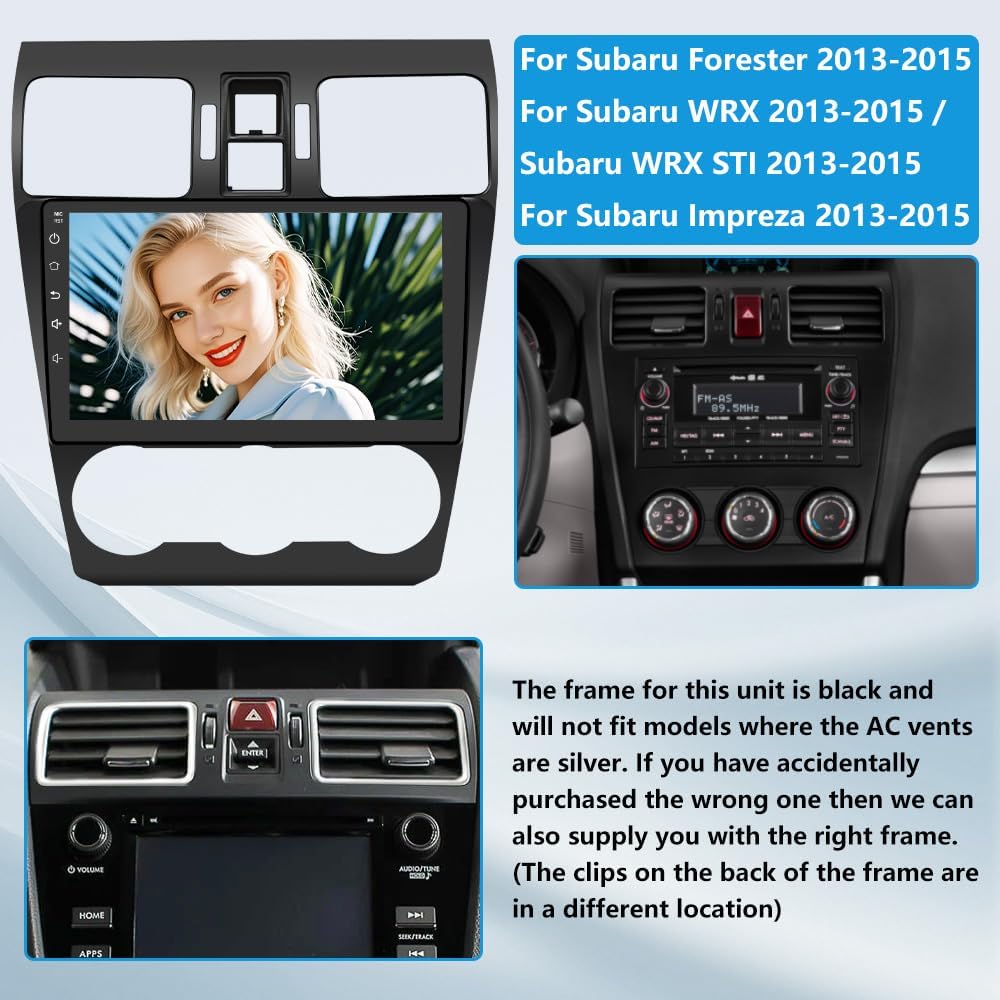
Image: The Junsun Android 13 Car Radio Stereo unit and its compatible Subaru Forester/WRX/Impreza dashboard frame.
Video di installazione:
Video: Detailed installation guide for the Subaru Forester 2013-2018 Android Head Unit. This video demonstrates the process of removing the old unit, connecting wires, and installing the new head unit.
Video: Step-by-step instructions on how to install an aftermarket radio for Subaru Forester models.
Istruzioni per l'uso
CarPlay / Android Auto
The head unit supports wireless CarPlay and Android Auto. Connect your smartphone via Bluetooth to project your phone's interface onto the large screen. This allows for easy access to navigation, music, calls, and other apps using voice commands (Siri/Google Assistant).

Image: The CarPlay and Android Auto interfaces displayed on the car stereo, showing various app icons.
Video: Demonstrates how to connect your smartphone to the car stereo for wireless CarPlay functionality.
Connettività Bluetooth
The built-in Bluetooth 4.0 allows for fast pairing with your smartphone. Enjoy hands-free calling and high-quality audio streaming. The external microphone ensures clear communication during calls.

Immagine: Illustrazione delle funzionalità Bluetooth 4.0, tra cui chiamate in vivavoce e riproduzione musicale.
Video: Guide on how to correctly connect your device via Bluetooth to the car stereo.
Navigazione GPS
The head unit features a built-in GPS module supporting both online and offline navigation applications. Download your preferred navigation apps from the Google Play Store to ensure you never get lost.
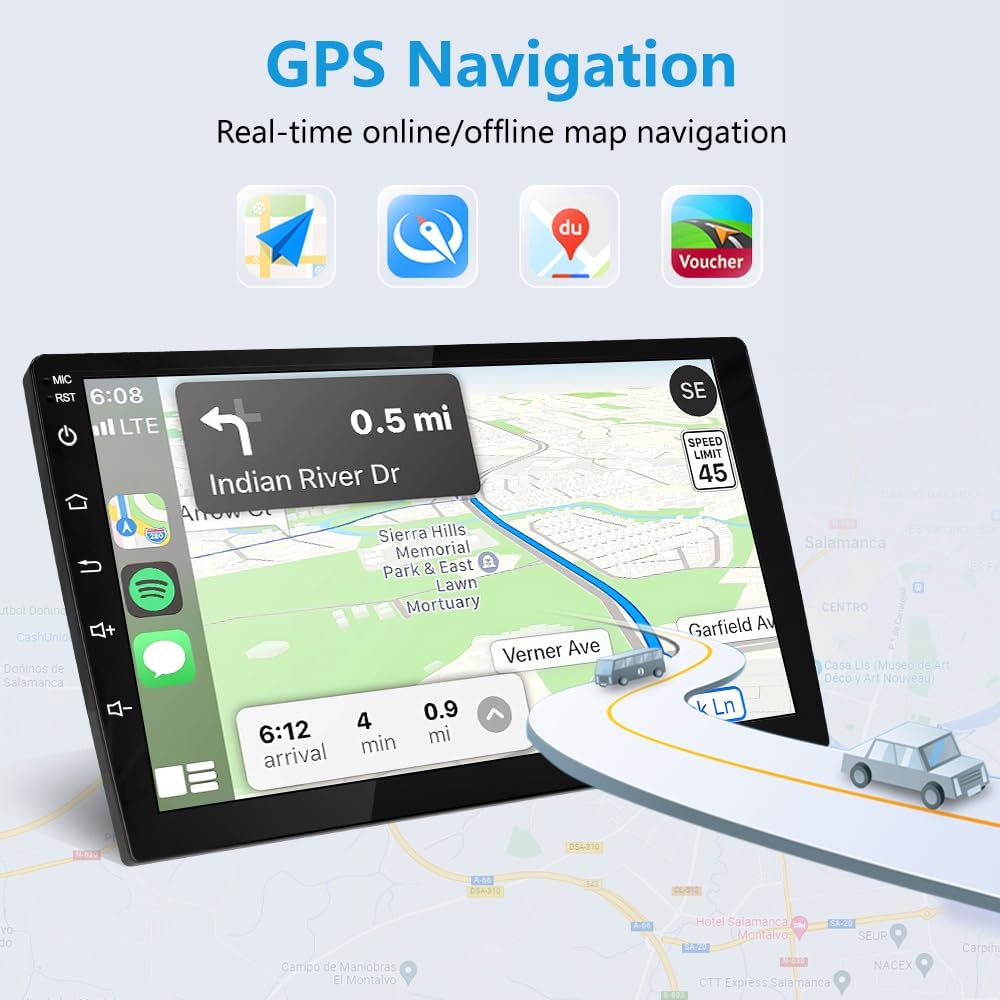
Image: The GPS navigation interface showing real-time online/offline map navigation with various map applications.
Radio FM/AM con RDS
Enjoy your favorite radio stations with the built-in FM/AM tuner. RDS (Radio Data System) provides additional information such as station name and song title where available.
Sistema audio DSP
Experience enhanced audio quality with the integrated Digital Sound Processor (DSP). The 32-band EQ allows for precise sound adjustments, offering various preset sound effects (Normal, Jazz, Pop, Classical, Rock, etc.) and customizable settings for a realistic and immersive music experience.

Image: The 32-band EQ DSP interface, allowing precise sound adjustments for a realistic and immersive music experience.
Controllo del volante (SWC)
The head unit supports your vehicle's original steering wheel controls. This allows you to operate the stereo without diverting your attention from the road, enhancing safety and convenience. The wiring harness is designed to integrate with factory SWC functionality.

Image: The Steering Wheel Control interface, showing how to map physical steering wheel buttons to various stereo functions.
Video: Instructions on how to switch the steering wheel control type for proper functionality.
Supporto per telecamera posteriore
The unit supports a backup camera, providing clear visuals for safer reversing. A free backup camera is included with the product.

Image: Display of the 1080P AHD backup camera view with parking assist lines, showing clear visuals for reversing.
Manutenzione
To ensure the longevity and optimal performance of your Junsun car stereo, follow these maintenance guidelines:
- Pulizia dello schermo: Utilizzare un panno morbido e privo di lanugine per pulire delicatamente lo schermo. Evitare detergenti abrasivi o sostanze chimiche aggressive che potrebbero danneggiare il display.
- Aggiornamenti software: Controlla periodicamente la disponibilità di aggiornamenti software rilasciati dal produttore per assicurarti di disporre delle funzionalità più recenti e delle correzioni di bug.
- Controllo della temperatura: Evitare di esporre l'unità a temperature estreme per periodi prolungati.
- Connessioni via cavo: Controllare periodicamente tutti i collegamenti dei cavi per assicurarsi che siano saldi e privi di danni.
Risoluzione dei problemi
Se riscontri problemi con l'autoradio, fai riferimento ai seguenti problemi comuni e alle relative soluzioni:
- Nessun potere: Controllare tutti i collegamenti elettrici. Assicurarsi che la batteria dell'auto sia correttamente collegata e carica. Verificare che il fusibile sia intatto.
- Nessun suono o scarsa qualità del suono: Check speaker connections. Ensure the volume is not muted or too low. Adjust the DSP equalizer settings (refer to the DSP Sound System section). Some users report initial muddy sound that improves with EQ adjustment.
- Comandi al volante non funzionanti: Ensure the SWC wires are correctly connected to the harness. Access the SWC settings in the unit's menu and perform the learning process (refer to the Steering Wheel Control section). Adjust SWC button values (SWC1, SWC2, SWC3) if needed.
- La telecamera di backup non viene visualizzata: Verify the reversing line and video input cables are securely connected. Ensure the camera is receiving power.
- Problemi di connettività Wi-Fi/Bluetooth: Ensure your phone's Wi-Fi and Bluetooth are enabled. Try restarting both the head unit and your phone.
- HVAC Vent Misalignment: Some users have reported issues with HVAC vent tabs not aligning during installation. Double-check the fitment and ensure the correct frame is used for your specific vehicle model and year.
Garanzia e supporto
This Junsun car stereo comes with a Garanzia di 1 anno. For technical support, installation assistance, or warranty claims, please contact Junsun Car Electronics directly through their Amazon store page. They typically respond within 24 hours due to time differences.

Image: Instructions on how to contact Junsun Car Electronics for support via their Amazon store page.