
ASMAX ASMAXF1DP01
Manuale utente dell'auricolare Bluetooth per moto ASMAX F1
Model: ASMAX F1
1. Introduzione
The ASMAX F1 Motorcycle Bluetooth Headset is an advanced communication system designed for motorcyclists. It features Bluetooth 5.3 technology, supporting up to 10 riders with a communication range of up to 1.8km. The F1 offers dual intercom modes (Free and Group Mesh), voice control, superior sound quality with ENC noise reduction, and an IP67 waterproof rating. Its magnetic mounting system and fast-charging capabilities ensure convenience and reliability for all your rides.
2. Informazioni sulla sicurezza
- Dare sempre priorità alla sicurezza stradale. Non utilizzare il dispositivo in modo da distrarti dalla guida.
- Prima di guidare, assicurarsi che l'auricolare sia saldamente fissato al casco.
- Regola il volume in modo da riuscire a sentire i rumori del traffico circostante.
- Non tentare di smontare o modificare il dispositivo, poiché ciò potrebbe invalidare la garanzia e comportare rischi per la sicurezza.
- Tenere il dispositivo lontano da temperature estreme e dalla luce solare diretta.
- Caricare il dispositivo utilizzando solo il cavo in dotazione e una fonte di alimentazione compatibile.
3. Contenuto della confezione
Verifica che tutti gli articoli siano presenti nel tuo pacco:
- ASMAX F1 Bluetooth Headset Unit(s)
- Speaker and Microphone Kit(s)
- Magnetic Mounting Base(s)
- Cavo/i di ricarica USB
- Manuale d'uso
- Mounting Accessories (e.g., adhesive pads, clips)

Image: ASMAX F1 Headset and included accessories.
4. Prodotto finitoview
4.1 Componenti
The ASMAX F1 unit features a sleek design with an illuminated cross-shaped indicator. It is designed for easy attachment to most motorcycle helmets.

Image: ASMAX F1 Bluetooth Headset units.
4.2 Controlli e Indicatori
The ASMAX F1 is equipped with intuitive controls and indicators for ease of use while riding.
- Pulsante interfono: Initiates and manages intercom connections.
- Pulsanti Volume +/-: Regola il volume audio.
- Pulsante funzione: Pulsante multiuso per varie operazioni.
- Indicatore LED: Visualizza lo stato del dispositivo (ad esempio, alimentazione, associazione, ricarica).
- Controllo vocale: Activates functions using voice commands (e.g., "Hi Max").

Image: ASMAX F1 controls and helmet compatibility.
5. Impostazione
5.1 Installazione sul casco
The ASMAX F1 features a magnetic mounting system for easy and secure attachment to your helmet.
- Choose a suitable location on the side of your helmet, typically on the left side, ensuring it does not obstruct your vision or helmet functionality.
- Clean the helmet surface thoroughly where the mounting base will be attached.
- Attach the magnetic mounting base to the helmet using the provided adhesive pad or clamp. Ensure it is firmly secured.
- Insert the speakers into the helmet's ear pockets. Ensure they are positioned directly over your ears for optimal sound.
- Route the microphone boom or wired microphone to a position near your mouth, ensuring clear voice pickup and minimal wind noise.
- Connect the speaker and microphone cables to the ASMAX F1 unit.
- Attach the ASMAX F1 unit to the magnetic mounting base. The strong magnet will secure it in place.
5.2 Carica iniziale
Before first use, fully charge the ASMAX F1 unit. The 1250mAh battery supports fast charging.
- Connect the provided USB charging cable to the ASMAX F1 unit's charging port.
- Collegare l'altra estremità del cavo a un adattatore di alimentazione USB (non incluso) o a una porta USB del computer.
- The LED indicator will show charging status. Once fully charged, the indicator will change (refer to specific LED behavior in the full manual).
- Il dispositivo può essere caricato durante l'uso.
6. Istruzioni per l'uso
6.1 Accensione/spegnimento
- Accensione: Press and hold the Function Button for approximately 3 seconds until the LED indicator lights up and you hear a voice prompt.
- Spegni: Press and hold the Function Button for approximately 3 seconds until the LED indicator turns off and you hear a voice prompt.
6.2 Accoppiamento Bluetooth con dispositivo mobile
The ASMAX F1 uses Bluetooth 5.3 for stable connections.
- With the ASMAX F1 powered off, press and hold the Function Button for approximately 5-7 seconds until the LED indicator flashes rapidly (usually blue/red alternating), indicating pairing mode.
- Sul tuo cellulare, attiva il Bluetooth e cerca nuovi dispositivi.
- Select "ASMAX F1" from the list of available devices.
- Once paired, the LED indicator will change (e.g., slow blue flashes) and you will hear a confirmation tone.

Image: Universal pairing capability of ASMAX F1.
6.3 Intercom Modes
The ASMAX F1 supports various intercom modes for group communication.
- Modalità libera: For spontaneous connections within range. Up to 10 riders can join instantly.
- Group Mode (MESH Communication): For private conversations with a team of up to 10 riders. Supports 1-on-1 chats within the group.
- CloudTalk Mode: (Requires app update) Supports cross-brand cloud intercom for up to 50 people, anywhere with a mobile network.

Image: ASMAX F1 10-Rider Mesh Group Intercom.
6.4 Controllo vocale
Activate voice commands by saying "Hi Max" followed by your command. This allows for hands-free operation.
- "Hi Max, Music On"
- "Hi Max, Next Track"
- "Hi Max, Volume Up/Down"
- "Hi Max, Answer The Phone"
- "Hi Max, End Intercom"
- "Hi Max, Phone Pairing"
- "Hi Max, Group Mesh"
- "Hi Max, Free Mode"

Image: ASMAX F1 Voice Control feature.
6.5 Multitasking audio
The ASMAX F1 allows for simultaneous audio streams, such as listening to music while receiving navigation instructions or participating in an intercom conversation.

Image: ASMAX F1 Audio Multitasking.
7. Manutenzione
- Pulizia: Pulire l'unità con un panno morbido, damp stoffa. Non utilizzare prodotti chimici aggressivi o detergenti abrasivi.
- Magazzinaggio: Conservare il dispositivo in un luogo fresco e asciutto quando non viene utilizzato.
- Cura della batteria: Per una durata ottimale della batteria, evitare di scaricarla completamente frequentemente. Caricarla regolarmente.
- Resistenza all'acqua: The ASMAX F1 is IP67 waterproof. While it can withstand rain and splashes, avoid prolonged submersion.

Image: ASMAX F1 IP67 Waterproof feature.
8. Risoluzione Dei Problemi
| Problema | Possibile causa | Soluzione |
|---|---|---|
| Il dispositivo non si accende. | Batteria scarica. | Carica completamente il dispositivo. |
| Impossibile effettuare l'associazione con il telefono. | Dispositivo non in modalità di associazione; Bluetooth disattivato sul telefono. | Ensure device is in pairing mode (flashing LED). Turn on phone's Bluetooth. Forget previous pairings on phone. |
| Problemi di connessione all'interfono. | Fuori portata; interferenza; modalità errata. | Ensure units are within range. Check for obstacles. Verify correct intercom mode (Free/Group). |
| Scarsa qualità audio/rumore. | Microphone position; speaker placement; high speed. | Adjust microphone closer to mouth. Ensure speakers are aligned with ears. ENC noise reduction works best with visor closed at high speeds. |
| I comandi vocali non rispondono. | Microphone issue; noisy environment; incorrect command. | Ensure microphone is clear. Speak clearly. Try again in a quieter environment. Refer to voice command list. |
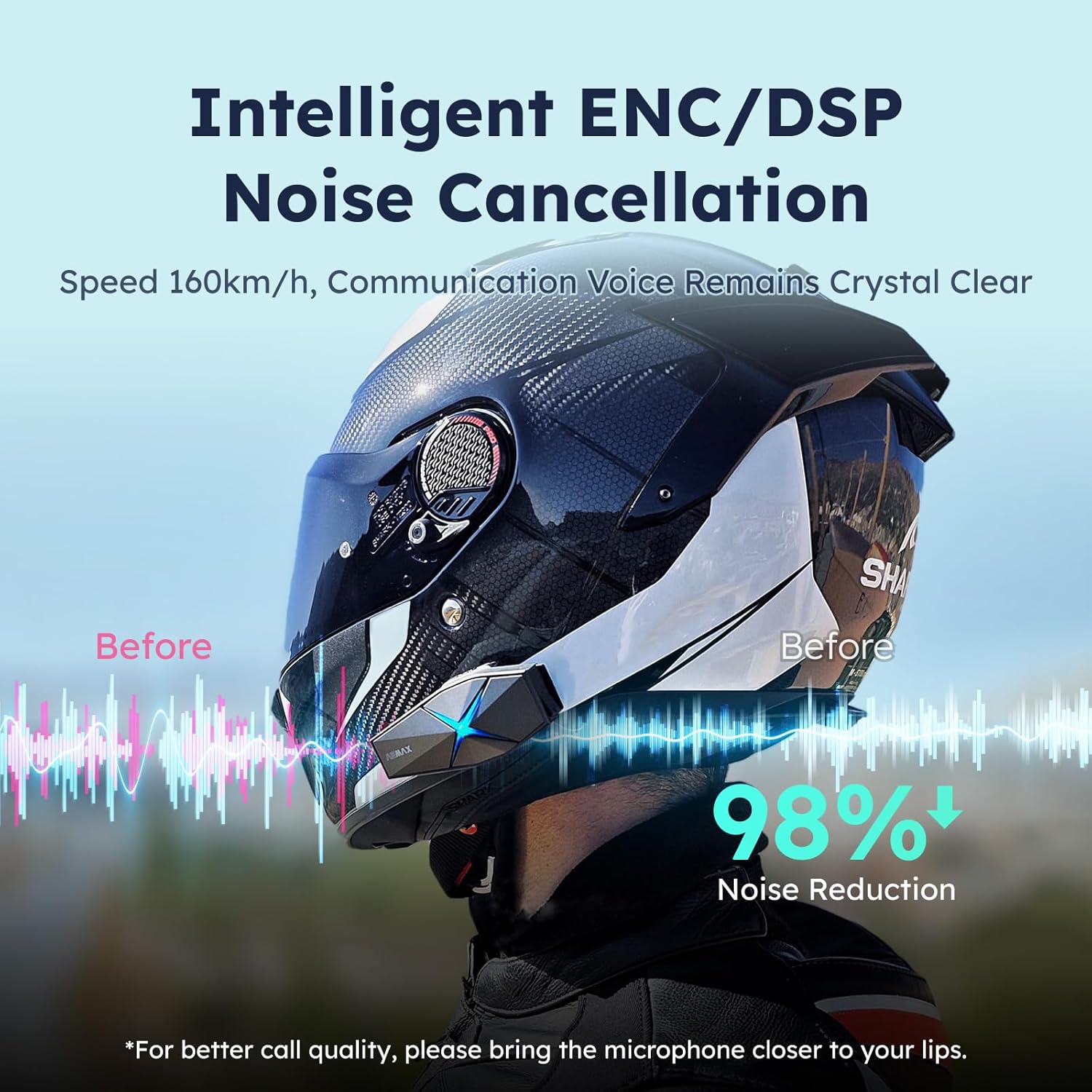
Image: ASMAX F1 Noise Cancellation technology.
9. Specifiche
| Caratteristica | Dettaglio |
|---|---|
| Nome del modello | ASMAX F1 (F1 DP) |
| Versione Bluetooth | 5.3 |
| Interfono | Up to 1.8 km (10 riders) |
| Capacità della batteria | 1250mAh |
| Ricarica | Fast Charging, USB |
| Grado di impermeabilità | Grado di protezione IP67 |
| Controllo del rumore | Active Noise Cancellation (ENC/DSP) |
| Controllo vocale | "Hi Max" commands |
| Caratteristiche audio | Audio Multitasking, Superior Sound Quality |
| Dimensioni | Approx. 86mm x 36mm x 23.6mm (unit) |
| Peso | Approx. 50g (unit) |
| Posizionamento dell'orecchio | Nell'orecchio |
| Impedenza | 32 Ohm |
| Sensibilità | 105 dB |
| Risposta in frequenza | 20 Hz (minimo) |

Image: ASMAX F1 Dual-Chip Octa-Core technology.
10. Garanzia e supporto
ASMAX products come with a standard manufacturer's warranty. For specific warranty terms and conditions, please refer to the warranty card included in your product packaging or visit the official ASMAX websito.
For technical support, troubleshooting assistance, or any inquiries regarding your ASMAX F1 headset, please contact ASMAX customer service through their official channels. Contact information can typically be found on the ASMAX websito o nella confezione del prodotto.
Regularly check the ASMAX website or app for firmware updates to ensure optimal performance and access to new features, such as CloudTalk Mode.
Ask a question about this manual
Ask about setup, troubleshooting, compatibility, parts, safety, or missing instructions. Manuals+ will review the question and use this page’s manual context to help answer it.