1. Introduzione
This manual provides detailed instructions for the setup, operation, maintenance, and troubleshooting of your Machenike K500B-B87 75% TKL Mechanical Wired Gaming Keyboard. Please read this manual thoroughly before using the product to ensure proper functionality and longevity.

Image 1.1: Machenike K500B-B87 Mechanical Gaming Keyboard, showcasing its compact 75% TKL layout with RGB backlighting and white/blue keycaps.
2. Contenuto della confezione
Verificare che tutti gli articoli siano presenti nel pacco:
- Tastiera da gioco meccanica Machenike K500B-B87
- Cavo USB (per connessione cablata)
- Manuale dell'utente (questo documento)
Note: Additional accessories such as a keycap puller, switch puller, or extra switches may be included depending on the specific product bundle.
3. Guida all'installazione
3.1. Collegamento della tastiera
- Locate the USB-C port on the Machenike K500B-B87 keyboard, typically found on the top edge.
- Collegare un'estremità del cavo USB in dotazione alla porta USB-C della tastiera.
- Connect the other end of the USB cable to an available USB-A port on your computer (Laptop, Mac, or PC).
- La tastiera verrà riconosciuta automaticamente dal sistema operativo. In genere non sono necessari driver aggiuntivi per le funzionalità di base.
3.2. Accensione iniziale
Upon successful connection, the keyboard's RGB backlighting will illuminate, indicating it is powered on and ready for use.
4. Istruzioni per l'uso
4.1. Disposizione dei tasti e funzioni
The Machenike K500B-B87 features an 87-key TKL (Tenkeyless) layout, which is a compact design that retains essential function keys and a number row while saving desktop space.

Image 4.1: The keyboard demonstrating N-Key Rollover, allowing multiple simultaneous key presses without conflict.
The keyboard supports N-Key Rollover, ensuring that all key presses are registered accurately, even during rapid typing or complex gaming sequences.
4.2. Controllo della retroilluminazione RGB
The keyboard features dynamic RGB backlighting with 11 different lighting modes. Use the following key combinations to adjust the lighting effects:
| Combinazione di tasti | Funzione |
|---|---|
| FN+INS | Switch Lighting Modes (Cycle through 11 modes) |
| Tasto F + ← / → | Adjust Lighting Speed |
| Tasto funzione + ↑ / ↓ | Adjust Lighting Brightness |

Image 4.2: Illustration of the keyboard's multiple lighting modes and control key combinations.
4.3. Supporto software
For advanced customization, including lighting adjustments, macro programming, and personalized keyboard control, dedicated software is available. This software is primarily compatible with Windows operating systems.
- Download the official software from the Machenike websito.
- Install the software on your Windows PC.
- Use the software to configure RGB effects, create custom macros, and remap keys.
Note: Settings configured via the software on a Windows PC will be saved to the keyboard's onboard memory and will persist when connected to other devices (e.g., Mac) that do not support the software.
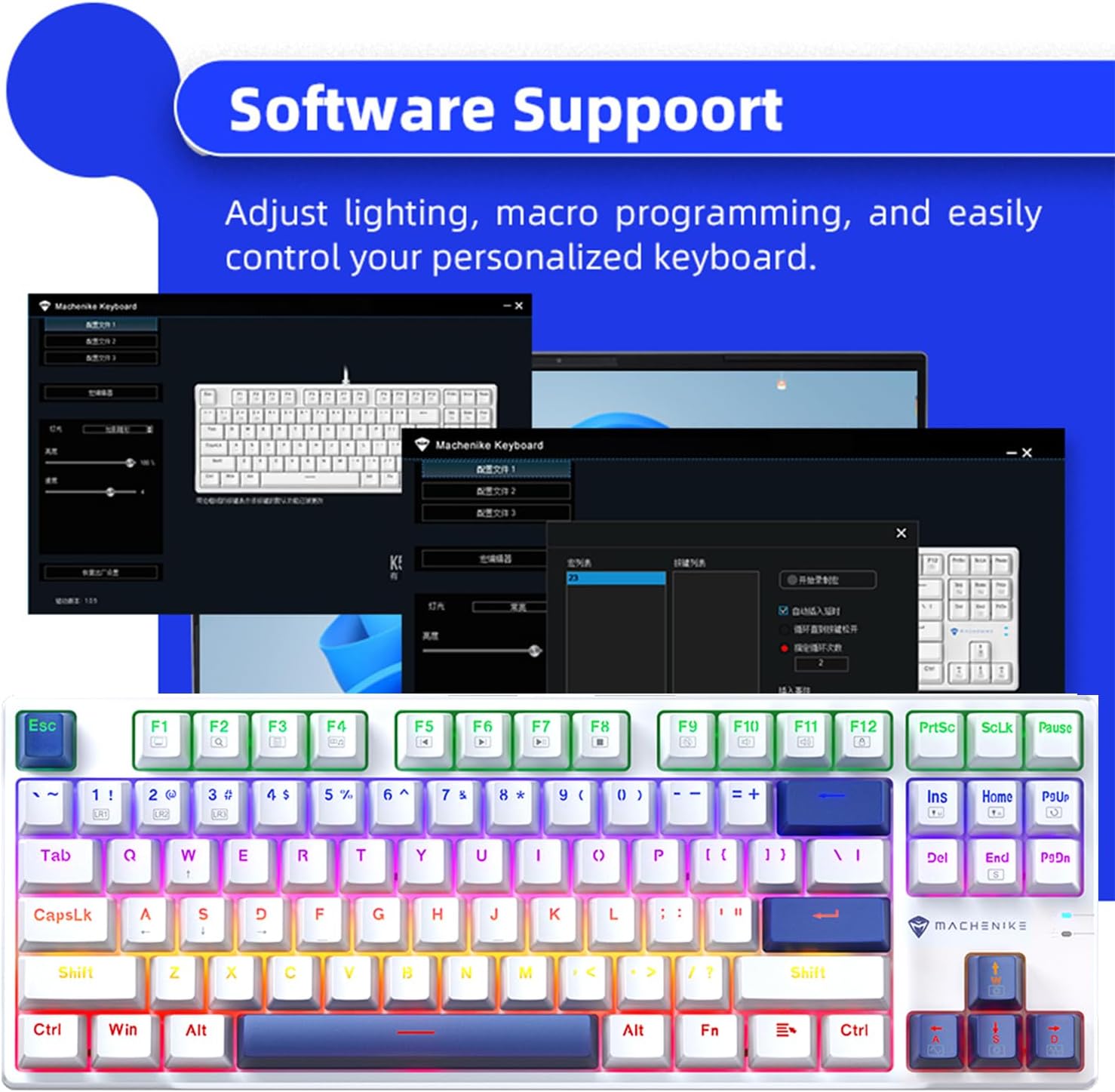
Image 4.3: Screenshot of the Machenike keyboard software interface, demonstrating customization options.
5. Manutenzione
5.1. Pulizia della tastiera
- Scollegare la tastiera dal computer prima di pulirla.
- Utilizzare una bomboletta di aria compressa per rimuovere polvere e detriti dagli spazi tra i tasti.
- Pulisci i tasti e la superficie della tastiera con un panno morbido e leggermente abrasivo.amp, panno privo di lanugine. Evitare l'eccessiva umidità.
- Do not use harsh chemicals, abrasive cleaners, or solvents, as these can damage the keycaps or finish.
5.2. Hot-Swappable Switches and PBT Keycaps
The Machenike K500B-B87 features hot-swappable mechanical switches (3-pin compatible) and durable double-shot PBT keycaps. This allows for easy customization and replacement of switches and keycaps.
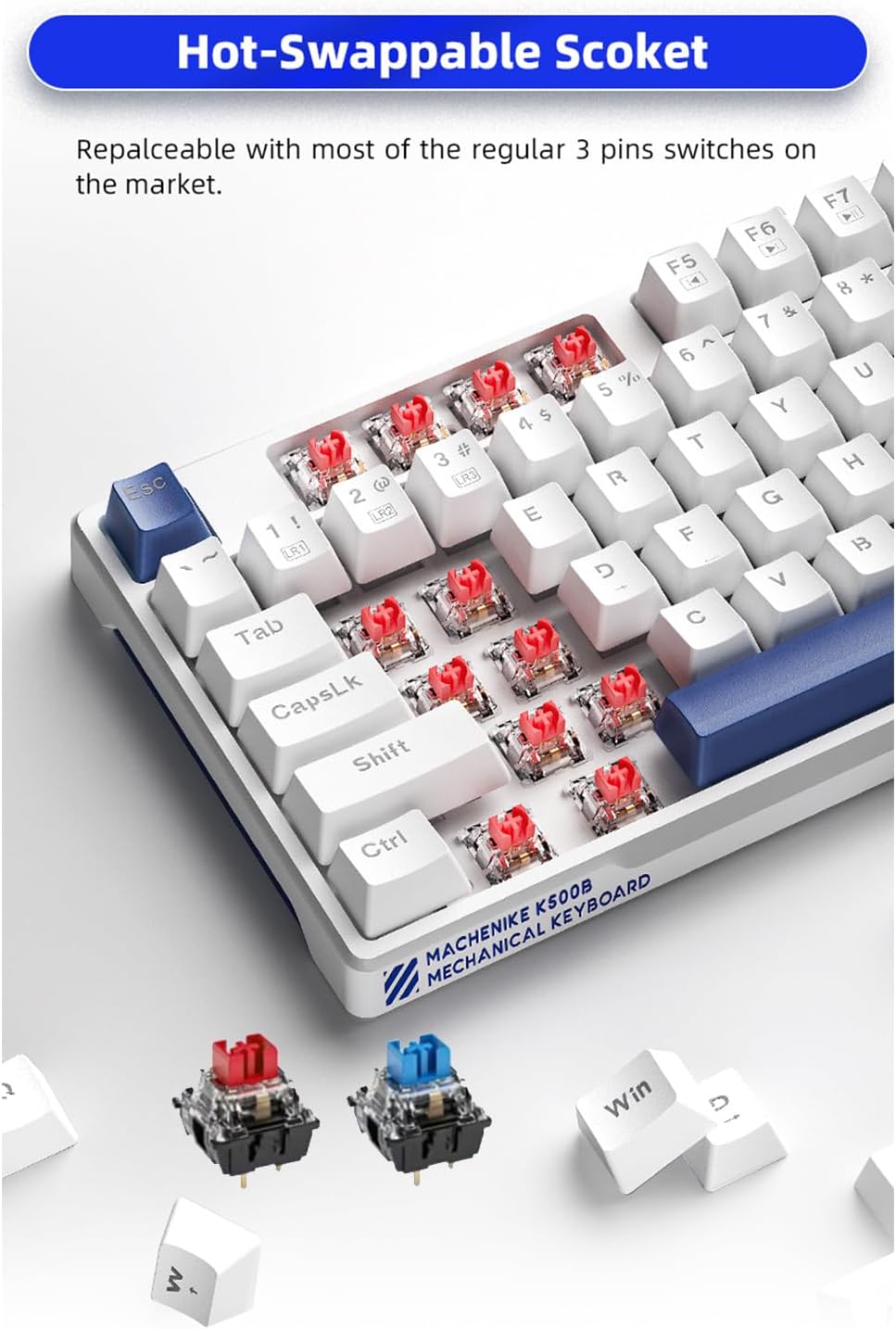
Immagine 5.1: Primo piano view of the hot-swappable sockets, illustrating how switches can be easily removed and replaced.
- Sostituzione dell'interruttore: Use a switch puller tool to carefully remove existing switches. Align the pins of the new 3-pin switch with the socket holes and press firmly until it clicks into place. Ensure pins are straight to avoid bending.
- Sostituzione dei tasti: Use a keycap puller tool to gently remove keycaps. Align the new keycap with the switch stem and press down until it is securely seated.
Caution: Apply gentle force when removing or installing switches and keycaps to prevent damage to the keyboard or components.
6. Risoluzione Dei Problemi
If you encounter issues with your Machenike K500B-B87 keyboard, refer to the following common problems and solutions:
- La tastiera non risponde:
- Assicurarsi che il cavo USB sia collegato saldamente sia alla tastiera che al computer.
- Prova a collegare la tastiera a una porta USB diversa del computer.
- Prova la tastiera su un altro computer per determinare se il problema riguarda la tastiera stessa o la porta USB/i driver del computer.
- Riavvia il computer.
- Backlighting Not Working or Flickering:
- Check if the brightness is set to maximum using FN +.
- Scorrere le modalità di illuminazione utilizzando FN+INS to see if other modes function.
- Assicurati che la tastiera riceva sufficiente alimentazione dalla porta USB. Prova una porta diversa o un hub USB alimentato, se disponibile.
- If using the software, ensure no conflicting settings are applied.
- Chiavi specifiche non registrate:
- This could indicate a faulty switch. If you have spare switches and a switch puller, try replacing the problematic switch.
- Assicurarsi che il tasto sia posizionato correttamente sullo stelo dell'interruttore.
- Il software non riconosce la tastiera:
- Ensure the software is the correct version for your keyboard model.
- Eseguire il software come amministratore.
- Disattivare temporaneamente qualsiasi software antivirus o firewall che potrebbe bloccare la connessione.
- Reinstallare il software.
If the problem persists after trying these steps, please contact Machenike customer support for further assistance.
7. Specifiche
| Caratteristica | Dettaglio |
|---|---|
| Modello | K500B-B87 |
| Tecnologia di connettività | USB-C (cablato) |
| Disposizione dei tasti | 87 Keys (75% TKL) |
| Tipo di interruttore | Mechanical (Blue Switch variant, hot-swappable 3-pin) |
| keycaps | PBT a doppio colpo |
| Retroilluminazione | RGB (11 modalità) |
| Anti-ghosting | Rollover N-chiave |
| Dispositivi compatibili | Computer portatile, Mac, PC |
| Dimensioni del prodotto | 14.16 x 5.11 x 1.41 pollici (359.7 x 129.7 x 36.0 mm) |
| Peso dell'articolo | 1.47 libbre (circa 667 g) |
| Lunghezza del cavo | Circa. 1.6 metri |

Image 7.1: Visual representation of key specifications and software support for the Machenike K500B-B87 keyboard.
8. Garanzia e supporto
8.1. Informazioni sulla garanzia
This product is covered by a manufacturer's warranty. Please refer to the warranty card included with your purchase or visit the official Machenike webPer i termini e le condizioni di garanzia dettagliati, consultare il sito. La garanzia copre in genere difetti di materiali e fabbricazione in condizioni di normale utilizzo.
8.2. Assistenza clienti
For technical assistance, troubleshooting beyond this manual, or warranty claims, please contact Machenike customer support through their official websito o le informazioni di contatto fornite sulla confezione del prodotto.
Visit the official Machenike Store on Amazon for more information: Machenike Store