
1. Introduzione
This manual provides detailed instructions for the Alltro Voice Remote Control, designed for use with Samsung televisions. This remote control, model BN59-01330B, is also compatible with the BN59-00327G model. It features Bluetooth connectivity for enhanced range and responsiveness, integrated voice control for convenient command input, and dedicated shortcut buttons for popular streaming services like Netflix, Prime Video, and Rakuten TV.
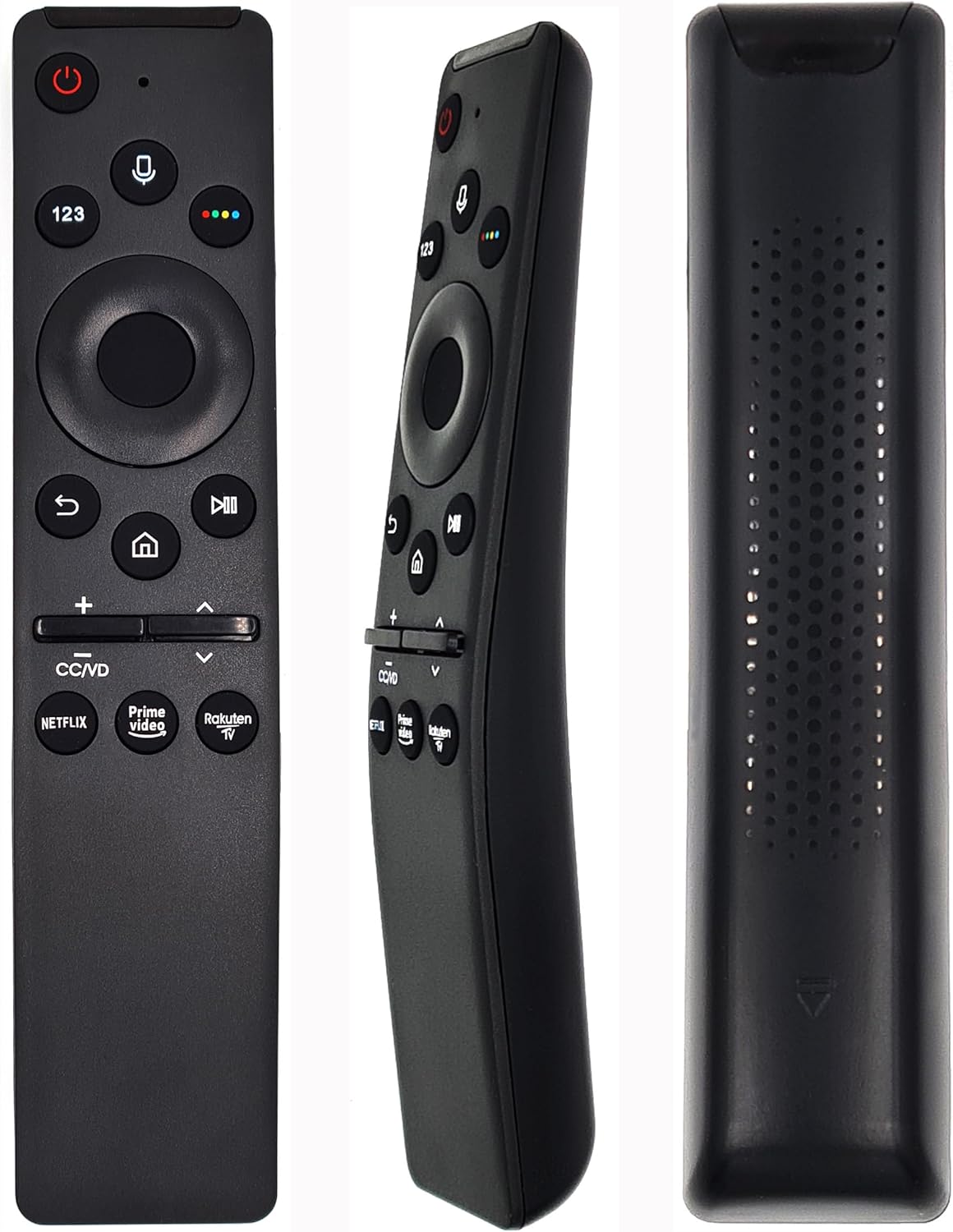
Figura 1: Fronte view of the Alltro Voice Remote Control. This image displays the full layout of the remote's buttons, including the power button, voice command button, number pad, navigation circle, playback controls, volume and channel rockers, and dedicated app buttons for Netflix, Prime Video, and Rakuten TV.
2. Impostazione
2.1. Installazione della batteria
The remote control requires two (2) AA alkaline batteries (not included). Follow these steps to install the batteries:
- Individuare il vano batterie sul retro del telecomando.
- Per aprire il coperchio della batteria, farlo scorrere verso il basso.
- Inserire due batterie AA, assicurandosi che i terminali positivo (+) e negativo (-) siano allineati correttamente con gli indicatori all'interno del vano.
- Far scorrere il coperchio della batteria in posizione finché non scatta in modo sicuro.
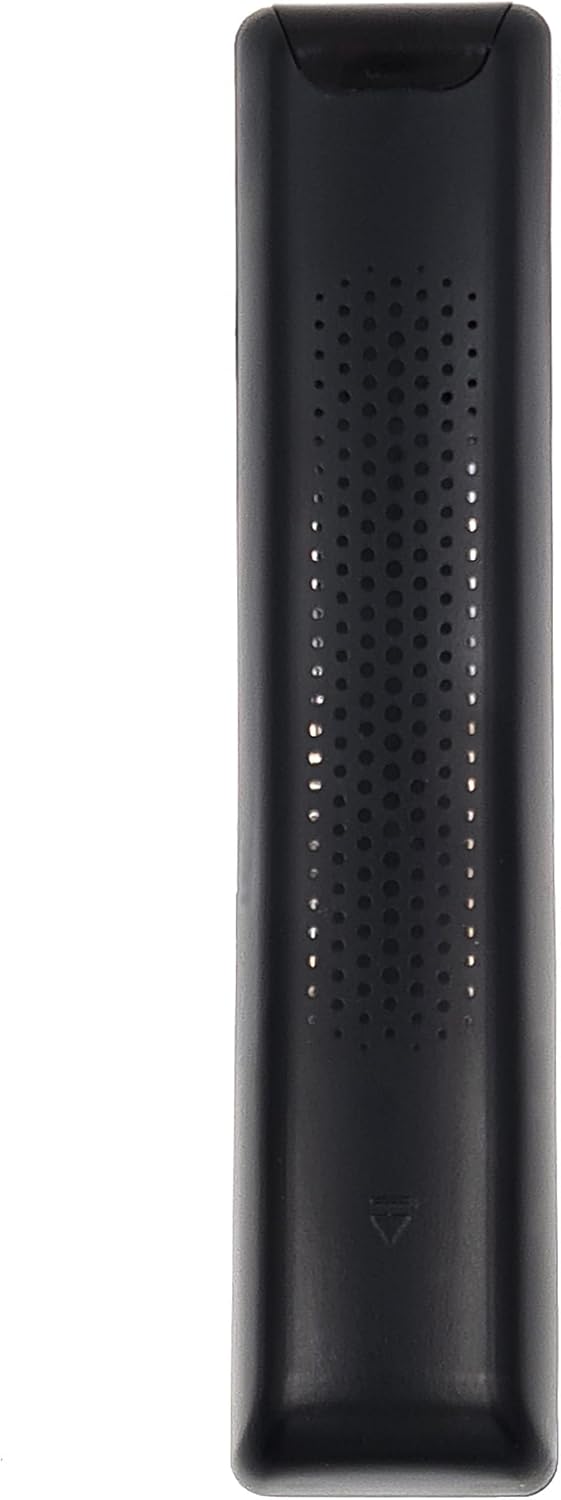
Figura 2: Indietro view of the Alltro Voice Remote Control. This image shows the textured back surface of the remote, which includes the battery compartment cover at the bottom.
2.2. Pairing with Your Samsung TV
This remote control uses Bluetooth for enhanced functionality, including voice control. It needs to be paired with your Samsung TV for full operation. The remote is designed to be compatible with Samsung TVs that originally came with a BN59-01330B or BN59-00327G remote.
Per associare il telecomando al televisore:
- Assicurati che la TV sia accesa.
- Puntare il telecomando verso la TV.
- Premere e tenere premuto contemporaneamente il tasto Ritorno pulsante (freccia curva) e il Riproduci/Pausa pulsante per almeno 3 secondi.
- Sullo schermo del televisore dovrebbe apparire un messaggio di associazione, che indica che il telecomando si sta connettendo.
- Once paired, the message will confirm successful connection.
If pairing is unsuccessful, ensure the batteries are correctly installed and charged, and try the process again. Move closer to the TV if necessary.
3. Istruzioni per l'uso
3.1. Funzioni dei pulsanti
Familiarizza con le funzioni di ciascun pulsante del tuo telecomando:
- Pulsante di accensione (⏻): accende o spegne il televisore.
- Pulsante Voce (🎙️): Attiva la funzione di controllo vocale. Tieni premuto per pronunciare i comandi.
- Tastierino numerico (123): Displays a virtual number pad on the screen for direct channel input or other numerical selections.
- Pulsanti colorati (rosso, verde, giallo, blu): Used for specific functions within menus or applications, often indicated on-screen.
- Navigation Circle (Up, Down, Left, Right, Enter): Used to navigate through menus, select items, and confirm choices.
- Pulsante di ritorno (↩): Ritorna alla schermata o al menu precedente.
- Pulsante Home (🏠): Accesses the Smart Hub or Home screen of your TV.
- Pulsante di riproduzione/pausa (▶⏸): Controlla la riproduzione multimediale (riproduzione, pausa).
- Volume Rocker (+/-): Adjusts the TV volume. Press the center to mute/unmute.
- Channel Rocker (∧/∨): Changes TV channels. Press the center to access the channel list.
- Pulsante CC/VD: Toggles Closed Captions (CC) or Video Description (VD) if available.
- Pulsante Netflix: Accesso diretto all'applicazione Netflix.
- Pulsante Prime Video: Accesso diretto all'applicazione Amazon Prime Video.
- Pulsante Rakuten TV: Direct access to the Rakuten TV application.

Figura 3: Dettaglio frontale view of the Alltro Voice Remote Control. This image provides a clearer look at the individual buttons and their icons, including the voice button, navigation pad, and dedicated streaming service buttons.
3.2. Utilizzo del controllo vocale
The voice control feature allows you to issue commands to your TV using your voice. This function requires the remote to be successfully paired via Bluetooth.
- Premere e tenere premuto il tasto Pulsante Voce (🎙️).
- Speak your command clearly into the microphone located near the top of the remote. Exampincludono:
- "Apri Netflix"
- "Cambio su Canale 5"
- "Alza il volume"
- "Cercare [titolo del film]"
- Release the Voice Button when you have finished speaking. The TV will process your command.
Ensure there is no obstruction between the remote and your mouth when using voice control. For best results, speak in a normal tone and pace.
4. Manutenzione
4.1. Pulizia del telecomando
Per preservare l'aspetto e la funzionalità del telecomando, pulirlo regolarmente:
- Utilizzare un panno morbido e asciutto per pulire la superficie del telecomando.
- Per sporco ostinato, leggermente dampBagnare il panno con acqua o un detergente delicato e non abrasivo.
- Evitare l'uso di prodotti chimici aggressivi, solventi o materiali abrasivi, poiché potrebbero danneggiare la finitura del telecomando o i componenti interni.
4.2. Sostituzione della batteria
Replace the batteries when the remote's performance degrades (e.g., reduced range, unresponsive buttons, voice control issues). Refer to Section 2.1 for battery installation instructions. Always replace both batteries at the same time with new ones of the same type (AA alkaline).
5. Risoluzione Dei Problemi
Se riscontri problemi con il telecomando, prova a seguire i seguenti passaggi per la risoluzione dei problemi:
- Il telecomando non risponde:
- Controllare che le batterie siano installate correttamente e abbiano una carica sufficiente. Sostituirle se necessario.
- Ensure there are no obstructions between the remote and the TV's infrared receiver (if using IR functions) or that the remote is within Bluetooth range.
- Provare a riassociare il telecomando al televisore (fare riferimento alla Sezione 2.2).
- Controllo vocale non funzionante:
- Confirm the remote is successfully paired via Bluetooth. Voice control relies on Bluetooth connectivity.
- Assicurati di tenere premuto il pulsante Voce mentre parli.
- Parlare in modo chiaro e diretto nel microfono.
- Controlla le impostazioni del tuo televisore per assicurarti che il controllo vocale sia abilitato.
- Dedicated App Buttons Not Launching Apps:
- Assicurati che la tua TV sia connessa a Internet.
- Verify that the respective applications (Netflix, Prime Video, Rakuten TV) are installed and updated on your TV.
- Sometimes, a TV software update might be required.
If the issue persists after attempting these steps, consult your Samsung TV's user manual or contact Samsung customer support for further assistance.
6. Specifiche
| Caratteristica | Dettaglio |
|---|---|
| Marca | Alltro |
| Numero di modello | BN59-00327G (Compatible with BN59-01330B) |
| Tecnologia di connettività | Bluetooth, infrarossi |
| Caratteristiche speciali | No programming required, Voice search |
| Dispositivi compatibili | Television (Samsung) |
| Portata massima | 10 metri |
| Batterie richieste | 2 x AA (alcalina) |
| Peso dell'articolo | 50 grammi |
7. Garanzia e supporto
This product comes with a manufacturer's warranty of 2 years. For warranty claims or technical support, please refer to the documentation provided with your Samsung television or contact the retailer from whom you purchased this remote control.
For general inquiries or further assistance, you may also visit the official Alltro websito o contattare il servizio clienti, se disponibile.