
Samsung E1SAMHWB750DRB
Samsung HW-B750D/ZA 5.1 ch Soundbar User Manual
Marca: SAMSUNG
Modello: HW-B750D/ZA (E1SAMHWB750DRB)
Introduzione
This manual provides comprehensive instructions for the setup, operation, maintenance, and troubleshooting of your Samsung HW-B750D/ZA 5.1 ch Soundbar. Please read this manual carefully before using the product to ensure safe and optimal performance. Keep this manual for future reference.

Figure 1: Samsung HW-B750D/ZA Soundbar and Wireless Subwoofer. This image shows the main soundbar unit and the accompanying wireless subwoofer, both in black, designed to enhance your audio experience.
Guida all'installazione
1. Disimballaggio e controllo dei componenti
Rimuovere con attenzione tutti i componenti dall'imballaggio. Assicurarsi che siano presenti tutti gli articoli elencati di seguito:
- Unità soundbar
- Subwoofer senza fili
- Controllo remoto
- Battery for Remote Controller (2 AAA batteries required)
- Adattatore di alimentazione
- Kit di montaggio a parete

Figure 2: Dimensions and Included Components. This image illustrates the physical dimensions of the HW-B750D soundbar (40.5" W x 2.3" H x 4.1" D) and its wireless subwoofer (7.2" W x 13.5" H x 11.6" D), along with a list of items included in the box, such as the remote controller, power adapter, and wall mount kit.
2. Connessione fisica
Connect the soundbar to your television or other audio sources using the appropriate cables. The soundbar supports HDMI ARC, Optical, and Bluetooth connections.
- Connessione HDMI ARC: For optimal audio quality and control, connect an HDMI cable (not included) from the HDMI ARC port on your TV to the HDMI ARC port on the soundbar. This allows your TV remote to control the soundbar's volume.
- Connessione ottica: If your TV does not have an HDMI ARC port, use an optical cable (not included) to connect the TV's optical digital audio output to the soundbar's DIGITAL AUDIO IN (OPTICAL) port.
- Connessione Bluetooth: For wireless audio streaming from compatible devices (e.g., smartphone), refer to the "Bluetooth Multi-Connection" section under Operating Guide.
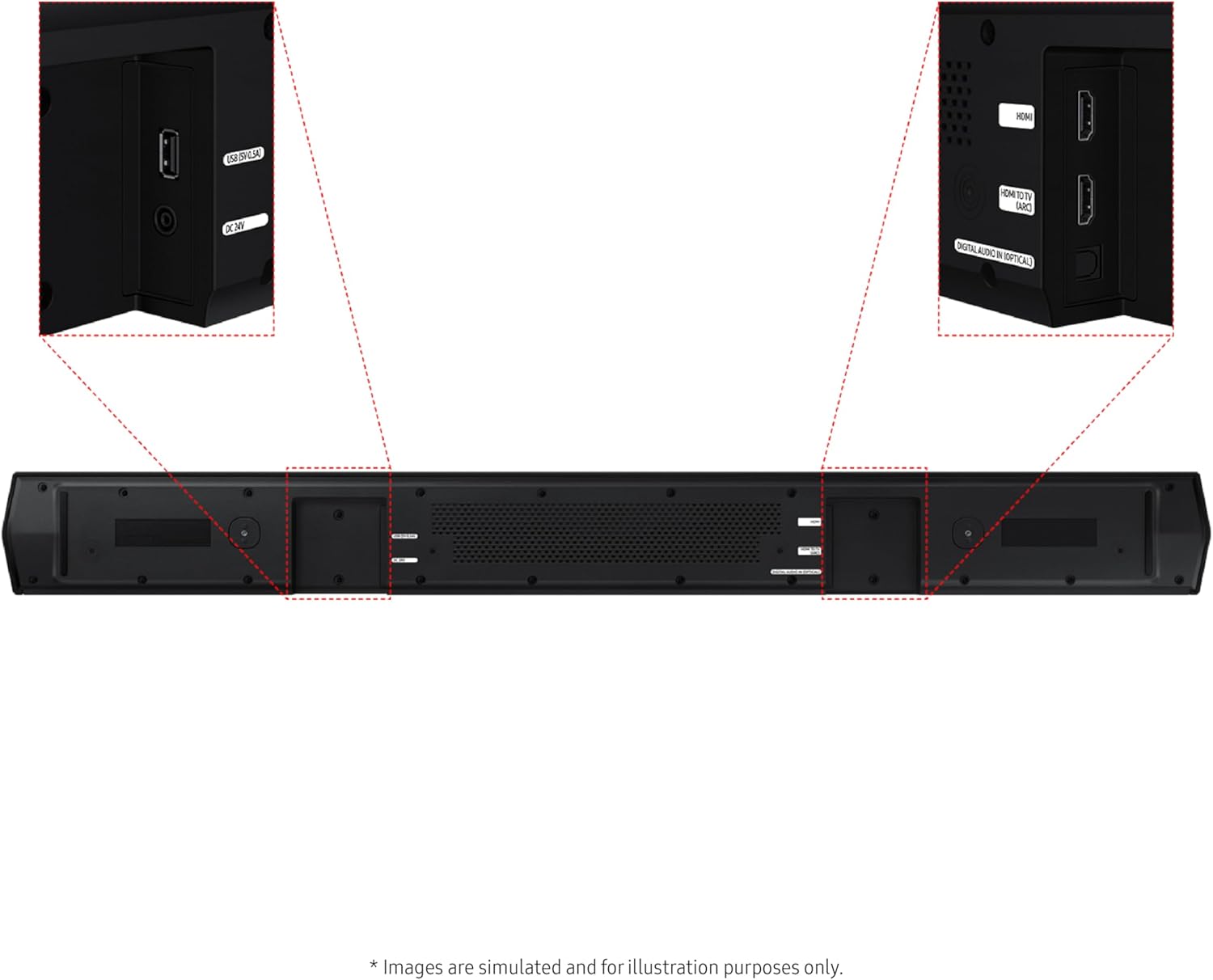
Figure 3: Soundbar Rear Ports. This image highlights the various input ports on the rear of the soundbar, including HDMI (ARC), HDMI (D.IN), and Digital Audio In (Optical), facilitating different connection methods to your television or other devices.
3. Accensione
- Connect the power adapter to the soundbar's DC IN port and then to a wall outlet.
- Connect the wireless subwoofer to a power outlet. The subwoofer will automatically pair with the soundbar. If pairing fails, refer to the troubleshooting section.
- Press the Power button on the soundbar or the remote control to turn on the unit.
Guida operativa
1. Controlli di base
Use the included remote control or the buttons on the soundbar to manage playback, volume, and sound modes.
2. Modalità e caratteristiche audio
The Samsung HW-B750D/ZA offers various sound enhancements for an immersive audio experience.
- Dolby Audio / DTS Virtual:X: Experience enhanced surround sound. Dolby Audio adjusts volume for content, while DTS Virtual:X expands the soundstage without additional speakers.

Figure 4: Multi-directional Sound. This graphic illustrates how Dolby Digital 5.1 and DTS Virtual:X create an immersive, multi-directional sound experience, placing the listener in the center of the audio action.
- Built-in Center Speaker: Dedicated center and side speakers ensure clear dialogue, even during intense action or background music.
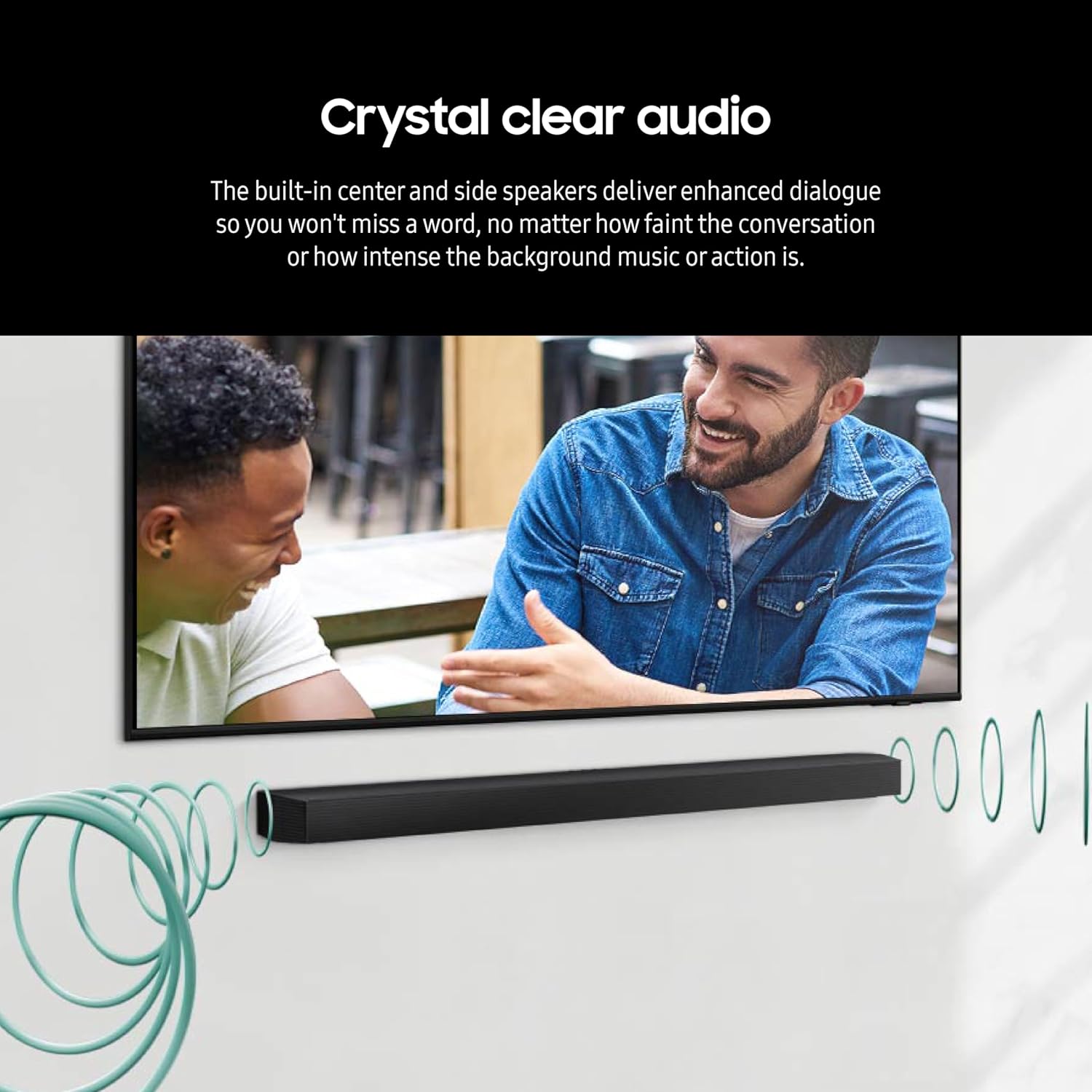
Figure 5: Crystal Clear Audio. This image demonstrates the effect of the built-in center and side speakers, which are designed to deliver enhanced dialogue clarity, ensuring no words are missed.
- Subwoofer with Bass Boost: The included wireless subwoofer provides deep, rich bass. Activate Bass Boost for an elevated listening experience.

Figure 6: Subwoofer with Bass Boost. A visual representation of the powerful wireless subwoofer, emphasizing its capability to deliver deep bass and enhance the overall audio impact with its Bass Boost feature.
- Suono adattivo: Intelligently optimizes audio in real-time by analyzing scenes to amplify important dialogue, even at low volumes.
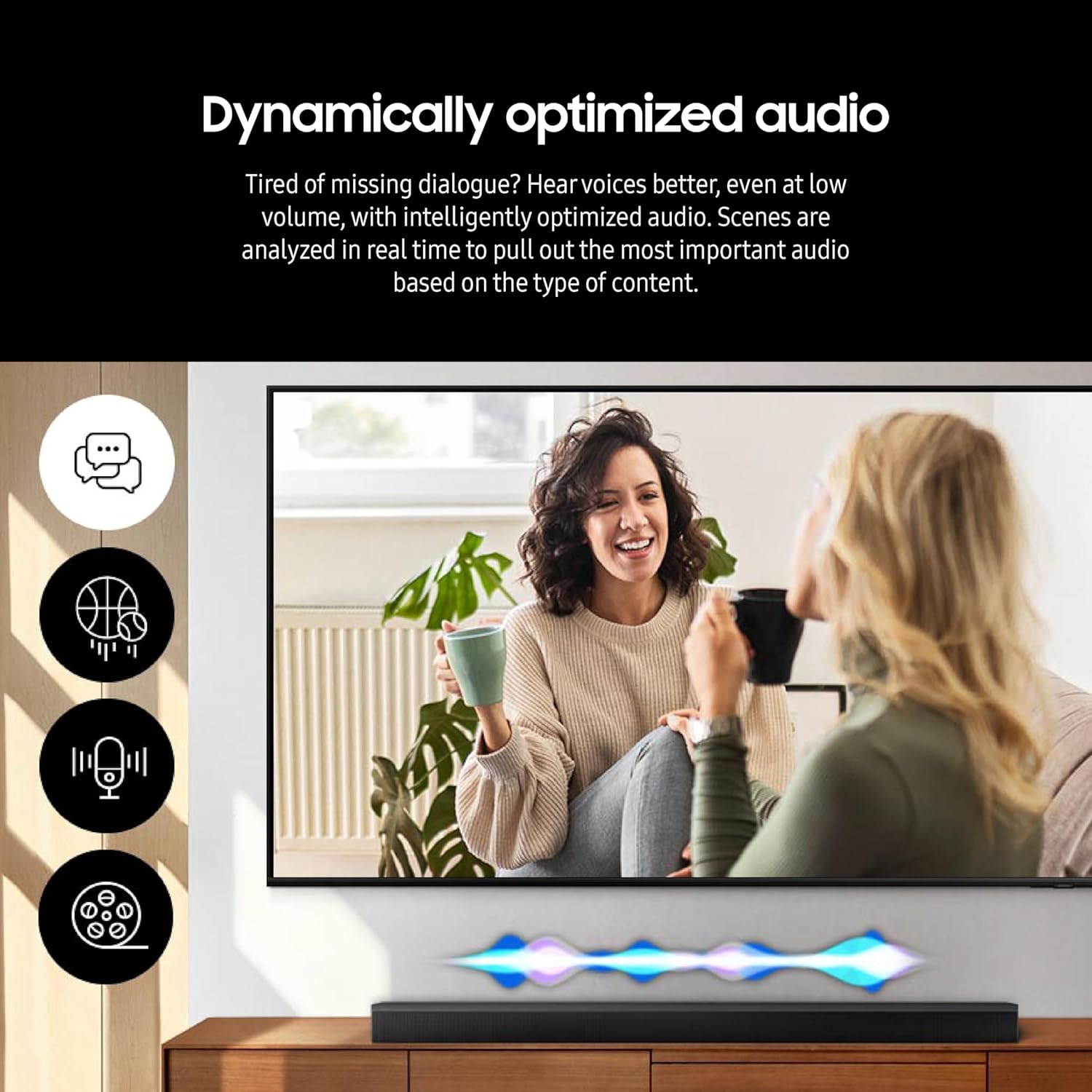
Figure 7: Dynamically Optimized Audio. This image illustrates how Adaptive Sound analyzes content in real-time to optimize audio, ensuring voices are clear and important sounds are amplified, even at low volumes.
- Modalità di gioco: Optimizes audio for gaming with perfectly synced directional sound, reducing distractions for a more immersive experience.
- Voice Enhanced: Optimizes the equalizer and amplifies dialogue for clearer voices.
- Modalità notturna: Lowers volume and compresses bass to prevent disturbing others during sleep.
- One Remote: Streamline control of your Samsung TV and soundbar, including volume, with just the Samsung TV remote (available on select Samsung TVs).
- Wireless Surround Sound Compatible: Easily connect to optional Samsung speakers for room-filling sound without wires.
3. Bluetooth Multi-Connection
Connect up to two smart devices simultaneously to the soundbar via Bluetooth to share control and play music from different devices without disconnecting.
- Premere il tasto Coppia Bluetooth pulsante sul telecomando o sul Fonte button on the soundbar until "BT PAIRING" appears.
- On your smart device, enable Bluetooth and select "Samsung Soundbar HW-B750D" from the list of available devices.
- Once connected, you can play audio from your device. Repeat for a second device.
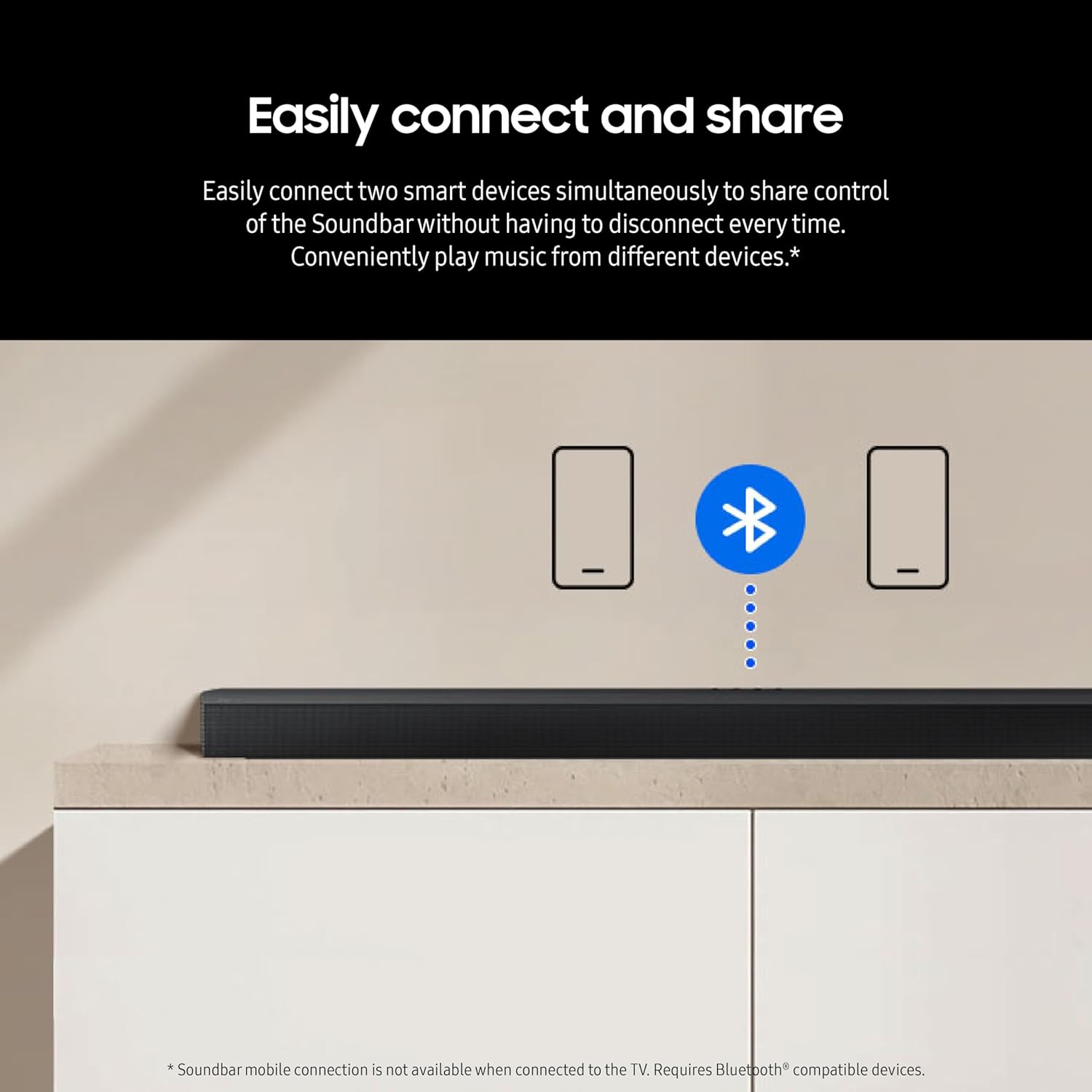
Figure 8: Easy Bluetooth Multi-Connection. This graphic illustrates the ability to connect two smart devices simultaneously to the soundbar via Bluetooth, allowing for shared control and convenient music playback from multiple sources.
Manutenzione
1. Pulizia
- Prima di pulire la soundbar e il subwoofer, scollegarli sempre dalla presa di corrente.
- Use a soft, dry cloth to wipe the exterior surfaces. Do not use liquid cleaners, sprays, or abrasive materials.
- For the speaker grilles, gently use a soft brush or a vacuum cleaner with a brush attachment to remove dust.
2. Conservazione
If storing the unit for an extended period, ensure it is clean and dry. Store it in a cool, dry place away from direct sunlight and extreme temperatures. It is recommended to keep the original packaging for safe storage and transport.
Risoluzione dei problemi
Prima di contattare l'assistenza clienti, fai riferimento ai seguenti problemi comuni e alle relative soluzioni:
| Problema | Possibile causa/soluzione |
|---|---|
| Nessun potere | Ensure the power cord is securely connected to the soundbar/subwoofer and the wall outlet. Check if the outlet is functioning. |
| Nessun suono |
|
| Subwoofer non connesso |
|
| Il telecomando non funziona |
|
| Problemi di connessione Bluetooth |
|
Specifiche
| Caratteristica | Dettaglio |
|---|---|
| Nome del modello | E1SAMHWB750DRB |
| Tipo di altoparlante | Barra audio |
| Caratteristica speciale | Dolby Enabled, Wireless Connectivity |
| Usi consigliati | Per i televisori |
| Dispositivi compatibili | Smartphone |
| Tipo di controllore | Pulsante |
| Configurazione del canale audio surround | 5.1 |
| Colore | Nero |
| Componenti inclusi | Battery for Remote Controller, Wallmount Kit, Power Adapter, Remote Controller |
| Dimensioni del prodotto (Soundbar) | 40.5" L x 2.3" A x 4.1" P |
| Dimensioni del prodotto (subwoofer) | 7.2" L x 13.5" A x 11.6" P |
| Peso dell'articolo | 18.1 libbre |
| Tecnologia di comunicazione wireless | Bluetooth |
| Fonte di alimentazione | Elettrico con cavo |
| Tecnologia di connettività del subwoofer | Senza fili |
| Protocollo di connettività | Bluetooth |
| Codice UPC | 887276827209 |
| Produttore | SAMSUNG |
| Risposta in frequenza | 20KHz |
Informazioni sulla garanzia
This Samsung HW-B750D/ZA Soundbar comes with a Full Manufacturer's Warranty. For specific terms, conditions, and duration of your warranty, please refer to the warranty card included in your product packaging or visit the official Samsung support websito. Conservare la prova d'acquisto per eventuali reclami in garanzia.
Assistenza clienti
For further assistance, technical support, or service inquiries, please contact Samsung Customer Service. You can find contact information on the official Samsung website or through the support documentation provided with your product.
Supporto online: Visita Supporto Samsung
Ask a question about this manual
Ask about setup, troubleshooting, compatibility, parts, safety, or missing instructions. Manuals+ will review the question and use this page’s manual context to help answer it.