1. Introduzione
Grazie per l'acquistoasing the Klipsch The Nines Powered Speaker System. These high-performance speakers are designed to deliver exceptional audio quality with versatile connectivity options, eliminating the need for a separate audio/video receiver (AVR). Featuring a built-in amplifier custom-engineered for optimal sound, The Nines provide room-filling sound and high-resolution audio playback.
Le caratteristiche principali includono:
- Hi-Res Sound, No AVR Needed: Incorporato amplifier maximizes output and sound quality.
- Classic Klipsch Sound: 1" titanium tweeters on Tractrix horns for precise acoustics.
- All New High Excursion Driver: bi-amped design for improved clarity and output.
- Dynamic Bass EQ: Dynamically matches the ear’s ability to hear lower frequencies.
- Simple, Versatile Connection: HDMI-ARC for TV, plus Bluetooth, USB, Optical, and RCA inputs.
- Materiali di prima qualità: Real wood veneer and tactile controls for a classic design.
2. Informazioni sulla sicurezza
Please read all instructions carefully before using your Klipsch The Nines speakers. Keep this manual for future reference.
- Fonte di energia: Connect the speakers only to the specified AC power source.
- Ventilazione: Assicurare un'adeguata ventilazione attorno agli altoparlanti. Non ostruire le aperture di ventilazione.
- Acqua e umidità: Do not expose the speakers to water, moisture, or excessive humidity.
- Calore: Keep speakers away from heat sources such as radiators, heat registers, stoves, or other apparatus that produce heat.
- Pulizia: Unplug the speakers from the power outlet before cleaning. Use a dry cloth only.
- Manutenzione: Non tentare di riparare questo prodotto da soli. Affidare tutte le operazioni di manutenzione a personale di assistenza qualificato.
3. Contenuto della confezione
Verifica che tutti gli articoli siano presenti nel tuo pacco:
- Klipsch The Nines Powered Speaker Pair (1 Primary, 1 Secondary)
- Cavo di alimentazione
- Telecomando e batterie
- 4m 4-Conductor Speaker Cable (for connecting primary to secondary speaker)
- 2m Speaker Cable Extension
- Cavo da USB-B a USB-A
- Cavo HDMI
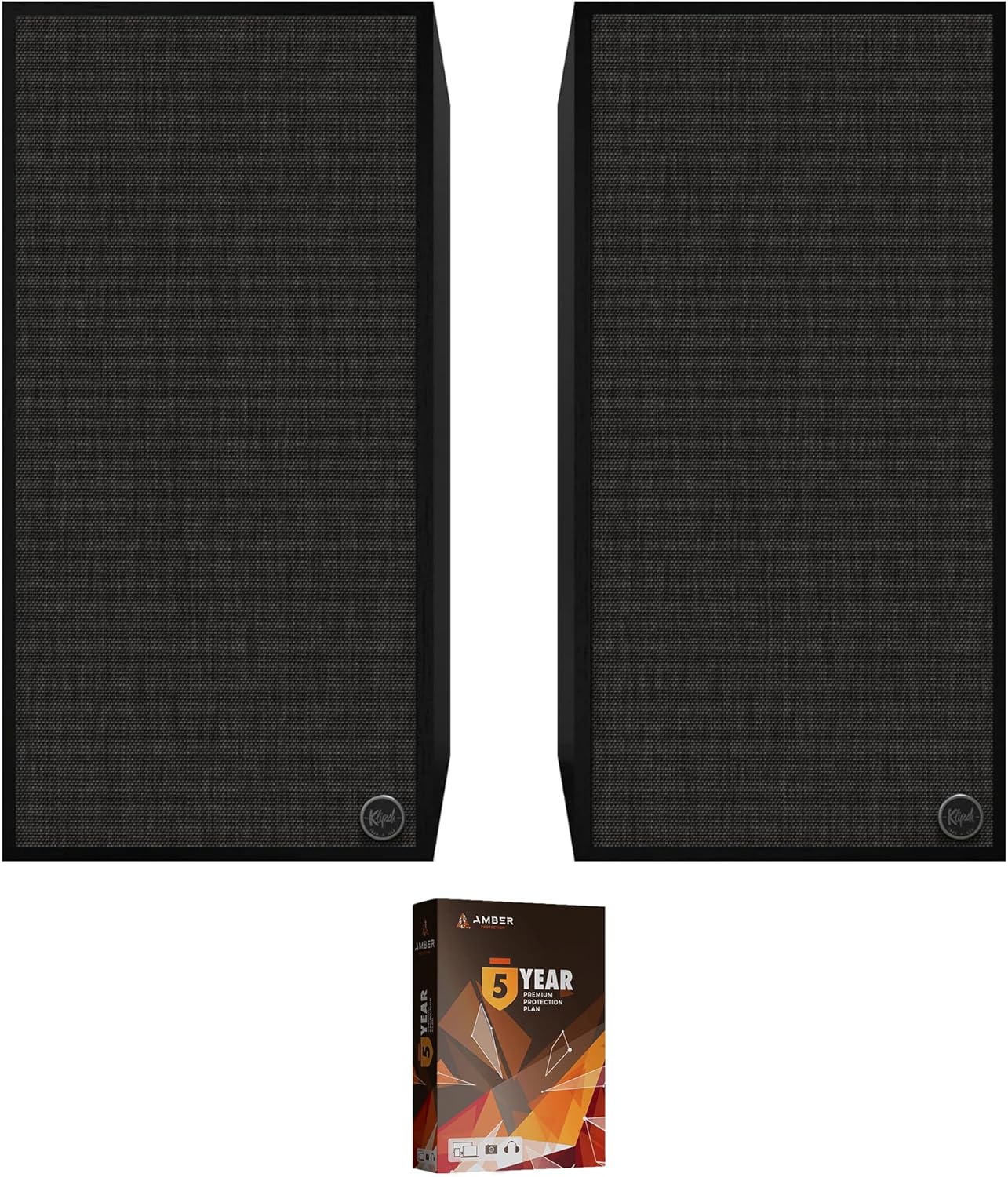
Image: Klipsch The Nines Powered Speaker Pair, showing both speakers and the Amber Protection Plan box.
4. Impostazione
4.1 Posizionamento degli altoparlanti
The Nines are designed for tabletop mounting and can be placed on shelves, stands, or other flat surfaces. For optimal stereo imaging, position the speakers equidistant from your listening position and ensure they are at ear level.
4.2 Collegamento degli altoparlanti
Connect the primary speaker (with controls and inputs) to the secondary speaker using the provided 4-conductor speaker cable. Ensure the connections are secure.
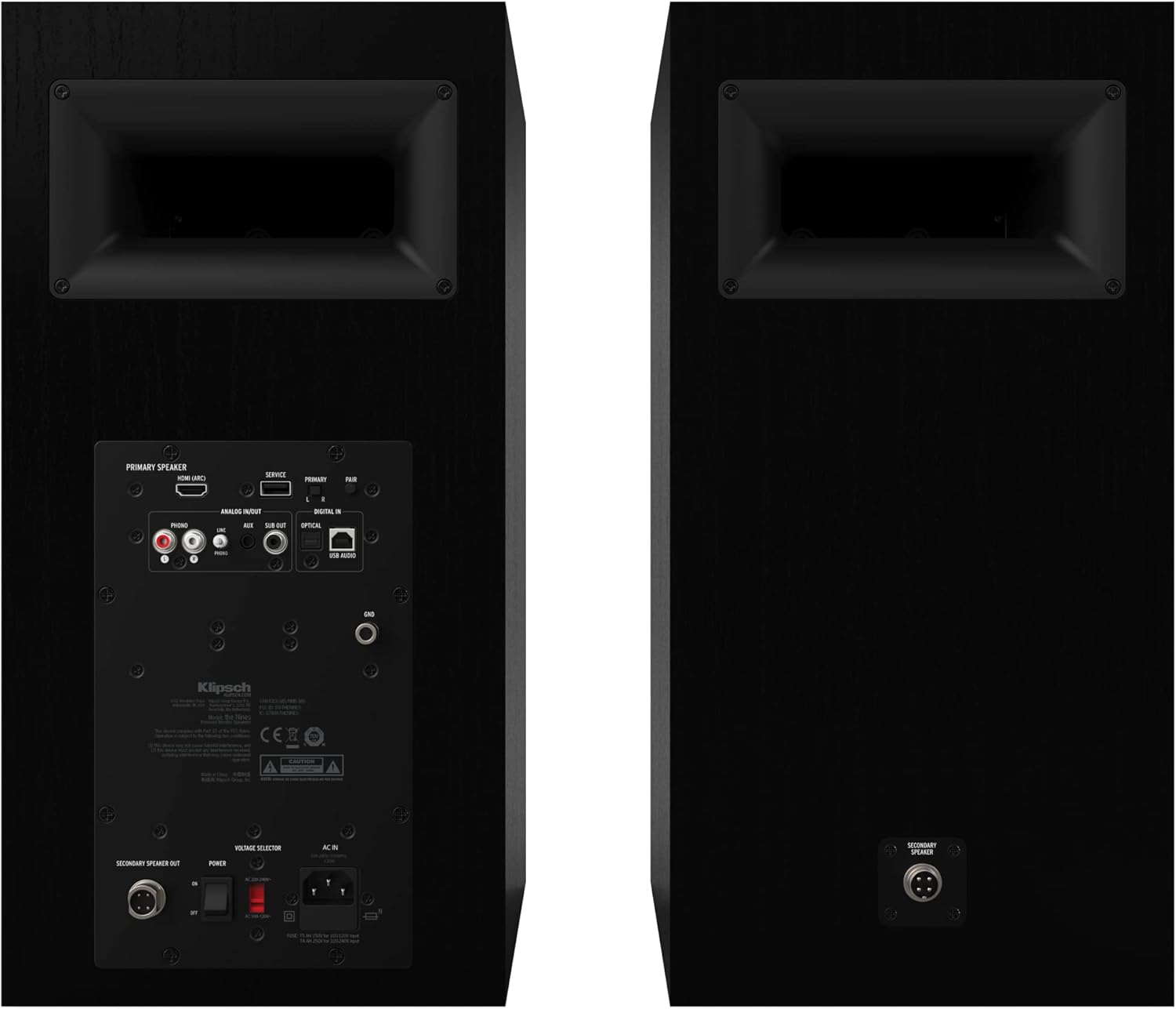
Image: Rear panel of the Klipsch The Nines speakers, highlighting the various input ports and connections.
4.3 Collegamento delle sorgenti audio
The Nines offer a variety of input options:
- HDMI-ARC: Connect your TV using the included HDMI cable for high-quality audio and TV remote control integration.
- Bluetooth: Pair your mobile device or computer wirelessly.
- USB-B: Connect to a computer for high-resolution audio playback.
- Ottico: Connect digital audio sources like CD players or game consoles.
- RCA (Phono/Line): Connect analog sources, including turntables (with built-in phono preamp) or other audio devices.
4.4 Collegamento di alimentazione
Once all audio sources are connected, plug the power cord into the primary speaker and then into a wall outlet.
4.5 Klipsch Connect App
Download the Klipsch Connect App from your device's app store. This app allows for advanced control, firmware updates, and sound customization.
5. Istruzioni per l'uso
5.1 Accensione/spegnimento
Press the power button on the primary speaker or the remote control to turn the speakers on or off.
5.2 Selezione dell'ingresso
Use the input selector knob on the primary speaker or the remote control to cycle through available audio inputs (HDMI, Bluetooth, USB, Optical, RCA).
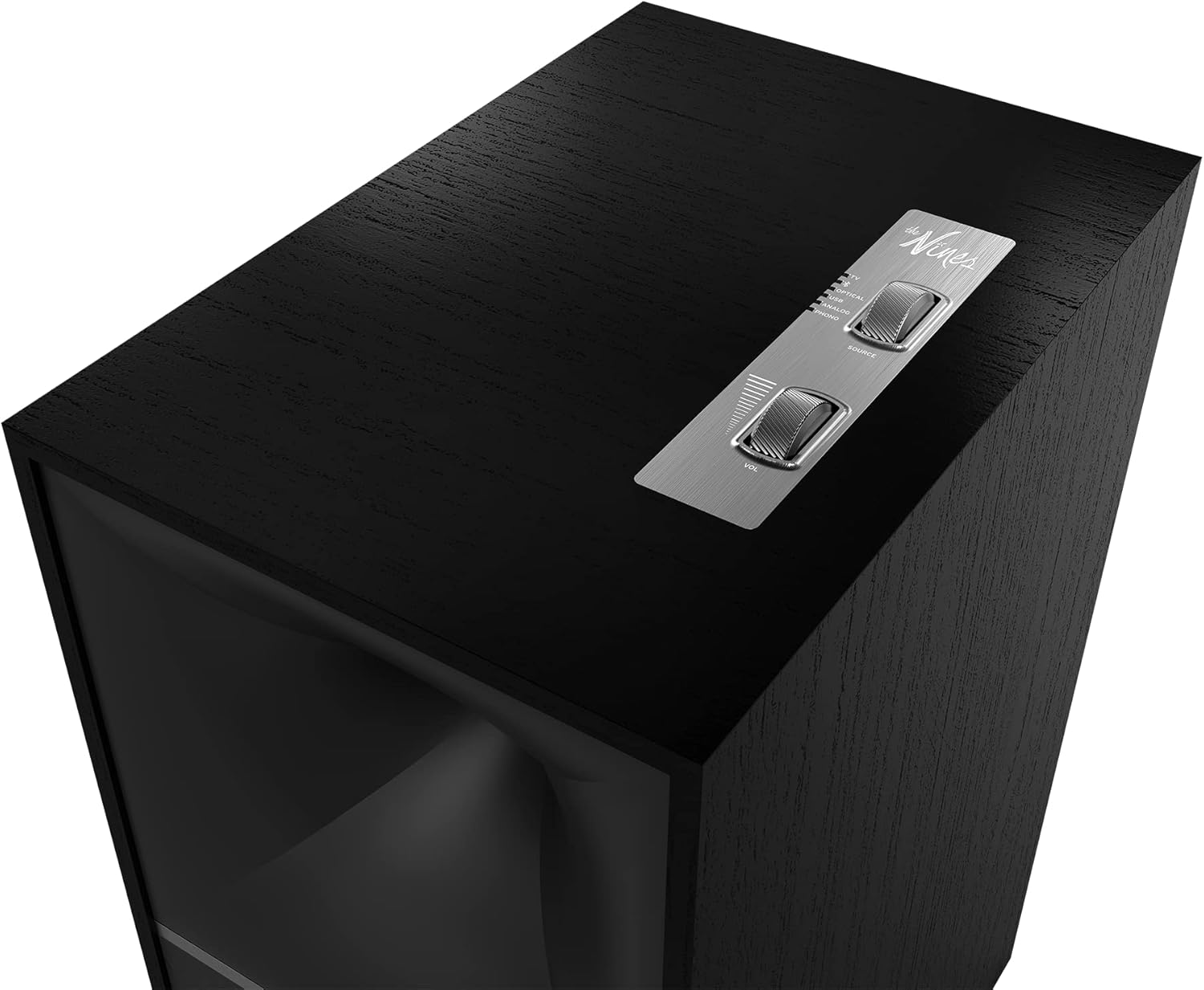
Image: Close-up of the top panel of the primary Klipsch The Nines speaker, showing the volume and input selection knobs.
5.3 Controllo del volume
Adjust the volume using the dedicated volume knob on the primary speaker or the volume buttons on the remote control.
5.4 Dynamic Bass EQ
The Nines feature Dynamic Bass EQ, which automatically adjusts the bass output to maintain a full sound profile even at lower listening volumes. This feature is active by default.
5.5 Using the Klipsch Connect App
The Klipsch Connect App provides additional functionalities such as:
- Aggiornamenti del firmware
- Impostazioni EQ personalizzabili
- Registrazione del prodotto
- Access to support resources
6. Manutenzione
Proper care will ensure the longevity and performance of your Klipsch The Nines speakers.
- Pulizia: Use a soft, dry cloth to clean the speaker cabinets. Avoid using abrasive cleaners, solvents, or harsh chemicals.
- griglie: The speaker grilles are removable. If they become dusty, gently vacuum them with a soft brush attachment or wipe with a damp panno. Assicurarsi che siano completamente asciutti prima di riattaccarli.
- Posizionamento: Avoid placing speakers in direct sunlight or near sources of extreme heat or cold.
- Gestione: Handle the speakers with care. Avoid dropping or subjecting them to strong impacts.
7. Risoluzione Dei Problemi
If you encounter issues with your Klipsch The Nines speakers, refer to the following common problems and solutions:
| Problema | Possibile causa | Soluzione |
|---|---|---|
| Nessun potere | Cavo di alimentazione non collegato; presa non attiva | Ensure power cord is securely plugged into speaker and a working wall outlet. Try a different outlet. |
| Nessun suono | Incorrect input selected; volume too low; source device issue; speaker cable loose | Verify correct input is selected. Increase volume. Check audio source device. Ensure primary-to-secondary speaker cable is secure. |
| Problemi di associazione Bluetooth | Speakers not in pairing mode; device already paired; interference | Ensure speakers are in Bluetooth pairing mode. Forget device on your source and re-pair. Move closer to speakers. |
| Suono distorto | Volume too high; poor source quality; cable issues | Reduce volume. Check audio source quality. Ensure cables are properly connected and not damaged. |
Se il problema persiste, consultare la sezione Garanzia e supporto per ulteriore assistenza.
8. Specifiche
| Nome del modello | THE-NINES-BLACK |
| Tipo di altoparlante | Surround Sound (Powered Bookshelf) |
| Tipo di montaggio | Supporto da tavolo |
| Diametro del woofer | 8 Inches (High-Excursion Fiber-Composite Cone) |
| Diametro del tweeter | 1 Inches (Titanium LTS Vented with Tractrix Horn) |
| Potenza massima in uscita dell'altoparlante | 480 Watt |
| Risposta in frequenza | Frequenza 34 Hz |
| Tecnologia di connettività | HDMI-ARC, Bluetooth, USB-B, Mini Jack (3.5mm), Optical, RCA (Phono/Line) |
| Metodo di controllo | Touch (on-speaker), Remote Control, Klipsch Connect App |
| Dimensioni del prodotto | 13.38"P x 9.5"L x 19.13"A |
| Peso dell'articolo | 28.4 libbre (per altoparlante) |
| Materiale di recinzione | MDF with Genuine Wood Veneer |
| Colore | Nero |
| Codice UPC | 840377517363 |
9. Garanzia e supporto
9.1 Garanzia del produttore
Your Klipsch The Nines Powered Speaker System includes a full 1-year manufacturer warranty. This warranty covers defects in materials and workmanship under normal use.
9.2 Piano di protezione ambra
This product bundle includes a 4-year Amber Protection Plan, which extends coverage beyond the manufacturer's warranty. The Amber Protection Plan typically covers:
- Mechanical & Electrical Failures
- Protezione da sovratensione
- Access to a Nationwide Network of Service Providers
- 24/7/365 Customer Support
All plans begin from the date of purchase and are inclusive of the manufacturer's limited coverage. Benefits such as Power Surge Protection and Mechanical & Electrical Failures (if purchased) begin on Day 1.

Image: Information detailing the features and benefits of the Amber Protection Plan.
9.3 Assistenza clienti
For technical assistance, warranty claims, or service inquiries, please contact Klipsch customer support or the provider of your Amber Protection Plan. You can also visit the official Klipsch websito per risorse aggiuntive e FAQ: Negozio Klipsch su Amazon