
Ctronics CTIPC-640C-M12B
Ctronics 4K 8MP Wi-Fi PTZ Outdoor Security Camera
Manuale d'uso
1. Introduzione
Thank you for choosing the Ctronics 4K 8MP Wi-Fi PTZ Outdoor Security Camera. This manual provides detailed instructions for the installation, operation, and maintenance of your new security camera. Please read this manual thoroughly before use to ensure proper functionality and safety.
This camera is designed to provide comprehensive outdoor surveillance with advanced features such as 4K Ultra HD resolution, Pan-Tilt-Zoom capabilities, intelligent detection, and versatile storage options.

Image: The Ctronics 4K 8MP Wi-Fi PTZ Outdoor Security Camera, showcasing its sleek black design and dual antennas.
2. Informazioni sulla sicurezza
Si prega di osservare le seguenti precauzioni di sicurezza per evitare danni al prodotto o lesioni a se stessi e agli altri:
- Ensure the power supply matches the camera's specifications (12 Volts, 24 Watts).
- Non esporre la fotocamera a temperature estreme al di fuori del suo intervallo operativo.
- Evitare l'esposizione diretta alla luce solare intensa per periodi prolungati, poiché potrebbe compromettere la qualità dell'immagine.
- Tenere la fotocamera lontana da forti campi magnetici.
- Non tentare di smontare o modificare la fotocamera. Per qualsiasi intervento di assistenza, rivolgersi a personale qualificato.
- Ensure all cables are properly secured to prevent tripping hazards or accidental disconnection.
3. Contenuto della confezione
Verifica che tutti gli articoli siano inclusi nel tuo pacco:
- Ctronics 4K 8MP Wi-Fi PTZ Outdoor Security Camera
- Adattatore di alimentazione
- Viti di montaggio e tasselli
- Kit impermeabile per cavo di rete
- Guida rapida
4. Prodotto finitoview
Prendi familiarità con i componenti principali della tua fotocamera:
- Lente: Cattura video footage.
- LED IR: Fornisce illuminazione a infrarossi per la visione notturna.
- Riflettori: Enhance color night vision and act as deterrents.
- Microfono: Cattura l'audio per la comunicazione bidirezionale.
- Oratore: Emette segnali audio per comunicazioni bidirezionali e allarmi.
- antenne: Per la connettività Wi-Fi.
- Slot per scheda microSD: Per l'archiviazione locale (supporta fino a 256 GB, non inclusi).
- Pulsante di reset: Utilizzato per ripristinare le impostazioni di fabbrica della fotocamera.
- Porta di alimentazione: Si collega all'alimentatore.
- Porta Ethernet: Per la connessione di rete cablata (opzionale).
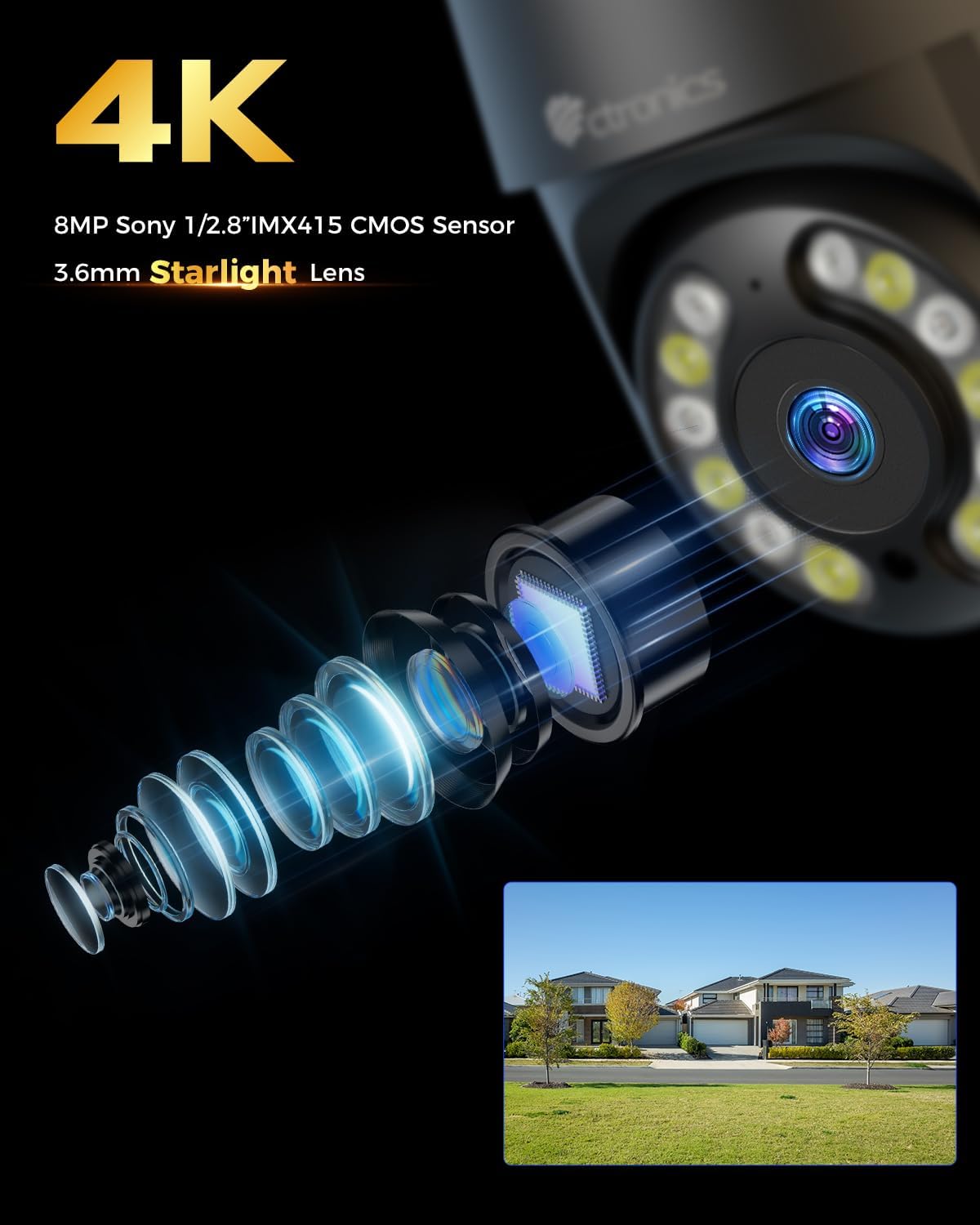
Immagine: Primo piano view of the camera's 4K 8MP Sony 1/2.8" IMX415 CMOS Sensor and 3.6mm Starlight Lens, highlighting its advanced optical components.
5. Impostazione
5.1 Installazione fisica
The camera supports both ceiling and wall mounting. Choose a location that provides the desired viewing angle and is within Wi-Fi range or near an Ethernet port.
- Segnare le posizioni di perforazione: Use the mounting template (if provided) or the camera base to mark the screw holes on the wall or ceiling.
- Fori di perforazione: Praticare i fori nei punti contrassegnati e inserire i tasselli.
- Fissare la fotocamera: Align the camera base with the drilled holes and secure it with the provided screws.
- Connetti alimentazione: Connect the power adapter to the camera's power port and plug it into a power outlet.

Image: Illustrates two flexible installation methods for the Ctronics camera: wall-mounted and ceiling-mounted, demonstrating its versatility.
5.2 Connessione di rete
The camera supports dual-band Wi-Fi (2.4GHz and 5GHz) for flexible connectivity.
- Connessione Wi-Fi: For wireless setup, ensure your Wi-Fi network is active. The camera will connect to your chosen network during the app setup process.
- Connessione Ethernet (facoltativa): For a stable wired connection, connect an Ethernet cable from your router to the camera's Ethernet port.
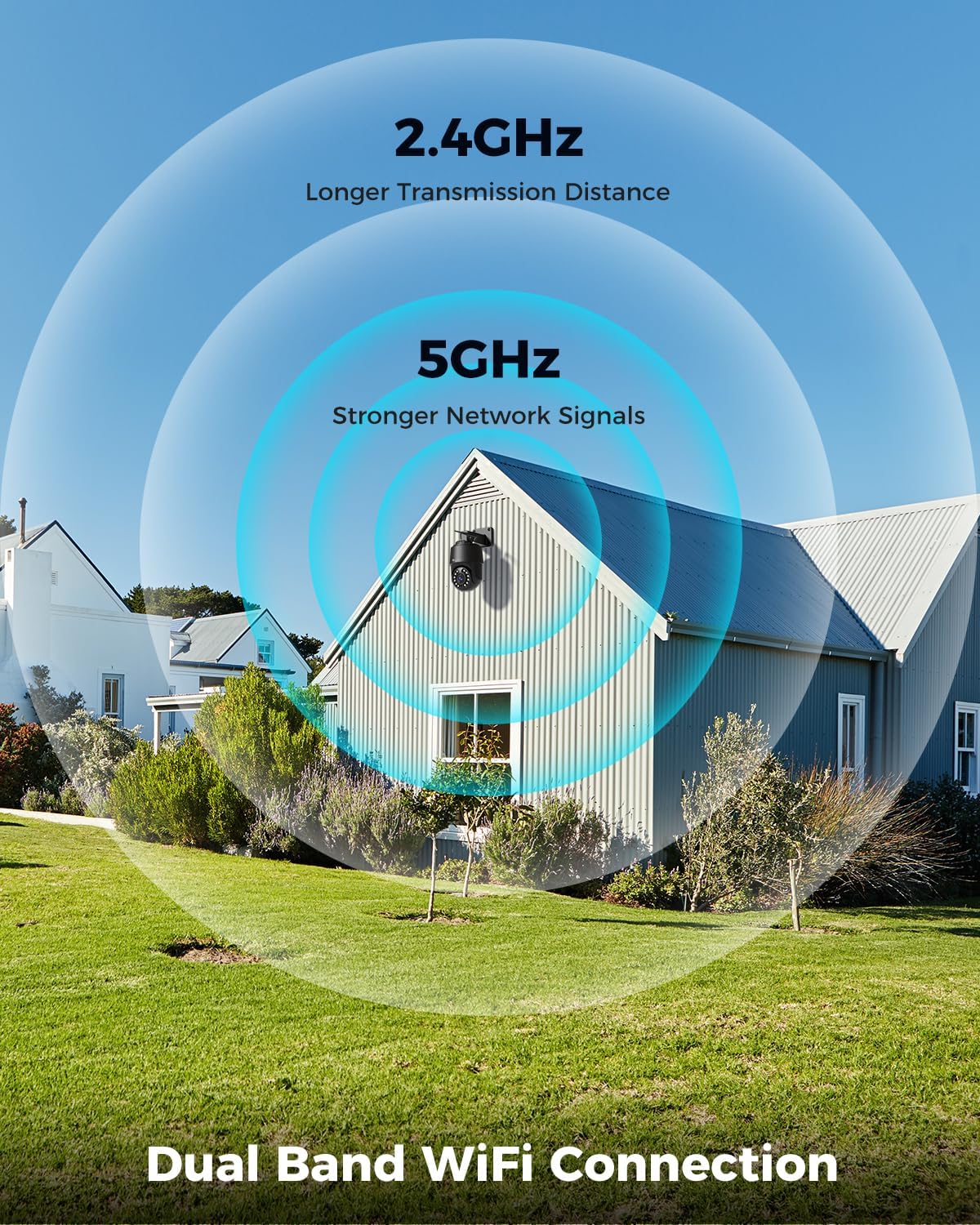
Image: Depicts the camera's dual-band Wi-Fi capability, showing 2.4GHz for longer transmission distance and 5GHz for stronger network signals, ensuring reliable connectivity.
5.3 Installazione dell'app e configurazione iniziale
Download the 'Ctronics PRO' or 'HIP2P' app from your mobile app store (iOS/Android) or the Ctronics website for PC/Mac clients.
- Scarica l'app: Cercare "Ctronics PRO" or "HIP2P" in the App Store or Google Play Store and install it.
- Registra conto: Apri l'app e registra un nuovo account oppure accedi se ne hai già uno.
- Aggiungi dispositivo: Tap the "+" icon to add a new device. Follow the on-screen instructions to scan the QR code on the camera or manually enter the device ID.
- Configura rete: If connecting via Wi-Fi, select your Wi-Fi network and enter the password. The camera will then connect.
- Impostare la password: Per motivi di sicurezza, crea una password complessa per la tua telecamera.

Image: Shows the broad compatibility of the Ctronics camera with various operating systems and platforms, including iOS, Android, Mac OS, Windows, Ctronics Pro app, and HiP2P client.
6. Utilizzo della fotocamera
6.1 Vivere View
Once connected, you can access the live video feed from your camera through the app. This allows you to monitor your property in real-time.
6.2 Controllo PTZ (Panoramica, Inclinazione, Zoom)
The camera features 355° pan and 90° tilt capabilities, along with 5x optical zoom.
- Panoramica/Inclinazione: Use the directional controls in the app to move the camera horizontally and vertically.
- Ingrandisci: Use the zoom controls in the app to optically zoom in or out on objects.
- Posizioni preimpostate: Imposta fino a 8 posizioni preimpostate per una navigazione rapida verso aree specifiche.

Image: Illustrates the camera's PTZ (Pan-Tilt-Zoom) functionality, showing its 355° pan and 90° tilt range for comprehensive coverage.
6.3 Detection Features & Auto Tracking
The camera can accurately detect people, vehicles, and pets, and automatically track them.
- Abilita rilevamento: In the app settings, enable person, vehicle, or pet detection.
- Monitoraggio automatico: When enabled, the camera will automatically follow detected subjects within its field of view.
- Notifiche di allarme: Receive real-time alarm notifications on your mobile device when motion is detected.
- Allarme sonoro e luminoso: The camera can activate a sound and red/blue light alarm at night to deter intruders. This feature can be toggled on/off in the app.

Image: Demonstrates the camera's advanced detection capabilities, highlighting its ability to identify and auto-track humans, vehicles, and pets, keeping them in focus.
6.4 Visione notturna
The camera offers both infrared (IR) and color night vision modes.
- Visione notturna IR: Provides clear black and white images up to 50 meters in low light or complete darkness.
- Visione notturna a colori: Utilizes built-in spotlights to provide full-color images up to 45 meters at night.

Image: Shows the camera's 4K Color/IR Night Vision capabilities, with bright spotlights illuminating a dark scene, available for audio and red & blue light alarm.
6.5 Audio bidirezionale
Comunica con i visitatori o scoraggia gli intrusi utilizzando il microfono e l'altoparlante integrati.
- Parlare: Tocca l'icona del microfono nell'app per parlare tramite l'altoparlante della fotocamera.
- Ascoltare: Il microfono della telecamera cattura l'audio dell'ambiente circostante.
6.6 Opzioni di registrazione
La telecamera supporta vari metodi di registrazione:
- Micro SD Card: Insert a Micro SD card (up to 256GB, not included) into the camera's slot for continuous 24/7 recording or scheduled recordings.
- NVR/NAS: Connect the camera to a Network Video Recorder (NVR) or Network Attached Storage (NAS) for extended recording and management.
- Archiviazione cloud: Optional cloud storage services may be available through the app for secure off-site backup of your footage.

Image: Displays the camera's versatile storage options, including support for up to 256GB Micro SD card (not included), NVR/NAS for 24/7 recording, FTP, and Ctronics Cloud storage.
6.7 Condivisione multiutente e accesso remoto
Condividi l'accesso alla telecamera con familiari e amici e view pippotage in remoto da qualsiasi luogo.
- Condivisione: Share access to the camera feed with up to four users simultaneously through the app.
- Accesso remoto: Accedi in diretta view and recorded videos from your iOS, Android, Mac, or Windows devices via the Ctronics PRO or HIP2P app/software.
7. Manutenzione
To ensure optimal performance and longevity of your Ctronics camera, follow these maintenance guidelines:
- Pulizia: Pulisci regolarmente l'obiettivo e il corpo della fotocamera con un panno morbido e asciutto per rimuovere polvere e sporco. Non utilizzare prodotti chimici aggressivi o detergenti abrasivi.
- Aggiornamenti del firmware: Controlla periodicamente l'app per verificare la presenza di aggiornamenti del firmware. Mantenere aggiornato il firmware della tua fotocamera ti garantisce di disporre delle funzionalità più recenti e dei miglioramenti di sicurezza.
- Ispezione dei cavi: Periodically inspect all cables and connections for any signs of wear or damage. Ensure waterproof connections are sealed properly.
- Gestione della memoria: Se si utilizza una scheda Micro SD, eseguire regolarmente il backup dei dati importantitage prendere in considerazione la formattazione periodica della scheda per mantenerne le prestazioni.
8. Risoluzione Dei Problemi
Se riscontri problemi con la tua fotocamera, fai riferimento ai seguenti problemi comuni e alle relative soluzioni:
| Problema | Possibile causa | Soluzione |
|---|---|---|
| Fotocamera offline | No power; Wi-Fi signal weak/disconnected; Router issue | Check power connection; Move camera closer to router or use Ethernet; Restart router |
| Scarsa qualità dell'immagine | Dirty lens; Insufficient lighting; Network bandwidth issue | Clean lens; Ensure adequate lighting or enable color night vision; Check network speed |
| Il rilevamento del movimento non funziona | Detection sensitivity too low; Detection zone not set; Obstructions | Adjust sensitivity in app; Configure detection zones; Clear obstructions |
| L'audio bidirezionale non funziona | Microphone/speaker disabled in app; Volume too low; Network delay | Enable audio in app; Adjust volume; Check network stability |
| Impossibile connettersi al Wi-Fi a 5 GHz | Impostazioni del router; Distanza dal router | Ensure router supports 5GHz and is configured correctly; 5GHz has shorter range, move camera closer |
If the problem persists, please contact Ctronics customer support for assistance.
9. Specifiche
| Caratteristica | Specificazione |
|---|---|
| Numero di modello | CTIPC-640C-M12B |
| Risoluzione | 4K (3840x2160p), 8 Megapixels |
| Zoom ottico | 5X |
| Gamma di panoramica/inclinazione | Panoramica: 355°, Inclinazione: 90° |
| Gamma di visione notturna | IR: 50m, Color: 45m |
| Connettività Wi-Fi | 2.4GHz / 5GHz Dual-Band |
| Opzioni di archiviazione | Micro SD (up to 256GB), NVR/NAS, Cloud |
| Resistenza all'acqua | IP66 (impermeabile) |
| Alimentazione elettrica | 12 Volt, 24 Watt |
| Materiale | Metallo |
| Dimensioni (L x P x A) | Dimensioni: 21.99 x 15.99 x 22 cm |
| Peso | 1.28 kg |
| Dispositivi compatibili | Computer, Laptop, Tablet, Smartphone |
| Sistemi operativi | iOS, Android, Mac OS, Windows |
10. Garanzia e supporto
Ctronics products come with a standard warranty. Please refer to the warranty card included in your package or visit the official Ctronics websito per termini e condizioni di garanzia dettagliati.
For technical support, troubleshooting assistance, or any inquiries regarding your product, please contact Ctronics customer service through the following channels:
- Ufficiale Websito: Visita il sito ufficiale di Ctronics websito per FAQ, articoli di supporto e informazioni di contatto.
- Supporto via e-mail: Send an email to the support team (email address typically found on the website or quick start guide).
- Supporto in-app: Some issues can be resolved directly through the support features within the Ctronics PRO app.
When contacting support, please have your product model number (CTIPC-640C-M12B) and purchase information ready.