
1. Introduzione
Grazie per l'acquistoasing the T&G TG-516 Portable Bluetooth Speaker. This device is designed for high-quality audio playback and portability, featuring Bluetooth 5.3 connectivity, TF card and USB drive support, FM radio, and a built-in microphone for hands-free calls. Its waterproof design makes it suitable for various environments. Please read this manual carefully to ensure proper use and to maximize your speaker's performance.
2. Caratteristiche del prodotto
- Portatile e leggero: Designed for easy transport and use on the go.
- Connettività Bluetooth 5.3: Provides a stable and fast wireless connection up to 10 meters.
- Molteplici modalità di riproduzione: Supports TF (Micro SD) cards, USB drives, FM radio, and AUX input.
- Chiamate in vivavoce: Built-in microphone allows for answering calls directly through the speaker.
- Funzione TWS: Connect two TG-516 speakers wirelessly for enhanced stereo sound.
- Design impermeabile: IPX5 rating protects against splashes and light rain, making it suitable for outdoor activities.
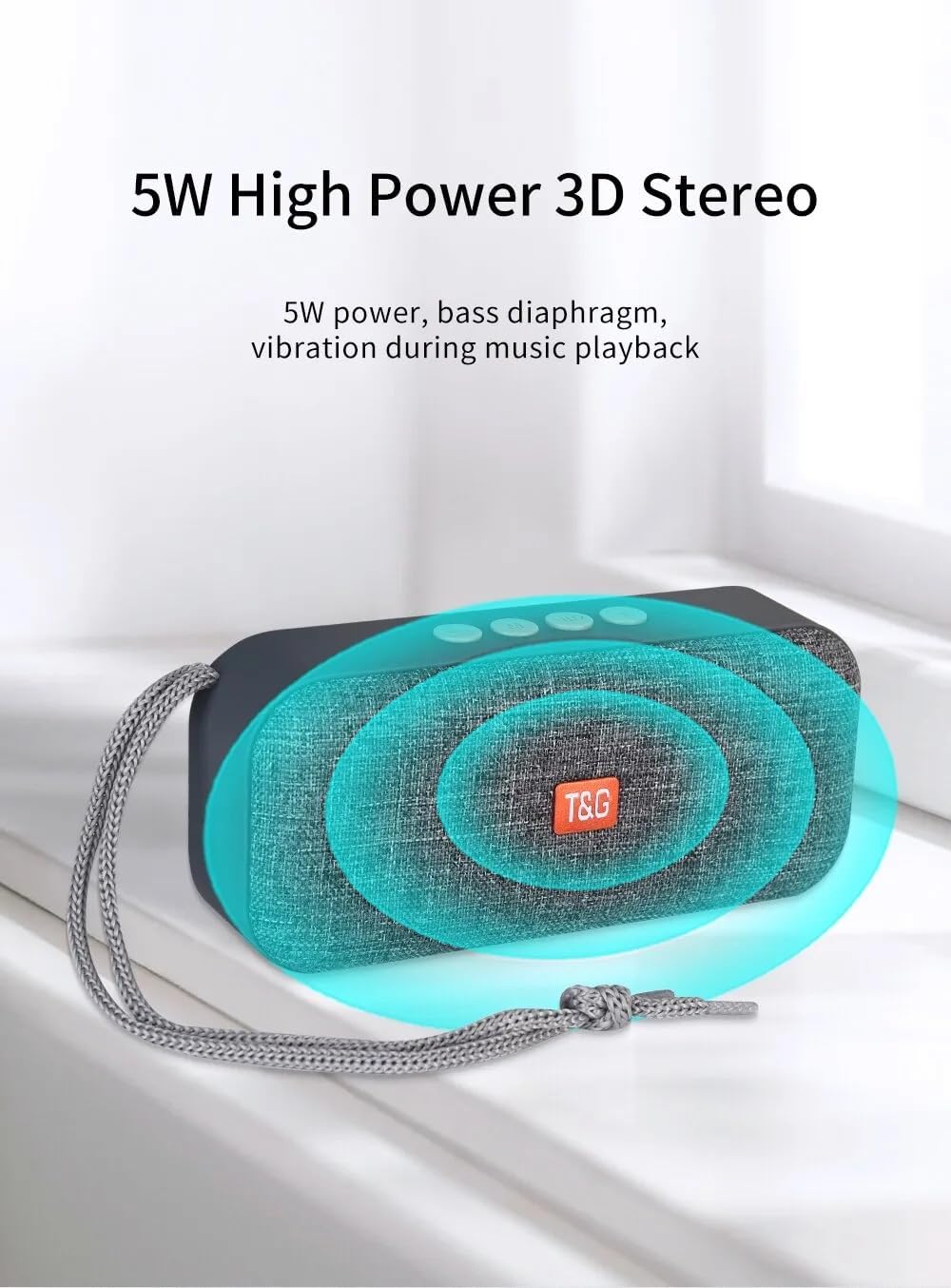
- Stereo 3D ad alta potenza da 5 W: Delivers clear audio with a bass diaphragm for enhanced sound.
- Batteria a lunga durata: Integrated 500mAh battery provides approximately 1 hour of playback at moderate volume.

3. Contenuto della confezione
- 1 x T&G TG-516 Portable Bluetooth Speaker
- 1 cavo di ricarica USB
4. Layout e controlli del dispositivo

- Volume giù/Traccia precedente: Short press for previous track (in music mode), long press to decrease volume.
- Interruttore di modalità: Short press to switch between modes (USB drive, TF card, FM radio, Bluetooth, LINE IN). Long press for hard searching in FM mode.
- Play/Pause / Call Control: Short press to play/pause music. In Bluetooth mode, short press to answer a call, long press to end a call. In FM mode, short press to automatically search for radio stations, and short press during search to cancel.
- Volume su/Traccia successiva: Short press for next track (in music mode), long press to increase volume.
- Interruttore ON/OFF: Pulsante di accensione.
- Interfaccia di alimentazione CC 5V: Porta di ricarica micro USB.
- Interfaccia di input della scheda TF: Decodes MP3 format audio playback when a TF card is inserted.
- Interfaccia di ingresso AUX: 3.5mm audio jack for external audio input.
- Interfaccia di input dell'unità USB: Decodes MP3 format audio playback when a USB drive is inserted.
5. Configurazione e utilizzo iniziale
5.1 Ricarica dell'altoparlante
Before first use, fully charge the speaker. Connect the provided USB charging cable to the DC 5V power interface (6) on the speaker and the other end to a USB power source (e.g., computer, USB wall adapter). The charging indicator light will illuminate during charging and turn off when fully charged.

5.2 Accensione/Spegnimento
To power on the speaker, slide the ON/OFF switch (5) to the "ON" position. To power off, slide it to the "OFF" position.
5.3 Associazione Bluetooth
- Ensure the speaker is powered on and in Bluetooth mode (indicated by a flashing blue light). If not, short press the Mode Switch button (2) until it enters Bluetooth mode.
- Sul tuo dispositivo mobile (smartphone, tablet, ecc.), attiva il Bluetooth e cerca i dispositivi disponibili.
- Selezionare "TG-516" dall'elenco dei dispositivi.
- Once paired, the speaker will emit a confirmation sound, and the blue light will stop flashing.

5.4 Accoppiamento TWS (True Wireless Stereo)
To connect two TG-516 speakers for a stereo experience:
- Ensure both TG-516 speakers are powered on and in Bluetooth mode, but not yet paired with any device.
- On one of the speakers (this will be the primary speaker), long press the Play/Pause button (3) for a few seconds until you hear a pairing tone.
- I due altoparlanti si connetteranno automaticamente. Una volta effettuata la connessione, sentirai un suono di conferma.
- Now, pair your mobile device with the primary speaker as described in section 5.3. Audio will play through both speakers in stereo.

6. Istruzioni per l'uso
6.1 Cambio delle modalità di riproduzione
Short press the Mode Switch button (2) to cycle through available modes: Bluetooth, TF Card, USB Drive, FM Radio, and AUX Input. The speaker will announce the current mode.
6.2 Riproduzione di musica
- Riproduci/Pausa: Premere brevemente il pulsante Play/Pausa (3).
- Traccia successiva: Short press the Volume Up / Next Track button (4).
- Traccia precedente: Short press the Volume Down / Previous Track button (1).
- Regolazione del volume: Long press the Volume Up / Next Track button (4) to increase volume. Long press the Volume Down / Previous Track button (1) to decrease volume.
6.3 Funzionamento della radio FM
- Switch to FM Radio mode using the Mode Switch button (2).
- For better reception, connect the USB charging cable to the speaker; it acts as an antenna.
- Ricerca automatica delle stazioni: Short press the Play/Pause button (3) to start an automatic search for radio stations. The speaker will scan and save available stations. Short press again during the search to cancel.
- Stazioni di navigazione: Short press the Volume Up / Next Track button (4) or Volume Down / Previous Track button (1) to switch between saved stations.
6.4 Chiamate in vivavoce
Quando connesso tramite Bluetooth al tuo telefono:
- Rispondi alla chiamata: Short press the Play/Pause button (3) when an incoming call rings.
- Termina chiamata: Long press the Play/Pause button (3) during a call to end it.
- Rifiuta chiamata: Long press the Play/Pause button (3) when an incoming call rings to reject it.

7. Manutenzione
- Pulizia: Per pulire l'altoparlante, utilizzare un panno morbido e asciutto. Non utilizzare prodotti chimici aggressivi o detergenti abrasivi.
- Resistenza all'acqua: The speaker is IPX5 waterproof, meaning it is protected against low-pressure water jets from any direction. Do not submerge the speaker in water or expose it to heavy rain for extended periods. Ensure all port covers are securely closed before exposure to water.
- Cura della batteria: To prolong battery life, avoid fully discharging the speaker frequently. Charge it regularly, even if not in use for extended periods. Store in a cool, dry place.
- Magazzinaggio: Quando non lo si utilizza, conservare l'altoparlante in un luogo fresco e asciutto, lontano dalla luce solare diretta e da temperature estreme.
8. Risoluzione Dei Problemi
| Problema | Possibile causa | Soluzione |
|---|---|---|
| L'altoparlante non si accende. | La batteria è scarica. | Carica l'altoparlante utilizzando il cavo USB in dotazione. |
| Impossibile effettuare l'associazione tramite Bluetooth. | L'altoparlante non è in modalità di associazione o è troppo lontano dal dispositivo. | Ensure speaker is in Bluetooth mode (flashing blue light). Move speaker closer to your device. Turn off and on Bluetooth on your device. |
| Nessun suono. | Il volume è troppo basso o disattivato. È stata selezionata la modalità errata. | Increase volume on both speaker and connected device. Ensure correct playback mode (Bluetooth, TF, USB, AUX) is selected. |
| Scarsa ricezione radio FM. | Nessuna antenna collegata o segnale debole. | Connect the USB charging cable to the speaker; it acts as an antenna. Try moving to a location with better signal. |
| L'associazione TWS non riesce. | Speakers already paired to a device or not in TWS pairing mode. | Ensure both speakers are not connected to any device. Follow TWS pairing steps carefully (Section 5.4). |
9. Specifiche
| Modello: | TG-516 |
| Versione Bluetooth: | V5.3 |
| Distanza wireless: | Fino a 10 metri (33 piedi) |
| Dimensioni altoparlante: | 5.2 cm (Woofer) |
| Potenza di uscita: | 5 Watt |
| Risposta in frequenza: | 50 Hz - 20 KHz |
| Rapporto segnale-rumore: | ≥ 85 dB |
| Batteria: | 3.7 V, 500 mAh |
| Playback Time (moderate volume): | Circa 1 ora |
| Dimensioni: | 145 mm x 46.5 mm x 66 mm (5.7 x 1.8 x 2.6 pollici) |
| Peso: | 210 grammi (0.46 libbre) |
| Grado di impermeabilità: | Grado di protezione IPX5 |
| Supporti supportati: | Bluetooth, TF Card, USB Drive, AUX, FM Radio |
10. Garanzia e supporto
The T&G TG-516 Portable Bluetooth Speaker comes with a manufacturer's warranty. Please refer to your purchase documentation or contact your retailer for specific warranty terms and conditions. For technical support or further assistance, please contact the vendor or manufacturer directly.