
1. Introduzione
Thank you for choosing the WOLFBOX Level 2 EV Charger. This manual provides essential information for the safe and efficient installation, operation, and maintenance of your EV charging station. This 50 Amp, 240V smart home EV charger is designed for fast and reliable charging of all J1772 compatible electric vehicles.
2. Informazioni sulla sicurezza
Leggere attentamente tutte le istruzioni di sicurezza prima dell'installazione e dell'uso. Il mancato rispetto di queste istruzioni può causare scosse elettriche, incendi o lesioni gravi.
- Installazione professionale: Installation of this EV charger requires electrical expertise. For your safety, always connect a professional, qualified electrician for installation.
- Certificazioni: The WOLFBOX EV charger is CSA certified and meets UL safety standards (UL2594 standard), ensuring safety and reliability.
- Protezione ambientale: The charger features a robust NEMA 4 waterproof protective housing, suitable for both indoor and outdoor use in various weather conditions.
- Protezioni integrate: The unit includes Over Voltage Protection, Short Circuit Protection, Leakage Protection, Grounding Protection, Over Temperature Protection, and Over Charge Protection.
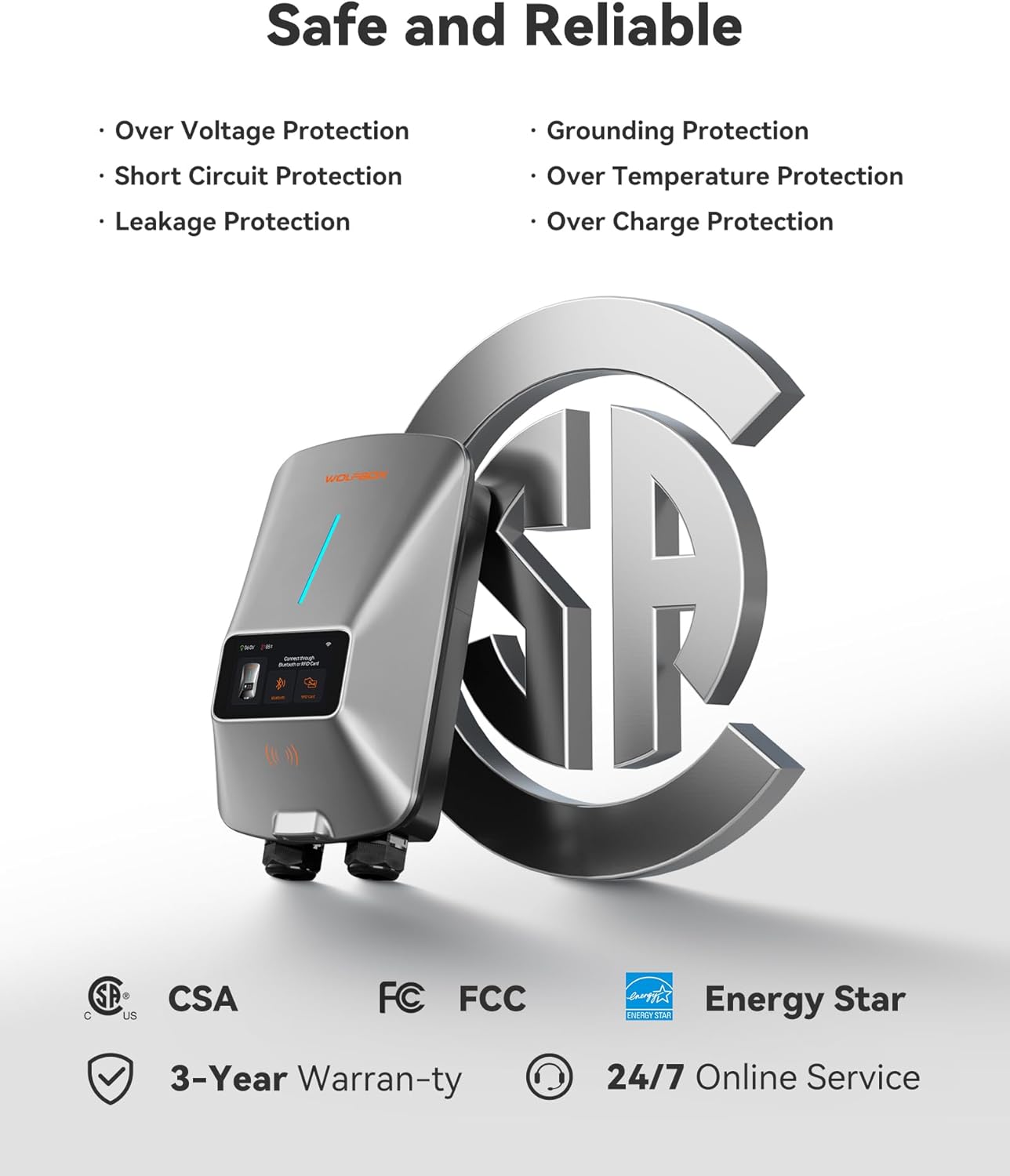
Image: WOLFBOX EV Charger highlighting its safety features and certifications like CSA, FCC, and Energy Star.
3. Contenuto della confezione
Verificare che tutti gli articoli siano presenti nel pacco:
- Caricabatterie EV di livello 2
- Portaconnettore
- Staffa di montaggio a parete
- 1 Management Card and 2 RFID Charging Cards
- Manuale d'uso
- AmpEtichetta dell'età
- Vite autofilettante x11
- Plastic Expansion Tube x11
- Machine Screw (2 PCS)
- Anti-theft Locking Piece
4. Caratteristiche del prodotto
4.1 Smart App Management
The EV charger supports APP management and Wi-Fi connectivity. This allows you to adjust current intensity, schedule charging times, and monitor charging data in real-time. Scheduling charging during off-peak hours can help reduce electricity costs. The 4.3-inch LCD screen on the charger displays the charging rate, time, voltage, and charged amount.

Image: A smartphone displaying the WOLFBOX EV charger app interface, showing options to schedule charge time, adjust current, remotely monitor, and receive real-time notifications.
4.2 Prestazioni potenti
This Level 2 EV charger offers significantly faster charging speeds compared to Level 1 chargers, providing approximately 45 miles of range in just one hour.

Image: The WOLFBOX EV Charger unit with a large display indicating 'UP TO 50A' charging power and '1 HOUR ≈ 45MILES' range added.
4.3 Convenient Charging Options
The charger provides three convenient methods for initiating a charge:
- Collega e carica: Simply plug the connector into your vehicle to begin charging.
- Carta RFID: Use the provided RFID card to authorize and start charging, preventing unauthorized access.
- Mobile App Scheduled Charging: Plan your charging times effortlessly through the mobile application. Your EV will automatically start/stop charging at the designated times.

Image: A collage illustrating the three charging options: direct plug-in, scheduling via the mobile app, and initiating charge with an RFID card.
4.4 NEMA Type 4 Protection
The charger is built with robust NEMA 4 protection, ensuring it functions reliably in various environmental conditions, including rain, snow, dust, and extreme temperatures.

Image: A four-panel image demonstrating the NEMA Type 4 protection of the WOLFBOX EV Charger, showing its resilience against water, dust, extreme cold, and high heat.
4.5 Compatibilità universale
The wall-mounted EV charger is compatible with all J1772 electric vehicle models. It comes equipped with a SAE J1772 connector and a 25ft extension cable. For Tesla EVs, a special adapter is required (Adapter ASIN: B0CLLTWG2S), which can be obtained by contacting customer service.

Image: The WOLFBOX EV Charger connected to an electric vehicle, with a list of compatible car brands including Tesla, Ford, Chevrolet, Hyundai, Nissan, Benz, Audi, Kia, Toyota, Jeep, Volvo, and BMW.
5. Configurazione e installazione
The WOLFBOX electric car charger can be installed indoors or outdoors. It is available in both plug-in and hardwired options. Due to the electrical requirements, installation should be performed by a qualified electrician.
5.1 Lista di controllo pre-installazione
- Ensure you have the necessary tools and safety equipment.
- Confirm your electrical panel can support a 50 Amp, 240V circuit.
- Choose a suitable mounting location that is accessible and protected.
5.2 Montaggio del caricabatterie
- Use the provided wall mount bracket as a template to mark drilling points.
- Drill holes and insert plastic expansion tubes.
- Secure the wall mount bracket using the self-tapping screws.
- Mount the charger onto the bracket.
5.3 Electrical Connection (Professional Electrician Required)
For hardwired installations, the electrician will connect the charger directly to your home's electrical system. For plug-in models, ensure the appropriate NEMA 14-50 outlet is installed.
- Turn off power at the main breaker before any electrical work.
- Follow local electrical codes and standards.
- Connect the charger's wiring to the dedicated 240V circuit.
- Assicurarsi che tutti i collegamenti siano sicuri e adeguatamente isolati.
5.4 Configurazione dell'app
- Download the WOLFBOX EV charger app from your smartphone's app store.
- Follow the in-app instructions to connect your charger to your home Wi-Fi network.
- Register your device and set up your preferences.
6. Istruzioni per l'uso
Once installed and configured, operating your WOLFBOX EV Charger is straightforward.
6.1 Direct Plug and Charge
- Assicurarsi che il caricabatterie sia acceso.
- Collegare il connettore SAE J1772 alla porta di ricarica del veicolo elettrico.
- The charger will automatically detect the vehicle and begin charging.
- Monitor charging status on the charger's LCD screen or via the mobile app.
- Per interrompere la ricarica, scollegare il connettore dal veicolo.
6.2 RFID Card Charging
- Collegare il connettore SAE J1772 alla porta di ricarica del veicolo elettrico.
- Hold one of the provided RFID charging cards near the designated RFID reader area on the charger.
- The charger will authenticate the card and begin charging.
- To stop charging, present the RFID card to the reader again or disconnect the connector.
6.3 App Scheduled Charging
- Open the WOLFBOX EV charger app on your smartphone.
- Vai alla sezione pianificazione.
- Set your desired start and end times for charging.
- Connect the charger to your vehicle. The charger will wait for the scheduled time to begin charging.
- You can also adjust the current intensity through the app.
7. Manutenzione
Regular maintenance ensures the longevity and optimal performance of your WOLFBOX EV Charger.
- Pulizia: Pulire periodicamente l'esterno del caricabatterie con un panno morbido e asciutto.amp cloth. Do not use abrasive cleaners or solvents. Ensure the charging connector is free of dust and debris.
- Ispezione dei cavi: Ispezionare regolarmente il cavo di ricarica e il connettore per verificare la presenza di segni di usura, danni o sfilacciamenti. Se si notano danni, interrompere l'uso e contattare l'assistenza clienti.
- Aggiornamenti del firmware: Check the mobile app periodically for any available firmware updates for your charger to ensure you have the latest features and improvements.
8. Risoluzione Dei Problemi
If you encounter issues with your WOLFBOX EV Charger, refer to the following common troubleshooting steps:
- Il caricabatterie non si accende: Check the circuit breaker in your electrical panel to ensure it has not tripped. Verify all electrical connections are secure (if professionally installed).
- La carica non si avvia: Ensure the charging cable is fully inserted into both the charger and the vehicle. Check the mobile app for any scheduled charging conflicts or error messages. Try using an RFID card if app charging is not initiating.
- Ricarica lenta: Verify the current setting in the mobile app. Ensure your vehicle is capable of accepting the full charging rate.
- Codici di errore: If an error code appears on the LCD screen, consult the detailed error code section in the full user manual (if provided separately) or contact WOLFBOX customer support with the specific code.
- Problemi di connettività Wi-Fi: Ensure your Wi-Fi router is within range and functioning correctly. Try restarting both the charger and your router. Re-pair the charger with the app if necessary.
For persistent issues, please contact WOLFBOX customer support.
9. Specifiche
| Specificazione | Dettaglio |
|---|---|
| Marca | SCATOLA DEL LUPO |
| Numero di modello | E50 |
| Nome del tipo di articolo | Caricabatterie EV di livello 2 50 Amp |
| Ingresso volumetage | 240 V (nominale) |
| Max corrente | 50 Amp |
| Lunghezza del cavo | 25 piedi |
| Tipo di connettore | Normativa SAE J1772 |
| Certificazioni | UL, CSA |
| Valutazione dell'involucro | NEMA Type 4 (Waterproof, Dustproof) |
| Connettività | Wi-Fi, APP Control, RFID Card |
| Peso dell'articolo | 13.4 libbre |
10. Garanzia e supporto
The WOLFBOX Level 2 EV Charger comes with a Garanzia di 3 anno.
For technical assistance, troubleshooting, or warranty claims, please contact WOLFBOX customer service. 24/7 online service is available to assist you.
Fare riferimento al WOLFBOX ufficiale website or the contact information provided in your product packaging for specific support channels.