
1. Prodotto finitoview
The AUTO-VOX CAM7 is a versatile 180° ultra-wide-angle camera designed for use as a front, side, or backup camera in various vehicles. Its compact, OEM-style design allows for discreet installation, and its robust construction ensures durability in diverse environmental conditions. The camera provides clear, true-color images even in low-light conditions and features advanced waterproofing.

Figure 1.1: AUTO-VOX CAM7 Camera with various mounting options.
2. Caratteristiche principali
- 180° Ultra Wide Angle: Fornisce un campo espansivo di view, effectively reducing blind spots and aiding in maneuvering in tight spaces.
- True Color Image & 0.1 Lux Low Night Vision: Delivers clear, accurate color images and maintains performance in extremely low-light environments without significant graininess.
- IP69K Waterproof Durability: Engineered with four enhanced waterproofing processes (PCB-Coating, Sealing adhesive, Filled potting, specially-designed waterproof structure) to ensure reliable operation in wet conditions.
- Factory Mini OEM-look: Designed for an unobtrusive, integrated appearance, blending seamlessly with the vehicle's aesthetics.
- Alta compatibilità: Supports CVBS/AHD compatible PAL signals and features an RCA video port, making it compatible with a wide range of aftermarket display devices such as double-DIN stereos, head units, monitors, and rearview specchi.
- Montaggio versatile: Can be mounted horizontally (front view) or vertically (license plate, brake light, 5th wheel) to suit various vehicle types and applications.
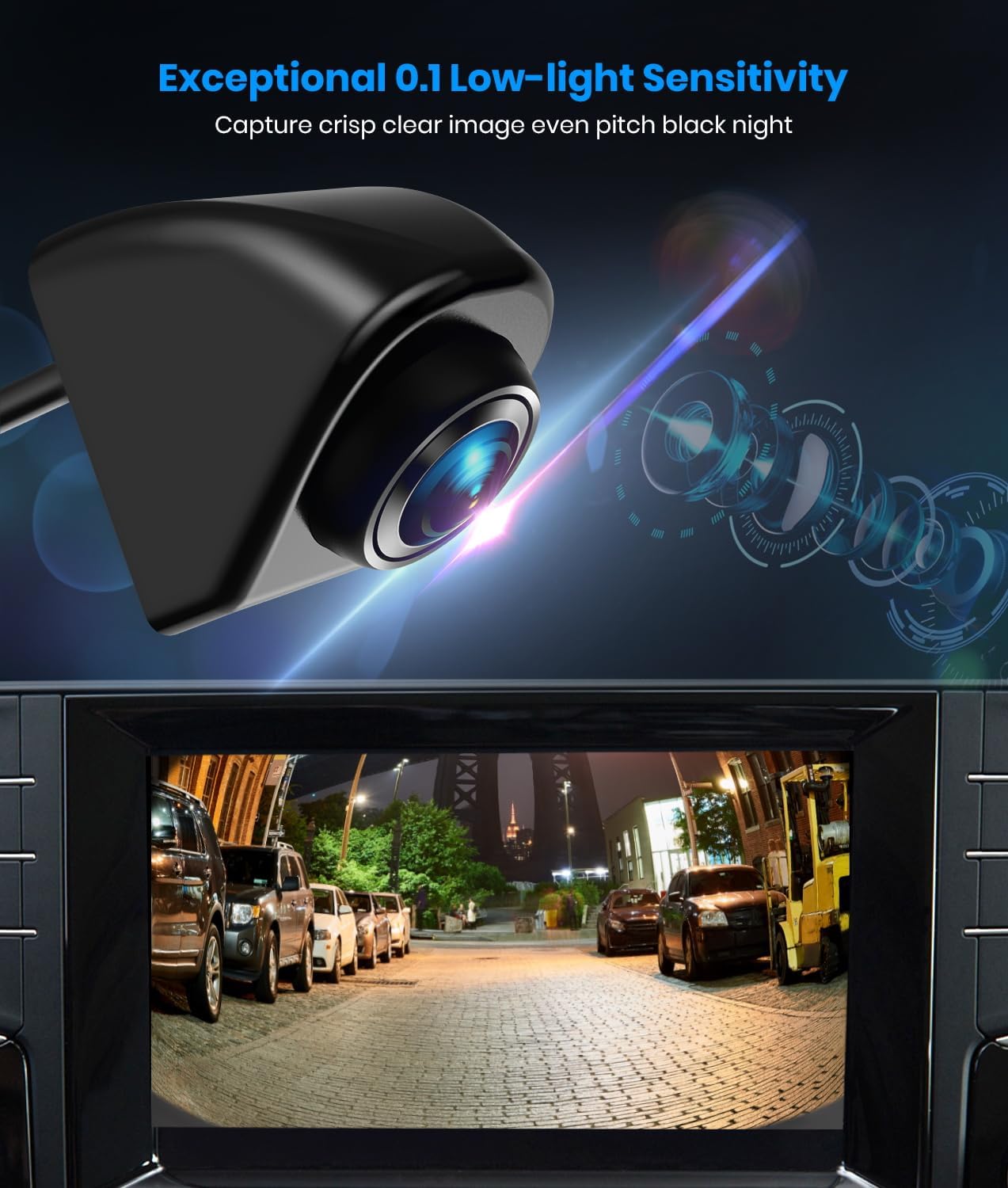
Figure 2.1: Exceptional 0.1 Lux Low-light Sensitivity for clear night vision.

Figure 2.2: IP69K Waterproof design ensures durability in harsh weather.

Figure 2.3: Designed to withstand extreme temperatures.
3. Cosa c'è nella scatola
Verificare che tutti i componenti siano presenti prima di iniziare l'installazione:
- AUTO-VOX CAM7 Backup Camera
- RCA
- Pad adesivo 3M
- Vite 15mm
- Noce
- Manuale dell'utente (questo documento)
4. Configurazione e installazione
The AUTO-VOX CAM7 offers multiple mounting options and is designed for straightforward installation. Ensure the vehicle's power is off before beginning any wiring.
4.1 Opzioni di montaggio
The camera can be mounted using the included screw (standard or longer stud) or the 3M adhesive pad, providing flexibility for various vehicle surfaces.

Figure 4.1: Three optional mounting methods for the camera.
I luoghi di installazione più comuni includono:
- Davanti View: Horizontal mount, often near the grille.
- Posteriore View: Vertical mount, typically above the license plate, near a brake light, or on a 5th wheel.
- Lato View: Can be adapted for side mirror or other side-facing applications.

Figura 4.2: Esamples of suitable installation points for different vehicle types.
4.2 Schema elettrico
Follow the wiring diagram carefully to ensure proper functionality. The camera operates on 12 Volts DC.

Figure 4.3: Wiring Diagram for AUTO-VOX CAM7.
- Collegare il Filo rosso to a 12V power source (e.g., reversing lamp for backup camera function, or an accessory fuse for constant power).
- Collegare il Filo nero to a reliable ground point (GND) on the vehicle chassis.
- Collegare il RCA from the camera to the video input port on your display device (monitor, head unit, etc.).
- If your display device has a trigger wire for camera activation (e.g., for reverse gear), connect the camera's trigger wire (often integrated into the RCA cable) to the display's trigger input.
Note on Wire Gauge: Some users have reported that the camera's wires are very thin. When making connections, ensure a secure splice or consider soldering for optimal contact, especially if using standard wire taps.
4.3 Compatibilità del segnale
The CAM7 supports CVBS (default) and AHD video signals. It is primarily designed for PAL TV systems. If your monitor is not compatible with the default CVBS PAL signal, you may need to adjust the camera's settings.

Figure 4.4: Video Signal Compatibility Table.
To switch to AHD 1080P PAL, select "AHD 1080P PAL" in your monitor's video signal setting, and then cut the green wire on the camera's cable. The CAM7 PRO does not support NTSC TV signals.
4.4 Orientamento dell'immagine
The camera supports various image orientations (mirror, normal, upright, inverted) which can be configured by manipulating specific wires on the camera cable. Refer to the detailed instructions provided with the camera for specific wire cutting procedures to achieve desired image effects.

Figure 4.5: Various Installation Methods and Image Orientations.
5. Istruzioni per l'uso
Once installed and powered, the AUTO-VOX CAM7 camera will transmit video feed to your connected display device. The operation largely depends on how it is integrated with your vehicle's system (e.g., automatically activating when reverse gear is engaged, or manually switched on).
- Accensione: The camera receives power from the connected 12V source. Ensure the vehicle's ignition is on if connected to an accessory power source.
- Visualizza attivazione: The video feed will appear on your monitor when the camera is powered and the display is set to the correct input. For backup camera use, this typically occurs when the vehicle is shifted into reverse.
- Qualità dell'immagine: The camera provides a crisp, clear image with a 180° ultra-wide angle. The 0.1 Lux low-light sensitivity ensures visibility even in very dark conditions.
6. Manutenzione
The AUTO-VOX CAM7 is designed for durability and requires minimal maintenance.
- Pulizia: Pulire periodicamente l'obiettivo della fotocamera con un panno morbido eamp panno per rimuovere sporco, polvere o macchie d'acqua che potrebbero ostruire il viewEvitare detergenti abrasivi.
- Ispezione: Regularly check the mounting point and wiring connections to ensure they remain secure and free from damage.
- Impermeabilizzazione: The IP69K rating ensures high resistance to water and dust. No special waterproofing maintenance is required under normal use.
7. Risoluzione Dei Problemi
If you encounter issues with your AUTO-VOX CAM7 camera, refer to the following common problems and solutions:
| Problema | Possibile causa | Soluzione |
|---|---|---|
| Nessuna immagine visualizzata / Schermo nero |
|
|
| Immagine tremolante |
|
|
| Distorted or "fisheye" image |
|
|
| Image quality is poor / Blurry |
|
|
| Guidelines are incorrect or duplicated |
|
|
8. Specifiche
| Caratteristica | Dettaglio |
|---|---|
| Numero di modello | AUTO-VOX CAM7 |
| Dimensioni del prodotto | 0.98"L x 0.98"W x 0.98"H (circa 2.5 x 2.5 x 2.5 cm) |
| Peso dell'articolo | 9.1 once (circa 258 grammi) |
| Voltage | 12 Volt CC |
| Tecnologia dei sensori ottici | CMOS |
| Tipo di lente | Grandangolo |
| Angolo reale di View | 180 gradi |
| Tipo di connettore | RCA |
| Tipo di installazione | Montaggio in superficie |
| Colore | Nero |
| Grado di impermeabilità | Grado di protezione IP69K |
| Bassa sensibilità alla luce | 0.1 lux |
9. Garanzia e supporto
For warranty information and technical support, please contact AUTO-VOX customer service. Details are typically provided on the product packaging or the official AUTO-VOX websito.
When contacting support, please have your product model number (AUTO-VOX CAM7) and purchase details ready.
Produttore: AUTO-VOX