
1. Introduzione
The eufy Security SoloCam S340 is a solar-powered wireless outdoor security camera designed to provide comprehensive surveillance with advanced features. This manual provides detailed instructions for setting up, operating, and maintaining your SoloCam S340 to ensure optimal performance and security.

Image 1.1: eufy Security SoloCam S340 Overview
Caratteristiche principali:
- Enhanced Dual Camera Vision: Capture everything around your home in clear 3K resolution. Utilize 8x zoom to identify approaching individuals.
- Funzionamento ad energia solare: Enjoy continuous peace of mind with easy installation and a removable solar panel for constant power.
- 360° Coverage, No Blind Spots: Monitor your entire property with 360-degree surveillance, covering front door, backyard, and driveway.
- Doppio View Monitoraggio: Observe the wider scene while simultaneously zooming in on critical details within a single display.
- Local Storage, No Monthly Fees: One-time purchase with no recurring costs for storage.
- Versatile and Effortless Installation: Quick 5-minute setup due to compact size and wireless design.
2. Contenuto della confezione
Assicurati che tutti i seguenti componenti siano presenti nel tuo pacchetto:
- 1x eufy Security SoloCam S340
- Staffa di montaggio e viti
- Cavo di ricarica USB
- Guida rapida
3. Configurazione e installazione
Follow these steps for a successful installation of your SoloCam S340.
3.1 Carica iniziale
Before installation, fully charge the camera using the provided USB cable. This ensures the camera has sufficient power for initial setup and to begin solar charging effectively.
3.2 Download dell'app e creazione dell'account
- Download the eufy Security app from the App Store (iOS) or Google Play Store (Android).
- Create a new eufy Security account or log in with an existing one.
- Follow the in-app instructions to add your SoloCam S340 device.
3.3 Selezione della posizione di montaggio
Choose a mounting location that offers:
- Optimal sunlight exposure for the solar panel throughout the day.
- Un chiaro view dell'area che desideri monitorare.
- Strong Wi-Fi signal from your router or HomeBase 3 (if applicable).

Image 3.1: Wireless Installation Example
3.4 Installazione fisica
- Fissare la staffa di montaggio alla superficie desiderata utilizzando le viti fornite.
- Attach the SoloCam S340 to the mounting bracket.
- Adjust the camera angle to cover the monitoring area. Ensure the solar panel is positioned to receive maximum direct sunlight.
The SoloCam S340 supports versatile installation options, including wall mounting. It is compatible with HomeBase 3 for enhanced connectivity and features.

Image 3.2: Connectivity Options with Wi-Fi and HomeBase 3
4. Operating the SoloCam S340
Understand the various functions and how to operate your security camera.
Sistema a doppia fotocamera 4.1
The SoloCam S340 features a dual-camera system, combining a wide-angle lens with a telephoto lens. This allows for both a broad overview and detailed zoomed-in viewcontemporaneamente.

Image 4.1: Dual Camera Lenses for 3K Resolution and 8x Zoom
4.2 360-Degree Monitoring
The camera offers 360-degree pan and tilt capabilities, eliminating blind spots and providing comprehensive coverage of your property. You can control the camera's view remotely via the eufy Security app.
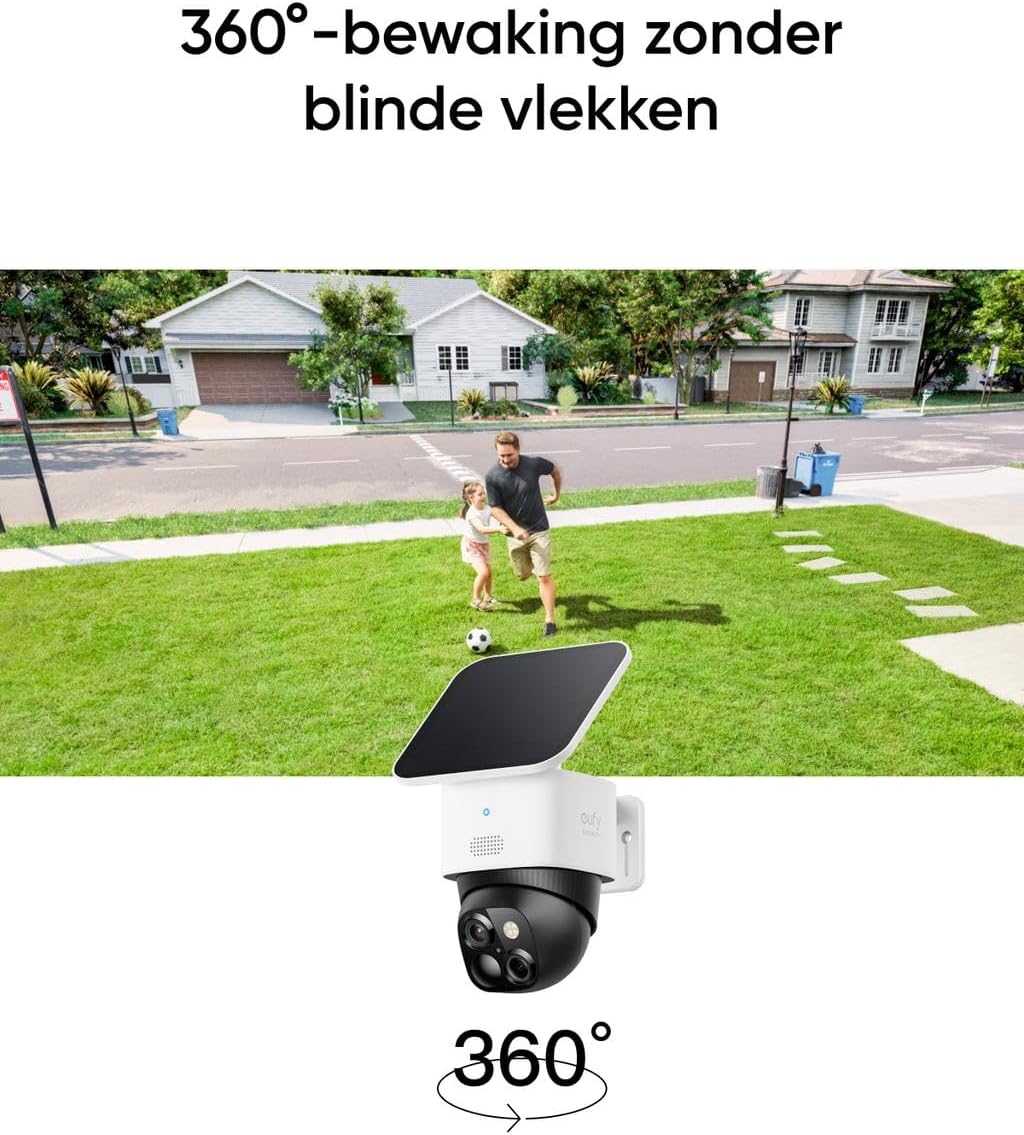
Image 4.2: 360-Degree Surveillance in Action
4.3 AI-Powered Tracking
The integrated AI technology enables the camera to detect and track human movement with high accuracy, reducing false alarms. This feature ensures that important events are captured and recorded.
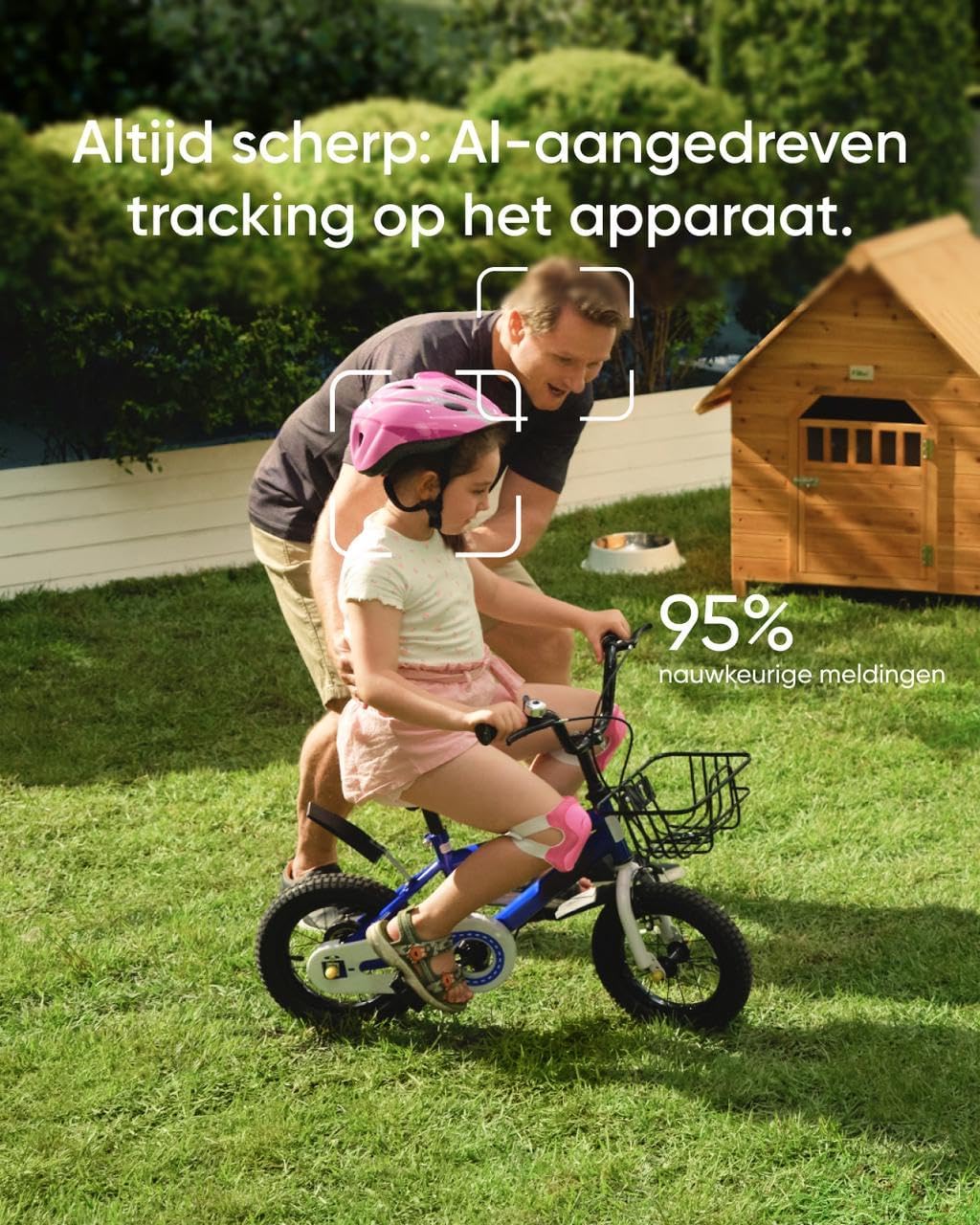
Image 4.3: AI-Powered Human Tracking
4.4 Visione notturna e riflettore
The SoloCam S340 provides clear night vision, including color night vision, to ensure visibility even in low-light conditions. The built-in spotlight can be activated to deter intruders or illuminate the area.

Image 4.4: Color Night Vision Capability
4.5 Audio bidirezionale
Communicate with visitors or deter unwanted guests using the camera's integrated speaker and microphone for two-way audio functionality.

Immagine 4.5: Comunicazione audio bidirezionale
4.6 Using the eufy Security App
The eufy Security app is your central control hub for the SoloCam S340. It allows you to:
- View cibo vivotage and recorded events.
- Control pan and tilt functions.
- Adjust motion detection sensitivity and activity zones.
- Access local storage recordings (8GB built-in).
- Receive instant notifications.

Image 4.6: eufy Security App Dashboard

Image 4.7: Setting Up Activity Zones in the App
5. Power Management and Maintenance
5.1 Ricarica solare
The SoloCam S340 is equipped with a removable solar panel for continuous power. For optimal charging, ensure the solar panel receives at least two hours of direct sunlight daily. The camera can also charge in low light or shaded conditions, but direct sunlight is most efficient.

Image 5.1: SolarPlus™ Technology for Lifetime Power
5.2 Resistenza alle intemperie
The camera is designed for outdoor use with a waterproof rating, making it resistant to various weather conditions.

Image 5.2: All-Weather Durability
5.3 Pulizia
Periodically clean the solar panel and camera lenses with a soft, damp panno per garantire prestazioni ottimali. Evitare l'uso di prodotti chimici aggressivi o materiali abrasivi.
6. Risoluzione Dei Problemi
If you encounter issues with your SoloCam S340, refer to the following common problems and solutions.
6.1 La fotocamera non si carica tramite pannello solare
- Controllare l'esposizione alla luce solare: Ensure the solar panel receives at least 2 hours of direct, unobstructed sunlight daily.
- Pannello solare pulito: Dust or debris on the solar panel can reduce charging efficiency. Clean it gently.
- Verifica connessione: Ensure the solar panel is securely connected to the camera.
- Livello della batteria: If the battery is completely depleted, it may need an initial charge via USB before solar charging becomes effective.
6.2 Connessione Wi-Fi scadente
- Prossimità del router: Move the camera closer to your Wi-Fi router or HomeBase 3.
- Ostruzioni: Walls, metal objects, and other electronic devices can interfere with the Wi-Fi signal. Try to minimize these.
- Impostazioni del router: Ensure your router is broadcasting a 2.4GHz Wi-Fi signal, as the camera supports 2.4GHz only.
6.3 Avvisi di falsi movimenti
- Regola la sensibilità: In the eufy Security app, reduce the motion detection sensitivity.
- Imposta zone di attività: Define specific areas for motion detection to ignore irrelevant movements (e.g., passing cars on a public road).
- Object Interference: Moving branches, shadows, or reflections can trigger alerts. Adjust the camera angle if necessary.
7. Specifiche tecniche
| Caratteristica | Specificazione |
|---|---|
| Nome del modello | Solo Cam S340 |
| Numero modello articolo | T8170 |
| Produttore | Ancora |
| Tipo di montaggio | Montaggio a parete |
| Risoluzione di registrazione video | 3K |
| Colore | Nero + Bianco |
| Componenti inclusi | 1x eufy security SoloCam S340 |
| Tecnologia di comunicazione wireless | Wi-Fi (2.4 GHz) |
| Viewangolo di ing | 360 gradi |
| Tipo di installazione | Avvitare |
| Gamma di visione notturna | 15 metri |
| Frequenza dei fotogrammi | 15 fotogrammi al secondo |
| Materiale | Metallo |
| Cosatage | 9 watt |
| Dimensioni articolo (L x P x A) | 8.7 x 8.7 x 12 centimetri |
| Livello di resistenza all'acqua | Impermeabile |
| Batterie | 1 Lithium ion battery required (included) |
| Tipo di batteria | Agli ioni di litio |
| Peso | 630.49 grammi (1.39 libbre) |
| Applicazioni del prodotto consigliate | Visione notturna |
| Caratteristiche speciali | Enhanced dual-camera clarity, solar-powered, removable solar panel, 360° Guardian, no blind spots, versatile installation, effortless setup |
| Uso interno/esterno | All'aperto |
| Dispositivi compatibili | Smartphone |
| Fonte di alimentazione | Alimentato a batteria |
| Protocollo di connettività | Wifi |
| Tipo di controllore | iOS |
8. Sicurezza e conformità
At eufy Security, privacy and security are paramount. Both are essential components of our daily work and the implementation of measures that ensure our customers' data is always protected.
From the cries of a newborn to the victory dance after a won game - what happens in our customers' homes stays in their homes. We use products and services that keep our customers' data private and secure.
This is just the beginning of our commitment to protect our customers and their families' privacy.

Image 8.1: eufy Security Privacy Commitment
9. Garanzia e supporto
Per informazioni sulla garanzia, supporto tecnico o ulteriore assistenza, fare riferimento al sito ufficiale di eufy Security website or contact their customer service directly. Details can typically be found in the Quick Start Guide included with your product or on the eufy Security support pages online.
Conservare la prova d'acquisto per eventuali richieste di garanzia.


