
Prodotto finitoview
The Hikity DAB+ Android 15 Autoradio is an advanced 2 DIN car stereo system designed to enhance your in-car entertainment and navigation experience. It features a 7-inch IPS touchscreen, an octa-core processor, 4GB RAM, and 64GB ROM for smooth operation. Key functionalities include wireless CarPlay and Android Auto, Bluetooth 5.1, FM/RDS/DAB radio, built-in GPS, and a 36-band DSP for superior audio quality. A rear camera is included for added convenience.
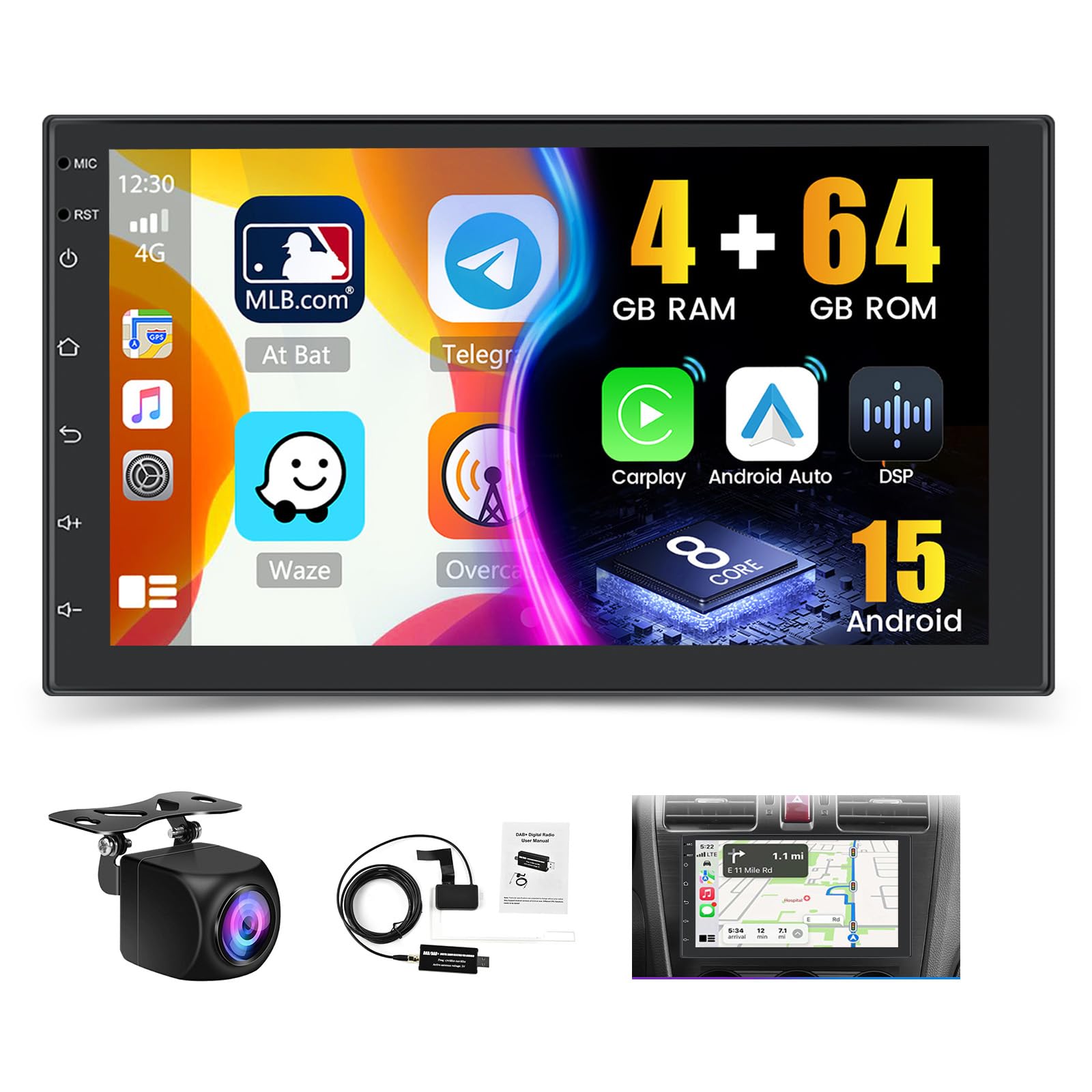
Immagine: Oltreview of the Hikity Autoradio's core features including processor, memory, and connectivity options.
Configurazione e installazione
This section provides guidance for the physical installation and initial setup of your Hikity Autoradio. Professional installation is recommended.
Contenuto della confezione
Prima dell'installazione, verificare che tutti i componenti siano presenti:
- Hikity Autoradio Unit
- Cavi di alimentazione (vari tipi)
- Cavo di ingresso della telecamera
- RCA Cable Bundle
- Antenna GPS
- Cavo USB
- Staffe di montaggio
- Manuale dell'utente (questo documento)
- Telecamera posteriore AHD
- DAB+ Antenna (USB stick type)

Image: Product dimensions and a visual list of all items included in the package.
Collegamenti elettrici
Connect the power cables, speaker wires, and accessory cables according to your vehicle's wiring diagram. Ensure proper insulation for all connections.
- Cavo di alimentazione: Collegare all'alimentazione del veicolo (12 V costanti, 12 V accessori, terra).
- Ingresso/uscita RCA: Per l'esterno ampvisualizzatori o display video.
- Ingresso telecamera di retromarcia: Connect the included AHD rear camera.
- Cavo USB: Per il trasferimento dati, la ricarica e il collegamento di dispositivi esterni.
- Antenna GPS: Montare in una posizione con una vista libera view del cielo.
- Antenna radio: Collega l'antenna FM/AM del tuo veicolo.
- Antenna DAB+: Connect the provided USB DAB+ receiver and antenna.

Image: DAB/DAB+ USB receiver and antenna for digital radio reception.
Montaggio
Use the provided mounting brackets to secure the autoradio in your vehicle's 2 DIN slot. Ensure a snug fit and proper ventilation.

Image: Visual representation of the car stereo before and after installation, showcasing the 7-inch IPS touchscreen.
Istruzioni per l'uso
This section details the various functions and features of your Hikity Autoradio.
Funzionamento di base
- Accensione/spegnimento: Press the power button or turn your vehicle's ignition key.
- Controllo del volume: Utilizzare i comandi sullo schermo o i comandi al volante (se configurati).
- Schermo tattile: È possibile navigare nell'interfaccia toccando, scorrendo e pizzicando sul display IPS da 7 pollici.
Wireless CarPlay e Android Auto
Connect your compatible smartphone wirelessly or via USB to access navigation, music, calls, and messages directly on the autoradio screen.
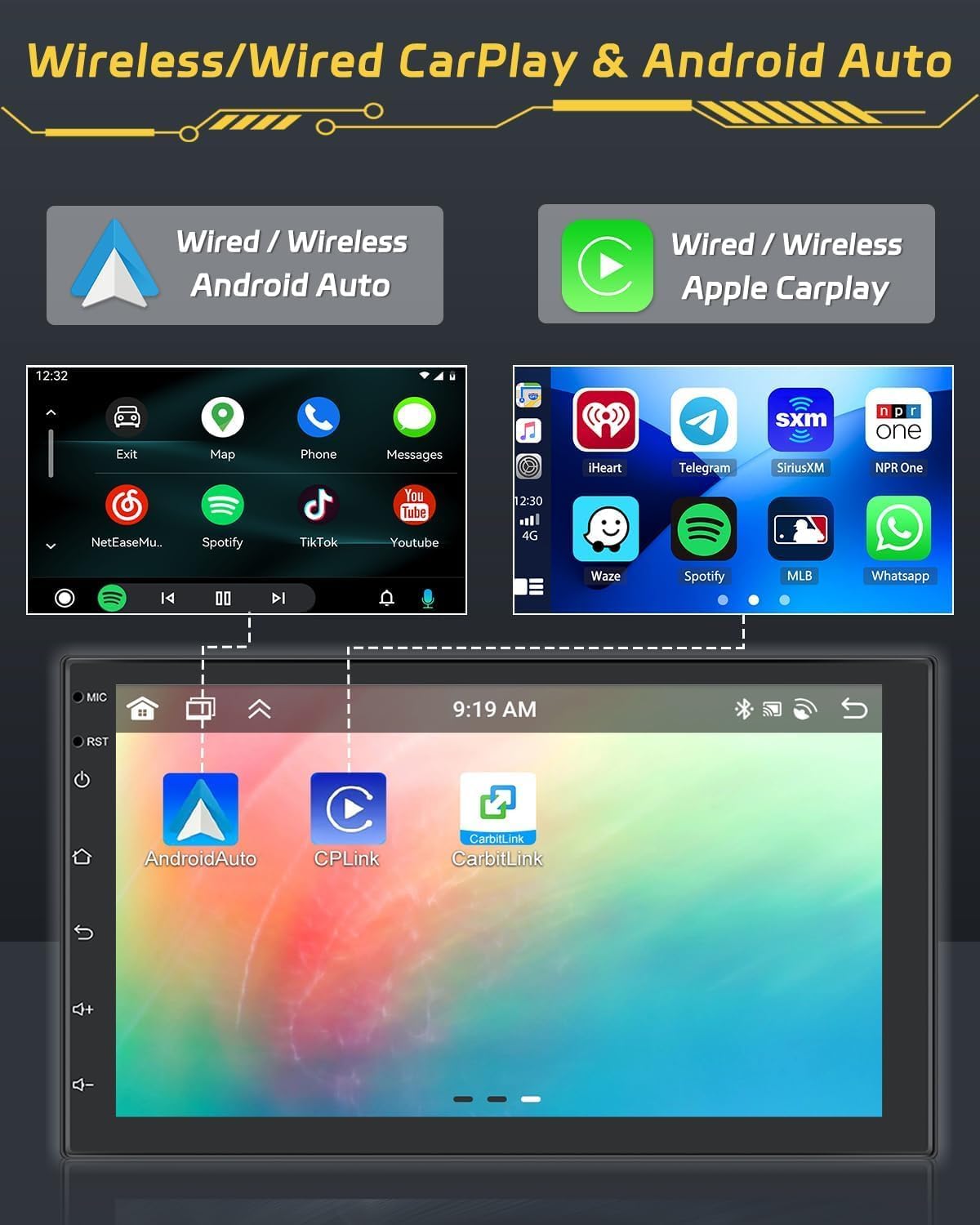
Image: Display of Wireless CarPlay and Android Auto functionality, showing smartphone integration.
Bluetooth 5.1
Pair your smartphone via Bluetooth for hands-free calling and audio streaming. Access your contacts and call history directly from the unit.

Image: Bluetooth 5.0 interface for hands-free calls and audio streaming.
Radio Functions (FM/RDS/DAB)
Tune into your favorite FM, RDS, or DAB+ radio stations. The DAB+ receiver provides access to a wider range of digital radio broadcasts.

Image: FM/RDS radio interface with station presets.
Navigazione GPS
Utilize the built-in GPS module for accurate navigation. Download and use your preferred navigation apps from the Android app store.

Image: GPS navigation display showing a map and route details.
36EQ DSP Technology
Fine-tune your audio experience with the integrated 36-band Digital Sound Processor (DSP). Adjust frequency, equalization, and sound field settings to optimize sound quality and reduce distortion.

Image: DSP interface for advanced audio equalization and sound customization.
Three-Screen Split Function
Multitask efficiently by displaying up to three applications simultaneously on the screen. For example, use navigation, music, and a web browser contemporaneamente.

Image: Demonstration of the three-screen split function, allowing multiple apps to run concurrently.
Controllo del volante (SWC)
Configure your vehicle's steering wheel buttons to control the autoradio functions. This feature enhances driving safety by keeping your hands on the wheel.

Image: SWC function interface for customizing steering wheel button controls.
Funzione telecamera posteriore
La telecamera posteriore AHD inclusa mostra automaticamente la parte posteriore view when reversing, aiding in parking and maneuvering. An optional front camera can also be integrated for dual recording.
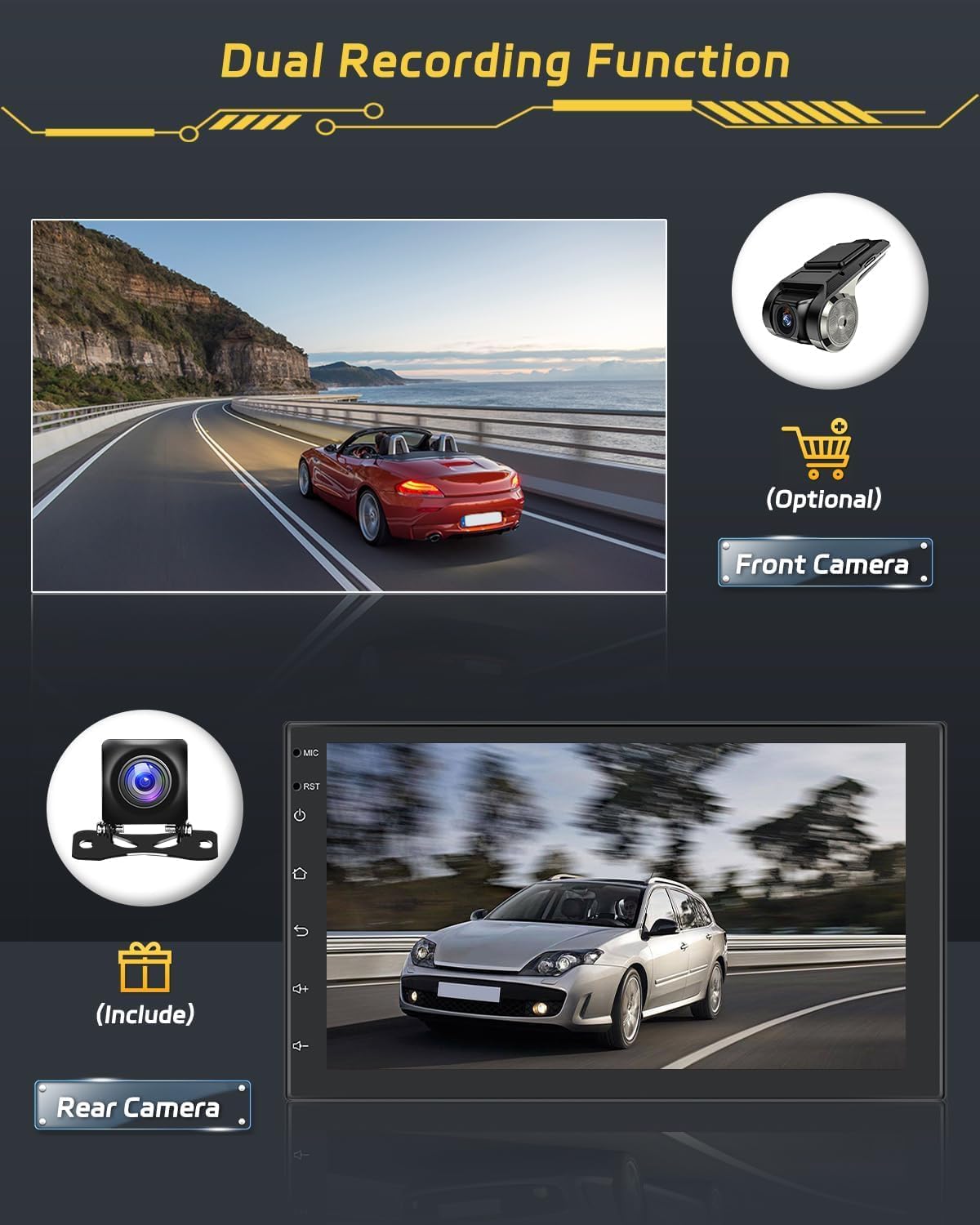
Image: Rear camera display and optional front camera for dual recording.
Collegamento specchio
Mirror your smartphone's screen onto the autoradio display. This feature supports both wired and wireless connections. Note: Some phone models, such as Samsung and Huawei, may not be fully supported for Mirror Link functionality.

Image: Mirror Link function demonstrating smartphone screen mirroring.
Connessione WiFi
Connect the autoradio to a WiFi hotspot to access online features, download apps, and browse the internet.

Image: WiFi connection feature with online content streaming.
Manutenzione
Una corretta manutenzione garantisce la longevità e le prestazioni ottimali della tua autoradio.
Pulizia
Utilizzare un panno morbido e asciutto per pulire il touchscreen e l'esterno dell'unità. Per le macchie ostinate, utilizzare un panno leggermenteamp È possibile utilizzare un panno imbevuto di un detergente delicato e non abrasivo. Evitare prodotti chimici aggressivi o materiali abrasivi che potrebbero danneggiare lo schermo o la finitura.
Aggiornamenti software
Periodically check for available software updates to ensure your system has the latest features and performance improvements. Updates can typically be performed via WiFi connection or USB.
Risoluzione dei problemi
This section addresses common issues you might encounter with your Hikity Autoradio.
| Problema | Possibile causa | Soluzione |
|---|---|---|
| L'unità non si accende. | Cablaggio errato, fusibile bruciato, problema di alimentazione del veicolo. | Check power connections (constant 12V, accessory 12V, ground). Inspect vehicle fuses. |
| Nessun suono o audio distorto. | Speaker wiring issues, incorrect audio settings, DSP settings. | Verificare i collegamenti degli altoparlanti. Controllare i livelli del volume e le impostazioni dell'equalizzatore DSP. |
| Il touchscreen non risponde. | Problema software, errore di sistema temporaneo. | Esegui un soft reset (consulta il manuale per la posizione specifica del pulsante di reset, solitamente un piccolo foro). Se il problema persiste, contatta l'assistenza. |
| CarPlay/Android Auto si disconnette frequentemente. | Weak WiFi signal, faulty USB cable, phone compatibility. | Ensure strong WiFi signal for wireless connection. Use a high-quality USB cable for wired connection. Check phone compatibility. |
| Poor radio reception (FM/DAB). | Antenna not properly connected, weak signal area, faulty antenna. | Ensure FM and DAB+ antennas are securely connected and properly positioned. Try in a different location. |
| L'unità è lenta o si blocca. | Too many applications running, low memory, software issue. | Close unnecessary applications. Restart the unit. Ensure sufficient storage space. |
Specifiche del prodotto
| Marca | Stravagante |
| Numero di modello | Hikity-A3452A4B1DA-3UK |
| Sistema operativo | Androide 15 |
| Processore | 8-Nucleo |
| Memoria RAM | 4 GB |
| ROM | 64 GB |
| Dimensioni dello schermo | 7 pollici |
| Tipo di visualizzazione | Touchscreen IPS con vetro 2.5D |
| Connettività | Bluetooth 5.1, Wi-Fi, AirPlay, FM, RDS, DAB+ |
| Caratteristiche speciali | Wireless Android Auto, Wireless Apple CarPlay, Built-in GPS, DSP (36EQ), Split Screen, Rear Camera Input |
| Modalità di uscita audio | Stereo |
| Configurazione audio surround | 4.0 canali |
| Potenza massima in uscita | 445 Watt |
| Potenza di uscita RMS | 45 Watt |
| Dimensioni del prodotto | 2.5P x 17.2l x 10.2H cm |
| Colore | Nero |
Informazioni sulla garanzia
L'autoradio Hikity è dotata di un Garanzia di 24 mesi dalla data di acquisto. La presente garanzia copre difetti di fabbricazione e malfunzionamenti in condizioni di normale utilizzo. Si prega di conservare la prova d'acquisto per eventuali reclami in garanzia.
Assistenza clienti
For any technical assistance, troubleshooting, or warranty inquiries, please contact Hikity customer support. We offer online inquiry support with a response time typically within 24 hours.
Please visit the official Hikity store or contact your retailer for support details.
Negozio online: Negozio Amazon Hikity