
Neideso N700
Neideso N700 Dash Cam Instruction Manual
Modello: N700
Brand: Neideso
Introduzione
This manual provides detailed instructions for the installation, operation, and maintenance of your Neideso N700 360° Dash Cam. Designed for comprehensive vehicle surveillance, the N700 offers advanced features such as 4-channel recording (front, rear, and interior), 5GHz Wi-Fi connectivity, GPS tracking, voice control, enhanced night vision, and intelligent parking modes. Please read this manual thoroughly before use to ensure proper functionality and safety.
Cosa c'è nella scatola
Upon opening your Neideso N700 Dash Cam package, please verify that all the following components are included:
- 1 x Neideso N700 Dash Cam
- Fotocamera 1 x posteriore
- 1 supporto adesivo 3M
- 1 x Car Charger with Type C USB Cable (3.5m)
- 1 x 64GB SD Memory Card (pre-inserted into the machine)
- 1 modulo GPS
- 1 x filtro CPL
- 1 cavo per fotocamera posteriore da 19.6 piedi
- 1 x Car Wiring Tool
- 1 x Manuale utente
- 1 x Electrostatic Film for 3M Mount

Image: All components included in the Neideso N700 Dash Cam package.
Configurazione e installazione
Proper installation ensures optimal performance and clear recording. Follow these steps for setting up your dash cam:
- Preparare la superficie di montaggio: Clean the front windshield area where the dash cam will be mounted. Apply the electrostatic sticker firmly, removing any air bubbles. Allow it to adhere for at least 30 minutes before attaching the dash cam. For a stronger installation, leave the electrostatic sticker for half an hour without air bubbles, then mount the 3M bracket on top of it. Press the machine down firmly for five seconds after mounting to ensure it is strong.
- Montare la Dash Cam: Attach the main dash cam unit to the 3M adhesive mount on the windshield, ideally behind the rearview specchio per evitare di ostruire il tuo view.
- Route Front Camera Power Cable: Use the provided car wiring tool to neatly tuck the Type-C USB power cable along the windshield edge and A-pillar, leading it to your vehicle's 12V power outlet (cigarette lighter socket).
- Installare la telecamera posteriore: Mount the rear camera on the rear windshield. Conceal the 19.6ft rear camera cable by routing it through the vehicle's interior (e.g., from front windshield to roof, passenger-side ceiling, rear seat to ceiling) to the main dash cam unit.
- Installa il modulo GPS: Hide the GPS module's wiring from the ceiling, through the A-pillar, and route it to the front corners of the center console. The GPS should face up, with the side having 3M adhesive and magnets facing down. The antenna should be directly above and free from metal obstructions for accurate positioning.
- Inserisci la scheda SD: Ensure the 64GB SD memory card is properly inserted into the designated slot on the dash cam.
- Connetti alimentazione: Plug the car charger into your vehicle's 12V power outlet. The dash cam will power on automatically.

Image: Visual guide for dash cam installation, showing cable routing and camera placement.

Image: Proper GPS module installation for accurate tracking.
Istruzioni per l'uso
Your Neideso N700 Dash Cam is designed for user-friendly operation. Here's how to utilize its key features:
Video: Una panoramica completaview of the Neideso N700 Dash Cam, demonstrating installation, voice control, app connectivity, and various recording features.
Controllo vocale
The N700 features hands-free voice control (English Only) for safe operation while driving. Simply say commands like:
- "Scatta una foto"
- "Video start" / "Video stop"
- "Turn on/off audio"
- "Turn on/off Wi-Fi"
- "Turn on/off screen"
This allows you to manage recordings and settings without taking your hands off the steering wheel.
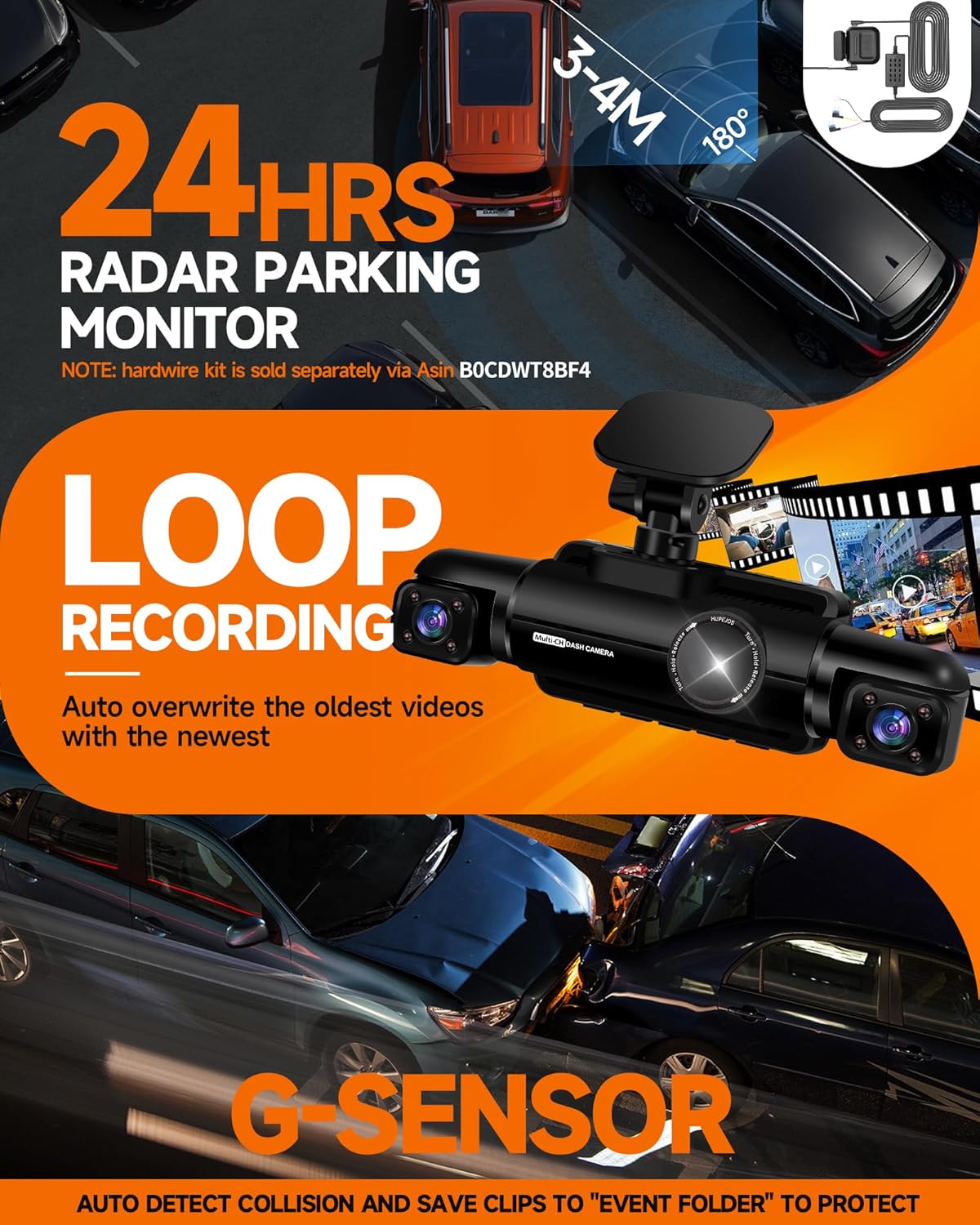
Image: Hands-free voice control commands for the dash cam.
5GHz Wi-Fi & GPS Module External
The built-in 5GHz Wi-Fi (4x faster than 2.4GHz) allows you to connect your smartphone via a dedicated app. This enables instant viewing, saving, and sharing of recordings. The external GPS module tracks your speed and location, adding crucial data to your footage for legal or insurance purposes. The app also allows for easy adjustment of settings and playback.

Image: App control and GPS tracking capabilities.
Modalità parcheggio 24 ore su 24, 7 giorni su 7
When your vehicle is parked and turned off, the 4-channel dash cam automatically switches to parking mode. It uses motion detection to record any activity near your car. The Radar Hardwire Kit (sold separately) extends the detection range to 3-4 meters (10-13 ft) and activates recording for 1-minute clips if an incident occurs. Note: A separate hardwire kit is required for continuous power in parking mode.
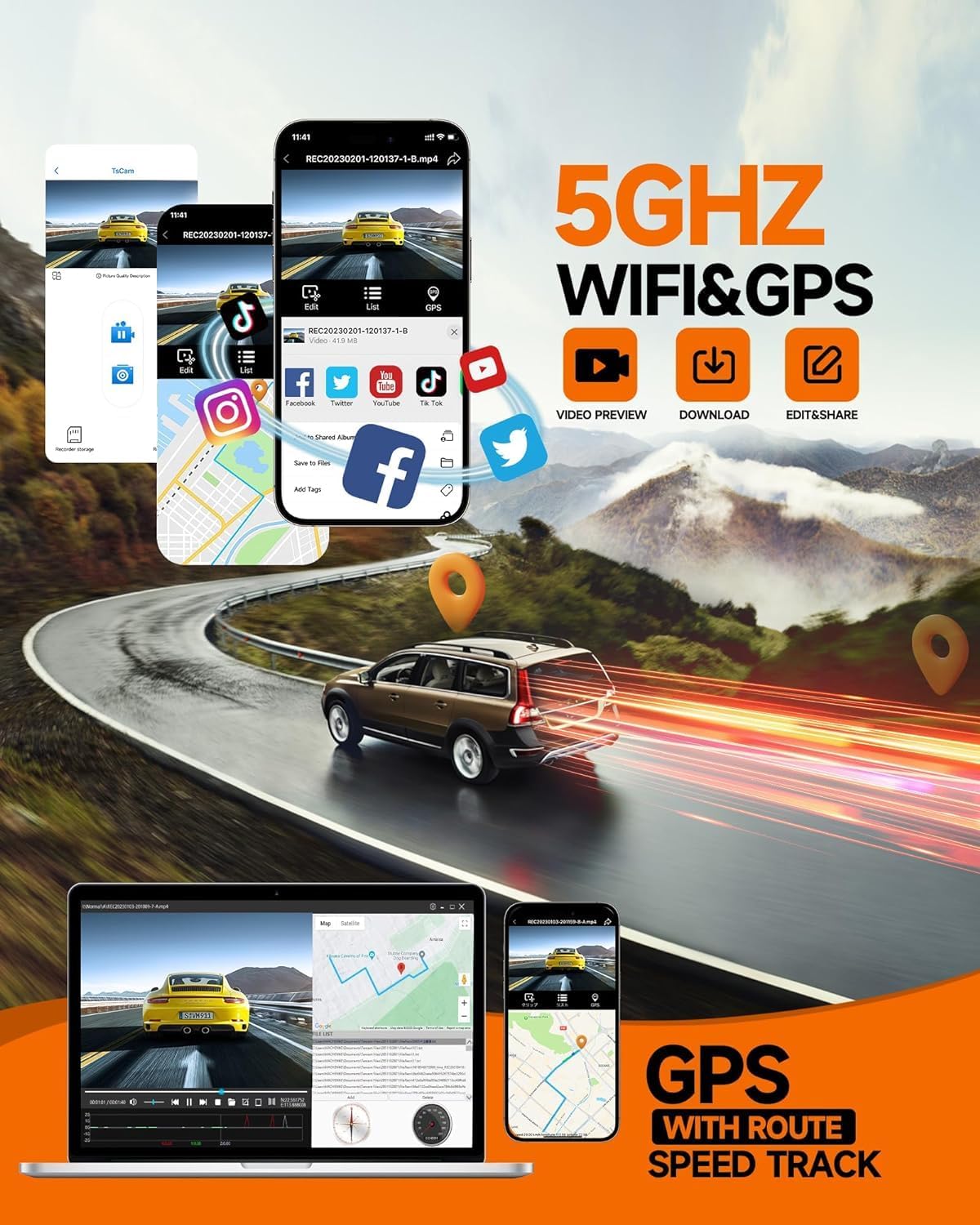
Image: Parking mode functionality with motion and collision detection.
G-Sensor e registrazione in loop
The built-in G-sensor detects collisions or sudden impacts, automatically locking the footage in a protected "Event" folder to prevent overwriting. This ensures critical evidence is preserved. The dash cam also features loop recording, saving new clips every 3 minutes. When the SD card is full, it overwrites the oldest unlocked files, maintaining continuous recording.
Super Night Vision & CPL Filter
Equipped with 8 Infrared LEDs and a 6-Lens System, the N700 automatically enhances low-light and high-exposure footage, ensuring clear video day or night. The included CPL (Circular Polarizing Lens) filter reduces windshield glare, headlight flare, and reflections, making license plates and road signs easier to read in recordings.

Image: Night vision clarity and CPL filter benefits.
Manutenzione
To ensure the longevity and optimal performance of your Neideso N700 Dash Cam, regular maintenance is recommended:
- Formattazione scheda SD: Regularly format the SD card (at least once a month) to prevent data corruption and ensure smooth recording. This can typically be done through the dash cam's settings menu.
- Pulizia delle lenti: Gently clean the camera lenses with a soft, lint-free cloth to remove dust or smudges that could affect video clarity. Avoid abrasive materials.
- Aggiornamenti del firmware: Check the official Neideso website periodically for firmware updates. Updates can improve performance, add new features, or fix bugs.
- Gestione dei cavi: Ensure all cables are securely tucked away and not interfering with driving controls or visibility. Periodically check for any wear or damage to the cables.
- Considerazioni sulla temperatura: Avoid exposing the dash cam to extreme temperatures for prolonged periods, as this can affect battery life and internal components.
Risoluzione dei problemi
If you encounter any issues with your Neideso N700 Dash Cam, refer to the following common troubleshooting tips:
- La Dash Cam non si accende: Check the power connection to the 12V outlet. Ensure the car charger is securely plugged in and the vehicle's ignition is on (if required). Test the charger in another vehicle or with another device if possible.
- Recording Issues (Freezing/Skipping): This is often related to the SD card. Try formatting the SD card (back up important files first). If the issue persists, try a different high-speed (Class 10 or U3) SD card.
- Scarsa qualità video: Ensure the camera lenses are clean. Check if the protective film has been removed from the lenses. Adjust exposure settings if recording in very bright or dark conditions. Ensure the CPL filter is clean and correctly installed.
- Perdita del segnale GPS: Verify that the GPS module is correctly installed and has a clear view of the sky, free from metal obstructions. Ensure the module is not placed inside the A-pillar or directly behind the windshield.
- Problemi di connessione Wi-Fi: Ensure the dash cam's Wi-Fi is turned on (can be done via voice command). Restart both the dash cam and your smartphone. Ensure you are within range of the dash cam's Wi-Fi signal.
- Il controllo vocale non risponde: Ensure the dash cam's microphone is not muted. Speak clearly and directly towards the dash cam. Check the voice control settings in the menu.
- Modalità parcheggio non attiva: Ensure the dash cam is connected to a continuous power source via a hardwire kit (sold separately) for 24/7 parking monitoring. Check parking mode settings to ensure it's enabled.
If these steps do not resolve your issue, please contact Neideso customer support for further assistance.
Specifiche
| Dimensioni del prodotto | 3.39 x 2.28 x 1.5 pollici |
| Peso dell'articolo | 1.89 libbre |
| Numero modello articolo | N700 |
| Tecnologie di connettività | USB, Wi-Fi (5 GHz) |
| Caratteristiche speciali | 360 Degree dash camera, 4-channel recording, Built-In WiFi, App Control, Built-In GPS, Voice Control, 4K dash camera, Super Night Vision, CPL Filter, G-Sensor, 24H Parking Mode |
| Colore | Nero |
| Risoluzione di acquisizione video | 4K (Front), 1080P (Rear & Interior) |
| Tipo di montaggio | Supporto per parabrezza |
| Tipo di servizio del veicolo | Car, Minivan, SUV |
Garanzia e supporto
The Neideso N700 Dash Cam comes with a standard manufacturer's warranty. For specific warranty terms, duration, and claim procedures, please refer to the warranty card included in your product packaging or visit the official Neideso website. For technical support, troubleshooting assistance beyond this manual, or any product-related inquiries, please contact Neideso customer service directly. Contact information can typically be found on the product packaging or the official brand websito.