
Wedinard KFI-GT-5.2lk-36824
Wedinard Dpofirs 1080P WiFi Security Camera User Manual
Marca: Wedinard
Modello: KFI-GT-5.2lk-36824 (A3)
1. Introduzione
This manual provides comprehensive instructions for the setup, operation, and maintenance of your Wedinard Dpofirs 1080P WiFi Security Camera. Please read this manual carefully before using the product to ensure proper functionality and safety.
Contenuto della confezione
Dopo aver disimballato il prodotto, verificare che tutti gli articoli elencati di seguito siano presenti e in buone condizioni:
- 1 x Wedinard Dpofirs 1080P WiFi Security Camera
- 1 x cavo di ricarica (tipo C)
- 1 x base per telecamera
- 1 x Manuale utente
- 1 x Double-Sided Adhesive

Image: The Wedinard Dpofirs 1080P WiFi Security Camera, showing its compact design and the included base.
2. Guida all'installazione
Follow these steps to set up your security camera for the first time:
- Download and Install the Application: Cercare the official camera application on your mobile device's app store (e.g., Google Play Store for Android). Download and install the application.
- Accendere la fotocamera: Connect the camera to a power source using the provided Type-C charging cable. The camera will power on automatically.
- Check the Network Environment: Ensure your Wi-Fi network is stable and within range of the camera. The camera supports Wi-Fi connectivity.
- Network Access Settings:
- Apri l'applicazione installata sul tuo dispositivo mobile.
- Follow the on-screen instructions to add a new device. This typically involves scanning a QR code on the camera or manually entering its device ID.
- Seleziona la tua rete Wi-Fi e inserisci la password quando richiesto.
- Wait for the camera to connect to the network. A confirmation message or indicator light will signal a successful connection.
- Montaggio della telecamera: Use the included camera base and double-sided adhesive to mount the camera on a flat surface or wall. The swivel base allows for flexible positioning.

Image: The Wedinard Dpofirs camera positioned on a surface, illustrating its readiness for setup and use.
3. Utilizzo della fotocamera
Your Wedinard Dpofirs security camera offers several advanced features for enhanced monitoring:
3.1. 1080P Full HD Image Quality
The camera is equipped with premium lenses, providing 1080P Full HD resolution. This ensures clear, vivid, and realistic image effects for detailed monitoring.

Image: A visual comparison demonstrating the superior clarity and detail of 1080P Full HD image quality provided by the camera.
3.2. Mobile Detection and Push Notifications
When the camera detects abnormal movement within its shooting area, it immediately triggers an alarm message. This message is sent as a push notification to your mobile phone application, allowing for real-time viewing and immediate response.

Image: An illustration of the camera's mobile detection feature, showing an alert being sent to a smartphone when motion is detected.
3.3. Infrared Night Vision with Automatic Switching
The camera features an infrared night vision mode that automatically activates in low-light conditions. This mode provides clear visibility up to 5-10 meters, ensuring monitoring even in complete darkness.

Image: A split image demonstrating the automatic switching of the camera's infrared night vision, showing a scene in both illuminated and dark conditions.
3.4. Interfono bidirezionale
With a built-in microphone, the camera supports two-way voice real-time calls. This allows you to communicate with individuals or pets near the camera as if you were face-to-face, providing interactive monitoring.

Image: An illustration of the two-way intercom feature, showing a user interacting with a pet through the camera's audio capabilities.
3.5. Self-Contained AP Hotspot
The camera features its own AP (Access Point) hotspot. This allows the camera to continue recording even when your main Wi-Fi network is disconnected, ensuring continuous security and convenient data transmission.
3.6. Funzionalità aggiuntive
- Connessione wireless: Seamless integration with your home Wi-Fi network.
- Riproduzione video: Review registrato footage directly from the application.
- Base girevole: Flexible positioning for optimal viewangoli di inclinazione.
- Interfaccia di tipo C: Modern and convenient charging/power interface.
- Magazzinaggio: Supports up to 128GB Micro Memory Card (not included) for local storage.
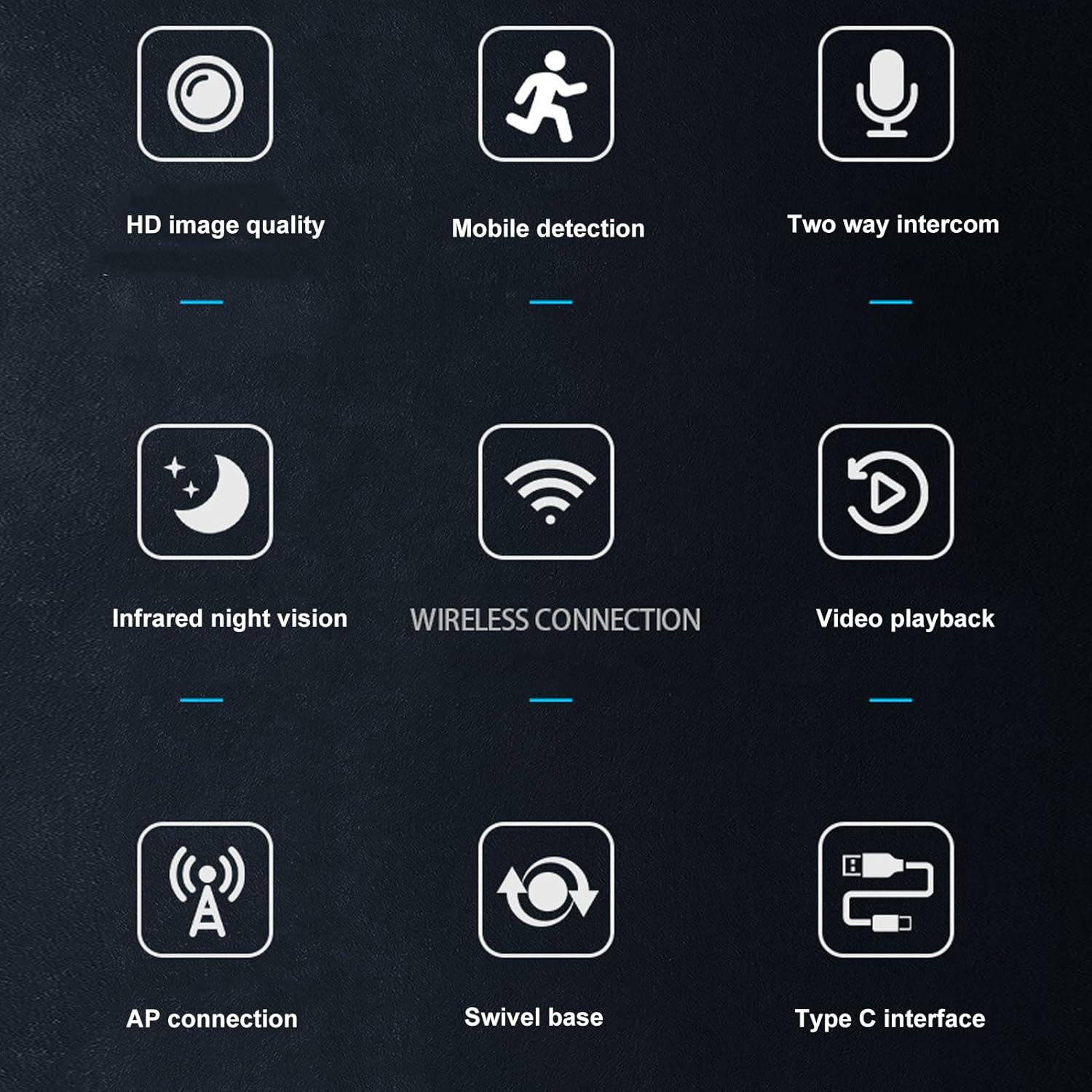
Image: A visual summary of the camera's key features, depicted through illustrative icons.
4. Manutenzione
Una corretta manutenzione garantisce la longevità e le prestazioni ottimali della tua fotocamera:
- Pulizia: Utilizzare un panno morbido e asciutto per pulire l'obiettivo e il corpo della fotocamera. Evitare l'uso di detergenti liquidi o materiali abrasivi che potrebbero danneggiare la superficie o l'obiettivo.
- Posizionamento: While suitable for indoor and outdoor use, avoid placing the camera in direct sunlight for extended periods or in areas with extreme temperatures or humidity.
- Aggiornamenti del firmware: Regularly check the mobile application for available firmware updates to ensure your camera has the latest features and security enhancements.
- Storage Card Management: Se si utilizza una scheda di memoria, ripetere periodicamenteview e gestire i foo archiviatitage to prevent the card from becoming full, which could stop recording.
5. Risoluzione Dei Problemi
Se riscontri problemi con la tua fotocamera, fai riferimento alle seguenti soluzioni comuni:
- La fotocamera non si connette al Wi-Fi:
- Assicurarsi che la password Wi-Fi sia stata inserita correttamente.
- Controlla se la telecamera si trova nel raggio di azione del tuo router Wi-Fi.
- Riavvia il router Wi-Fi e la telecamera.
- Verify that your Wi-Fi network is 2.4GHz, as most security cameras do not support 5GHz networks.
- Scarsa qualità dell'immagine:
- Pulisci l'obiettivo della fotocamera con un panno morbido e asciutto.
- Ensure there is adequate lighting in the monitored area, especially for non-night vision footage.
- Controlla la velocità della tua connessione Internet, poiché una connessione lenta può influire sulla qualità dello streaming.
- Nessun avviso di rilevamento del movimento:
- Verify that motion detection is enabled in the camera's app settings.
- Check the sensitivity settings for motion detection; adjust if necessary.
- Ensure the app has permission to send notifications on your mobile device.
- L'audio bidirezionale non funziona:
- Check the volume settings on your mobile device and within the camera app.
- Assicurarsi che il microfono e l'altoparlante della telecamera non siano ostruiti.
- Verify that the app has microphone permissions on your mobile device.
- La telecamera non registra:
- If using a memory card, ensure it is inserted correctly and not full.
- Check the recording settings in the app (e.g., continuous recording, motion-activated recording).
- If using cloud storage, verify your subscription status and internet connection.
6. Specifiche
Detailed technical specifications for the Wedinard Dpofirs 1080P WiFi Security Camera:
| Caratteristica | Dettaglio |
|---|---|
| Modello del prodotto | KFI-GT-5.2lk-36824 (A3) |
| Tipo di articolo | Smart Camera |
| Materiale del prodotto | addominali |
| Risoluzione video | 1080P Full HD |
| Tecnologia di connettività | Senza fili (Wi-Fi) |
| Visione notturna a infrarossi | Automatic Switching (5-10 meters range) |
| Voce a due vie | Supported (Built-in microphone) |
| Interfaccia di ricarica | Interfaccia Tipo-C |
| Modalità di archiviazione | Supports up to 128GB Micro Memory Card (Not Included) |
| Peso | Circa 92 g / 3.2 once |
| Dimensioni del prodotto | Circa 45x85 mm / 1.8x3.3 pollici |
| Uso interno/esterno | Esterno, Interno |
| Fonte di alimentazione | Elettrico con cavo |
| Tipo di controllore | Android (via APP) |
| Tipo di montaggio | Montaggio in superficie |

Image: Diagram showing the approximate dimensions of the camera: 45mm (1.8 inches) in width and 85mm (3.3 inches) in height.
7. Garanzia e supporto
For information regarding warranty coverage and technical support, please refer to the warranty card included in your product packaging or visit the official Wedinard website. You may also contact customer service through the contact information provided on the product packaging or within the mobile application.
Conservare la ricevuta d'acquisto come prova d'acquisto per eventuali reclami in garanzia.