
1. Introduzione
Thank you for choosing the Sportstech Swalk Walking Pad & LED Treadmill. This manual provides essential information for the safe and effective use, setup, operation, and maintenance of your new fitness device. Please read this manual thoroughly before first use and keep it for future reference.
2. Importanti istruzioni di sicurezza
- Leggere attentamente tutte le istruzioni contenute nel presente manuale prima di utilizzare il tapis roulant.
- Tenere i bambini e gli animali domestici lontani dal tapis roulant durante il funzionamento.
- Place the treadmill on a flat, stable surface. Ensure there is adequate clear space around the device.
- Non utilizzare il tapis roulant se il cavo o la spina sono danneggiati o se non funziona correttamente.
- Il peso massimo dell'utente per questo tapis roulant è di 120 kg. Non superare questo limite.
- Indossare abbigliamento sportivo e calzature adeguate. Evitare indumenti larghi che potrebbero impigliarsi nelle parti in movimento.
- Quando si avvia o si arresta il tapis roulant, tenersi sempre ai corrimano (se presenti).
- Disconnect the power cord when not in use or before cleaning and maintenance.
- This treadmill is designed for home and office use. Do not use it in a commercial setting.
3. Contenuto della confezione
Please check the package contents carefully. If any items are missing or damaged, contact Sportstech customer support.
- Sportstech Swalk Walking Pad & LED Treadmill
- Cavo di alimentazione
- Telecomando
- Manuale d'uso
- Lubrificante (per la manutenzione)
4. Prodotto finitoview
The Sportstech Swalk is a compact walking pad designed for fitness sessions at home or in the office. It features an integrated LED display and wheels for easy storage.
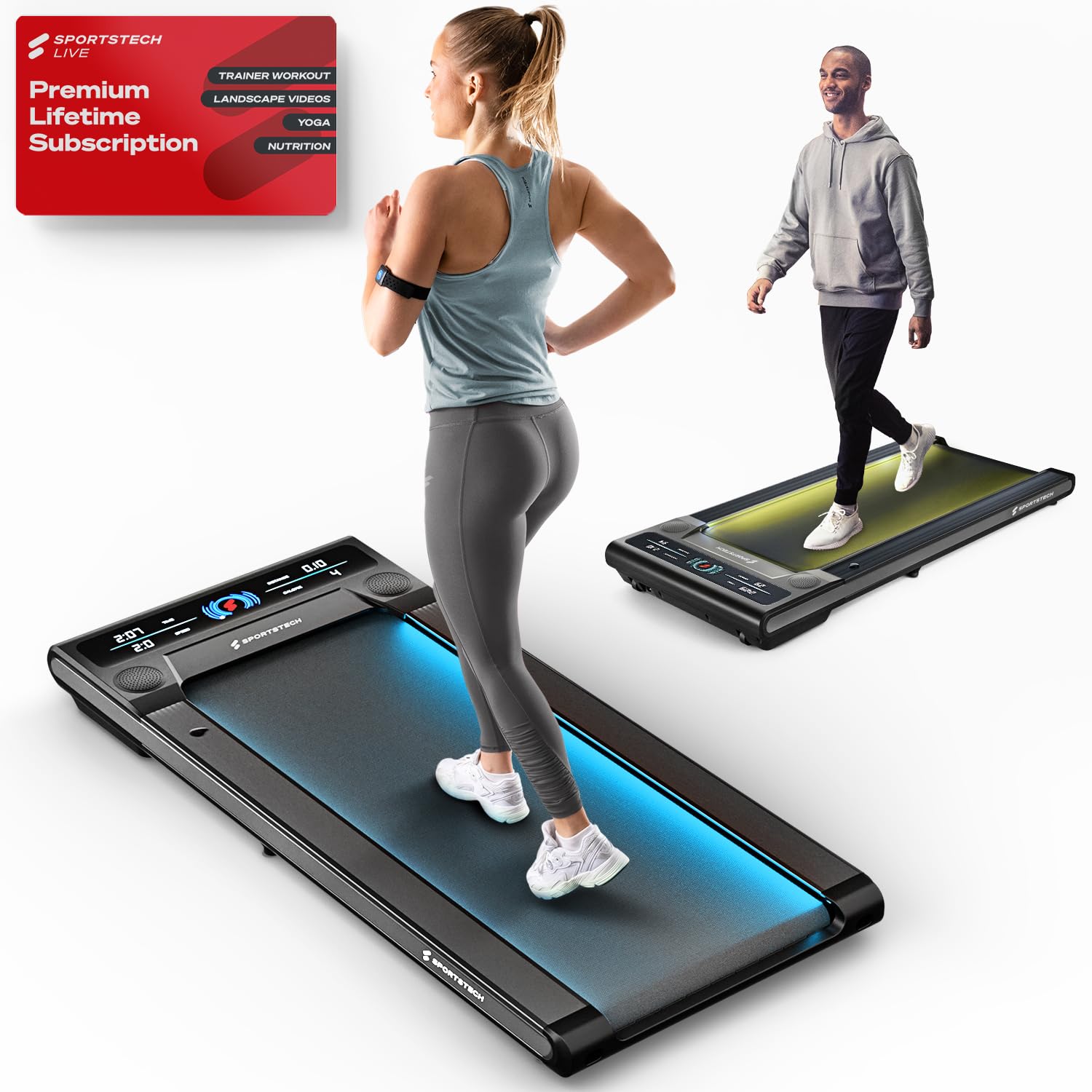
Image: The Sportstech Swalk Walking Pad Treadmill, showcasing its sleek, compact design suitable for home and office environments.
Componenti chiave:
- Walking Belt: The primary surface for walking.
- Display a LED: Shows real-time workout data.
- Motore: Powers the walking belt.
- Porta di alimentazione: Per collegare il cavo di alimentazione.
- Ruote di trasporto: Per facilitare lo spostamento e lo stoccaggio.
- Telecomando: For adjusting speed and controlling functions.
5. Impostazione
5.1 Disimballaggio
- Estrarre con cautela il tapis roulant dalla confezione.
- Rimuovere tutti i materiali di imballaggio e le pellicole protettive.
- Inspect the treadmill for any signs of damage.
5.2 Posizionamento
- Posizionare il tapis roulant su una superficie solida e piana.
- Ensure there is at least 0.6 meters (2 feet) of clear space behind the treadmill and 0.3 meters (1 foot) on each side.
- Avoid placing the treadmill on thick carpets, as this may interfere with ventilation.
5.3 Collegamento di alimentazione
- Connect the power cord to the treadmill's power port.
- Collegare il cavo di alimentazione a una presa elettrica dotata di messa a terra.
- Ensure the power switch (if present) is in the OFF position before plugging in.
6. Istruzioni per l'uso
6.1 Accensione/Spegnimento
- To power on, ensure the treadmill is plugged in and press the power button on the remote control. The LED display will illuminate.
- Per spegnere, tenere premuto il pulsante di accensione sul telecomando finché il display non si spegne.
6.2 Utilizzo del telecomando
Il telecomando consente di avviare, arrestare e regolare la velocità del tapis roulant.
- Pulsante di avvio/arresto: Premere per iniziare o terminare un allenamento.
- Pulsanti +/- velocità: Use to increase or decrease the walking speed. The speed can be adjusted up to 6 km/h.
6.3 Comprensione del display LED
The high-resolution LED display monitors your activities in real-time, showing:
- Distanza: Total distance traveled during your workout.
- Calorie: Calorie bruciate stimate.
- Velocità: Velocità attuale di camminata.
- Tempo: Durata del tuo allenamento.
6.4 Patented LED Function
The treadmill features a patented LED function with 7 different colors. These colors change according to your speed or pulse, providing visual feedback during your workout.
6.5 Sportstech Live App Connection
Enhance your fitness experience by connecting your Swalk treadmill to the Sportstech Live app via Bluetooth. The app allows you to:
- Access workouts with professional trainers.
- Participate in challenges with the fitness community.
- Connect to your TV via Bluetooth for a more immersive session.
7. Manutenzione
7.1 Pulizia
- Scollegare sempre il tapis roulant prima di pulirlo.
- Pulisci le superfici del tapis roulant con un pannoamp stoffa. Evitare l'uso di detergenti o solventi abrasivi.
- Regularly clean the area around the walking belt to prevent dust and debris buildup.
7.2 Lubrificazione
Regular lubrication of the walking belt is crucial for smooth operation and longevity. Refer to the included lubricant instructions for proper application frequency and method.
- Typically, apply lubricant every 30-50 hours of use, or as indicated by the treadmill.
- Lift the edge of the walking belt and apply a thin line of silicone lubricant to the center of the deck.
- Far funzionare il tapis roulant a bassa velocità per alcuni minuti per distribuire uniformemente il lubrificante.
7.3 Regolazione della cinghia
If the walking belt starts to slip or drift to one side, it may need adjustment. Use the provided hex key to adjust the tension bolts at the rear of the treadmill. Make small, quarter-turn adjustments and test the belt after each adjustment until it runs smoothly and centrally.
7.4 Conservazione
Thanks to its space-saving design and integrated wheels, the Swalk can be easily stored. Simply roll it under a sofa or bed after use.
8. Risoluzione Dei Problemi
If you encounter issues with your Sportstech Swalk, refer to the following common problems and solutions:
| Problema | Possibile causa | Soluzione |
|---|---|---|
| Il tapis roulant non si accende. | Cavo di alimentazione non collegato correttamente; problema con la presa di corrente; batteria del telecomando scarica. | Check power cord connection; test outlet with another device; replace remote control batteries. |
| Walking belt slips or stops when stepped on. | Belt tension too loose; insufficient lubrication; oil on drive belt/spindle. | Adjust belt tension (see Section 7.3); apply lubricant (see Section 7.2); inspect for oil on internal drive components and clean thoroughly if present. |
| Walking belt drifts to one side. | Problema di allineamento della cinghia. | Regolare l'allineamento della cinghia (vedere Sezione 7.3). |
| Rumore insolito durante il funzionamento. | Mancanza di lubrificazione; componenti allentati; corpo estraneo. | Lubricate belt; check for loose screws; inspect for foreign objects under the belt. |
If the problem persists after attempting these solutions, please contact Sportstech customer support for further assistance.
9. Specifiche
| Caratteristica | Dettaglio |
|---|---|
| Marca | Tecnologia sportiva |
| Nome del modello | Swalk |
| Numero modello articolo | SP_WalkMate |
| Dimensioni del prodotto (P x L x A) | 127D x 56.5W x 11.5H centimetri |
| Peso dell'articolo | 23 chilogrammi |
| Velocità massima | 6 chilometri all'ora |
| Peso massimo raccomandato | 120 chilogrammi |
| Tipo di visualizzazione | LCD |
| Metriche misurate | Distanza |
| Caratteristiche speciali | App, Bluetooth, LCD display, Patented LED Function |
| Materiale del telaio | Acciaio legato |
| Fonte di alimentazione | Battery Powered (for remote control, main unit is electric) |
10. Garanzia e supporto
Sportstech products are manufactured to high-quality standards. For information regarding your product's warranty, please refer to the warranty card included in your package or visit the official Sportstech websito.
If you require technical assistance, have questions about operation, or need to report a defect, please contact Sportstech customer support. Contact details can typically be found on the official Sportstech websito o sulla documentazione di acquisto.