
Introduzione
This manual provides detailed instructions for the EKSA H1 Plus Bluetooth Trucker Headset. Please read thoroughly to ensure proper setup, operation, and maintenance of your device. This headset is designed for clear communication in various environments, featuring advanced noise-cancelling technology and versatile connectivity options.
Contenuto della confezione
- H1 Plus Headset
- Custodia protettiva
- Replacement Ear Pad (Mesh breathable)
- Cavo di ricarica di tipo C.
- USB Dongle (PC Adapter)
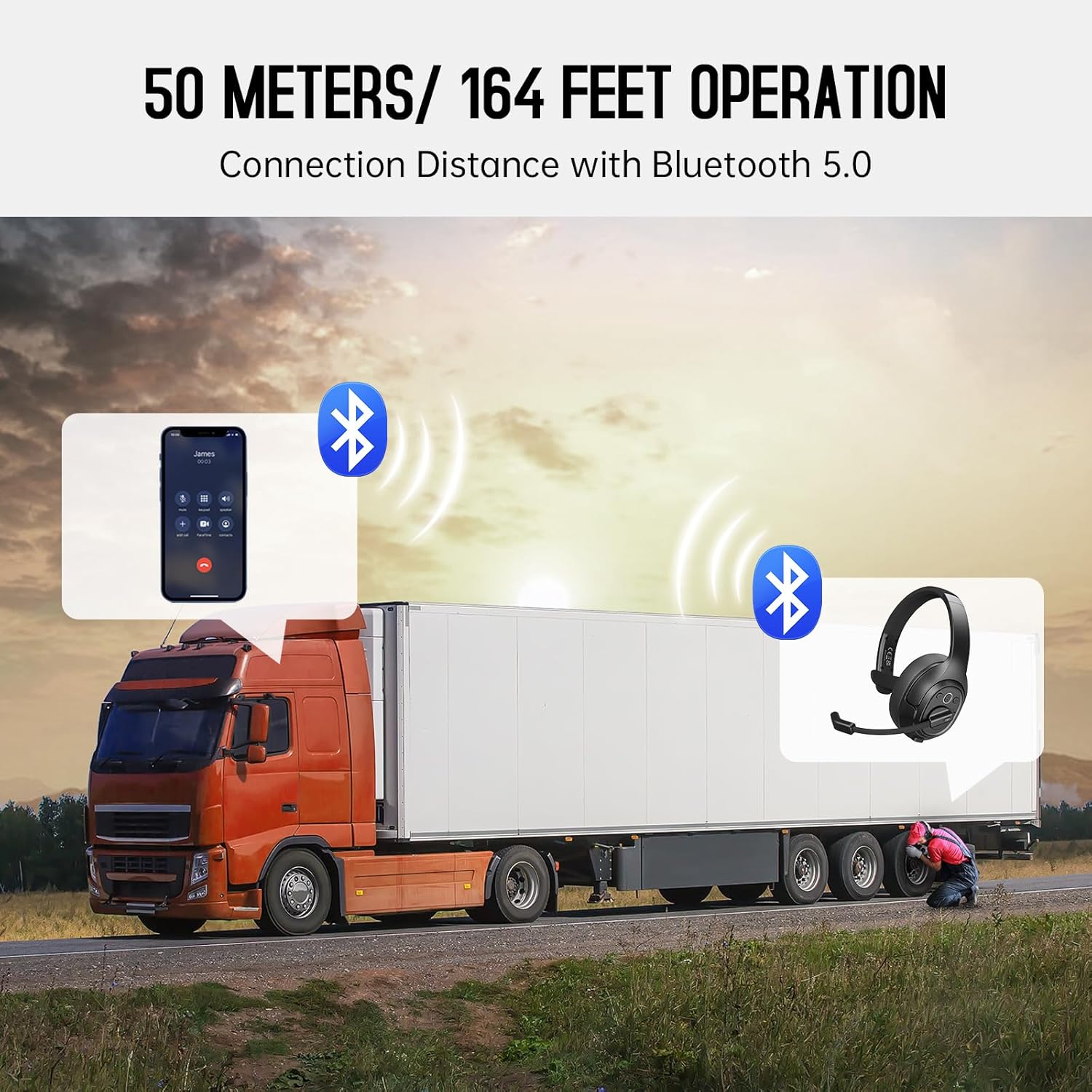
Image: The EKSA H1 Plus headset, USB dongle, and charging cable as typically found in the product packaging.
Impostare
1. Caricare l'auricolare
Before first use, fully charge the headset. Connect the provided Type-C charging cable to the headset's charging port and the other end to a USB power source. The charging indicator will show the charging status. A full charge takes approximately 1.5 hours.

Image: Visual representation of the headset's battery life and charging duration.
2. Accensione/Spegnimento
Press and hold the Multi-Function Button (MFB) for 3 seconds to power on or off the headset. A voice prompt will indicate the status.
3. Bluetooth Pairing (for Mobile Devices)
- Assicurati che le cuffie siano spente.
- Press and hold the MFB for 5-7 seconds until the LED indicator flashes blue and red alternately, indicating pairing mode.
- On your mobile device, enable Bluetooth and search for "EKSA-H1PLUS".
- Select "EKSA-H1PLUS" to connect. The LED will turn solid blue once connected.
4. Connecting with USB Dongle (for PC/Mac without Bluetooth)
- Collega il dongle USB a una porta USB disponibile sul tuo computer.
- Accendi l'auricolare. Tenterà automaticamente di connettersi al dongle.
- The LED on the dongle and headset will turn solid blue when connected.
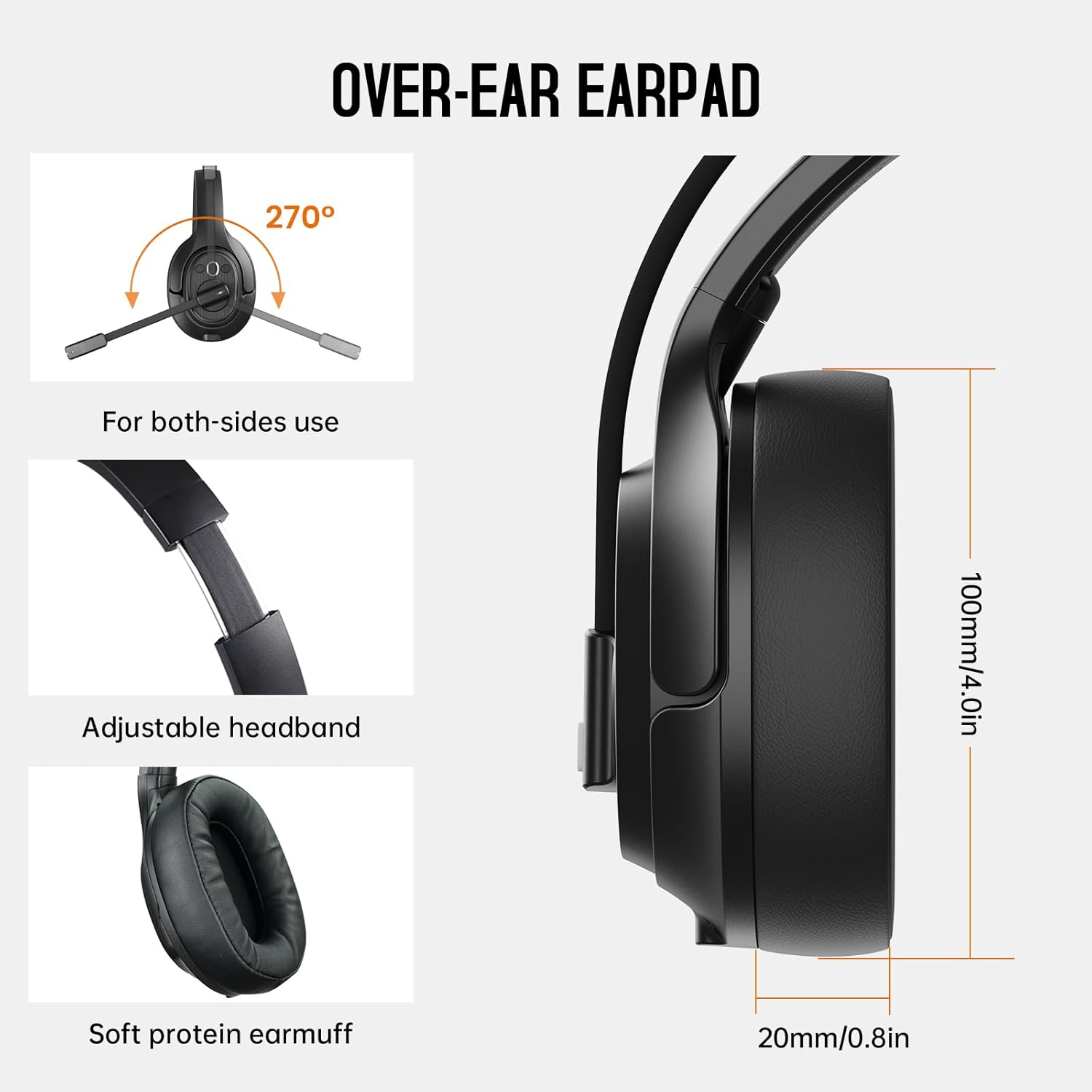
Image: The headset demonstrating simultaneous connection to a phone via Bluetooth and a laptop via USB dongle.
Istruzioni per l'uso
1. Controlliview
Le cuffie sono dotate di comandi intuitivi posizionati sul padiglione auricolare:
- Pulsante multifunzione (MFB): Accensione/spegnimento, riproduzione/pausa della musica, risposta/fine delle chiamate.
- Volume su (+): Aumentare il volume.
- Volume basso (-): Diminuire il volume.
- Tasto muto: Disattiva/attiva il microfono durante le chiamate.
- AI Assistant Button: Attiva l'assistente vocale del tuo dispositivo.

Immagine: Primo piano view of the headset's control buttons and ports.
2. Effettuare e ricevere chiamate
- Rispondi/Termina chiamata: Premere brevemente l'MFB.
- Rifiuta chiamata: Tenere premuto il tasto MFB per 2 secondi.
- Ricomponi l'ultimo numero: Premere due volte l'MFB.
- Disattiva/Riattiva microfono: Short press the dedicated mute button on the microphone arm.
3. Microphone and Wearing Adjustments
The headset is designed for comfort and versatility:
- Fascia regolabile: Estendi o ritrai la fascia per adattarla comodamente alla tua testa.
- Microfono girevole: The microphone arm can rotate 270 degrees, allowing it to be worn on either the left or right ear. Position the microphone close to your mouth for optimal voice pickup.
- Comodi padiglioni auricolari: The over-ear design with soft ear pads ensures comfort during extended use.

Image: Features illustrating the ergonomic design of the headset, including adjustable headband and rotatable microphone.
4. Environmental Noise Cancelling (ENC) Microphone
The AI-Powered ENC microphone filters out up to 99.8% of ambient noise, ensuring your voice is transmitted clearly even in noisy environments like call centers, construction sites, or trucks.

Image: A visual explanation of the ENC microphone's function, demonstrating noise reduction.
5. Connessione multi-dispositivo
The headset supports simultaneous connection to two different devices, such as a smartphone and a computer, allowing seamless switching between calls and other audio sources.

Image: Illustration of the headset's ability to connect to two devices concurrently.
6. Extended Wireless Range
Utilizing Bluetooth 5.0 technology, the headset offers a stable wireless connection up to 30 meters (99 feet). In unobstructed environments, the range can extend up to 50 meters (164 feet).

Image: Visualizing the headset's long-range wireless capabilities in an outdoor setting.
Manutenzione
- Pulizia: Per pulire le cuffie, utilizzare un panno morbido e asciutto. Evitare l'uso di prodotti chimici aggressivi o materiali abrasivi.
- Sostituzione dei cuscinetti auricolari: The headset comes with a replacement mesh breathable ear pad. To replace, gently twist and pull off the existing ear pad, then align and press the new ear pad into place.
- Magazzinaggio: Store the headset in its protective case when not in use to prevent damage.

Image: Demonstrating the detachable ear pads and the two types included for different comfort levels.
Risoluzione dei problemi
| Problema | Soluzione |
|---|---|
| L'auricolare non si accende. | Ensure the headset is fully charged. Press and hold the MFB for 3 seconds. |
| Impossibile effettuare l'associazione tramite Bluetooth. | Assicurati che l'auricolare sia in modalità di associazione (LED blu/rosso lampeggiante). Disattiva e riattiva il Bluetooth sul dispositivo. Avvicinati al dispositivo. |
| Nessun suono o scarsa qualità audio. | Check volume levels on both the headset and connected device. Ensure the headset is selected as the audio output device. Re-pair the headset. |
| Il microfono non funziona. | Ensure the microphone is not muted. Check microphone settings on your connected device. Adjust microphone position. |
| La chiavetta USB non si connette. | Ensure the dongle is fully inserted. Try a different USB port. Restart your computer. |
Specifiche
| Caratteristica | Dettaglio |
|---|---|
| Nome del modello | EKSA-H1PLUS |
| Tecnologia di connettività | Senza fili (Bluetooth 5.0) |
| Versione Bluetooth | 5.0 |
| Portata Bluetooth | 30 Meters (99 feet), up to 50 Meters (164 feet) unobstructed |
| Microfono | AI-Powered Environmental Noise Cancelling (ENC) |
| Durata della batteria (tempo di conversazione) | Fino a 30 ore |
| Durata della batteria (tempo di riproduzione musicale) | Fino a 57 ore |
| Tempo di ricarica | Circa 1.5 ore |
| Forma dell'auricolare | Sopra l'orecchio |
| Tipo di controllo | Volume Control, Mute, AI Assistant |
| Peso | 1.01 libbre (circa 458 g) |
Video ufficiali dei prodotti
EKSA H1 Plus Wireless Bluetooth Headset Overview
Video: Un funzionario sopraview of the EKSA H1 Plus Wireless Bluetooth Headset, highlighting its key features and design.
EKSA H1Plus Bluetooth Trucker Headset Features
Video: A detailed look at the features and benefits of the EKSA H1Plus Bluetooth Trucker Headset.
Garanzia e supporto
EKSA products are designed for durability and performance. For warranty information and customer support, please refer to the official EKSA website or contact their customer service directly. Optional protection plans are available for extended coverage.
Per ulteriore assistenza, visitare: www.eksa.net