
Introduzione
This manual provides instructions for the Srhythm NiceComfort 95 Hybrid Noise Cancelling Headphones. These wireless Bluetooth headphones feature advanced hybrid active noise cancellation, transparency mode, and high-definition sound for an immersive audio experience. Please read this manual thoroughly before using your headphones to ensure proper operation and care.
Cosa c'è nella scatola
Verifica che tutti gli articoli siano presenti nel tuo pacco:
- Srhythm NC95 Headphone
- Custodia protettiva
- Cavo di ricarica di tipo C.
- Cavo audio da 3.5 mm
- Aircraft Adapter & 3.5mm to 6.35mm Adapter

An image displaying all included accessories: the NC95 headphones, a gift box, a travel case, a 1m Type-C charging cable, a 1.2m 3.5mm audio cable, a quick start guide, and a two-pin airplane adapter.
Prodotto finitoview
The Srhythm NiceComfort 95 headphones are designed for comfort and superior audio performance.
Caratteristiche principali
- Cancellazione attiva del rumore ibrida: Blocks up to 95% of ambient noise in traffic, offices, and schools. Activate by pressing the button for 1.5 seconds.
- Modalità trasparenza: Stay aware of your surroundings by amplifying environmental sounds for safer walks, quick conversations, or hearing important announcements without removing your headphones.
- Sleek Metal Build & Intuitive Control: Features a multi-function knob for effortless control, polished metal finish, exquisite cutting metal glows, and a shaped headband for a refined exterior.
- Opzioni di doppia connettività: Seamlessly connect via Bluetooth 6.0 for wireless freedom, or use the included 3.5mm audio cable for a zero-latency wired connection.
- Premium Auditory Experience: More efficient new Bluetooth 6.0 version. Ultra-inert cotton, skin-feeling replaceable ear-pads provide pressureless crystal clear sound.
- Batteria a lunga durata e ricarica rapida: Up to 65 hours of playtime on a single full charge. A quick 10-minute charge provides up to 3 hours of power.
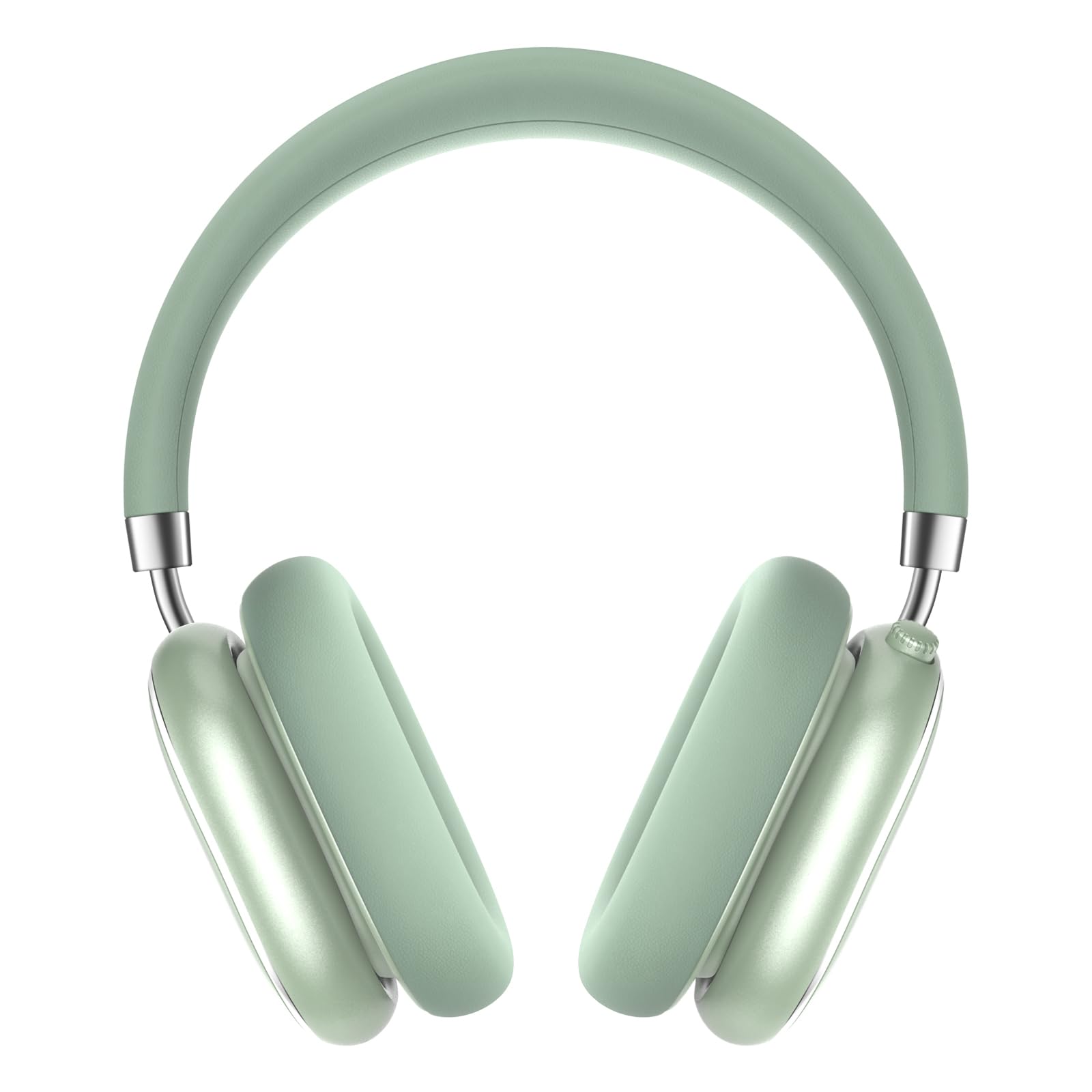
A pair of Srhythm NiceComfort 95 headphones, showcasing their sleek design and mint green color.

A man wearing the headphones, illustrating the hybrid active noise cancelling feature that blocks 95% of external noise.

A woman wearing the headphones in a public setting, demonstrating the transparency mode which amplifies ambient sounds.

Un dettagliato view of the headphone's intuitive controls, including the multi-function knob for volume and playback, and buttons for ANC/Bluetooth.

A man using the headphones while relaxing, highlighting the 100-hour ultra-long battery life and quick charge feature.

An internal diagram illustrating the more efficient new Bluetooth 6.0 version technology integrated into the headphones.
Impostare
Caricare le cuffie
Prima del primo utilizzo, caricare completamente le cuffie.
- Connect the Type-C charging cable to the charging port on the headphone.
- Collega l'altra estremità del cavo a una fonte di alimentazione USB (ad esempio, computer, adattatore a muro).
- The LED indicator will show charging status. A full charge provides up to 65 hours of playtime. A 10-minute quick charge offers 3 hours of use.
Accensione/spegnimento
Per accendere, tenere premuto il pulsante di accensione per 1.5 secondi. Per spegnere, tenere premuto il pulsante di accensione per 10 secondi.
Accoppiamento Bluetooth
- Assicurati che le cuffie siano spente.
- Tenere premuto il pulsante di accensione finché l'indicatore LED non lampeggia, indicando la modalità di associazione.
- On your device (smartphone, tablet, laptop), enable Bluetooth and search for "Srhythm NC95".
- Select "Srhythm NC95" to connect. The LED indicator will show a solid light once connected.
Connessione via cavo
For a wired connection, plug the 3.5mm audio cable into the headphone's audio jack and the other end into your audio device. This provides a zero-latency connection.
Istruzioni per l'uso
Controlli
The headphones feature a multi-function knob and a dedicated button for various controls:
- Manopola multifunzione:
- Twist up: Increase volume.
- Twist down: Decrease volume.
- Premere una volta: Riproduci/Metti in pausa la musica, Rispondi/Termina chiamata.
- Premere due volte: traccia successiva.
- Premere tre volte: traccia precedente.
- Pulsante ANC/Modalità Trasparenza:
- Press for 1.5 seconds: Toggle between Hybrid Active Noise Cancelling, Transparency Mode, and Normal Mode.
Modalità
- Cancellazione attiva del rumore ibrida (ANC): Riduce fino al 95% del rumore ambientale, ideale per ambienti rumorosi.
- Modalità trasparenza: Allows you to hear your surroundings while listening to audio, enhancing safety and convenience.
- Modalità normale: Riproduzione audio standard senza funzioni di cancellazione del rumore o trasparenza.
Using the Aircraft Adapter
For in-flight entertainment, use the included aircraft adapter by plugging the 3.5mm audio cable into the adapter, then into the aircraft's audio port.

The Srhythm NiceComfort 95 headphones neatly packed in their protective travel case, alongside charging cables and adapters, ready for travel.
Manutenzione
To ensure the longevity and optimal performance of your Srhythm NiceComfort 95 headphones, follow these maintenance guidelines:
- Pulizia: Do not use corrosive cleaners or oils. Wipe the headphones with a soft, dry cloth.
- Magazzinaggio: Quando non vengono utilizzate, conservare le cuffie nella custodia protettiva fornita per evitare danni.
- Temperatura: Avoid charging or operating in extreme temperatures (outside 0°C to 45°C / 32°F to 113°F).
- Esposizione all'acqua: Do not submerge the headphones in water. They are water-resistant, not waterproof.
- cavi: Use original or certified cables for charging and wired connections.
Risoluzione dei problemi
Se riscontri problemi con le cuffie, prova a seguire questi passaggi:
- Nessun potere: Assicurarsi che le cuffie siano completamente cariche.
- Nessun suono: Check volume levels on both the headphones and your connected device. Ensure the audio cable is securely connected if using wired mode.
- Problemi di connessione Bluetooth: Ensure Bluetooth is enabled on your device and the headphones are in pairing mode. Try unpairing and re-pairing the device.
- Cancellazione del rumore non funzionante: Verify that ANC mode is activated.
- Suono distorto: Check for interference from other devices or try moving closer to your audio source.
Specifiche
| Caratteristica | Specificazione |
|---|---|
| Nome del modello | NizzaComfort 95 |
| Controllo del rumore | Hybrid Noise Cancellation, Transparency Mode |
| Tecnologia di connettività | Cablato, Wireless (Bluetooth 6.0) |
| Portata Bluetooth | 10 metri |
| Durata della batteria | 65 ore |
| Tempo di ricarica | 10 minuti per 3 ore di utilizzo |
| Dimensioni del driver audio | 40 millimetri |
| Peso dell'articolo | 264 grammi (9.3 once) |
| Presa per cuffie | 3.5 mm Jack |
| Livello di resistenza all'acqua | Resistente all'acqua |
| Materiale | Acrylonitrile Butadiene Styrene (ABS), Leather, Metal, Polycarbonate (PC), Stainless Steel |
Video ufficiali dei prodotti
Questo video fornisce un overview of the Srhythm NiceComfort 95 Noise Cancelling Headphones, demonstrating their features and design.
Informazioni sulla sicurezza
Adhere to the following safety guidelines for proper use and to prevent damage:
- Do not charge or operate headphones in extreme temperatures: 0°C (32°F) - 45°C (113°F).
- Use only original or certified cables to charge.
- Non usare over-voltage caricabatterie.
- Tenere lontano dalla portata dei bambini per evitare pericoli derivanti da un uso improprio.
- Non immergere in acqua.
- Non utilizzare detergenti/olio corrosivi per pulire le cuffie.
Garanzia e supporto
Each Srhythm product comes with an 18-month after-sales service and 7*24-hour online support. For detailed warranty information or to contact customer service, please refer to the official Srhythm websito o le informazioni di contatto fornite nella confezione del prodotto.