
ID-COOLING FROSTFLOW X 240
ID-COOLING FROSTFLOW X 240 CPU Water Cooler User Manual
Model: FROSTFLOW X 240 | Brand: ID-COOLING
1. Introduzione e oltreview
The ID-COOLING FROSTFLOW X 240 is an all-in-one (AIO) liquid CPU cooler designed to provide efficient heat dissipation for your processor. Featuring a 240mm radiator and two 120mm PWM fans, it ensures optimal cooling performance while maintaining a sleek aesthetic with its classic white LED lighting on the pump. This manual provides detailed instructions for installation, operation, maintenance, and troubleshooting to ensure the best performance and longevity of your cooler.
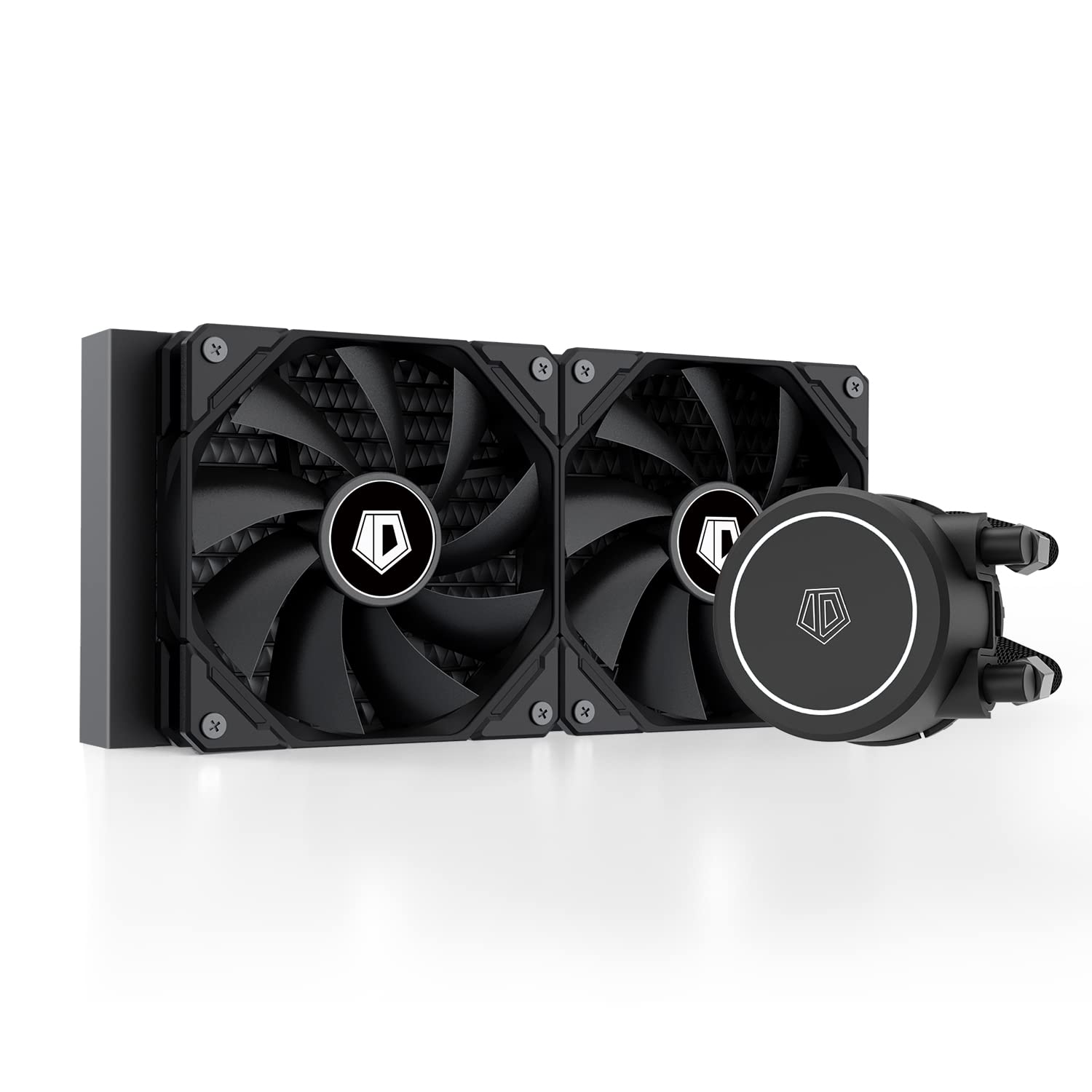
Figure 1: The ID-COOLING FROSTFLOW X 240 CPU Water Cooler, showcasing its radiator, fans, and pump unit.
Video 1: Un funzionario sopraview of the Frostflow X 240, highlighting its design and features.
2. Caratteristiche del prodotto
- Better Heat Dissipation: Equipped with a 240mm radiator and two 120mm PWM fans, ensuring excellent heat transfer from the CPU.
- Illuminazione a LED bianca: Classic white LED lighting on the pump to complement your PC build's aesthetic.
- Ventole PWM: The 120mm PWM fans deliver improved airflow for extreme CPU cooling performance, adjusting speed based on temperature.
- Ampia compatibilità: Compatible with multiple sockets including Intel LGA1700/1200/1151/1150/1155/1156 and AMD AM5/AM4.

Figure 2: Close-up of the pump head featuring its integrated white LED lighting.

Figure 3: Diagram illustrating the efficient heat dissipation process within the 240mm radiator.
3. Contenuto della confezione
Verificare che tutti i componenti siano presenti nella confezione prima di iniziare l'installazione:
- Radiatore da 240 mm
- 2 ventole di raffreddamento da 120 mm
- CPU Water Block/Pump Unit
- Mounting Hardware for Intel (LGA1700/1200/115X)
- Hardware di montaggio per AMD (AM5/AM4)
- Pasta termica
- Manuale dell'utente (questo documento)

Figure 4: All components included in the FROSTFLOW X 240 package.
4. Configurazione e installazione
Proper installation is crucial for optimal performance. Please follow the steps carefully. Refer to Video 2 for a visual guide.
Video 2: Detailed installation guide for ID-COOLING AIO Coolers, applicable to the FROSTFLOW X 240.
4.1. Passaggi di pre-installazione
- Per un accesso più facile, assicurati che la scheda madre sia rimossa dal case del PC.
- Pulisci accuratamente la superficie della CPU con alcol isopropilico per rimuovere eventuali residui o vecchia pasta termica.
4.2. Intel Socket Installation (LGA1700/1200/115X)
- Install the included Intel backplate onto the rear of the motherboard, aligning the holes with the CPU socket.
- Secure the Intel backplate using the provided Intel standoffs. For LGA1700, use the specific LGA1700 socket columns. For LGA1200/115X, use the LGA1200/115X socket columns. Tighten the thumbscrews until secure.
- Apply a pea-sized amount of the included thermal paste to the center of your CPU's integrated heat spreader (IHS).
- Install the Intel bracket onto the pump head. Ensure it clicks securely into place.
- Remove the protective sticker from the pump head's copper base.
- Carefully place the pump head onto the CPU, aligning the mounting holes with the standoffs. Secure it by tightening the screws in a diagonal pattern until snug.

Figure 5: Intel mounting hardware components, including backplate, standoffs, and brackets.
4.3. AMD Socket Installation (AM5/AM4)
- Remove the plastic retention clips from the motherboard, but keep the stock AMD backplate.
- Install the AMD standoffs onto the stock backplate's mounting holes.
- Apply a pea-sized amount of the included thermal paste to the center of your CPU's integrated heat spreader (IHS).
- Install the AMD bracket onto the pump head. Ensure it clicks securely into place.
- Remove the protective sticker from the pump head's copper base.
- Carefully place the pump head onto the CPU, aligning the mounting holes with the standoffs. Secure it by tightening the screws in a diagonal pattern until snug.
4.4. Installazione del radiatore e della ventola
- Mount the two 120mm PWM fans to the radiator using the provided fan screws. Ensure the fan airflow direction is as desired (typically intake or exhaust depending on case mounting).
- Install the radiator assembly into your PC case. Common mounting locations include the top or front of the case. Secure it with the appropriate screws.
- Collegare il cavo di alimentazione a 3 pin della pompa all'intestazione CPU_FAN o AIO_PUMP sulla scheda madre.
- Connect the 4-pin PWM fan cables to the CPU_FAN or SYS_FAN headers on your motherboard. If using a fan splitter (not included), connect both fans to the splitter and then to a single motherboard header.
- Ensure all cables are neatly routed and secured to prevent interference with other components or airflow.

Figure 6: The 240mm radiator with its two 120mm PWM fans installed.

Figure 7: The FROSTFLOW X 240 cooler fully installed within a PC case, showing the pump and radiator placement.
5. Istruzioni per l'uso
Once installed, the FROSTFLOW X 240 operates automatically. The PWM fans adjust their speed based on CPU temperature, ensuring efficient cooling when needed and quiet operation during lighter loads.
- Avvio iniziale: Upon first power-on, the pump and fans will start. It is normal to hear some gurgling sounds initially as air bubbles are purged from the loop. This should subside within a few minutes of operation.
- Monitoraggio della temperatura: Use motherboard monitoring software (e.g., ASUS AI Suite, MSI Dragon Center, Gigabyte SIV) to monitor CPU temperatures and fan/pump speeds. Ensure temperatures remain within safe operating limits, especially under load.
- Controllo LED: The white LED on the pump head is static and does not require software control.

Figure 8: The pump head illuminated with its white LED, installed on the CPU.
6. Manutenzione
Una manutenzione regolare contribuisce a garantire la longevità e le prestazioni del tuo dissipatore AIO.
- Pulizia della polvere: Periodically (every 3-6 months, or more often in dusty environments) use compressed air to clean dust from the radiator fins and fan blades. Ensure fans are not spinning during cleaning to prevent damage.
- Controllare i tubi: Visually inspect the tubing for any kinks, tears, or signs of leakage. While AIOs are sealed, regular checks are good practice.
- Pasta termica: Re-applying thermal paste is generally not required unless the cooler is removed from the CPU. If re-installation occurs, clean off old paste and apply new paste.
7. Risoluzione Dei Problemi
If you encounter issues with your FROSTFLOW X 240, refer to the common problems and solutions below:
| Problema | Possibile causa | Soluzione |
|---|---|---|
| Temperature elevate della CPU | Improper thermal paste application, loose pump mounting, insufficient airflow, pump failure. | Re-apply thermal paste, re-seat pump, check fan orientation/speed, ensure pump is powered. |
| Fans Not Spinning / Noisy Fans | Incorrect fan connection, dust buildup, fan failure. | Check fan headers, clean fans, replace faulty fan. |
| Pump LED Not Lighting Up | Power cable not connected, faulty LED. | Ensure pump power cable is securely connected to motherboard header. |
| Gurgling Noise Persists | Air trapped in the loop. | Gently tilt the PC case in different directions to help dislodge air bubbles. Ensure radiator is mounted higher than the pump. |
8. Specifiche
| Caratteristica | Dettaglio |
|---|---|
| Dimensioni del prodotto | 4.72 x 0.98 x 4.72 pollici; 4.06 libbre |
| Dimensioni del radiatore | 276 x 120 x 27 mm |
| Dimensioni della ventola | 120 mm (x2) |
| Velocità della ventola | 500-1800 RPM (PWM) |
| Livello di rumore | 30 dB (massimo) |
| Metodo di raffreddamento | Acqua |
| Dispositivi compatibili | CPU desktop |
| Compatibilità socket CPU | Intel LGA1700/1200/115X, AMD AM5/AM4 |
| Tipo di connettore di alimentazione | 2 pin (pompa), 4 pin PWM (ventole) |
| Voltage | 12 Volt |
| Cosatage | 4.8 watt |
9. Garanzia e supporto
ID-COOLING products are manufactured to high quality standards. For warranty information, technical support, or service inquiries, please refer to the warranty card included in your product packaging or visit the official ID-COOLING websito. Conservare la prova d'acquisto per eventuali reclami in garanzia.
For further assistance, you may contact ID-COOLING customer support directly through their official channels.
Ask a question about this manual
Ask about setup, troubleshooting, compatibility, parts, safety, or missing instructions. Manuals+ will review the question and use this page’s manual context to help answer it.