1. Introduzione
The Selens Shadowless Bottom Light Panel is designed to provide diffused and even illumination for product photography, eliminating shadows and reflections. This ultra-thin LED panel is suitable for various small products such as jewelry, cosmetics, and crafts, enhancing the clarity and quality of your photographs.
This manual provides essential information for the proper setup, operation, and maintenance of your Shadowless Bottom Light Panel.
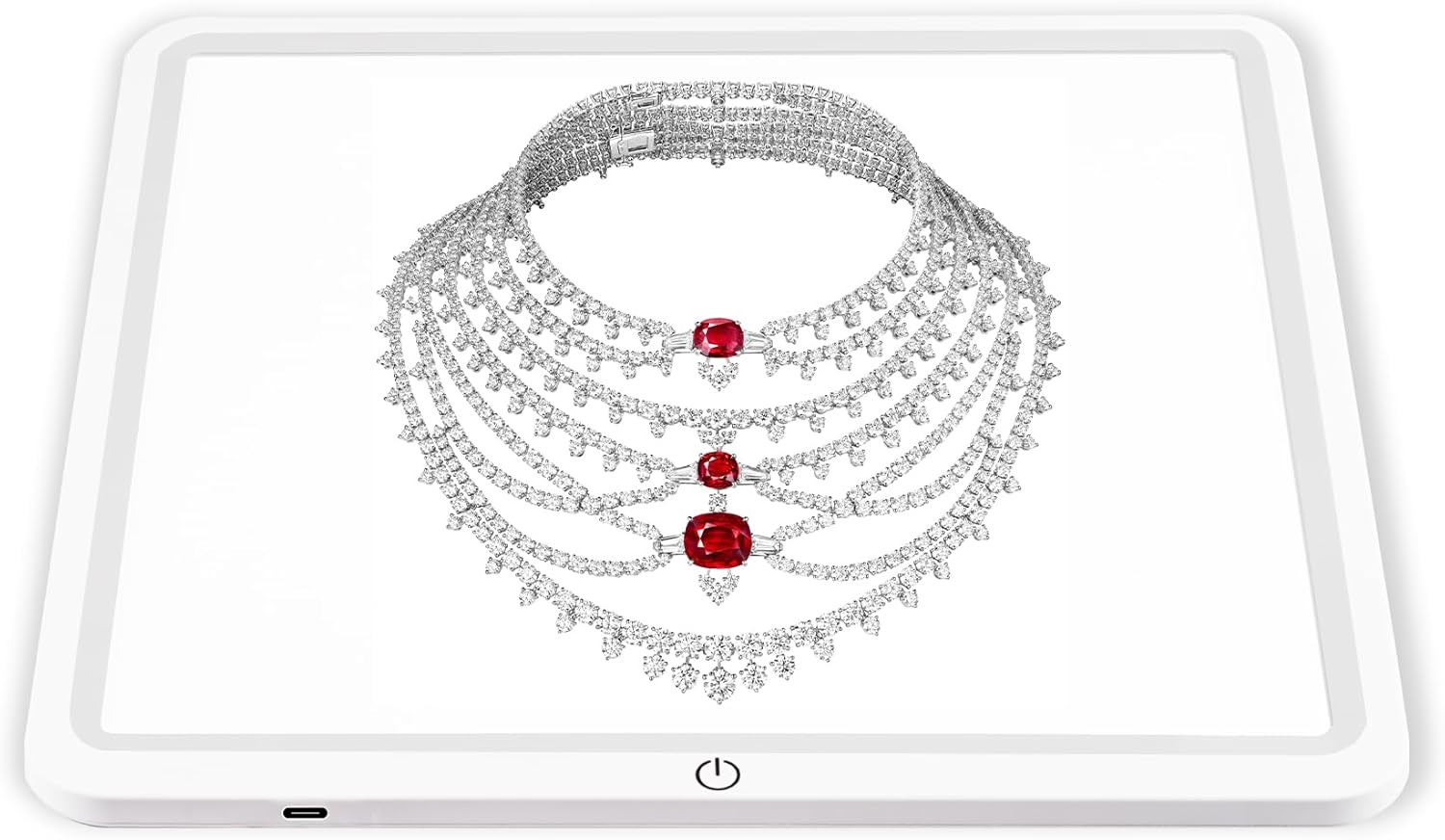
Image 1.1: The Selens Shadowless Bottom Light Panel, showcasing its illuminated surface with a jewelry item.
2. Contenuto della confezione
Si prega di verificare che tutti gli articoli elencati di seguito siano inclusi nel pacchetto:
- Shadowless Light Panel x 1
- Cavo USB di tipo C x 1
- Manuale di istruzioni (questo documento)

Image 2.1: Contents of the product package, showing the Shadowless Light Panel and its Type-C USB cable.
3. Istruzioni per l'installazione
- Disimballare il dispositivo: Carefully remove the Shadowless Light Panel and all accessories from the packaging.
- Connetti alimentazione: Locate the USB-C port on the side of the light panel. Connect the provided Type-C USB cable to this port.
- Fonte di energia: Connect the other end of the USB-C cable to a DC 5V USB power source (e.g., a USB wall adapter, computer USB port, or power bank). Ensure the power source can provide sufficient power for stable operation.
- Posizionamento: Place the light panel on a flat, stable surface. It can be used as a bottom light within a lightbox or as a standalone fill light.

Image 3.1: Diagram illustrating the product dimensions and the location of the USB-C power port and touch switch.
4. Istruzioni per l'uso
- Accensione/spegnimento: After connecting to a power source, press the touch switch located on the front edge of the panel to turn the light on or off.
- Usage as Bottom Light: For shadowless product photography, place the light panel at the bottom of a photography lightbox. Position your product directly on the illuminated surface.
- Usage as Fill Light: The panel can also be used vertically or at an angle as a fill light to illuminate specific areas of your subject or background.
Nota: This light panel features a single brightness level. Brightness is not adjustable directly on the device.

Image 4.1: The light panel integrated into a photography lightbox for product shooting.

Image 4.2: Multiple usage scenarios for the light panel, including bottom lighting and fill lighting.

Image 4.3: Demonstration of harmonious photo backgrounds achieved with the shadowless light.
5. Manutenzione
- Pulizia: Gently wipe the surface of the light panel with a soft, dry, or slightly damp cloth. Avoid using abrasive cleaners or solvents that could damage the acrylic surface.
- Magazzinaggio: When not in use, store the light panel in a dry, dust-free environment. Avoid placing heavy objects on top of it.
- Gestione: Handle the panel with care to prevent scratches or damage to the illuminated surface.
6. Risoluzione Dei Problemi
| Problema | Possibile causa | Soluzione |
|---|---|---|
| Light panel does not turn on. |
|
|
| Light turns off unexpectedly or requires replugging to turn on. |
|
|
| Uneven illumination. |
|
|
7. Specifiche
| Caratteristica | Dettaglio |
|---|---|
| Nome del modello | Shadowless Light Panel |
| Dimensioni (L x P x A) | 11.5" x 11.5" x 0.3" (29 cm x 29 cm x 0.9 cm) |
| Materiale | Acrilico |
| Tipo di sorgente luminosa | LED (diodo ad emissione luminosa) |
| Fonte di alimentazione | Corded Electric (USB-C, DC 5V) |
| Peso dell'articolo | 1.85 libbre (circa 839 g) |
| Uso consigliato | Product photography (jewelry, cosmetics, crafts, small items) |
8. Garanzia e supporto
Per informazioni sulla garanzia o assistenza tecnica, contattare direttamente il venditore o il produttore. Conservare la ricevuta d'acquisto come prova d'acquisto.
You can visit the official Selens store for more information: Selens Store on Amazon