
1. Prodotto finitoview
The SJCAM C300 is a compact and versatile action camera designed to capture high-quality video and photos in various environments. Featuring 4K video recording, 6-axis gyro stabilization, and a waterproof design, it is suitable for a wide range of activities.
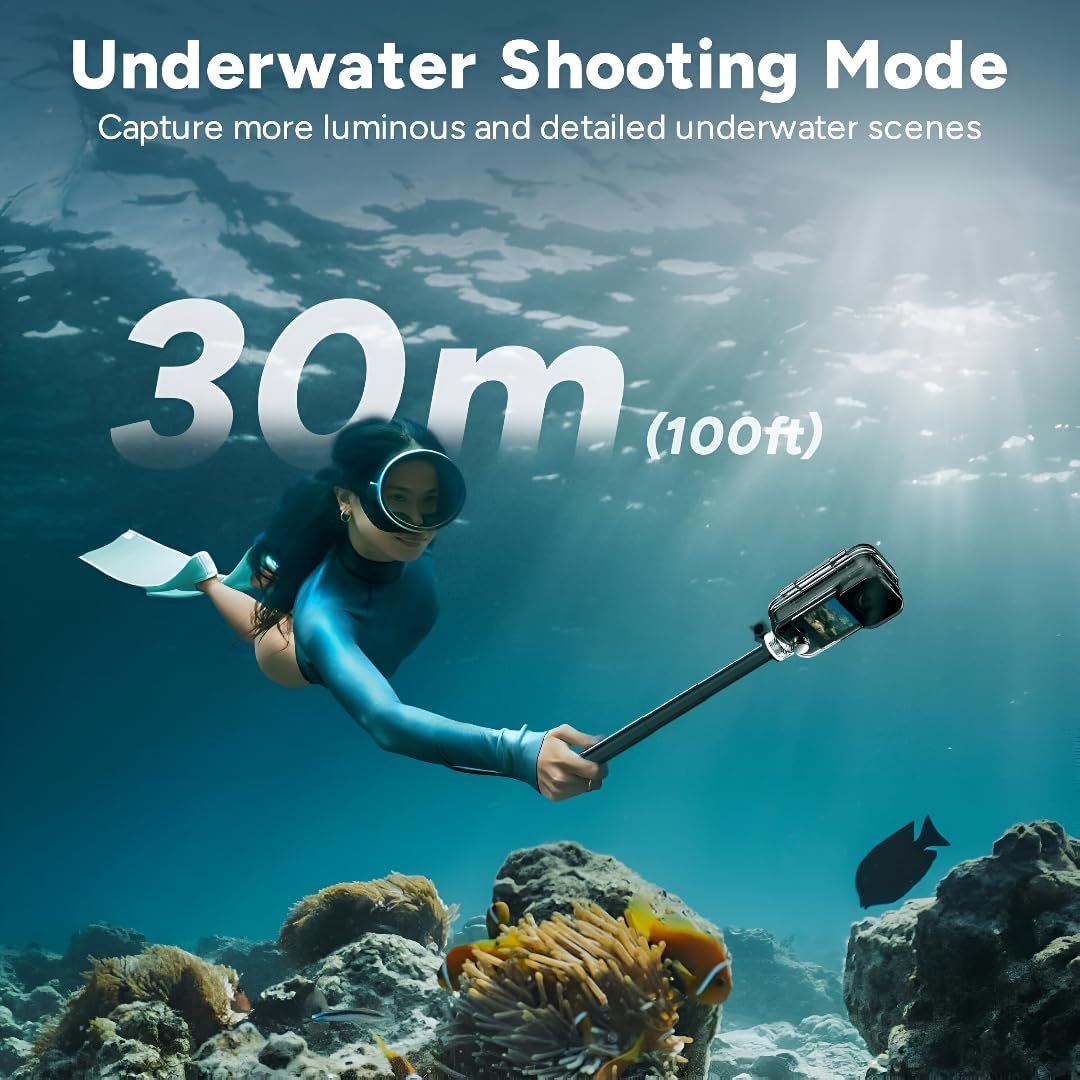
Figure 1: SJCAM C300 Action Camera in various usage scenarios, highlighting its versatility for activities like cycling, skiing, hiking, and vlogging.
Caratteristiche principali:
- 4K High Resolution: Captures delicate 4K images at 30 frames per second, restoring true color.
- Stabilizzazione giroscopica a 6 assi: Built-in stabilizer for clear and stable images, even during dynamic action.
- 30m Waterproof with Case: Achieves IP68 diving waterproof grade with the included waterproof case, also drop-proof, dust-proof, and shock-proof.
- 1.3″ Dual Touch Color Screen: Front and back touchscreens for flexible shooting positions and easy control.
- 154° Large Wide Angle: Wide-angle lens with aspherical optics to control image distortion and capture broad scenes.
2. Contenuto della confezione
Ensure all items are present in your SJCAM C300 package:
- 1 x C300 Camera
- 1 x Clip posteriore
- 1 x supporto di base
- 1 x Flat Bottom Bracket
- 2 x Helmet Base
- 1 x Vite
- 1 x Custodia impermeabile
- 1 x cordino
- 2 x 3M Adesivo
- 2 x Sjcam Stickers
3. Componenti della fotocamera
Familiarize yourself with the main components of your SJCAM C300 Action Camera:

Figura 2: Fronte View
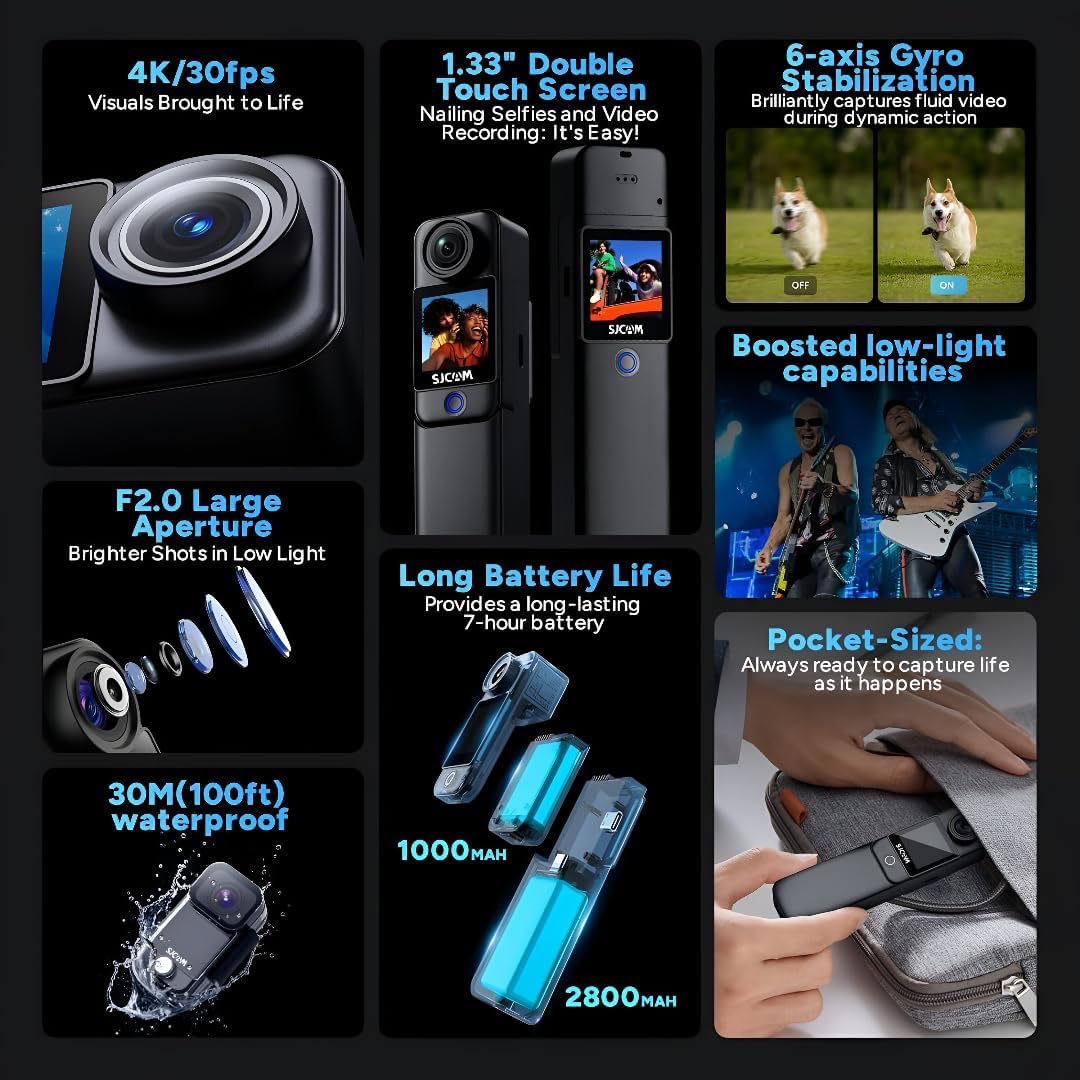
Figura 3: lato View (Porta USB-C)

Figura 4: Indietro View (Slot Micro SD)
Design modulare:
The C300 features a modular design, allowing you to attach different battery packs for extended use. The standard module includes a 1000mAh battery, while an optional larger module provides a 2800mAh battery and a secondary screen.

Figure 5: Long Battery Life with Modular Attachments
4. Impostazione
4.1. Inserimento di una scheda Micro SD
- Open the battery compartment on the back of the camera.
- Insert a Micro SD card (up to 128GB, not included) into the designated slot until it clicks into place.
- Chiudere bene il vano batterie.
4.2. Caricare la fotocamera
- Connect the camera to a 5V2A power source using the provided USB Type-C cable.
- La spia di carica indicherà lo stato di carica.
4.3. Attaching Battery Modules and Accessories
- To attach the larger battery module, align the connectors and slide it onto the main camera unit until it locks.
- Use the included back clip, base mount, flat bottom bracket, or helmet bases to attach the camera to various surfaces or gear.
4.4. Utilizzo della custodia impermeabile
- Insert the camera (without the larger battery module) into the waterproof case.
- Ensure the case is properly sealed before submerging the camera in water. The waterproof case allows for diving up to 30 meters (100 feet).

Figure 6: Underwater Shooting with Waterproof Case
5. Istruzioni per l'uso
5.1. Accensione/Spegnimento
- Press and hold the power button (usually located on the front or side) to turn the camera on or off.
5.2. Navigazione sul touch screen
- Swipe left/right or up/down to navigate through menus and settings.
- Tap on icons to select options or confirm actions.
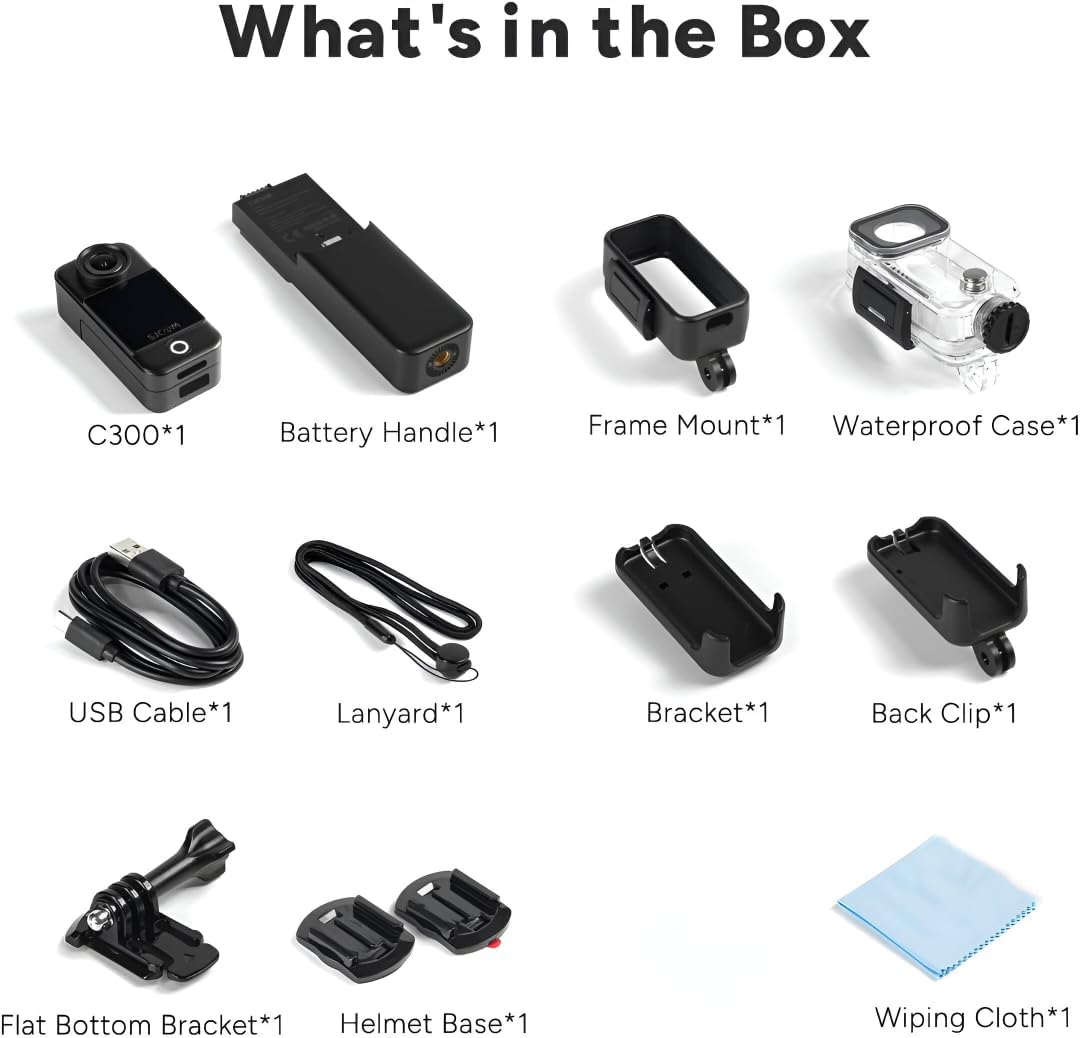
Figure 7: Dual Touchscreens in Operation
5.3. Modalità video e foto
- Risoluzione video: Select from 4K 30FPS, 2K 60/30FPS, 1080P 120/60/30FPS, or 720P 120/60/30FPS.
- Risoluzione foto: Choose from 20M, 16M, 14M, 12M, 10M, 8M, 5M, 3M, 2M.
- Modalità di scatto: Includes Burst mode, Timed shooting, Quick shooting, Photo lapse, Slow motion, Motion detection, Video lapse, and Car mode.
5.4. Stabilizzazione giroscopica a 6 assi
- Enable the 6-axis gyro image stabilization in the settings menu for smoother footage, especially during movement. This feature is available up to 4K 30FPS.
5.5. Connettività
- Wifi: Connect to the SJCAM Zone app via 2.4GHz/5GHz Wi-Fi for remote control and file trasferimento.
- Streaming in diretta: The camera supports live streaming functionality.
- Telecomando: The camera supports remote control accessories.
6. Manutenzione
6.1. Pulizia
- Per pulire il corpo della fotocamera e gli schermi, utilizzare un panno morbido e privo di lanugine.
- Per la lente, utilizzare un panno e una soluzione specifici per la pulizia delle lenti, per evitare graffi.
- Ensure the waterproof case is clean and free of debris before and after use.
6.2. Cura della batteria
- Caricare completamente la batteria prima del primo utilizzo.
- Evitare di esporre la batteria a temperature estreme.
- Se si prevede di non utilizzarla per lunghi periodi, caricare la batteria a circa il 50% e conservarla in un luogo fresco e asciutto.
6.3. Conservazione
- Conservare la fotocamera in un ambiente asciutto e privo di polvere.
- Remove the Micro SD card if not in use for a long time.
7. Risoluzione Dei Problemi
7.1. La fotocamera non si accende
- Assicurarsi che la batteria sia carica. Collegare a una fonte di alimentazione e riprovare.
- Controllare che la batteria sia inserita correttamente.
7.2. SD Card Errors
- Use a high-speed (Class 10 or higher) Micro SD card from a reputable brand.
- Format the SD card using the camera's settings menu.
- Assicurarsi che la scheda SD sia inserita correttamente.
7.3. Scarsa qualità audio
- When recording yourself (selfie mode), ensure the microphone is not obstructed. The microphone is located on the back of the camera.
- In windy conditions, consider using external wind reduction accessories if available.
7.4. Video Stabilization Issues
- Ensure 6-axis Gyro Stabilization is enabled in the camera settings.
- Note that stabilization may not be available at all resolutions or frame rates (e.g., 1080P 120FPS).
8. Specifiche
| Caratteristica | Specificazione |
|---|---|
| Modello | C300 |
| Risoluzione video | 4K 30FPS; 2K 60/30FPS; 1080P 120/60/30FPS; 720P 120/60/30FPS |
| Dimensione dell'immagine | 20M, 16M, 14M, 12M, 10M, 8M, 5M, 3M, 2M |
| Schermo | 1.3″ HD display with touch (main) |
| Schermo secondario | 1.3″ HD display with touch (on larger battery module) |
| Angolo della telecamera | 154° |
| Battery (Main) | 1000mAh (rimovibile) |
| Battery (Larger Module) | 2800mAh (rimovibile) |
| Wifi | 2.4 GHz/5 GHz |
| Anti Shake | Six-axis gyro image stabilization |
| Formato di codifica | Formato H.264/H.265 |
| Formato video | MP4 |
| Formato immagine | Formato JPG |
| Streaming in diretta | Supportato |
| Telecomando | Supportato |
| Interfaccia USB | TIPO-C |
| Potenza in ingresso | 5V2A |
| Supporto di memorizzazione | MICRO SD card, maximum support 128G |
| Temperatura di esercizio | Temperatura di esercizio: -10 °C ~ 45 °C |
| Dimensioni del prodotto | Dimensioni: 130.0 x 32.0 x 22.2 mm |
| Peso dell'articolo | 14.4 once |
9. Garanzia e supporto
Per informazioni sulla garanzia e supporto tecnico, fare riferimento al sito ufficiale SJCAM websito o contattare direttamente il servizio clienti. Conservare la ricevuta d'acquisto per eventuali reclami in garanzia.


