
Music Sound BTMSTWSSWAGU
Manuale utente degli auricolari wireless Music Sound SWAG
Model: BTMSTWSSWAGU | Brand: Music Sound
Introduzione
The Music Sound SWAG Wireless Capsule Earbuds are designed to provide a balanced sound experience and optimal wearing comfort. Available in a variety of vibrant colors, these Bluetooth earbuds offer up to 20 hours of music playback, ensuring uninterrupted listening to your favorite playlists. The integrated controls on the earbuds allow for easy management of music and calls.
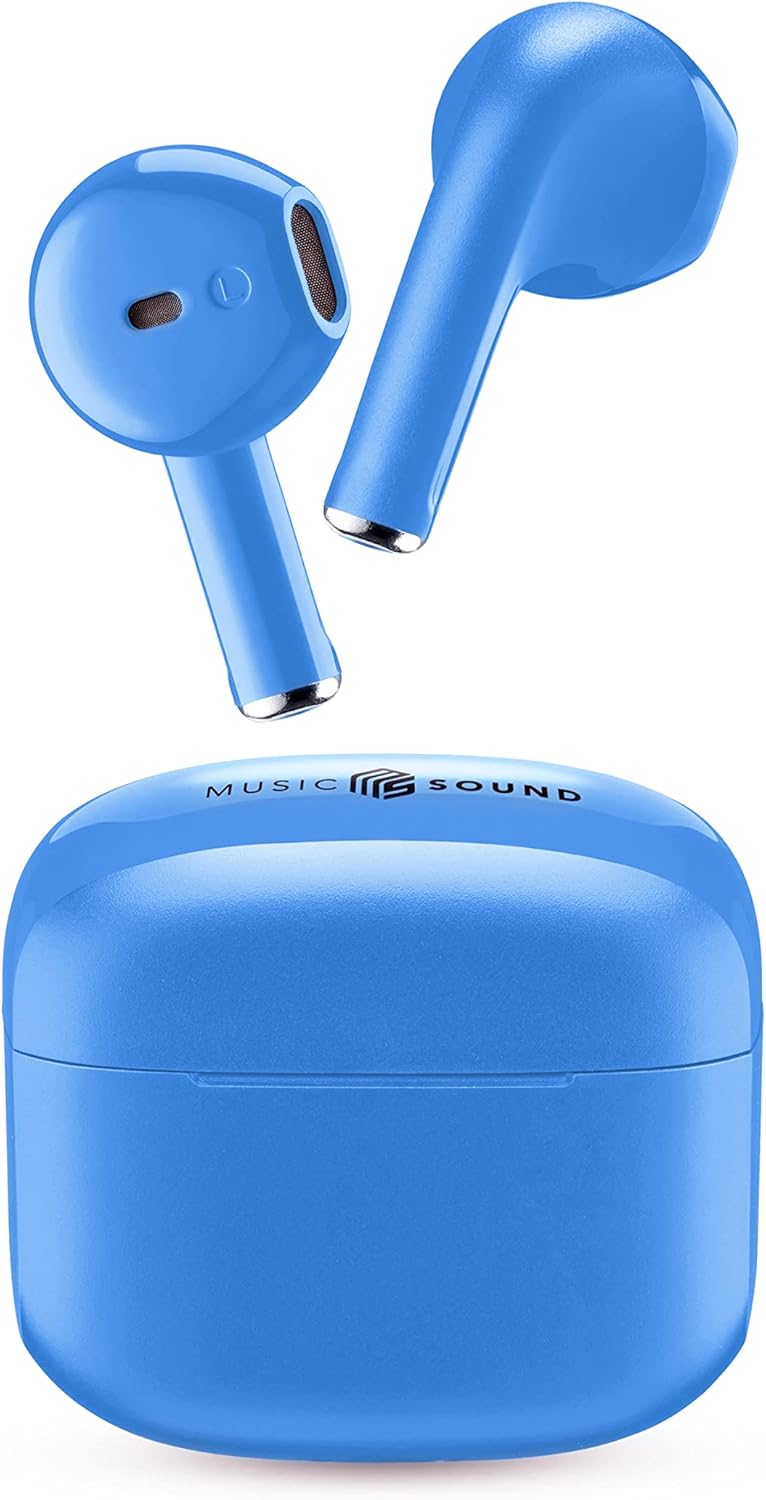
Image: Music Sound SWAG Wireless Earbuds and their compact charging case in blue.
Cosa c'è nella scatola
Prima di iniziare, assicurati che tutti i componenti siano presenti nella confezione:
- Auricolari
- Cavo di ricarica (USB-C)
- Manuale d'uso
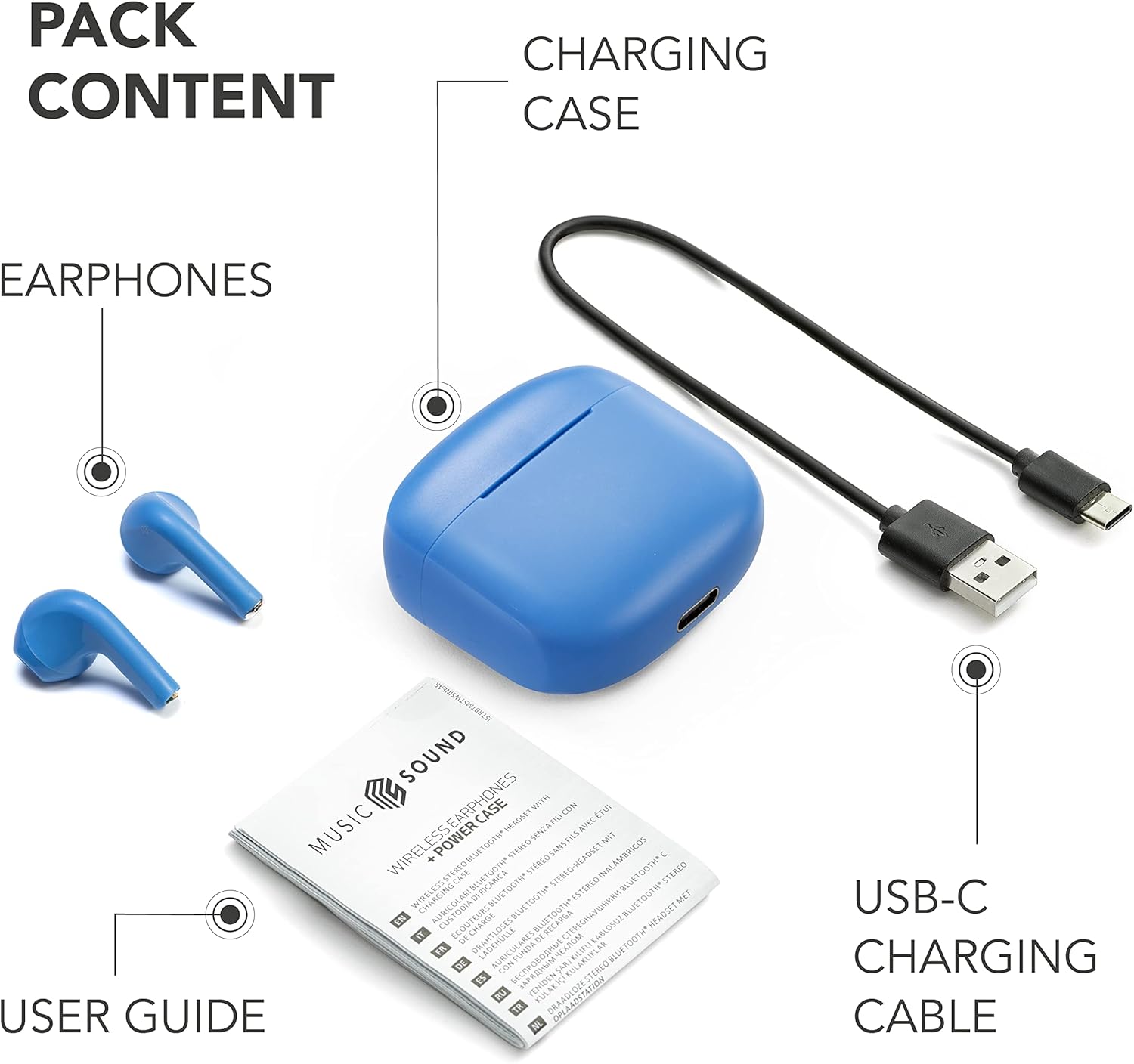
Image: The complete package contents, showing the earbuds, charging case, USB-C charging cable, and user guide.
Prodotto finitoview
Familiarize yourself with the key features and components of your Music Sound SWAG earbuds:

Immagine: dettagliata view of the earbuds highlighting the touch control area and the LED battery level indicator.
- Controllo touch: Located on the outer surface of each earbud for managing music playback and calls.
- Indicatore LED: Provides visual feedback on battery status and pairing mode.
Caricamento del dispositivo
To ensure optimal performance and battery life, fully charge your earbuds and charging case before first use.
- Posiziona entrambi gli auricolari nella custodia di ricarica.
- Connect the USB-C charging cable to the port on the charging case and plug the other end into a compatible USB power source (e.g., wall adapter, computer USB port).
- L'indicatore LED sulla custodia mostrerà lo stato di carica. Una volta completata la carica, l'indicatore cambierà colore o si spegnerà.
A full charge provides up to 4 hours of single charge playtime, with the charging case extending total playtime to up to 15-20 hours.

Image: Battery life illustration, showing 4 hours of playtime per single charge and 15 hours total with the charging case.
Configurazione e abbinamento
The Music Sound SWAG earbuds feature automatic pairing for a seamless connection experience.
- Abbinamento iniziale:
- Aprire la custodia di ricarica. Gli auricolari entreranno automaticamente in modalità di associazione.
- Sul tuo dispositivo abilitato Bluetooth (smartphone, tablet, laptop), vai alle impostazioni Bluetooth.
- Cercare "BTSWAG" or "Music Sound SWAG" in the list of available devices.
- Select the device name to connect. Once connected, you will hear an audio confirmation, and the LED indicator on the earbuds will change.
- Riconnessione automatica: Dopo l'associazione iniziale, gli auricolari si connetteranno automaticamente all'ultimo dispositivo associato quando vengono estratti dalla custodia di ricarica, a condizione che il Bluetooth sia abilitato sul dispositivo.
Istruzioni per l'uso
The touch controls on your earbuds allow for easy management of various functions.
Controllo della musica
- Riproduci/Pausa: Un solo tocco su uno degli auricolari.
- Traccia successiva: Tocca due volte l'auricolare destro.
- Traccia precedente: Tocca due volte l'auricolare sinistro.
- Aumenta volume: Tocca tre volte l'auricolare destro.
- Volume basso: Tocca tre volte l'auricolare sinistro.
Gestione delle chiamate
- Rispondi/Termina chiamata: Un solo tocco su uno degli auricolari.
- Rifiuta chiamata: Tieni premuto uno degli auricolari per 2 secondi.
Assistente vocale
- Attiva l'assistente vocale: Tieni premuto uno degli auricolari per 3 secondi (ad esempio, Siri, Google Assistant).
Manutenzione e cura
To ensure the longevity and optimal performance of your Music Sound SWAG earbuds, follow these care guidelines:
- Pulizia: Utilizzare un panno morbido, asciutto e privo di lanugine per pulire gli auricolari e la custodia di ricarica. Non utilizzare detergenti abrasivi, alcol o solventi chimici.
- Magazzinaggio: Quando non li usi, riponi gli auricolari nella custodia di ricarica per proteggerli da polvere e danni.
- Evitare l'umidità: While designed for daily use, avoid exposing the earbuds to excessive moisture, rain, or liquids.
- Temperatura: Non esporre il dispositivo a temperature estreme (caldo o freddo).
Risoluzione dei problemi
If you encounter any issues with your earbuds, refer to the following common problems and solutions:
| Problema | Soluzione |
|---|---|
| Gli auricolari non si accoppiano. | Ensure earbuds are charged. Turn off and on Bluetooth on your device. Forget "BTSWAG" from your device's Bluetooth list and try pairing again. |
| Nessun suono da un auricolare. | Riponi entrambi gli auricolari nella custodia di ricarica, chiudi il coperchio, attendi qualche secondo, quindi estraili nuovamente. Assicurati che entrambi gli auricolari siano carichi. |
| Gli auricolari non si caricano. | Check the charging cable and power source. Ensure the earbuds are correctly seated in the charging case. Clean charging contacts if necessary. |
| Qualità del suono scadente. | Ensure earbuds are clean and free of debris. Check the audio source and connection stability. Move closer to your connected device. |
Specifiche tecniche
| Marca | Suono musicale |
| Nome del modello | BTSWAGU |
| Numero modello articolo | BTMSTWSSWAGU |
| Tecnologia di connettività | Wireless (Bluetooth) |
| Posizionamento dell'orecchio | In-ear (auricolare) |
| Fattore di forma | Vero wireless |
| Controllo del rumore | Nessuno |
| Durata media della batteria | 20 ore (tempo di gioco totale) |
| Composizione delle celle della batteria | Polimero di litio |
| Batterie incluse | Yes (2 Lithium Ion batteries required, included) |
| Peso dell'articolo | 60 grammi |
| Dimensioni del pacco | Dimensioni: 14.1 x 7.6 x 2.9 cm |
| Produttore | Cellular Line S.p.A |
| Dispositivi compatibili | Telefoni cellulari, computer portatili, tablet |
Garanzia e supporto
Per informazioni sulla garanzia e sull'assistenza clienti, fare riferimento alla documentazione fornita con l'acquisto o visitare il sito ufficiale Music Sound websito. Conservare la prova d'acquisto per eventuali reclami in garanzia.
For further assistance, you may contact Music Sound customer service through their official channels.
Ask a question about this manual
Ask about setup, troubleshooting, compatibility, parts, safety, or missing instructions. Manuals+ will review the question and use this page’s manual context to help answer it.