
1. Introduzione
This manual provides comprehensive instructions for the Ninetom Wireless CarPlay Android Auto Retrofit Kit. This kit integrates modern smartphone connectivity into your vehicle's existing infotainment system, offering features such as wireless CarPlay, Android Auto, Mirror Link, and support for various camera inputs.
The system retains your original car's functions and controls, allowing seamless switching between the factory MMI system and the retrofit module.

Image 1.1: The Ninetom retrofit module and an example of CarPlay displayed on a compatible Audi screen.
2. Controllo di compatibilità
Before installation, it is crucial to verify your vehicle's compatibility. This kit is designed for specific Audi models and MMI systems.
- Veicoli compatibili: 2009-2017 Audi A4, A5, Q5, S4, S5.
- MMI System Requirement: Only compatible with the MMI 3G System. È non compatibile with MMI 2G.
- Head Unit Type: Only compatible with Audi Multimedia head units. It is non compatibile with Audi Concert or Audi Symphony systems.
To confirm your MMI system type, follow these steps:
- Press the "Setup" or "Menu" button on your radio.
- Vai su "Impostazioni".
- Scroll down to "Version information".
- Look for the first letters and numbers of the software version. MMI 3G systems typically begin with "HN+", "BNAVEU", or "HNavEU".
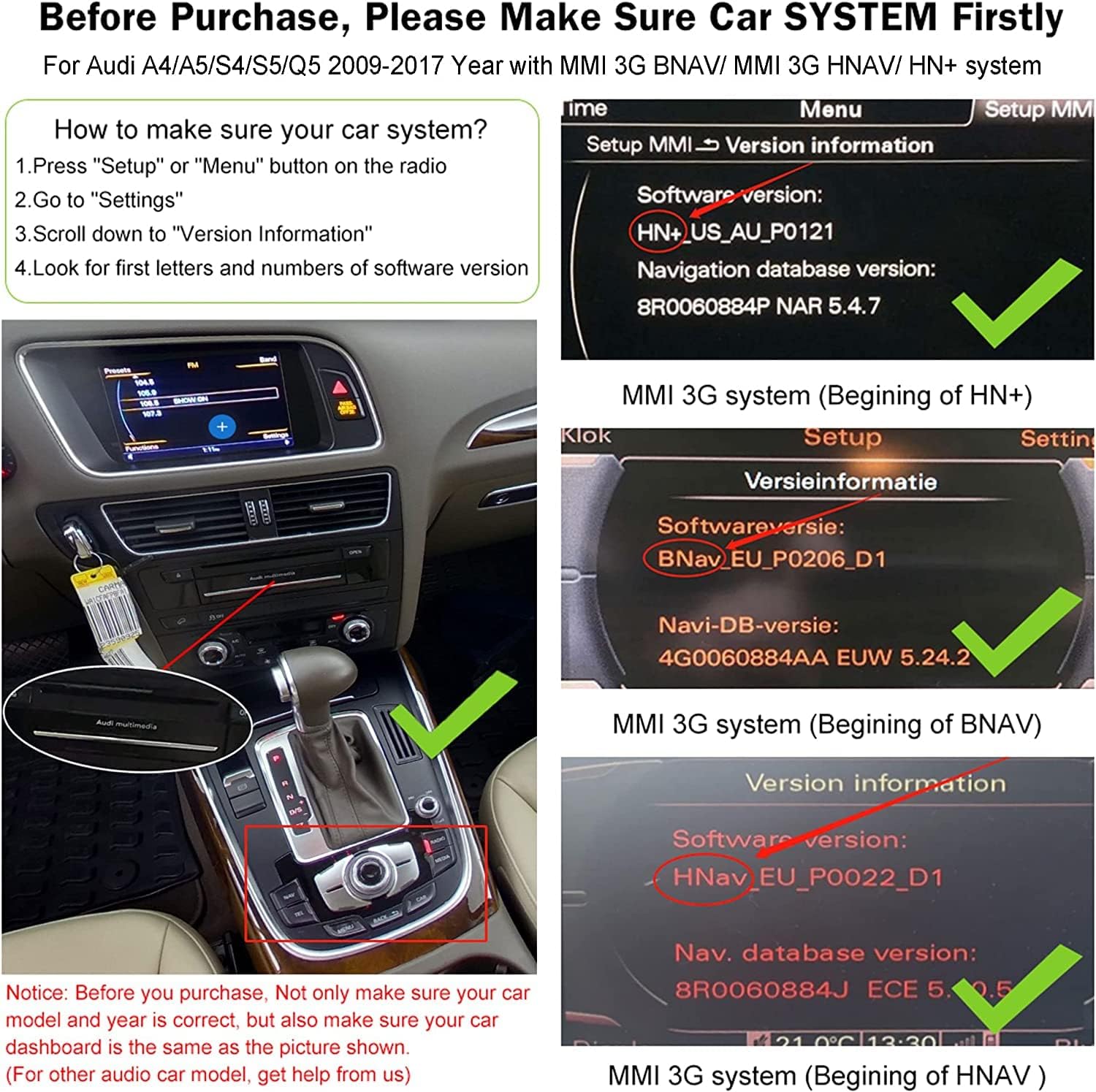
Image 2.1: Visual guide for identifying MMI 3G system versions through the car's display.
Importante: If your central control panel displays "Audi concert" or "Audi Symphony" as shown in the image below, this product is not suitable for your vehicle.

Immagine 2.2: Es.amples of Audi Concert and Audi Symphony systems, which are not compatible.
If you are uncertain about your car's compatibility, please consult the seller with pictures of your car's central control panel.
3. Contenuto della confezione
Verifica che tutti i componenti siano presenti nel tuo pacchetto:
- Modulo di retrofit principale
- Power Cable (original plug and play car cable)
- LVDS Cable
- Cavo RCA/USB
- Antenna Wi-Fi
- Cavo AMI

Image 3.1: All components included in the Ninetom Wireless CarPlay Android Auto Retrofit Kit.
4. Guida all'installazione
The Ninetom Retrofit Kit features a non-destructive, plug-and-play installation process. This means no cutting or breaking of original car wires is required, and the factory screen does not need to be removed. The installation aims to integrate seamlessly without altering the car's interior appearance.
Note generali di installazione:
- The installation typically involves accessing the rear of the car's head unit.
- Specific tools, such as radio removal keys, may be required to safely extract the MMI unit. These tools are generally not included with the kit and may need to be acquired separately.
- Connect the provided cables (power, LVDS, RCA/USB, Wi-Fi antenna, AMI) according to the specific wiring diagram for your Audi model.
- Ensure all connections are secure before reassembling the dashboard components.
- Proper routing and tucking of cables and the main module are essential to prevent interference and ensure a clean finish.
For detailed, step-by-step installation instructions, it is recommended to refer to the specific installation video or guide provided by the manufacturer for your exact vehicle model. If you encounter any difficulties during installation, contact customer service for assistance.
5. Istruzioni per l'uso
The retrofit kit enhances your Audi's infotainment system with modern connectivity while preserving original controls.
5.1. CarPlay wireless e Android Auto
The system supports both wired and wireless CarPlay and Android Auto. Once connected, you can access navigation, music, make calls, and use voice assistants like Siri or Google Assistant directly from your car's screen.

Immagine 5.1: Passoview of key features including CarPlay with voice control, online navigation, mobile music playback, and 360-degree camera support.
5.2. Funzione Mirror Link
The Mirror Link function allows you to cast your smartphone's screen directly onto the car's display. This enables viewing of videos, pictures, and other content from your phone, including YouTube, enhancing your driving experience.

Image 5.2: Demonstration of the Mirror Link function, displaying phone content on the car's screen.
5.3. Original Car Control Integration
The retrofit module integrates with your car's existing controls. You can switch between the original MMI system and the retrofit system with a single key press. The original car's knob, phone buttons, and reversing camera functions are retained and fully operational.
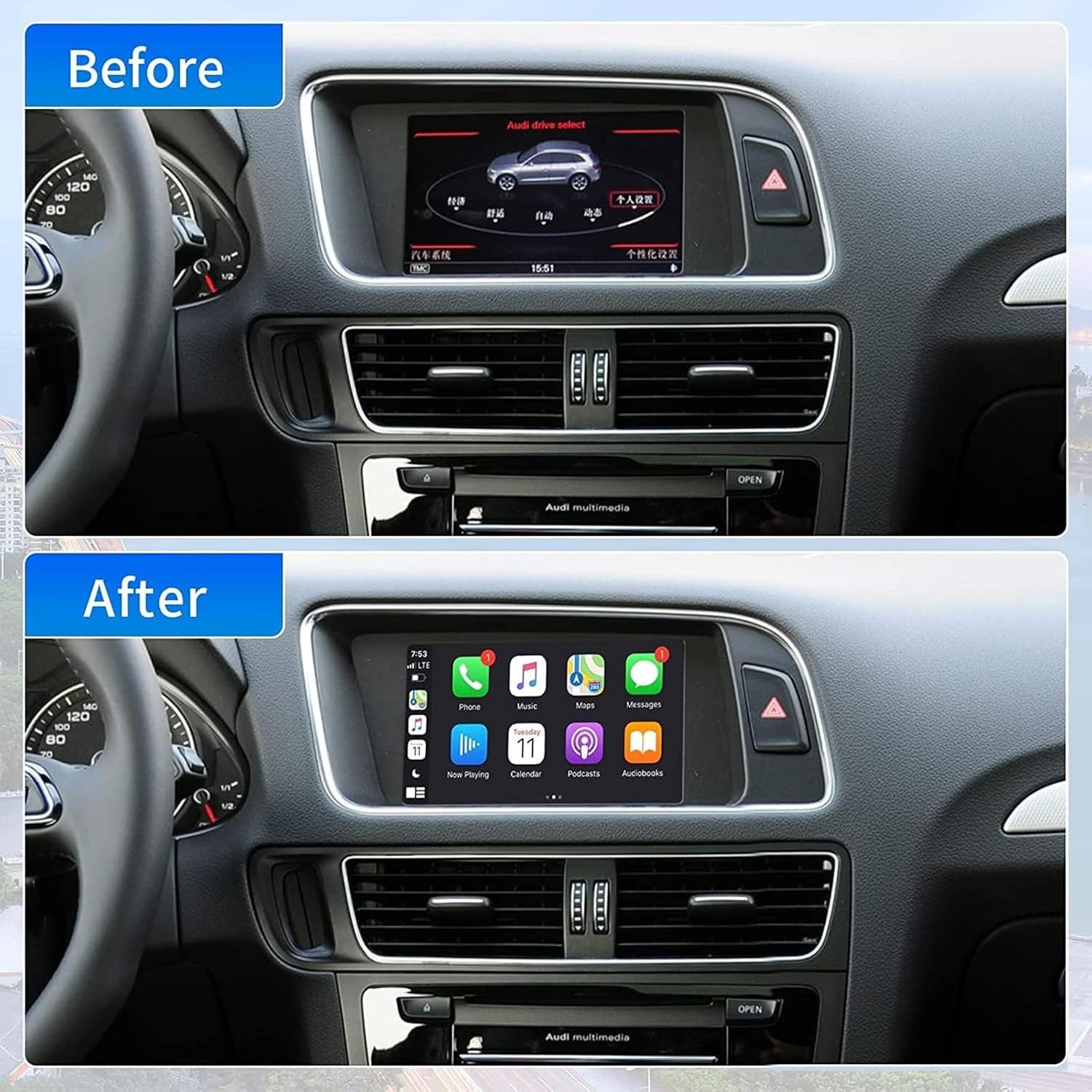
Image 5.3: Comparison showing the original Audi MMI display versus the CarPlay interface after installation.
5.4. Supporto della fotocamera
The system supports the original car's reversing camera, as well as aftermarket front and rear cameras. This feature enhances safety and convenience during parking and maneuvering.

Immagine 5.4: Es.ample of a backup camera display with parking assistance lines on the car's screen.
5.5. Navigazione
Utilize precise online navigation through CarPlay or Android Auto, with real-time map updates. Voice commands can be used to search for destinations such as gas stations or airports.
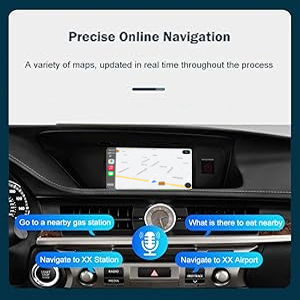
Image 5.5: Display of online navigation with voice command prompts for destination search.
6. Risoluzione Dei Problemi
This section addresses common issues that may arise during the use of the Ninetom Wireless CarPlay Android Auto Retrofit Kit.
- Eco durante le chiamate: If callers report an echo, adjust the audio settings within the retrofit module's menu. Experiment with microphone gain and echo cancellation settings to find an optimal balance.
- Intermittent Connection/Phone Not Connecting:
- Assicurati che il Wi-Fi e il Bluetooth del tuo telefono siano abilitati.
- Try forgetting the device from your phone's Bluetooth settings and reconnecting.
- If multiple phones are paired, try connecting only one at a time to avoid conflicts.
- Power cycling the car and the stereo system may resolve temporary connection glitches.
- No Audio Output to Car Speakers:
- Verificare che tutti i cavi audio siano collegati saldamente.
- Check the audio input selection on your car's MMI system to ensure it is set to the correct auxiliary input for the retrofit module.
- Review the audio settings within the retrofit module's interface.
- Slow System Boot-up: The system may take a few minutes to fully boot up and become responsive after starting the car. This is normal behavior.
- CarPlay Stays Active When Car is Off/Locked: This can occur if the module remains powered. Ensure proper wiring to the car's ignition-switched power source. If the issue persists, consult the installation guide or support.
- Firmware Updates and iOS Compatibility: Software updates for your smartphone's operating system (e.g., iOS) may sometimes affect CarPlay/Android Auto functionality. Check the manufacturer's support channels for available firmware updates for the retrofit module. Note that firmware updates may require a specific passcode, which should be obtained from customer support if not provided in the manual.
7. Specifiche
| Caratteristica | Specificazione |
|---|---|
| Marca | nove tom |
| Nome del modello | Kit di postmontaggio |
| Tipo di servizio del veicolo compatibile | Car (Audi A4, A5, Q5, S4, S5 2009-2017 with 3GMMI) |
| Dimensioni dello schermo (diagonale visibile) | 4 inches / 9 cm (referring to the original car screen) |
| Caratteristiche speciali | Bluetooth, Wireless CarPlay, Android Auto, Mirror Link, Camera Support |
| Tecnologia di connettività | USB, Wireless (Wi-Fi, Bluetooth) |
| Tipo di mappa | Strada (tramite CarPlay/Android Auto) |
| Tipo di montaggio | Panel Mount (internal installation) |
| Sistema operativo | Android (internal system for CarPlay/Android Auto functionality) |
| Peso dell'articolo | 2.12 libbre |
| Dimensioni del pacco | 6.06 x 5.83 x 3.94 pollici |
8. Garanzia e supporto
For product support, technical assistance, or warranty inquiries, please contact the manufacturer directly. Some users have reported success reaching support via WhatsApp or email.
- Supporto via e-mail: nine.tom@hotmail.com
- Risorse online: Refer to the seller's official product page or website for additional guides and FAQs.
When contacting support, provide your product model, purchase date, and a detailed description of the issue to facilitate a quicker resolution.