
1. Introduzione e oltreview
This manual provides detailed instructions for the installation, operation, and maintenance of your KUNFINE Android Radio Car Navigation System. This multimedia head unit is designed as a replacement for Toyota Venza models from 2011 to 2021, offering advanced features such as CarPlay, Android Auto, GPS navigation, Bluetooth connectivity, and WiFi capabilities. Please read this manual thoroughly before installation and use to ensure proper functionality and safety.
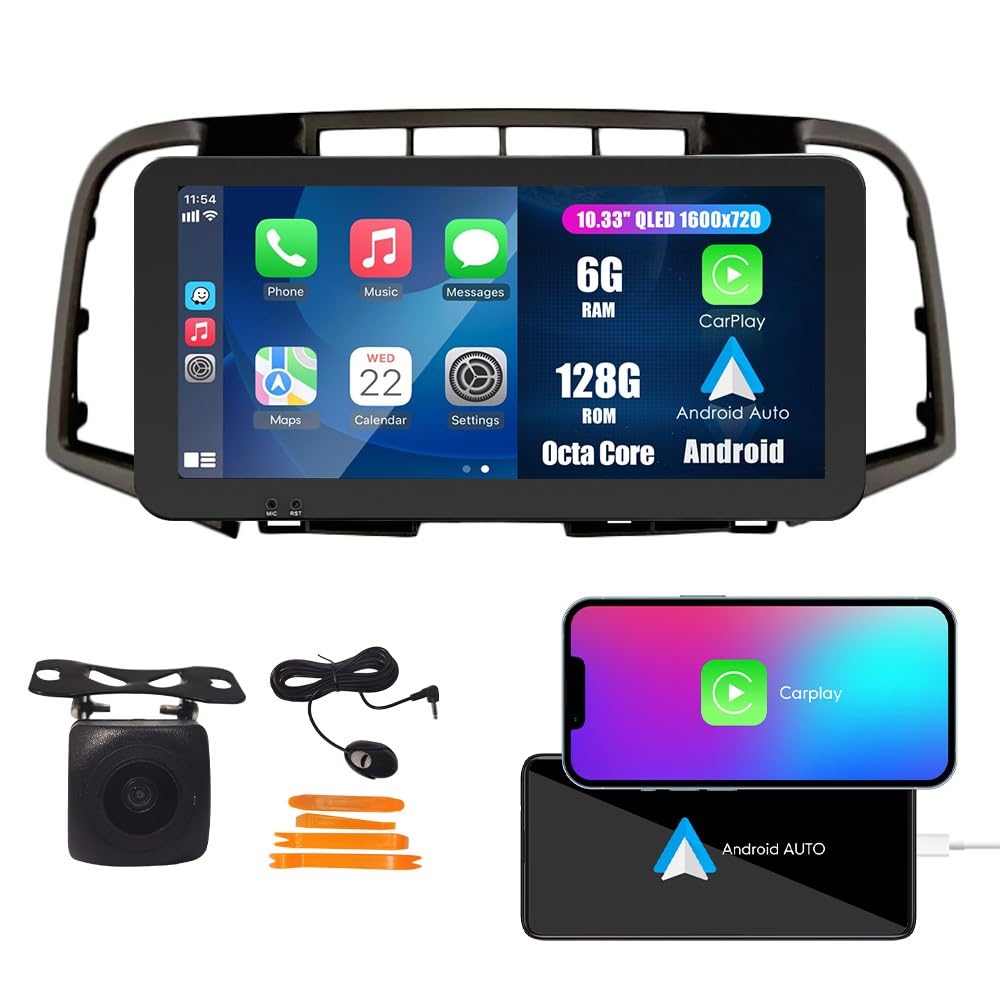
Image 1.1: KUNFINE Android Radio Car Navigation System main unit.
2. Configurazione e installazione
2.1 Contenuto della confezione
Prima di iniziare l'installazione, verificare che tutti i componenti siano presenti nella confezione:
- 1x unità principale Android per auto con maschera
- 1x antenna GPS
- 1x Cavo di alimentazione
- 2 cavi per porta USB
- 1x cavo di espansione RCA
- 1x connettore RCA per telecamera di retromarcia
- 1x Install Kit
- 1x microfono esterno
- 1x AHD 720 Reverse Camera

Image 2.1: Illustration of all included components in the package.
2.2 Compatibility and Wiring
The system is designed for plug-and-play installation with the original car wiring. However, specific considerations apply:
- The default wire harness is compatible with vehicles that do not have an original JBL OEM amppiù vivace.
- If your vehicle is equipped with an original JBL OEM amplifier, an additional Canbus Decoder is required. Please contact the seller with a picture of your original unit's rear connections to obtain the correct Canbus Decoder.

Image 2.2: Visual guide for identifying compatibility with JBL OEM amplifier systems. The left image shows a compatible setup without a JBL amplifier (green check), while the right image shows a setup with a JBL amplifier requiring a Canbus Decoder (red cross).
2.3 Processo di installazione
The installation process is designed to be straightforward. If you possess basic DIY skills for removing original car equipment, you can perform the installation yourself. Ensure the vehicle's power is disconnected before starting. Connect the provided cables to their corresponding ports on the head unit and the vehicle's wiring harness. Secure the head unit in the dashboard opening.

Image 2.3: Comparison of the car dashboard before and after the installation of the KUNFINE Android Radio.
3. Istruzioni per l'uso
3.1 CarPlay e Android Auto
Seamlessly integrate your iOS or Android device. Connect your smartphone via USB to access navigation, music, calls, and messages directly on the head unit's display. Use voice commands for a safer driving experience.

Image 3.1: Display showing the CarPlay and Android Auto interfaces, demonstrating smartphone integration.
3.2 Navigazione GPS
The system features satellite GPS for real-time navigation. With a WiFi connection, you can access online maps and traffic information. Pre-installed maps for North America are included.

Image 3.2: Screenshot of the GPS navigation interface displaying a map and route information.
3.3 Connettività WiFi
Connect to a WiFi network to browse the internet, stream videos, download applications, and receive online navigation updates.

Image 3.3: The head unit screen displaying various applications accessible via WiFi.
3.4 Funzione Bluetooth (BT)
Utilize the built-in Bluetooth for wireless music streaming, hands-free calling, and navigation audio. Pair your smartphone with the head unit through the Bluetooth settings menu.

Image 3.4: Screen showing Bluetooth call interface and music playback via Bluetooth.
3.5 Controllo del volante
The system supports your car's original steering wheel controls, allowing you to manage audio, calls, and other functions without taking your hands off the wheel. Configuration may be required in the system settings.

Image 3.5: Interface for configuring steering wheel controls, showing various assignable functions.
Radio FM/AM/RDS 3.6
Access FM and AM radio stations. The RDS (Radio Data System) feature displays station information where available. Long-press to save your favorite radio stations.

Image 3.6: The radio interface displaying frequency and station information.
3.7 Car Reverser Camera
The system supports a car reverser camera input. When reversing your vehicle, the display automatically switches to the rear view, providing enhanced safety and visibility.

Image 3.7: Screen displaying the view dalla telecamera posteriore con indicazioni per il parcheggio.
4. Manutenzione
To ensure the longevity and optimal performance of your KUNFINE Android Radio, follow these maintenance guidelines:
- Pulizia dello schermo: Utilizzare un panno morbido e privo di lanugine per pulire delicatamente il touchscreen. Evitare detergenti abrasivi o solventi che potrebbero danneggiare il display.
- Aggiornamenti software: Controllare periodicamente la disponibilità di aggiornamenti software tramite le impostazioni di sistema o il sito del produttore websito. Mantenere il software aggiornato garantisce l'accesso alle funzionalità più recenti e ai miglioramenti delle prestazioni.
- Condizioni ambientali: Evitare di esporre l'unità a temperature estreme, alla luce solare diretta per periodi prolungati o a umidità eccessiva.
- Connessioni via cavo: Assicurarsi che tutti i cavi siano collegati saldamente. Collegamenti allentati possono causare un funzionamento intermittente.
5. Risoluzione Dei Problemi
If you encounter issues with your KUNFINE Android Radio, refer to the following troubleshooting steps:
| Problema | Possibile causa | Soluzione |
|---|---|---|
| L'unità non si accende | Loose power cable connection, blown fuse, vehicle power issue. | Check power cable connections. Inspect vehicle fuses. Consult a professional if vehicle power is suspected. |
| Nessuna uscita audio | Volume troppo basso, sorgente audio selezionata non corretta, problema di cablaggio degli altoparlanti. | Aumentare il volume. Verificare la sorgente audio corretta. Controllare i collegamenti dei cavi degli altoparlanti. |
| Segnale GPS perso o impreciso | GPS antenna obstruction, poor satellite reception, outdated map data. | Assicurarsi che l'antenna GPS abbia una visuale libera view of the sky. Move to an open area. Update map data if available. |
| CarPlay/Android Auto non si connette | Cavo USB difettoso, problema software del telefono, impostazioni errate. | Try a different USB cable. Restart your phone and the head unit. Check phone and head unit settings for CarPlay/Android Auto. |
| I comandi al volante non funzionano | Incorrect wiring, controls not configured in settings. | Verify wiring connections. Access the system settings to configure steering wheel controls. |
If the problem persists after attempting these solutions, please contact KUNFINE customer support for further assistance.
6. Specifiche
Detailed technical specifications for the KUNFINE Android Radio Car Navigation System:
- Marca: KUNFINE
- Tipo di servizio del veicolo: Auto
- Dimensioni dello schermo: 10.33 pollici
- Caratteristiche speciali: Bluetooth, Touchscreen, GPS, WiFi, DSP, RDS
- Tecnologia di connettività: USB, Bluetooth, Wi-Fi
- Tipo di mappa: America del Nord
- Modalità di uscita audio: Stereo
- Tipo di montaggio: Supporto per cruscotto
- Risoluzione: 1920x1080
- Sistema operativo: Android
- Capacità di memoria: 128 GB
- Tipo di schermo a sfioramento: Capacitivo
- Tipo di visualizzazione: LCD
- Human-Interface Input: Schermo tattile
- Dispositivi compatibili: Smartphone
- Metodo di controllo: Tocco
- Supported Satellite Navigation System: GPS
- Produttore: KUNFINE
7. Garanzia e supporto
7.1 Informazioni sulla garanzia
This KUNFINE Android Radio Car Navigation System comes with a Garanzia di 1 anno dalla data di acquisto. La garanzia copre difetti di fabbricazione e malfunzionamenti in condizioni di normale utilizzo. Non copre danni causati da installazione impropria, uso improprio, incidenti o modifiche non autorizzate.
7.2 Assistenza clienti
For technical assistance, troubleshooting, warranty claims, or any other inquiries, please contact KUNFINE customer support. Refer to your purchase documentation or the seller's contact information for the most up-to-date support channels.
When contacting support, please have your product model number (10.33" Octa Core 6G+128G) and purchase details readily available to expedite the service process.