
Weiser 9GLA92600-003
Weiser SmartCode Keypad Door Lock User Manual
Model: 9GLA92600-003
Introduzione
This manual provides comprehensive instructions for the installation, operation, and maintenance of your Weiser SmartCode Keypad Door Lock with San Clemente Handleset & Halifax Interior Door Handle. This electronic deadbolt system offers enhanced security and convenience for your home's exterior doors.
The SmartCode lock features a keypad for keyless entry, a motorized locking mechanism, and SmartKey re-key technology. Please read this manual thoroughly before installation and use to ensure proper function and longevity of your product.
Contenuto della confezione
Prima di iniziare l'installazione, verificare che tutti i componenti siano presenti nella confezione:
- Maniglia esterna
- Leva interna
- Catenaccio elettronico SmartCode
- Chiusure
- Scioperi
- Viti
- Bulloni
- 2 Chiavi
- Strumento SmartKey
- Manuale dell'utente (questo documento)

Immagine: Oltreview of the Weiser SmartCode Keypad Door Lock and Handleset, showing all main components including the exterior keypad, interior deadbolt, and handleset.
Configurazione e installazione
The Weiser SmartCode lock is designed for straightforward installation. It is compatible with standard doors ranging from 1-3/8 inches to 1-3/4 inches thick, featuring an adjustable backset (2-3/8 inches or 2-3/4 inches).
For detailed, step-by-step interactive 3D instructions, it is highly recommended to use the free BILT app. This app provides voice and video guidance to facilitate a stress-free installation process.

Immagine: Lato view of the Weiser SmartCode lock and handleset installed on a white door, demonstrating its profile.
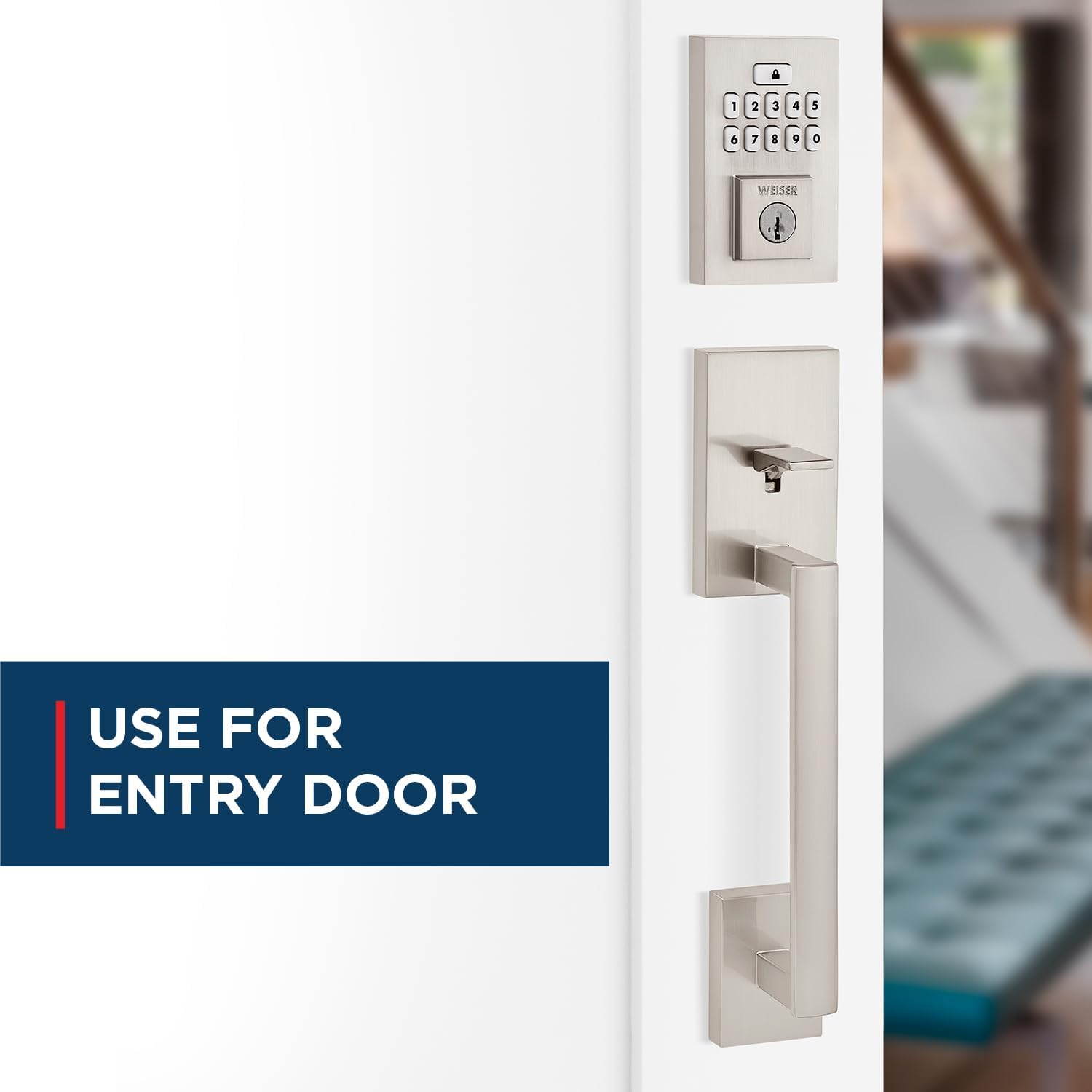
Image: The Weiser SmartCode keypad and handleset installed on an entry door, highlighting its suitability for main entry points.
Istruzioni per l'uso
Accesso senza chiave
To gain entry, simply enter your personalized code on the keypad. The motorized deadbolt will quickly and quietly unlock. This feature makes coming and going secure and convenient.

Image: A finger pressing a button on the Weiser SmartCode keypad, illustrating the keyless entry function.
Chiudere la porta
Locking the door is as easy as touching a button. The motorized deadbolt provides single-touch locking, eliminating the need for additional turning or twisting.
Funzione di blocco automatico
For added peace of mind, the auto-lock feature can be enabled. When activated, the lock will automatically engage after a set period, ensuring your door is always secured.

Image: A woman and her dog entering a home, with the Weiser SmartCode keypad visible, demonstrating the convenience of the auto-lock feature.
Managing User Access Codes
The SmartCode lock supports up to 50 user access codes, along with a master code option for enhanced control. Refer to the BILT app or the included quick start guide for instructions on programming and managing these codes.

Image: A visual representation of the multiple user access code feature, showing various individuals who can be granted access.
Video: An official product video demonstrating the key features and operation of the Weiser SmartCode Keypad Door Lock, including keyless entry and auto-lock functionality.
Manutenzione
SmartKey Re-key Technology
The SmartKey re-key technology allows you to re-key your lock in seconds. This is useful for situations such as moving to a new home, losing keys, or consolidating multiple locks to a single key. This feature helps you maintain control over who has access to your property and protects against unauthorized key duplication.

Image: A diagram illustrating the SmartKey Security feature, showing where the reset tool is inserted to re-key the lock.
Sostituzione della batteria
The SmartCode lock operates on 4 AA batteries (not included). When the batteries are low, the lock will provide an indicator. Replace all four batteries simultaneously with new, high-quality alkaline batteries to ensure optimal performance.
Risoluzione dei problemi
If you encounter issues with your Weiser SmartCode lock, consider the following common solutions:
- Blocco non risponde: Controllare il livello delle batterie e sostituirle se necessario. Assicurarsi che le batterie siano inserite con la polarità corretta.
- Keypad Not Working: Verify that the lock is receiving power. If batteries are new, try a factory reset (refer to the BILT app or quick start guide for specific steps).
- Difficoltà di blocco/sblocco: Ensure the door frame and strike plate are properly aligned. Obstructions in the door jamb can prevent the deadbolt from extending fully.
- Code Not Accepted: Double-check the entered code. Ensure the master code is correctly set. If issues persist, try deleting and re-programming the user code.
For more complex issues or persistent problems, refer to the comprehensive troubleshooting section within the BILT app or contact Weiser customer support.
Specifiche
| Caratteristica | Dettaglio |
|---|---|
| Numero di modello | 9GLA92600-003 |
| Marca | Bianco |
| Colore | Nichel satinato |
| Stile | San Clemente x Smartcode |
| Materiale | Metallo |
| Dimensioni del prodotto | Dimensioni: 6.99 x 2.86 x 2.86 cm |
| Peso dell'articolo | 454 grammi |
| Compatibilità con le porte | 1-3/8" to 1-3/4" thick doors, adjustable backset (2-3/8" or 2-3/4") |
| Keypad Design | 10 pulsanti |
| User Access Codes | Up to 50, plus Mastercode feature |
| Caratteristiche speciali | SmartKey Security, Motorized Lock/Unlock |
| Batterie richieste | 4 batterie AA (non incluse) |
| Paese di origine | Cina |
Garanzia e supporto
The Weiser SmartCode Keypad Door Lock comes with a Garanzia di 1 anno. For warranty claims or technical support, please contact Weiser customer service. You can find contact information on the official Weiser website or through the BILT app.
For additional resources, including FAQs and video tutorials, visit the Weiser Store on Amazon or the official Weiser websito.
Documenti correlati - 9GLA92600-003
 |
Weiser Catalogue Complet de Quincaillerie de Porte et Serrures Explorez le catalogue Weiser pour une vaste sélection de quincaillerie de porte, serrures électroniques et mécaniques, incluant les technologies SmartKey et Microban. Trouvez spécifications, finitions et prix. |
 |
Guida all'installazione della maniglia Weiser Brentridge Guida completa all'installazione della maniglia Weiser Brentridge, che descrive dettagliatamente la preparazione della porta, l'installazione di chiavistelli e catenacci, il montaggio della maniglia e il collaudo finale. Include istruzioni e diagrammi passo passo. |
 |
Weiser SmartCode Keypad Electronic Locks Quick Start Guide and Installation Instructions Comprehensive guide for installing, programming, and using Weiser SmartCode Keypad Electronic Locks, covering parts, tools, step-by-step installation, programming features, system alerts, and important safeguards. |
 |
Guida all'installazione e all'uso della serratura per porta senza chiave Weiser Powerbolt 2 Comprehensive guide for installing and using the Weiser Powerbolt 2 Matte Black Keyless Entry Door Lock/Deadbolt Lock. Includes instructions for setup, programming user codes, changing master codes, and troubleshooting. |
 |
Guida alla programmazione e alla risoluzione dei problemi di Weiser SmartCode a 5 leve Una guida completa alla programmazione e alla risoluzione dei problemi della serratura elettronica Weiser SmartCode a 5 leve, che copre la configurazione del codice master, la gestione del codice utente e i problemi più comuni. |
 |
Weiser Electronic Deadbolts Programming Guide A simplified guide to programming various Weiser electronic deadbolts, including Powerbolt 2, SmartCode, Kevo, Aura, Halo, Premis, and Obsidian models. This guide covers factory reset, latch orientation, and user code programming. |
Ask a question about this manual
Ask about setup, troubleshooting, compatibility, parts, safety, or missing instructions. Manuals+ will review the question and use this page’s manual context to help answer it.