
1. Introduzione
This manual provides detailed instructions for the YONGNUO YN560 IV Wireless Flash Speedlite and the YN560-TX PRO N Wireless Flash Transmitter. The YN560 IV is a versatile flash unit that functions as both a master and slave flash, featuring a built-in wireless trigger system. The YN560-TX PRO N is an advanced transmitter designed for Nikon cameras, offering comprehensive control over compatible YONGNUO flash units. Together, these devices provide a powerful and flexible lighting solution for photographers.
Key features include a high guide number (GN58@ISO100, 105mm), support for M/Multi flash modes on the YN560 IV, and TTL/M/Multi/GR modes with high-speed sync (HSS 1/8000s) on the YN560-TX PRO N. Both units support 2.4G wireless communication for reliable remote control and can be upgraded via USB firmware.
2. Informazioni sulla sicurezza
- Do not look directly into the flash when it fires, as it can cause temporary vision impairment.
- Keep the device dry. Do not expose it to rain, moisture, or high humidity.
- Non smontare o tentare di riparare l'unità autonomamente. Per qualsiasi intervento di assistenza, rivolgersi a personale qualificato.
- Use only specified batteries. Incorrect battery types or improper installation can lead to leakage, overheating, or explosion.
- Tenere fuori dalla portata dei bambini.
- Avoid extreme temperatures. Do not store or operate the unit in excessively hot or cold environments.
3. Contenuto della confezione
Verifica che tutti gli articoli siano presenti nel tuo pacco:
- 1 x YN560 IV Flash Unit (Negative LCD Screen)
- 1 x YN560-TX Pro for Nikon
- 1 x Protecting bag
- 1 scatola originale
- 1 x Manual in Chinese and English

Figure 3.1: YONGNUO YN560 IV Speedlite, front view showing LCD and controls.

Figure 3.2: YONGNUO YN560-TX PRO N Transmitter, top view showing LCD and controls.
4. Impostazione
4.1 Installazione delle batterie
Both the YN560 IV Speedlite and YN560-TX PRO N Transmitter require batteries for operation.
- YN560 IV Speedlite: Open the battery compartment cover on the rear of the flash unit. Insert four AA-size alkaline or Ni-MH batteries, ensuring correct polarity (+/-). Close the cover securely.
- YN560-TX PRO N Transmitter: Open the battery compartment cover on the bottom of the transmitter. Insert two AA-size alkaline or Ni-MH batteries, ensuring correct polarity (+/-). Close the cover securely.

Figure 4.1: YN560 IV Speedlite battery compartment, showing where to insert AA batteries.
4.2 Attaching the YN560-TX PRO N to Your Camera
The YN560-TX PRO N transmitter mounts onto your camera's hot shoe.
- Slide the YN560-TX PRO N's hot shoe foot into your camera's hot shoe.
- Rotate the locking wheel on the transmitter clockwise until it is securely fastened to the camera.
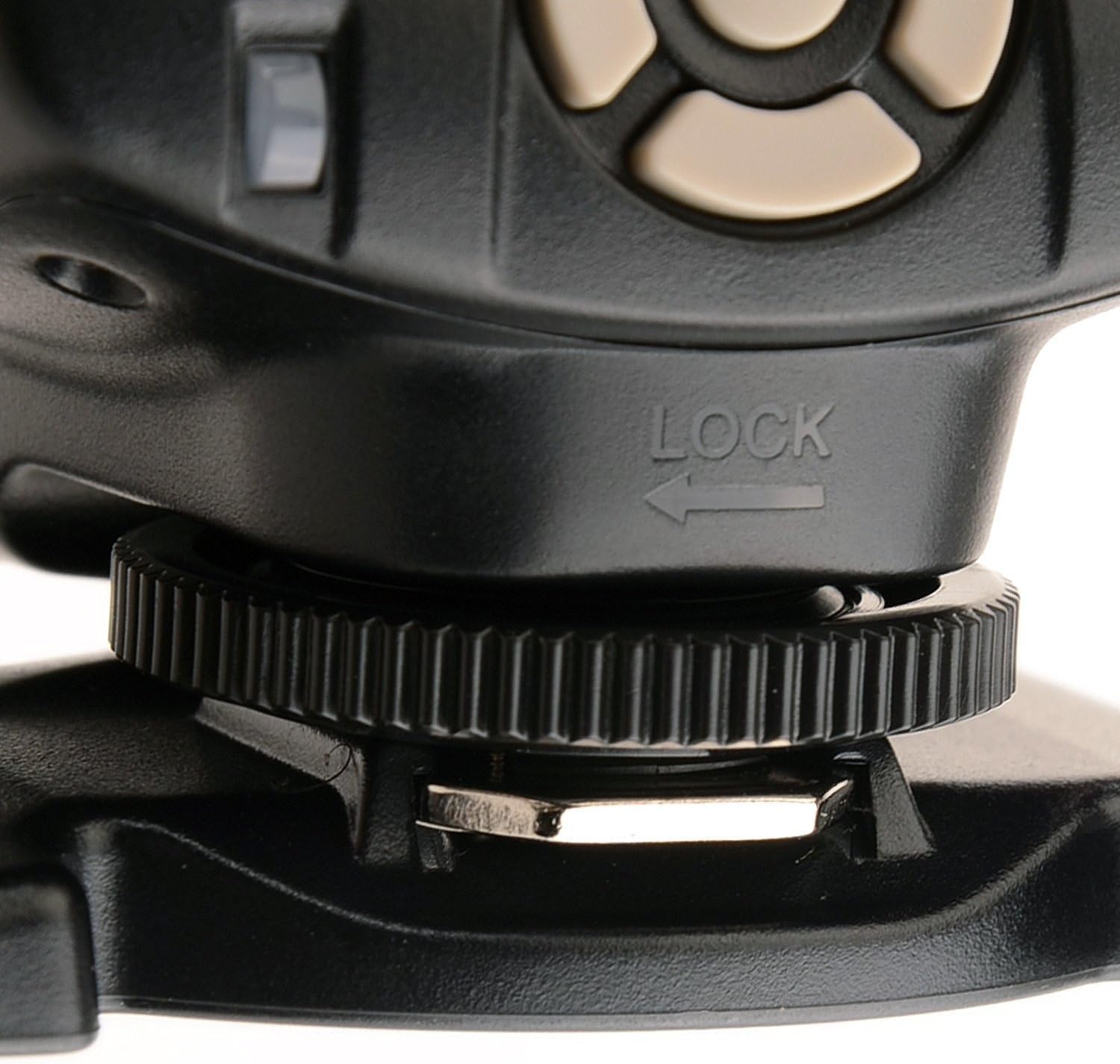
Figure 4.2: YN560-TX PRO N Transmitter, showing its hot shoe mount.
4.3 Accensione/Spegnimento
- YN560 IV Speedlite: Press the ON/OFF button to power on or off.
- YN560-TX PRO N Transmitter: Use the ON/OFF switch located on the side of the unit.
5. Istruzioni per l'uso
5.1 YN560 IV Speedlite Modes
The YN560 IV offers various operating modes:
- Modalità principale: The YN560 IV can act as a master unit, controlling other YN560 IV or YN560 III flashes. It provides control over 3 independent groups (A, B, C) for flash mode, output, and focal length.
- Modalità schiava: The YN560 IV can receive wireless signals from a YN560 IV (as master), YN560-TX, RF-603 (I/II), or RF-602 transmitter. It supports 16 channels for wireless communication.
- Modalità manuale (M): Manually set the flash output from 1/128 to 1/1, with 29 levels of fine tuning.
- Modalità multipla: Fires a series of rapid flashes during a single exposure, useful for capturing multiple movements in one frame.
5.2 YN560-TX PRO N Transmitter Functions
The YN560-TX PRO N provides comprehensive control over your YONGNUO flash system:
- Modalità flash: Supports TTL, Manual (M), Multi, and Group (GR) flash modes.
- Controllo di gruppo: Control up to 5 flash groups (A/B/C/D/E) independently.
- Sincronizzazione ad alta velocità (HSS): Achieves shutter speeds up to 1/8000s, allowing for wider apertures in bright conditions.
- Controllo dell'esposizione: Supports TTL light ratio, exposure compensation, and exposure lock.
- Remote Focal Length Setting: Remotely adjust the focal length (zoom) of compatible YONGNUO slave flashes.
- 2.4G Radio Communication: Offers a maximum communication distance of over 100m.

Figure 5.1: Diagram illustrating the YN560-TX PRO N's compatibility with various YONGNUO flash units and its central role in a multi-flash setup.
5.3 Aggiornamento del firmware
Both the YN560 IV Speedlite and YN560-TX PRO N Transmitter support firmware upgrades via a USB port. Visit the official YONGNUO websito per il firmware e le istruzioni più recenti.
5.4 Custom Settings (Fn)
Both units feature custom function settings (Fn) that allow you to personalize various parameters. Refer to the on-screen menu for available options and adjustments. Settings are automatically saved.
6. Manutenzione
- Pulizia: Use a soft, dry cloth to clean the exterior of the flash and transmitter. For stubborn dirt, a slightly damp È possibile utilizzare un panno, seguito da uno asciutto. Non utilizzare solventi o detergenti abrasivi.
- Magazzinaggio: When not in use for extended periods, remove batteries from both units to prevent leakage. Store the devices in a cool, dry place, away from direct sunlight and extreme temperatures.
- Cura della batteria: Always use fresh, high-quality batteries. If using rechargeable batteries, ensure they are fully charged before use. Dispose of used batteries responsibly.
7. Risoluzione Dei Problemi
| Problema | Possibile causa | Soluzione |
|---|---|---|
| Il flash non si attiva. | Low batteries, incorrect settings, unit not powered on. | Check battery levels and replace if necessary. Ensure units are powered on. Verify flash mode and trigger settings. |
| Errore di comunicazione wireless. | Incorrect channel/group, distance too far, interference. | Assicurarsi che le unità master e slave siano impostate sullo stesso canale e gruppo. Ridurre la distanza tra le unità. Evitare gli ostacoli. |
| L'emissione del flash non è uniforme. | Low battery, flash tube overheating. | Replace batteries. Allow the flash to cool down if used continuously at high power. |
| Lo schermo LCD è vuoto o poco luminoso. | Low battery, unit off. | Check battery levels. Power on the unit. |
Se i problemi persistono dopo aver provato queste soluzioni, contattare l'assistenza clienti.
8. Specifiche
| Caratteristica | YN560 IV Speedlite | YN560-TX PRO N Transmitter |
|---|---|---|
| Numero guida | GN58 (ISO100, 105 mm) | N / A |
| Modalità flash | M, Multi, Master, Slave | TTL, M, Multi, GR |
| Modalità di attivazione wireless | Built-in 2.4G wireless trigger, S1, S2 optical slave | 2.4G Radio Wireless |
| wireless Range | Up to 100m (2.4G) | Over 100m (2.4G) |
| Flash Gruppi | 3 (A, B, C) as Master | 5 (LA, SI, DO, RE, MI) |
| Canali | 16 | 16 |
| Velocità di sincronizzazione | Up to 1/8000s (with HSS compatible transmitter) | Fino a 1/8000s (HSS) |
| Fonte di alimentazione | 4 batterie AA | 2 batterie AA |
| Porta esterna | External power port, PC sync port, USB port | Porta USB |
| Supporti compatibili | Universal hot shoe | Nikon hot shoe |
9. Garanzia e supporto
For warranty information, please refer to the warranty card included with your product or your purchase documentation. YONGNUO provides customer support for product inquiries, technical assistance, and service requests.
For further assistance, please visit the official YONGNUO websito o contattare il distributore locale.