
1. Introduzione
This manual provides comprehensive instructions for the ORICO 12-in-1 USB C Hub Docking Station (Model X11 Grey). It covers product features, setup procedures, operational guidelines, maintenance tips, troubleshooting solutions, and detailed specifications. Please read this manual thoroughly before using the device to ensure optimal performance and longevity.
2. Prodotto finitoview
The ORICO 12-in-1 USB C Hub Docking Station expands your device's connectivity with a variety of ports, designed to enhance productivity and multimedia experiences. It features a durable aluminum alloy casing per un'efficiente dissipazione del calore.
Layout delle porte

Descrizione dell'immagine: This image displays the ORICO 12-in-1 USB C Hub from two angles, highlighting and labeling each of its 12 ports. On one side, the labels include VGA (1080P), RJ45 Ethernet (10/100/1000Mbps), 3.5mm Audio, SD3.0/TF3.0 Card Slot (5Gbps), Type-C 3.1 (5Gbps), and two USB-A 3.1 ports (5Gbps). On the other side, the labels include two HDMI 2.0 ports (up to 4K/60Hz), a USB-A 2.0 port (480Mbps), and a USB-C PD3.0 port (100W).
Caratteristiche principali:
- Erogazione di potenza (PD) da 100 W: Charge your laptop while using the hub.
- Doppia uscita HDMI 4K: Connect up to two external displays at 4K@60Hz.
- Uscita VGA: Connect an additional display at 1080P.
- Gigabit: Provides stable and fast wired network connectivity (10/100/1000Mbps).
- Trasferimento dati ad alta velocità: Two USB-A 3.1 ports and one Type-C 3.1 port offer up to 5Gbps data transfer.
- Porta USB 2.0: One USB-A 2.0 port for peripherals like keyboards and mice.
- Lettore di schede SD/TF: Supports simultaneous reading of SD and TF cards, up to 2TB.
- Jack audio da 3.5 mm: Per cuffie o altoparlanti.
3. Istruzioni per l'installazione
The ORICO 12-in-1 USB C Hub is designed for plug-and-play operation, requiring no driver installation for Windows and Mac OS systems.
- Connetti al dispositivo host: Plug the integrated USB-C cable from the docking station into a compatible USB-C port on your laptop, tablet, or smartphone. Ensure your device's USB-C port supports video output (DisplayPort Alternate Mode) and power delivery for full functionality.
- Collegamento elettrico (facoltativo ma consigliato): For stable operation and to charge your host device, connect your laptop's original power adapter to the PD (Power Delivery) USB-C input port on the docking station.
- Connetti le periferiche: Connect your external monitors to the HDMI and/or VGA ports. Plug in USB devices (e.g., mouse, keyboard, external drives) into the USB-A and data Type-C ports. Insert SD/TF cards as needed. Connect an Ethernet cable for wired network access.
- Connessione audio: Se lo si desidera, collegare le cuffie o gli altoparlanti al jack audio da 3.5 mm.
Compatibilità
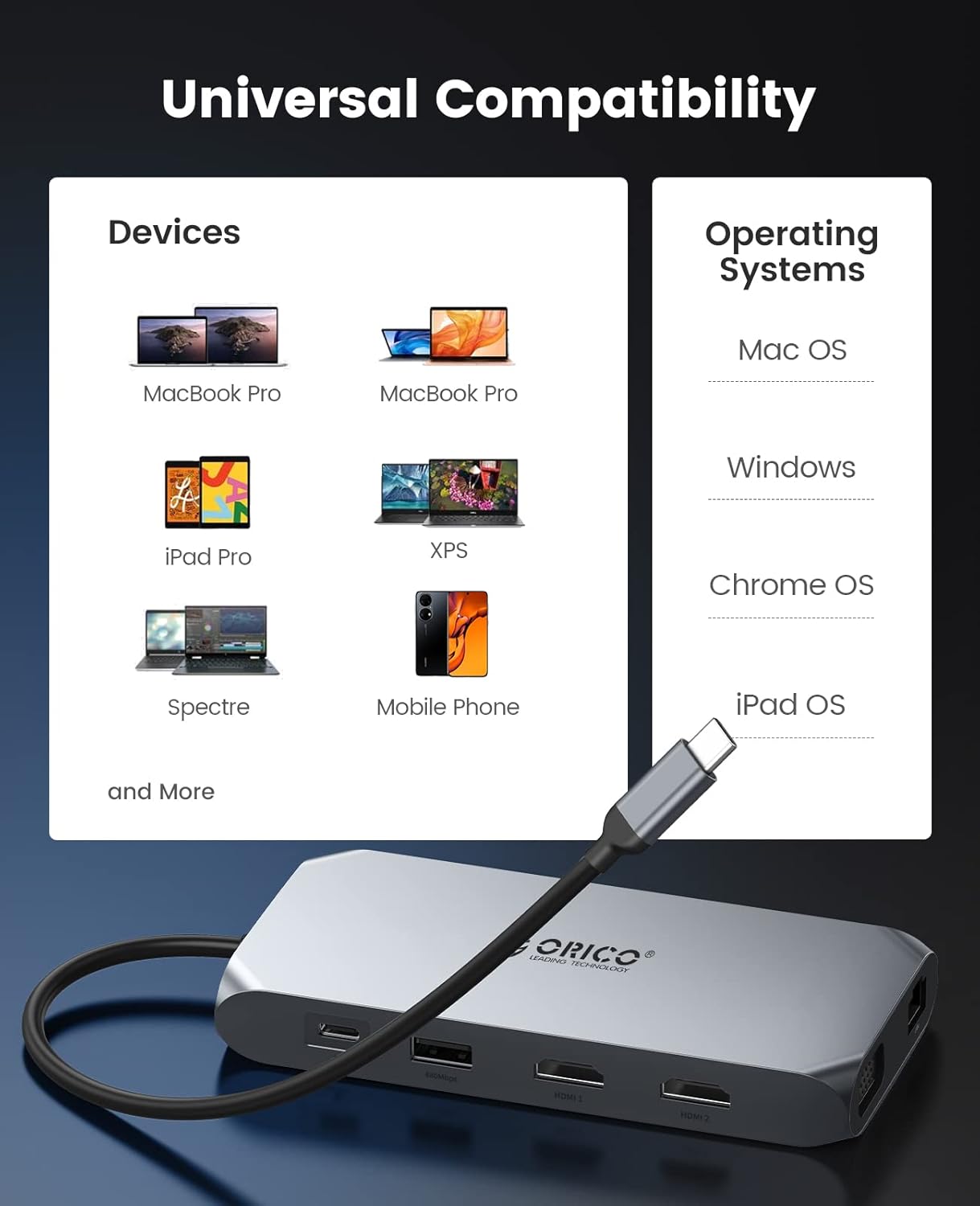
Descrizione dell'immagine: This image illustrates the broad compatibility of the ORICO USB C Hub. It shows various compatible devices such as MacBook Pro, MacBook Air, iPad Pro, XPS laptops, Spectre laptops, and mobile phones. It also lists supported operating systems: Mac OS, Windows, Chrome OS, and iPad OS. The hub connects via a USB-C cable.
The docking station is compatible with devices featuring a USB-C port that supports DisplayPort Alternate Mode (DP Alt Mode) and Power Delivery. Supported operating systems include Windows, Mac OS, Chrome OS, and iPad OS.
4. Istruzioni per l'uso
Modalità di visualizzazione
The ORICO 12-in-1 USB C Hub supports various display configurations for external monitors.

Descrizione dell'immagine: This image presents two tables outlining display configurations for USB-C DP Alt Mode (DPI1.4) MST and USB-C DP Alt Mode (DP1.2) MST. Each table lists items with corresponding resolutions for HDMI 1, HDMI 2, and VGA ports, along with remarks for single, dual, and triple video output. Resolutions range from 3840x2160@60Hz to 800x600@60Hz, indicating various combinations for mirroring or extending displays.

Descrizione dell'immagine: This diagram shows two common multiple display modes for Windows systems. The 'A-A-A-A Mirror Mode' depicts a laptop screen mirrored across three external monitors. The 'A-B-C-D Extend Mode' shows the laptop screen (A) extended across three distinct external monitors (B, C, D), creating a large, continuous workspace.

Descrizione dell'immagine: This diagram illustrates two multiple display modes for Mac OS. The 'A-A-A-A Mirror Mode' shows a laptop screen mirrored across three external monitors. The 'A-B-B-B Extend Mode' shows the laptop screen (A) extended to three external monitors (B), where all three external monitors display the same extended content.
- Sistema Windows: Supporta la modalità di visualizzazione tripla (AAAA per specchio, ABCD per estensione).
- Sistema Mac OS: Supporta la modalità mirror o extend (AAAA per mirror, ABBB per extend).
Trasferimento dati
Utilize the high-speed USB ports for quick file trasferimenti.

Descrizione dell'immagine: This image highlights the data transfer capabilities of the hub, showing a comparison between USB 2.0 (480Mbps) and USB 3.0 (5Gbps). The graphic emphasizes that the hub's USB 3.1 ports enable file transfers at speeds up to 5Gbps, allowing large files to be moved in seconds.
- Porte USB 3.1 (2x USB-A, 1x Type-C): Achieve data transfer speeds of up to 5Gbps.
- Porta USB 2.0 (1x USB-A): Suitable for connecting standard peripherals with speeds up to 480Mbps.
- Lettore di schede SD/TF: Supports simultaneous reading of both SD and TF cards, with a maximum capacity of 2TB.
Erogazione di potenza (PD)

Descrizione dell'immagine: This image depicts a laptop connected to the ORICO USB C Hub, which is in turn connected to a wall charger. The text 'Input 100W' indicates that the hub supports 100W Power Delivery, allowing the laptop to charge efficiently while connected to the docking station.
The dedicated USB-C PD3.0 port supports up to 100W power input, allowing you to charge your host device rapidly while using the hub's other functions. This eliminates concerns about power depletion during extended use.
Ethernet Gigabit

Descrizione dell'immagine: This image shows a close-up of the ORICO USB C Hub with an Ethernet cable plugged into its RJ45 port. A blue glow around the Ethernet port and the text '1000Mbps' emphasize the high-performance Gigabit Ethernet capability, providing a stable and fast wired network connection to a laptop.
The RJ45 Ethernet port provides a stable and reliable wired network connection, automatically adapting to 10/100/1000Mbps speeds. This is ideal for situations where Wi-Fi is unstable or unavailable.
5. Manutenzione
- Pulizia: Utilizzare un panno morbido e asciutto per pulire l'esterno della docking station. Evitare detergenti liquidi o materiali abrasivi.
- Dissipazione del calore: La lega di alluminio casing is designed for efficient heat dissipation. Ensure the device is placed in a well-ventilated area and not covered to prevent overheating.
- Magazzinaggio: Quando non in uso, conservare la docking station in un luogo fresco e asciutto, lontano dalla luce solare diretta e da temperature estreme.
- Gestione: Evitare di far cadere o sottoporre il dispositivo a forti urti. Non tentare di smontare l'unità.
6. Risoluzione Dei Problemi
- Nessuna uscita di visualizzazione:
- Assicurati che la porta USB-C del dispositivo host supporti la modalità alternativa DisplayPort.
- Check all cable connections (USB-C to host, HDMI/VGA to monitor).
- Verificare che le impostazioni di input del monitor siano selezionate correttamente (ad esempio, HDMI 1, HDMI 2, VGA).
- Prova a collegare un monitor alla volta per isolare il problema.
- If using multiple displays, ensure your operating system display settings are configured correctly (mirror or extend).
- Display Flickering or Disconnection:
- This can sometimes occur with specific HDMI ports or cables. Try a different HDMI cable or port on the docking station/monitor.
- Ensure your host device's USB-C port is fully capable of handling the bandwidth required for multiple high-resolution displays. The final performance depends on your computer's Type C port capabilities.
- Reduce the resolution or refresh rate of the external display(s) to see if the issue persists.
- Dispositivi USB non riconosciuti:
- Ricollegare il dispositivo USB.
- Prova una porta USB diversa sulla docking station.
- Ensure the docking station is receiving adequate power, especially if multiple power-hungry devices are connected. Connect a PD charger to the hub.
- Nessuna connessione di rete:
- Controllare la connessione del cavo Ethernet sia all'hub che al router/modem.
- Verifica le impostazioni di rete sul tuo dispositivo host.
- Assicurati che il tuo router/modem funzioni correttamente.
- Problema di ricarica:
- Ensure your power adapter is connected to the PD USB-C port on the hub.
- Verify your power adapter is capable of delivering sufficient wattage (e.g., 100W) for your laptop.
- Confirm your host device's USB-C port supports Power Delivery.
7. Specifiche
| Marca | ORICO |
| Numero di modello | ORICO-XCR-X11-GY-BP-US (X11 Grey) |
| Peso dell'articolo | 8.5 once |
| Interfaccia Hardware | HDMI, USB tipo C, VGA, RJ45, SD/TF, audio da 3.5 mm |
| Porti | 2x HDMI (4K@60Hz), 1x VGA (1080P), 1x USB-C PD (100W), 2x USB-A 3.1 (5Gbps), 1x USB-A 2.0 (480Mbps), 1x Type-C 3.1 (5Gbps), 1x Gigabit Ethernet (10/100/1000Mbps), 1x SD Card Reader, 1x TF Card Reader, 1x 3.5mm Audio |
| Erogazione di potenza | Fino a 100W |
| Velocità di trasferimento dati | USB 3.1: 5 Gbps, USB 2.0: 480 Mbps |
| Supporto per lettori di schede | SD/TF cards, up to 2TB, simultaneous reading |
| Dispositivi compatibili | MacBook Air, MacBook Pro, iPad Pro, XPS, Spectre, Mobile Phones (with compatible USB-C port) |
| Sistemi operativi | Windows, Mac OS, Chrome OS, iPad OS |
8. Garanzia e supporto
Per informazioni sulla garanzia e supporto tecnico, fare riferimento al sito ufficiale ORICO webo contattare direttamente il servizio clienti ORICO. Conservare la ricevuta d'acquisto per eventuali reclami in garanzia.
If you encounter any issues not covered in this manual, please reach out to ORICO support for assistance. The performance of the docking station can be influenced by the capabilities of your computer's USB-C port.