
1. Introduzione
This manual provides detailed instructions for the installation, operation, and maintenance of your FRACARRO BLU5HD 5G UHF Biconical Antenna. This antenna is designed to enhance signal quality for television reception, featuring integrated 5G and 4G LTE filtering for optimal performance in various environments.
The FRACARRO BLU5HD 5G Antenna is an ideal solution for improving signal quality in both indoor and outdoor settings, particularly in areas with weak cellular coverage. Its robust and lightweight structure ensures ease of assembly and transport.
2. Informazioni sulla sicurezza
Please read all safety instructions before installing or operating the antenna. Failure to follow these instructions may result in injury or damage to the product.
- Installazione professionale: For outdoor installations, professional assistance is recommended to ensure proper mounting and safety.
- Linee elettriche: Never install the antenna near power lines or other electrical circuits. Contact with power lines can be fatal.
- Montaggio stabile: Ensure the antenna is securely mounted to prevent it from falling, especially in windy conditions.
- Equipaggiamento protettivo: Wear appropriate protective gear, such as gloves and safety glasses, during installation.
- Protezione contro i fulmini: Consider installing a lightning arrestor for outdoor antennas to protect your equipment.
3. Contenuto della confezione
Verificare che tutti i componenti siano presenti nella confezione:
- FRACARRO BLU5HD 5G UHF Biconical Antenna unit
- Auxiliary cradle for mounting
- Hardware di montaggio (viti, clamps, etc. - specific items may vary)
- Manuale di istruzioni (questo documento)
4. Configurazione e installazione
The FRACARRO BLU5HD 5G antenna is designed for easy assembly and installation. Follow these steps for optimal performance:
4.1. Assemblaggio
- Disimballare con cura tutti i componenti dalla scatola.
- Attach the antenna elements to the main boom as indicated in the included diagrams (if any). The design is intuitive for quick assembly.
- Secure the auxiliary cradle to the antenna unit. This cradle facilitates mounting.
4.2. Montaggio
The antenna can be installed both indoors and outdoors. Choose a location that offers the clearest line of sight to the broadcast tower.
- Installazione esterna: Mount the antenna on a mast or pole using the provided mounting hardware. Ensure the mast is vertical and stable.
- Installazione interna: While primarily designed for outdoor use, the antenna can be placed in an attic or near a window if outdoor mounting is not feasible. Performance may vary.
4.3. Connessione
- Connect a 75 Ohm coaxial cable (not included) to the F-connector on the antenna.
- Route the cable to your television or set-top box, ensuring it is protected from weather and physical damage.
- Connect the other end of the coaxial cable to the antenna input (usually labeled 'ANT IN' or 'RF IN') on your television or set-top box.
4.4. Aiming the Antenna
For optimal signal reception, the antenna must be aimed correctly towards the broadcast tower. Use online resources or local TV station websites to determine the direction of your nearest broadcast towers.
- Slowly rotate the antenna horizontally and vertically while monitoring the signal strength on your television or set-top box.
- Secure the antenna in the position that provides the strongest and most stable signal.
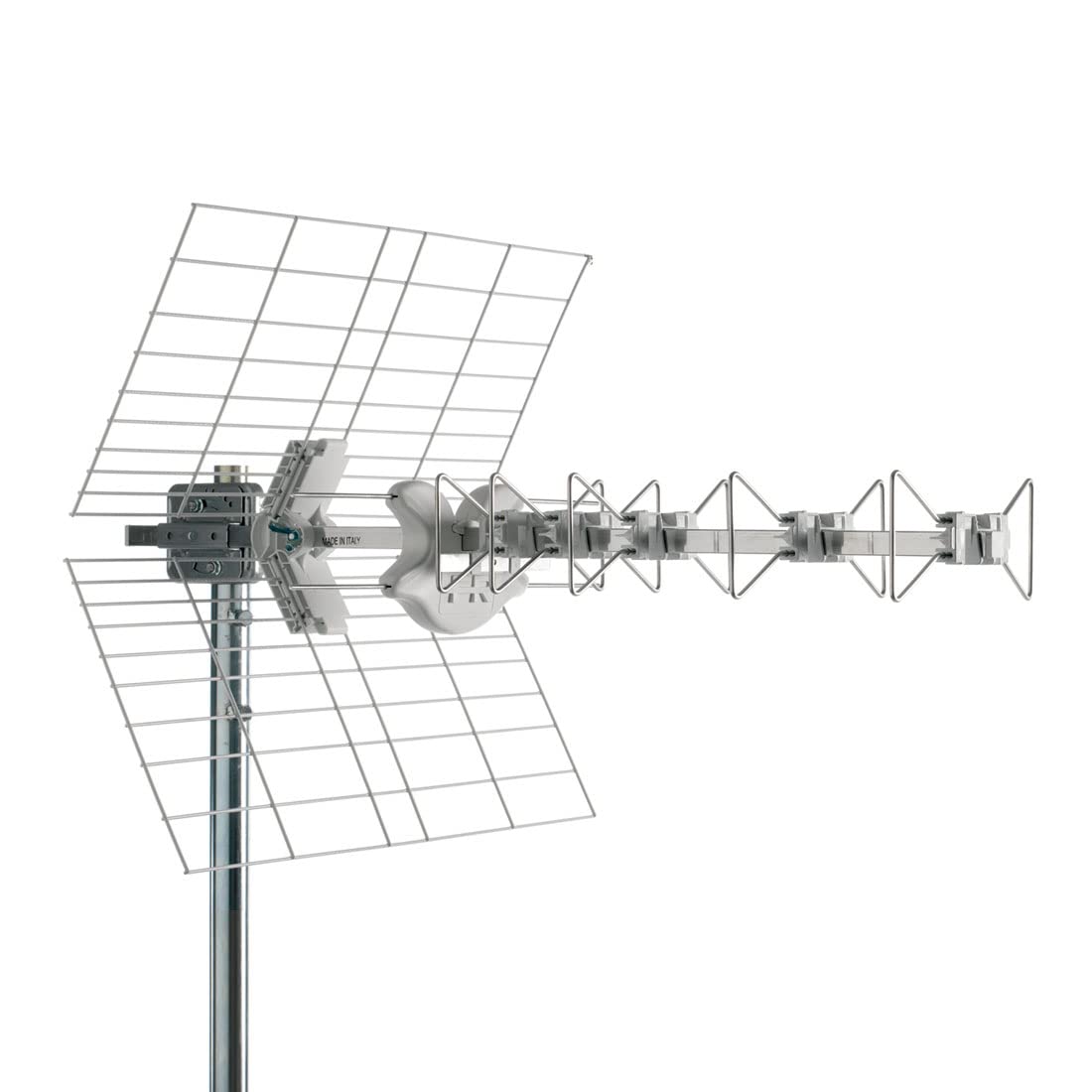
Image showing the assembled FRACARRO BLU5HD 5G UHF Biconical Antenna, highlighting its compact and robust design.
5. Istruzioni per l'uso
Once the FRACARRO BLU5HD 5G antenna is correctly installed and connected, it operates passively to receive UHF television signals. No active power or configuration is required for the antenna itself.
- Ensure your television or set-top box is powered on.
- Access the menu on your television or set-top box and navigate to the 'Channel Scan' or 'Auto Tune' option.
- Initiate a full channel scan. The device will search for available digital television channels.
- Once the scan is complete, you should be able to access the received channels.
The integrated 5G and 4G LTE filter helps to prevent interference from cellular signals, ensuring a clearer and more stable television signal.
6. Manutenzione
Regular maintenance helps ensure the longevity and optimal performance of your antenna.
- Ispezione periodica: Annually inspect the antenna and its mounting hardware for any signs of wear, corrosion, or damage. Tighten any loose bolts or clamps.
- Controllo del cavo: Examine the coaxial cable for cracks, fraying, or damage to the insulation. Replace damaged cables to prevent signal loss or water ingress.
- Pulizia: Gently clean the antenna elements with a soft cloth and mild detergent if dirt or debris accumulates. Avoid abrasive cleaners.
- Rimozione dell'ostruzione: Ensure no new obstructions (e.g., tree branches, new buildings) are blocking the line of sight to the broadcast tower.
7. Risoluzione Dei Problemi
If you experience issues with your antenna, refer to the following troubleshooting guide:
| Problema | Possibile causa | Soluzione |
|---|---|---|
| No signal or very few channels | Antenna non puntata correttamente Collegamento del cavo allentato o danneggiato Obstruction in signal path Weak signal in your area | Re-aim the antenna (Section 4.4) Check all cable connections; replace if damaged Rimuovere eventuali ostacoli Considera un segnale amplificatore (non incluso) |
| Poor picture quality (pixelation, freezing) | Segnale debole Interferenza Cavo danneggiato | Fine-tune antenna aim Ensure 5G/4G filter is effective; check for other interference sources Ispezionare e sostituire i cavi danneggiati |
| L'antenna sembra danneggiata | Impatto fisico Esposizione alle intemperie | Inspect for structural integrity. If severely damaged, replacement may be necessary. Contact support if under warranty. |
8. Specifiche tecniche
| Specificazione | Valore |
|---|---|
| Marca | FRACARRO |
| Produttore | FRACARRO RADIOINDUSTRIE |
| Modello | BLU5HD 5G |
| Numero modello articolo | BLU5HD 5G |
| Numero articolo | 217914 |
| Tipo di antenna | UHF Biconical Television Signal |
| Numero di elementi | 5 |
| Filtro integrato | 5G e 4G LTE |
| Guadagno | 13.5 dBi |
| Impedenza | 75 Ohm |
| Rapporto anteriore-posteriore | 30 dB |
| Perdita di riflessione | -16 dB |
| Tipo di connettore | Connettore F |
| Colore | Bianco |
| Peso dell'articolo | 2.67 chilogrammi |
| Dimensioni del pacco | Dimensioni: 86 x 31 x 5 cm |
| Batterie richieste | NO |
| Numero di canali | 28 |
9. Garanzia e supporto
FRACARRO products are manufactured to high-quality standards. For information regarding warranty coverage, please refer to the warranty card included with your purchase or visit the official FRACARRO websito.
For technical support, troubleshooting assistance beyond this manual, or inquiries about replacement parts, please contact FRACARRO customer service through their official channels. Keep your purchase receipt and product model number (BLU5HD 5G) ready when contacting support.