
1. Introduzione
This manual provides instructions for the Dicfeos 30X/40X LED Illuminated Magnifying Glass, Model DIC030. This device features a foldable design, 32 integrated LED lights with multiple modes, and dual magnification capabilities (30X and 40X). It is designed for various close-up tasks such as reading, crafting, and detailed inspection, offering enhanced visibility through its clear optical lenses and adjustable lighting.
The magnifier can be powered by either USB or AAA batteries, providing flexibility for both indoor and outdoor use.
2. Componenti del prodotto
Familiarize yourself with the main components of your Dicfeos magnifying glass:
- Obiettivo principale: Provides 30X magnification.
- Small Lens: Integrated within the handle, offers 40X magnification for extremely fine details.
- Luci LED: 32 bright LEDs surrounding the main lens, offering cold, warm, and mixed light modes.
- Power Button/Light Mode Switch: Controls the LED lights and cycles through modes.
- Vano batteria: Located in the handle, for 3x AAA batteries.
- Porta di alimentazione USB: For external USB power supply.
- Foldable Stand/Handle: Allows for handheld use or conversion into a desktop stand.

Figure 1: Key Components of the Magnifying Glass
3. Impostazione
3.1 Opzioni di alimentazione
Your magnifying glass can be powered in two ways:
- Potenza della batteria: Richiede 3 batterie AAA da 1.5 V (non incluse).
- Alimentazione USB: Connect the provided USB cable to any available USB port (e.g., computer, wall adapter). Note that USB power is for operation only and does not recharge batteries.
3.2 Installazione delle batterie
- Individuare il coperchio del vano batteria sull'impugnatura.
- Far scorrere o sollevare delicatamente il coperchio per aprirlo.
- Inserire 3 batterie AAA, assicurandosi che la polarità sia corretta (+/-) come indicato all'interno del vano.
- Riposizionare saldamente il coperchio del vano batteria.
3.3 Connecting USB Power
- Locate the USB power port on the side of the handle.
- Insert the small end of the USB cable into the magnifier's port.
- Connect the larger end of the USB cable to a compatible USB power source.

Figure 2: Battery and USB Power Connection
4. Istruzioni per l'uso
4.1 Svolgimento e posizionamento
- To use as a handheld magnifier, simply hold the handle. The textured non-slip handle provides a secure grip.
- To use as a desktop stand magnifier, gently unfold the handle to form a stable base. Adjust the angle as needed for comfortable viewing.

Figure 3: Folding Design and Handle Use
4.2 Utilizzo delle luci LED
- Press the power button located on the handle to turn on the LED lights.
- Press the button again to cycle through the three light modes: cold light, warm light, and mixed light.
- Press a fourth time to turn off the lights.

Figura 4: Modalità di illuminazione a LED
4.3 Using Magnification
- Ingrandimento 30X: Use the large main lens for general reading and viewing. Hold the magnifier at an appropriate distance from the object to achieve clear focus.
- Ingrandimento 40X: For extremely small details, use the smaller integrated lens located on the handle. This lens provides higher magnification for precision tasks.
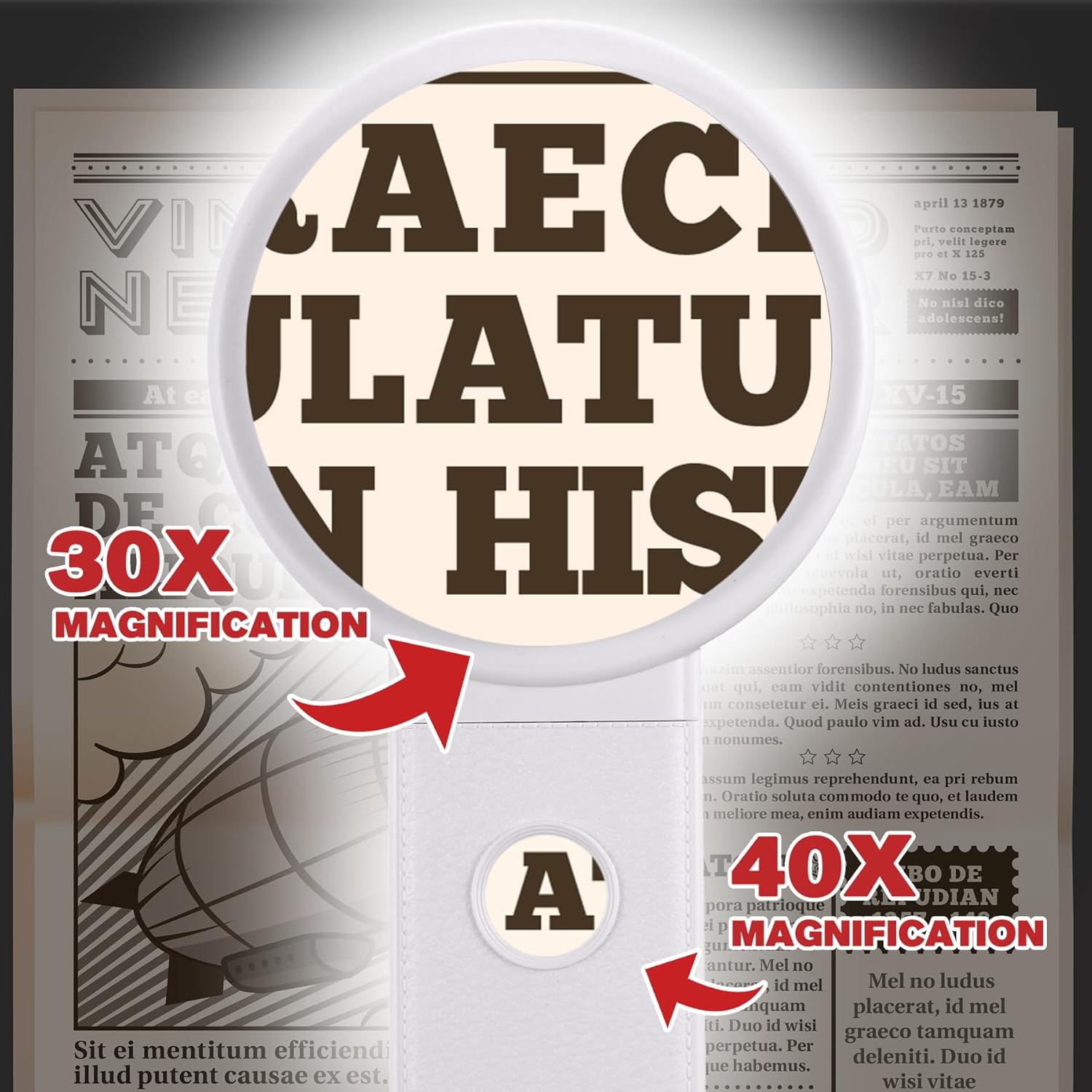
Figure 5: 30X and 40X Magnification in Use
5. Manutenzione
5.1 Pulizia della lente
- Use a soft, lint-free cloth (e.g., microfiber cloth) to gently wipe the lens surfaces.
- Per macchie ostinate, applicare leggermenteampen the cloth with lens cleaning solution or water. Avoid harsh chemicals or abrasive materials.
- Ensure the lens is dry before storage or use.
5.2 Sostituzione della batteria
- When the LED lights dim or fail to turn on, it's time to replace the AAA batteries.
- Follow the instructions in Section 3.2 for safe battery replacement.
- Smaltire le batterie usate secondo le normative locali.
5.3 Conservazione
- Store the magnifying glass in a clean, dry place away from direct sunlight and extreme temperatures.
- Keep it away from sharp objects to prevent lens scratches.
- Se si conserva il prodotto per un periodo prolungato, rimuovere le batterie per evitare perdite.
6. Risoluzione Dei Problemi
| Problema | Possibile causa | Soluzione |
|---|---|---|
| Le luci LED non si accendono. | Batterie scariche o esaurite. Cavo USB non collegato correttamente. Polarità della batteria errata. |
Sostituire le batterie AAA. Ensure USB cable is securely plugged into both the magnifier and power source. Controllare l'orientamento della batteria. |
| Magnified image is blurry or unclear. | L'obiettivo è sporco. Non corretto viewdistanza. |
Pulisci l'obiettivo con un panno morbido e privo di lanugine. Adjust the distance between the lens and the object until the image is clear. |
| Magnifier feels unstable when used as a stand. | Handle not fully extended or locked into position. | Ensure the foldable handle is fully extended and positioned to create a stable base on a flat surface. |
7. Specifiche
| Caratteristica | Dettaglio |
|---|---|
| Marca | Diceo |
| Numero di modello | DIC030 |
| Ingrandimento | 30X (Main Lens), 40X (Small Lens) |
| Luci LED | 32 LEDs (Cold, Warm, Mixed modes) |
| Fonte di alimentazione | 3x AAA 1.5V Batteries (not included) or USB Power (non-rechargeable) |
| Materiale della lente | Bicchiere |
| Dimensioni del prodotto (L x P x A) | 20.07 x 9.4 x 0.1 cm (approximate, folded) |
| Peso dell'articolo | 281 grammi |
| Colore | Bianco |
8. Garanzia e supporto
Per informazioni sulla garanzia o assistenza tecnica, fare riferimento alla confezione del prodotto o contattare direttamente il produttore. Conservare la ricevuta d'acquisto come prova d'acquisto.
For further assistance, you may visit the Dicfeos official websito o contattare il loro servizio clienti.