
Introduzione
The Keychron C2 is a full-size (104-key) wired mechanical keyboard designed for both Mac and Windows operating systems. It features durable Red mechanical switches and retro-colored ABS keycaps, providing a comfortable and responsive typing experience. This manual provides essential information for setting up, operating, maintaining, and troubleshooting your Keychron C2 keyboard.

Image: The Keychron C2 Full Size Wired Mechanical Keyboard connected to a computer setup.
Contenuto della confezione
Assicurarsi che tutti gli articoli siano presenti nel pacco:
- Tastiera meccanica cablata full size Keychron C2
- Cavo da USB-C a USB-A
- Estrattore per tasti
- Tasti aggiuntivi per i sistemi operativi Mac e Windows
Impostare
- Collegare la tastiera: Plug the USB-C end of the provided cable into the keyboard's USB-C port and the USB-A end into an available USB port on your computer. The keyboard is a wired-only device and does not require batteries.
- Seleziona la modalità del sistema operativo: Locate the operating system switch on the back or side of the keyboard. Slide the switch to the appropriate position for your computer (Mac or Windows). This ensures correct function key mapping.
- Regola l'angolazione della tastiera: The keyboard features 2-level adjustable feet. Flip out the feet on the underside of the keyboard to achieve your preferred typing angle for ergonomic comfort.
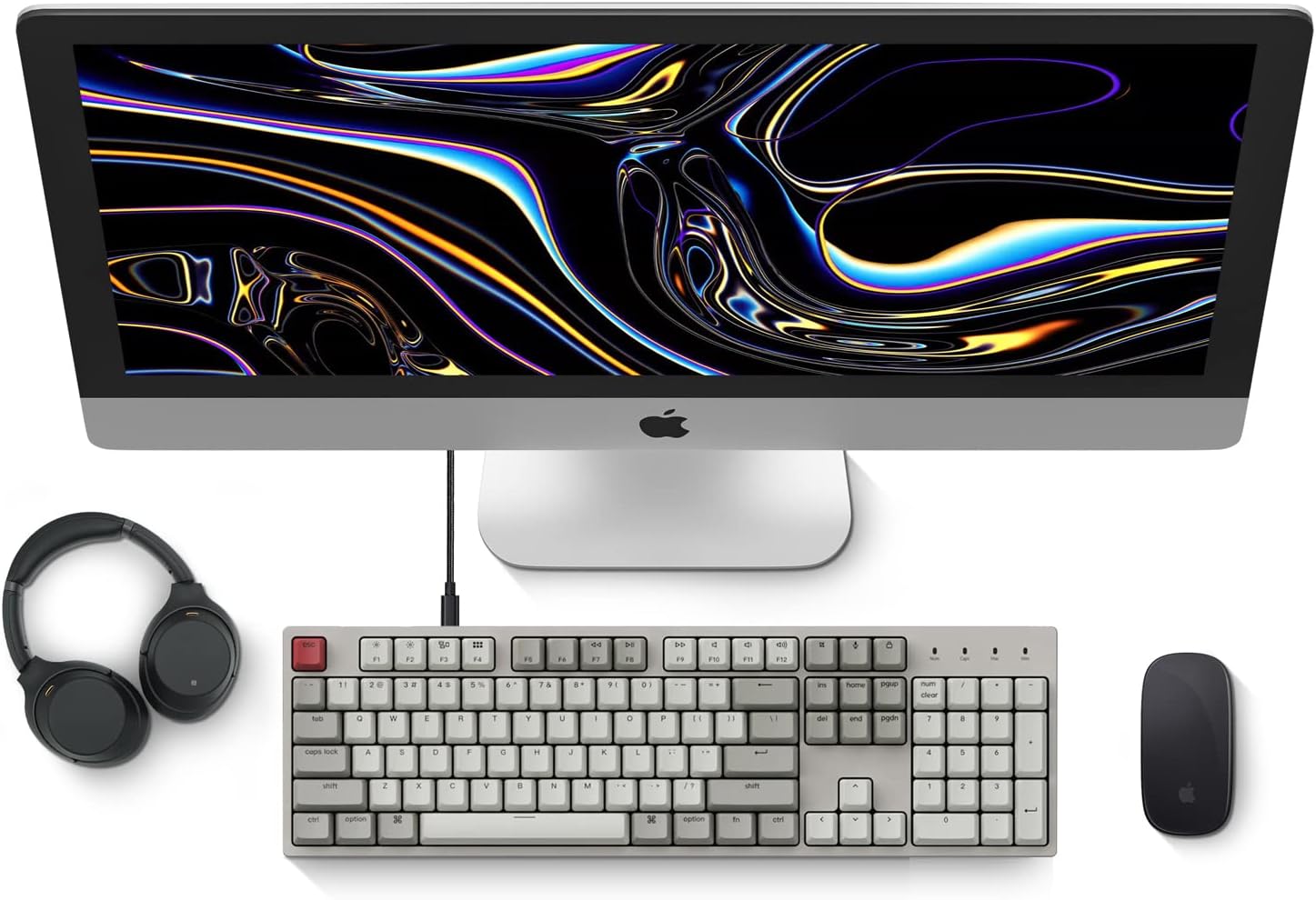
Image: Diagram showing compatibility with Mac and Windows operating systems.

Immagine: Lato view of the Keychron C2 keyboard illustrating the adjustable feet for angle customization.
Istruzioni per l'uso
Funzioni di base
- Digitando: The keyboard features a standard 104-key full-size layout.
- Tasti multimediali: The top row of function keys (F1-F12) includes multimedia controls. These functions are optimized for Mac but are also compatible with Windows.
- Siri/Cortana Key: A dedicated key is provided for activating Siri (on Mac) or Cortana (on Windows).
Sostituzione dei tasti
The Keychron C2 comes with extra keycaps for both Mac and Windows layouts. To replace keycaps:
- Use the provided keycap puller to gently remove the desired keycap by hooking it onto the keycap and pulling upwards.
- Allineare il nuovo tasto con lo stelo dell'interruttore e premere con decisione finché non scatta in posizione.

Immagine: Primo piano view of the Keychron Red mechanical switches beneath removed keycaps.
Manutenzione
- Pulizia: Pulisci regolarmente la tastiera per evitare l'accumulo di polvere e detriti. Utilizza una spazzola morbida o aria compressa per rimuovere le particelle tra i tasti. Per la pulizia delle superfici, utilizza una spazzola leggermenteamp, panno privo di lanugine. Evitare prodotti chimici aggressivi.
- Cura dei tasti: While durable, avoid excessive force when removing or installing keycaps to prevent damage to the keycap stems or switches.
- Gestione dei cavi: Ensure the USB-C cable is not bent sharply or placed under heavy objects to prolong its lifespan.

Image: Close-up of the ABS keycaps on the Keychron C2 keyboard.
Risoluzione dei problemi
- La tastiera non risponde:
- Check the USB-C cable connection at both the keyboard and the computer. Ensure it is securely plugged in.
- Prova a collegare la tastiera a una porta USB diversa del computer.
- Verify that the operating system switch on the keyboard is set correctly (Mac/Windows).
- Riavvia il computer.
- Tasti specifici non funzionanti:
- Carefully remove the non-functional keycap using the keycap puller. Inspect the mechanical switch for any visible damage or debris.
- Clean around the switch with compressed air.
- Re-seat the keycap firmly.
- Output chiave errato:
- Ensure the operating system switch is set to the correct mode for your computer.
- Check your computer's keyboard settings to ensure the correct layout is selected.
Specifiche
| Caratteristica | Dettaglio |
|---|---|
| Marca | Chiave di cronaca |
| Nome del modello | Keychron C2 |
| Numero di modello | HS-C2K1Z |
| Tecnologia di connettività | USB-C (cablato) |
| Dispositivi compatibili | Computer portatile, PC |
| Famiglia di sistemi operativi compatibili | MacOS, Windows |
| Numero di chiavi | 104 |
| Tipo di interruttore | Linear (Red Switch) |
| Materiale del copritastiera | ABS (acrilonitrile-butadiene-stirene) |
| Disposizione della tastiera | Tastiera QWERTY |
| Caratteristica speciale | Retroilluminato (monocolore) |
| Peso dell'articolo | 5390 grammi |
| Fonte di alimentazione | Elettrico con cavo |
Garanzia e supporto
Per informazioni sulla garanzia, supporto tecnico o ulteriore assistenza, visitare il sito ufficiale Keychron website or contact Keychron customer service. Details regarding product registration and specific warranty terms can be found through official Keychron channels.