
1. Introduzione
Welcome to the JBL Tour PRO+ TWS True Wireless Bluetooth Earbuds. These earbuds are designed to provide a superior audio experience with advanced features for your daily listening needs. This manual will guide you through the setup, operation, and maintenance of your new earbuds.
Cosa c'è nella scatola
- JBL Tour PRO+ TWS Earbuds
- Cavo di ricarica USB-C
- Custodia di ricarica
- 5 paia di gommini auricolari (varie misure)
- 2 Pairs of Stabilizers
- Guida rapida (QSG)

Image: JBL Tour PRO+ TWS Earbuds securely placed within their charging case.
2. Impostazione
2.1 Ricarica degli auricolari e della custodia
Before first use, fully charge your earbuds and charging case. The charging case provides up to 32 hours of total battery life, with the earbuds offering approximately 10 hours of playback on a single charge, and the case providing an additional 22 hours (three power-ups).
- Riporre gli auricolari nella custodia di ricarica.
- Collegare il cavo di ricarica USB-C alla porta nella parte inferiore della custodia di ricarica e a una fonte di alimentazione.
- L'indicatore LED sulla custodia mostrerà lo stato di carica.
- The case supports Qi-compatible wireless charging. Simply place the case on a wireless charging pad.

Image: The bottom of the charging case, highlighting the USB-C charging port and a small LED indicator.

Image: The JBL Tour PRO+ TWS charging case in a closed position, displaying the JBL logo.
2.2 Associazione con un dispositivo Bluetooth
The earbuds are designed for easy pairing with Bluetooth-enabled devices.
- Aprire la custodia di ricarica. Gli auricolari entreranno automaticamente in modalità di associazione.
- Sul tuo dispositivo (smartphone, tablet, ecc.), vai alle impostazioni Bluetooth e abilita il Bluetooth.
- Selezionare "JBL Tour PRO+ TWS" dall'elenco dei dispositivi disponibili.
- Once connected, you will hear an audible confirmation, and the LED indicators on the earbuds will change.

Image: The JBL Tour PRO+ TWS Earbuds shown from a top-down perspective, highlighting their sleek design.
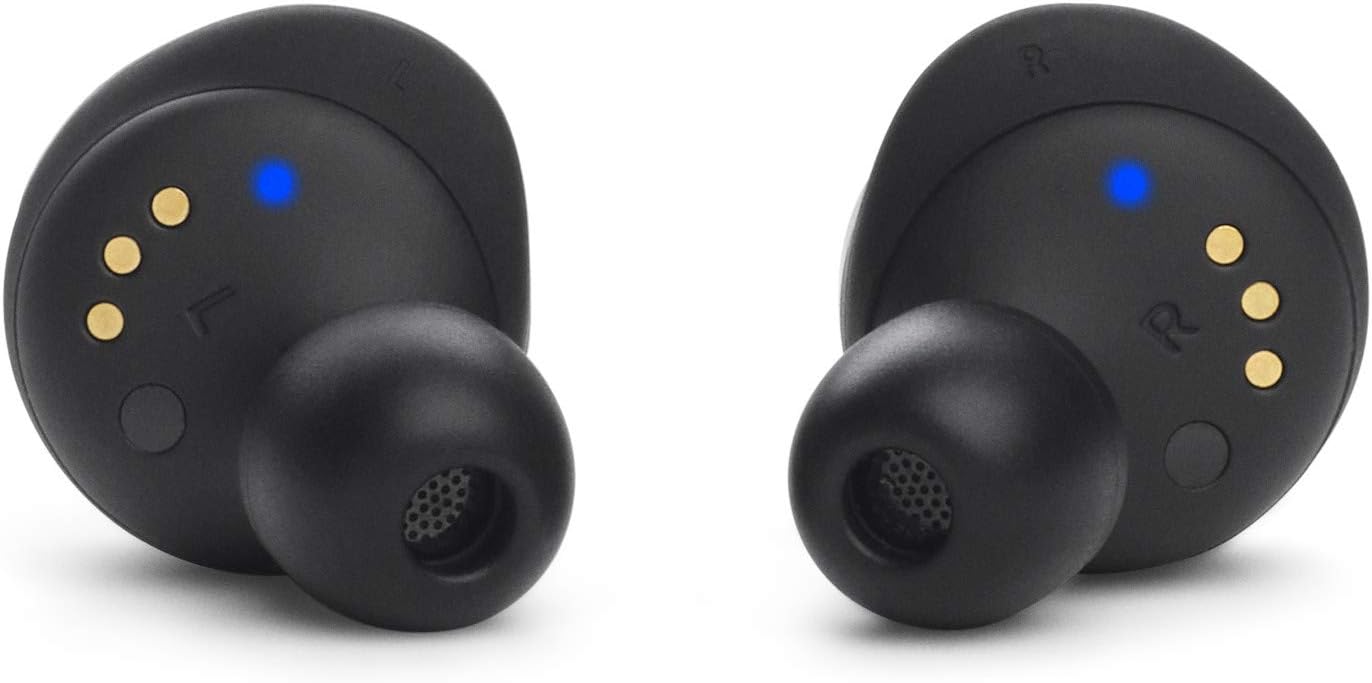
Image: The JBL Tour PRO+ TWS Earbuds shown from a bottom-up perspective, revealing charging contacts and sensors.
3. Istruzioni per l'uso
3.1 Comandi touch
The JBL Tour PRO+ TWS earbuds feature intuitive touch controls on each earbud. Specific functions can be customized via the JBL Headphones App.
- Singolo tocco: Riproduci/Metti in pausa la musica, Rispondi/Termina chiamata.
- Doppio tocco: Salta avanti, Rifiuta chiamata.
- Tap triplo: Salta indietro.
- Tocca e tieni premuto: Activate Voice Assistant, Toggle Active Noise Cancelling/Smart Ambient.
3.2 Cancellazione attiva del rumore (ANC) e Smart Ambient
These earbuds feature Adaptive Noise Cancelling technology to minimize distractions and Smart Ambient Technology to keep you aware of your surroundings.
- Cancellazione attiva del rumore: Riduce i rumori esterni per un'esperienza di ascolto immersiva.
- Ambiente intelligente: Allows you to hear ambient sounds around you, useful for safety or conversations without removing earbuds.
- Toggle between these modes by touching and holding the designated earbud (customizable via app).
3.3 Integrazione dell'assistente vocale
Activate your preferred voice assistant (Hey Google or Amazon Alexa) hands-free using your voice or through the touch controls.
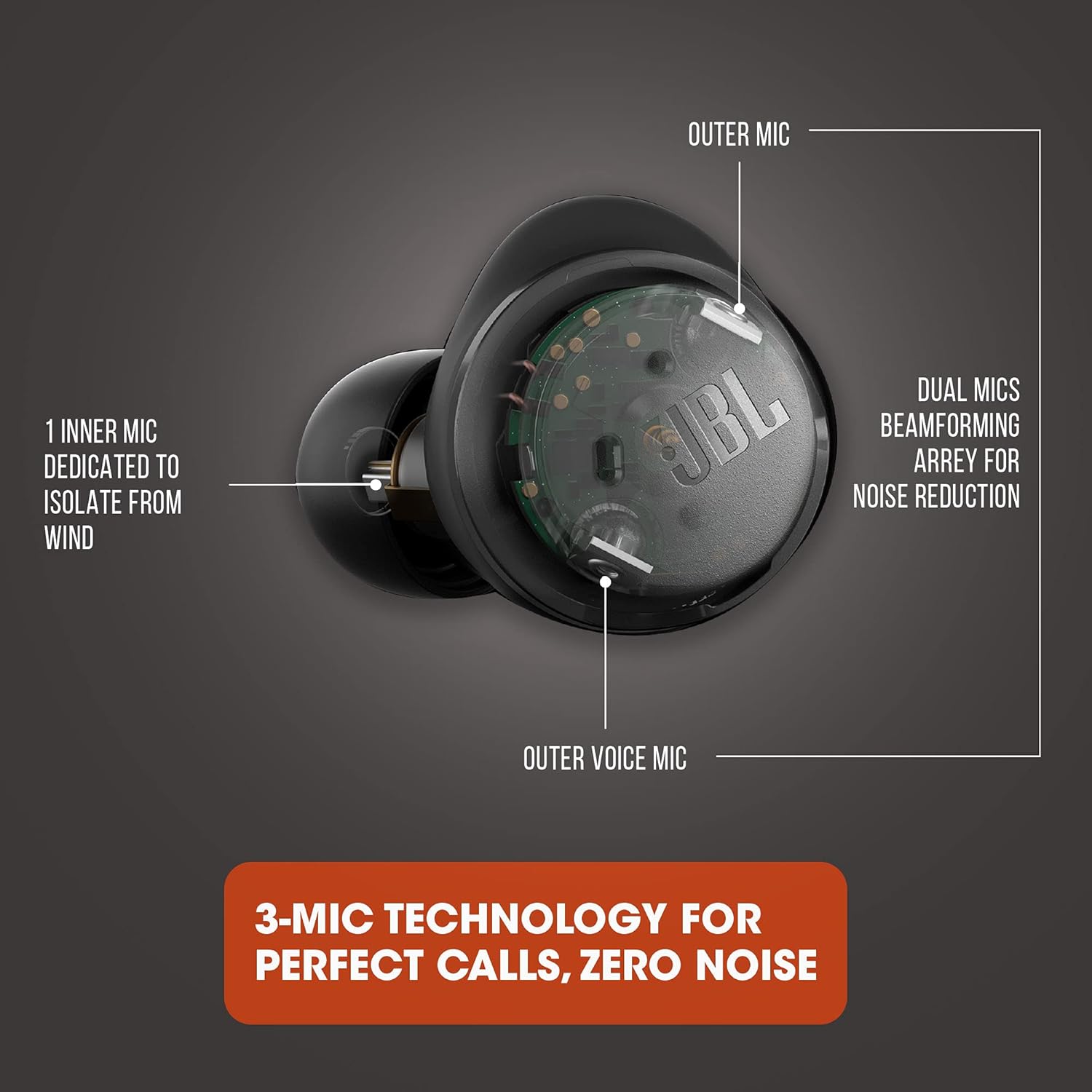
Image: A detailed diagram illustrating the three-microphone technology within the earbud, designed for perfect calls with zero noise by utilizing outer beamforming mics and an inner mic for wind isolation.

Image: A woman smiling while wearing JBL Tour PRO+ TWS Earbuds and interacting with a tablet, demonstrating the use of app features for enhanced productivity.
4. Manutenzione
To ensure optimal performance and longevity of your JBL Tour PRO+ TWS earbuds, follow these maintenance guidelines:
- Pulizia: Regularly clean the ear tips and the mesh covers of the earbuds with a soft, dry cloth. If necessary, remove the silicone ear tips and wash them with mild soap and water, ensuring they are completely dry before reattaching.
- Magazzinaggio: Quando non li usi, conserva sempre nella custodia di ricarica per proteggerli da polvere e danni e per mantenerli carichi.
- Resistenza all'acqua: The earbuds are water resistant (IPX5 rated), meaning they can withstand splashes and sweat. However, they are not designed for submersion in water. Ensure they are dry before placing them back in the charging case.
5. Risoluzione Dei Problemi
Se riscontri problemi con gli auricolari, prova a seguire questi passaggi:
- Nessun suono/scarsa qualità del suono:
- Assicurarsi che gli auricolari siano carichi e correttamente associati.
- Controlla il livello del volume sia sul dispositivo che sugli auricolari.
- Pulisci eventuali detriti dagli auricolari e dalla rete dell'altoparlante.
- Prova ad associare nuovamente gli auricolari al tuo dispositivo.
- Auricolari non accoppiati:
- Assicurati che il Bluetooth sia abilitato sul tuo dispositivo.
- Riporre gli auricolari nella custodia, chiuderla e riaprirla per rientrare in modalità di associazione.
- Elimina il dispositivo dall'elenco Bluetooth del telefono e riprova ad associarlo.
- Problemi di ricarica:
- Assicurarsi che il cavo di ricarica sia collegato saldamente sia alla custodia sia alla fonte di alimentazione.
- Verificare che la fonte di alimentazione sia attiva.
- If using wireless charging, ensure the case is correctly positioned on the Qi-compatible pad.
6. Specifiche
| Marca | Marchio JBL |
| Modello | JBL Tour PRO+ TWS |
| Colore | Nero |
| Posizionamento dell'orecchio | Nell'orecchio |
| Controllo del rumore | Cancellazione attiva del rumore |
| Connettività | Bluetooth 5.0 (senza fili) |
| Portata Bluetooth | Fino a 10 metri |
| Dimensioni del driver audio | Driver dinamico da 6.8 mm |
| Gamma di frequenza | 10 Hz - 20 kHz |
| Sensibilità | 100 dB |
| Durata della batteria (totale) | Up to 32 hours (10 hours earbuds + 22 hours from case) |
| Ricarica | USB-C, Qi-compatible Wireless Charging, Fast Charging |
| Metodo di controllo | Touch, Voice (Alexa, Hey Google) |
| Resistenza all'acqua | IPX5 (resistente all'acqua) |
| Peso | 71.8 grammi |
7. Garanzia e supporto
This JBL Tour PRO+ TWS product is offered as an Amazon Renewed item and comes with a Garanzia limitata di 90 giorni. For any support or warranty claims, please refer to the Amazon Renewed Guarantee details provided at the time of purchase.
Se non sei soddisfatto del tuo acquisto, i prodotti rinnovati possono essere sostituiti o rimborsati in base alla garanzia Amazon Renewed.
8. Guida video
Video: An official product video demonstrating the features and usage of the JBL Tour PRO+ TWS Earbuds. This video provides a visual guide to setup, controls, and key functionalities.


