1. Introduzione
Thank you for choosing the SHARP KCP70UW Smart Air Purifier with Humidifier Combo. This device is designed to improve your indoor air quality by combining advanced air purification with effective humidification. It features a triple filtration system, Plasmacluster Ion Technology, and smart home compatibility for convenient control.
Si prega di leggere attentamente questo manuale prima di utilizzare l'unità per garantire prestazioni sicure e ottimali. Conservare il manuale per riferimento futuro.

Figura 1: Fronte view of the SHARP KCP70UW unit, illustrating its key features.
2. Informazioni sulla sicurezza
Quando si utilizzano apparecchi elettrici, seguire sempre le precauzioni di sicurezza di base per ridurre il rischio di incendi, scosse elettriche e lesioni alle persone.
- Non ostruire le prese d'aria o le uscite.
- Do not use near water or in wet environments.
- Scollegare l'unità prima di pulire o eseguire la manutenzione.
- Tenere fuori dalla portata dei bambini e degli animali domestici.
- Utilizzare solo con il volume specificatotage.
3. Impostazione
3.1 Unpacking and Filter Preparation
Before first use, it is crucial to remove all protective plastic bags from the air filters. Operating the unit with filters still in plastic bags will prevent proper air purification and may cause unusual noises.
- Carefully open the back panel of the air purifier.
- Remove the air filters from their compartments.
- Cut and remove all plastic packaging from both the True HEPA filter and the Activated Carbon deodorizing filter.
- Reinserire i filtri nell'unità, assicurandosi che siano orientati correttamente.
- Close the back panel securely.
Video 1: Instructions on how to properly set up the air purifier by removing plastic bags from filters.

Figure 2: The air purifier with its back panel open, showing the filters being removed for plastic bag removal.
3.2 Posizionamento
Place the air purifier on a flat, stable surface in the room where air purification is desired. Ensure there is adequate space around the unit for proper airflow. The KCP70UW is effective for rooms up to 1,913 sq. ft. at one air change per hour, or 396 sq. ft. with 4.8 air changes per hour (AHAM Suggested Room Size).

Figure 3: The air purifier positioned in a spacious living area, highlighting its capacity for large rooms.
3.3 Collegamento di alimentazione
Collegare il cavo di alimentazione a una presa elettrica standard. L'unità è ora pronta per l'uso.
4. Istruzioni per l'uso
4.1 Pannello di controllo Sopraview
The control panel is located on the top of the unit and features various buttons and indicators for easy operation.
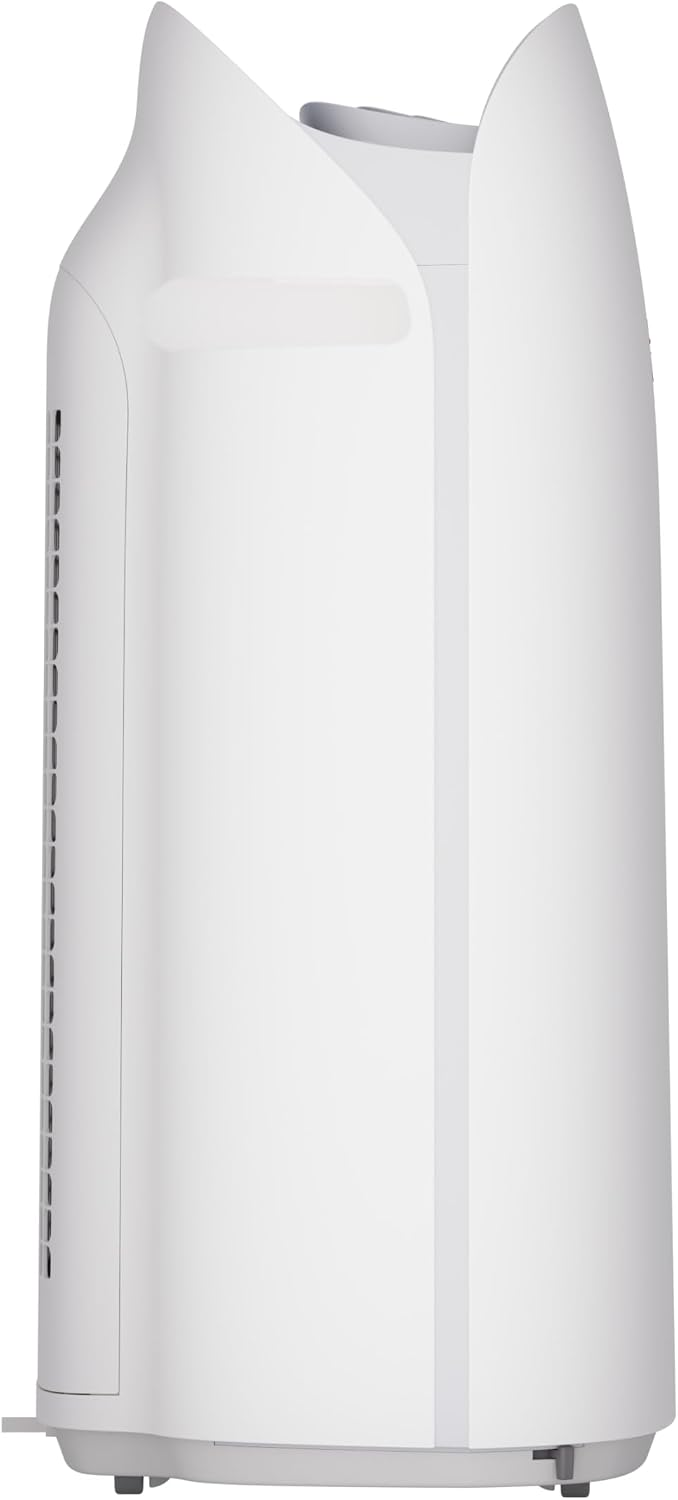
Figura 4: dettagliata view of the control panel with its intuitive buttons and digital display.
4.2 Funzionamento di base
- Accensione/spegnimento: Premere il tasto ACCESO/SPENTO pulsante per accendere o spegnere l'unità.
- Velocità della ventola: Cycle through fan speeds (Low, Medium, Max) using the Fan pulsante.
- Modalità automatica: Premere il tasto AUTO button. In Auto mode, the unit automatically adjusts fan speed and humidification based on detected air quality and humidity levels.
4.3 Smart Features (SHARP AIR App, Alexa, Google Assistant)
The SHARP KCP70UW is compatible with the SHARP AIR App (available for Apple and Android devices), Amazon Alexa, and Google Assistant for enhanced control and monitoring.
- Funzionamento a distanza: Use the SHARP AIR App to adjust settings, monitor air quality, and set schedules from your smartphone.
- Controllo vocale: Connect your unit to Amazon Alexa or Google Assistant-enabled devices (sold separately) to use voice commands for operation.
- Modalità aggiuntive: Access modes like Sleep, Pollen, and Express Clean exclusively through the SHARP AIR App.

Figure 5: The SHARP AIR App provides comprehensive control and monitoring features for your air purifier.
Video 2: Oltreview of the SHARP KCP70UW Smart Air Purifier with Humidifier, highlighting its smart features and filtration system.
5. Manutenzione
5.1 Cura e sostituzione del filtro
The KCP70UW features long-life filters designed to last up to 2 years, depending on the environment and usage. Regular cleaning and timely replacement are essential for maintaining optimal performance.
- Pre filtro: The washable microscreen pre-filter traps large particles. Clean it regularly by vacuuming or rinsing with water.
- Activated Carbon Deodorizing Filter: Helps reduce common household odors. Replace every 2 years or as indicated by the filter replacement indicator.
- Vero filtro HEPA: Captures 99.97% of particles 0.3 microns and larger. Replace every 2 years or as indicated by the filter replacement indicator.
- Humidifying Filter: This filter is also designed for long life and can be cleaned. Refer to the app for replacement status.

Figura 6: Esploso view of the triple filtration system, showing each filter component.

Figure 7: The True HEPA filter, designed for extended use up to 2 years.
5.2 Humidifier Maintenance
The humidifier function requires regular attention to ensure clean and effective humidification.
- Serbatoio dell'acqua: Refill the water tank with clean tap water as needed. Avoid using distilled water as the unit is designed for tap water.
- Humidifying Filter Cleaning: Periodically clean the humidifying filter to prevent mineral buildup. Refer to the full instruction manual for detailed cleaning steps.

Figure 8: The humidifying filter and its tray, easily accessible for maintenance.
6. Risoluzione Dei Problemi
If you encounter issues with your SHARP KCP70UW, refer to the following common problems and solutions:
| Problema | Possibile causa | Soluzione |
|---|---|---|
| Loud flapping sound / Poor air purification | Air filters still in plastic bags. | Remove all plastic packaging from filters before use (refer to Section 3.1). |
| Humidifier not increasing umidità | Water tank empty; Humidifying filter dirty or calcified. | Refill water tank; Clean or replace humidifying filter. |
| Unit not responding to app/voice commands | Wi-Fi connection issue; App not properly configured; Device not linked to Alexa/Google Assistant. | Check Wi-Fi connection; Reconfigure app settings; Ensure proper linking with smart assistant. |
| Auto mode not adjusting fan speed | Dust/odor sensors are obstructed or dirty. | Clean the dust and odor sensors. |
7. Specifiche
Key technical specifications for the SHARP KCP70UW:
| Caratteristica | Dettaglio |
|---|---|
| Numero di modello | KCP70UW |
| Colore | Bianco |
| Dimensioni del prodotto (P x L x A) | 12.4" x 15.8" x 28.6" |
| Peso dell'articolo | 22.3 libbre |
| Copertura dell'area del pavimento | 1913 Square Feet (1x/hr air change) / 396 Square Feet (4.8x/hr AHAM) |
| Livello di rumore | 21 Decibels (Low Fan Speed) |
| Classe di filtro | HEPA e carbone attivo |
| Dimensione di ritenzione delle particelle | 0.3 Micrometer (True HEPA) |
| Tipo di controllore | Amazon Alexa, Android, Assistente Google |
| Caratteristica speciale | Programmabile |
| Certificazioni | Certificato AHAM, certificato CARB, certificato Energy Star |
| Codice UPC | 074000701663 |

Figure 9: The unit's quiet operation makes it suitable for bedrooms.

Figure 10: AHAM Verifide CADR ratings for effective pollutant removal.

Figura 11: Dimensioni del prodotto per la pianificazione del posizionamento.
8. Garanzia e supporto
For warranty information and customer support, please refer to the warranty card included with your product or visit the official Sharp website. You can also contact Sharp customer service for assistance with product registration, troubleshooting, or replacement parts.
Risorse online: For additional information, FAQs, and support, visit the Sharp website or the SHARP AIR App support section.