
1. Introduzione
This user manual provides essential information for the safe and efficient use of your Gigaset COMFORT 500A Trio cordless phone system. This system includes a base station and three cordless handsets, designed for reliable communication in your home or office. Please read these instructions carefully before initial use to ensure proper setup and operation.
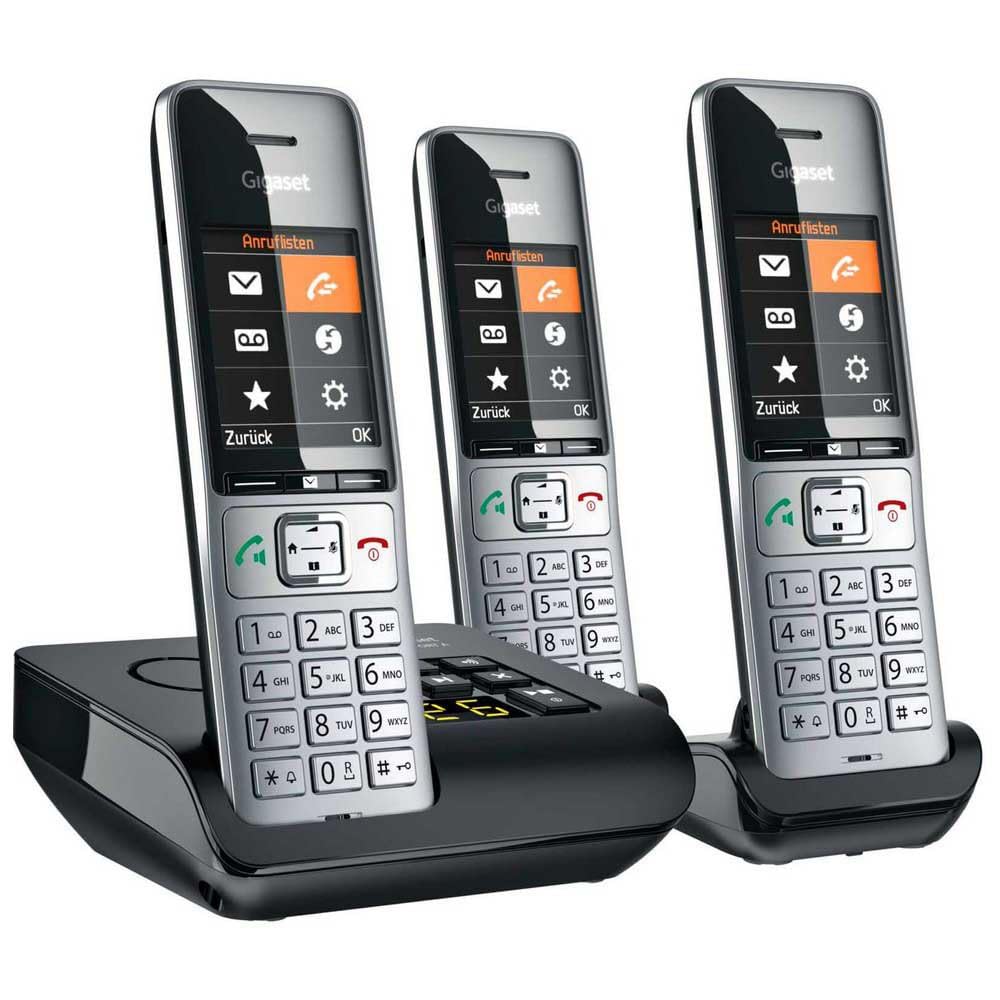
Image 1.1: The Gigaset COMFORT 500A Trio system, featuring a black base station with an integrated answering machine and three silver and black cordless handsets.
2. Contenuto della confezione
Verify that all items are present in your package. If any items are missing or damaged, contact your retailer immediately.
- 1x Gigaset COMFORT 500A Base Station
- 3x Gigaset COMFORT 500A Handsets
- 3x Handset Battery Covers
- 6 batterie ricaricabili AAA (2 per apparecchio)
- 1x adattatore di alimentazione per stazione base
- 1x Phone Line Cable
- 2x Handset Charging Cradles (for the two additional handsets)
- 2x Power Adapters for Charging Cradles
- 1x Manuale utente (questo documento)
3. Istruzioni di sicurezza
Osservare le seguenti precauzioni di sicurezza per evitare lesioni o danni al dispositivo:
- Use only the provided power adapters and phone line cable.
- Use only the specified rechargeable batteries. Do not use non-rechargeable batteries.
- Non esporre il dispositivo ad acqua, umidità o temperature estreme.
- Avoid placing the base station or charging cradles near heat sources or direct sunlight.
- Non aprire il dispositivo casing. Le riparazioni devono essere eseguite solo da personale di assistenza autorizzato.
- Tenere il dispositivo fuori dalla portata dei bambini.
4. Impostazione
4.1. Collegamento della stazione base
- Posizionare la stazione base su una superficie piana e stabile, lontano da altri dispositivi elettronici che potrebbero causare interferenze.
- Connect the supplied phone line cable to the Telefono socket on the base station and to your telephone wall socket.
- Collegare l'adattatore di alimentazione in dotazione al ENERGIA socket on the base station and plug it into a mains power outlet.
- For the additional charging cradles, connect their respective power adapters and plug them into mains power outlets.
4.2. Installazione delle batterie del telefono
- Aprire il coperchio del vano batteria sul retro di ciascun telefono.
- Inserire le due batterie ricaricabili AAA in dotazione, rispettando la polarità corretta (+/-).
- Chiudere il coperchio del vano batteria finché non scatta in posizione.
- Place each handset into its respective base station or charging cradle to charge. The display will indicate charging. Allow at least 8 hours for the initial charge.

Immagine 4.2.1: Un primo piano view of a Gigaset COMFORT 500A handset, highlighting its clear display, navigation keys, and numeric keypad. The handset is designed for comfortable handling.
4.3. Registrazione del telefono
Your handsets are typically pre-registered to the base station at the factory. If a handset displays "Register Handset" or similar, follow these steps for manual registration:
- On the base station, press and hold the registration/paging button (usually marked with a signal icon) for approximately 3 seconds. The base station will enter registration mode.
- On the handset, navigate to the menu, select Impostazioni, Poi Registrazione, E Registra il portatile.
- Enter the system PIN (default is usually 0000). Confirm with OK.
- The handset will search for the base station and register. A confirmation message will appear on the handset display once successful.
5. Utilizzo del telefono
5.1. Effettuare e ricevere chiamate
- Effettuare una chiamata: Pick up a handset, dial the number, and press the green call key. Alternatively, dial first, then press the call key.
- Ricevere una chiamata: Quando il telefono squilla, premere il tasto verde di chiamata.
- Terminare una chiamata: Press the red end call key or place the handset back in its cradle.
- ID chiamante: Incoming call numbers will be displayed if the service is active and supported by your network provider.
5.2. Using the Digital Answering Machine
The Gigaset COMFORT 500A Trio includes an integrated digital answering machine in the base station.
- Attivazione/Disattivazione: Access the answering machine menu via the handset or use the dedicated button on the base station (if available).
- Ascolto dei messaggi: New messages are indicated on the handset display and/or by a flashing LED on the base station. Press the play button on the base station or navigate through the handset menu to listen.
- Registrazione di un annuncio: You can record a personalized outgoing message through the handset menu.
5.3. Rubrica
Memorizza i numeri utilizzati più di frequente nella rubrica per una chiamata rapida.
- Saving a Contact: Navigate to the Phonebook menu, select "New Entry," enter the name and number, then save.
- Chiamata dalla rubrica: Open the Phonebook, scroll to the desired contact, and press the green call key.
5.4. Impostazioni
Customize your phone system through the handset's settings menu.
- Volume: Adjust handset speaker, ringer, and earpiece volume.
- Il testo: Select different melodies for internal and external calls.
- Visualizza la lingua: Change the language of the handset display.
- Data e ora: Set the correct date and time for accurate call logging and answering machine timestamps.
6. Manutenzione
6.1. Pulizia
Pulire le superfici del dispositivo con un panno morbido eamp panno. Non usare detergenti abrasivi o solventi.
6.2. Cura della batteria
- Utilizzare sempre le batterie ricaricabili specificate.
- Se il telefono non verrà utilizzato per un periodo prolungato, rimuovere le batterie per evitare perdite.
- Smaltire le batterie usate secondo le normative locali.
7. Risoluzione Dei Problemi
| Problema | Possibile causa | Soluzione |
|---|---|---|
| Nessun tono di linea | Phone line cable not connected or faulty. | Check phone line connection. Try a different phone line socket or cable. |
| Handset display is blank or "Register Handset" appears | Batteries are flat or handset is not registered. | Place handset in base/charger to charge. If still blank, check battery installation. If "Register Handset" appears, follow Section 4.3. |
| Non è possibile effettuare/ricevere chiamate | Base station not powered or phone line issue. | Ensure base station power adapter is connected. Check phone line connection. Contact your service provider if the issue persists. |
| Scarsa qualità del suono | Il portatile è troppo lontano dalla stazione base o c'è interferenza. | Move closer to the base station. Avoid placing the base near other electronic devices (Wi-Fi routers, microwaves). |
8. Specifiche
- Modello: L36852-H3023-B111
- Tipo di prodotto: DECT Cordless Phone System with Digital Answering Machine
- Colore: Nero, Argento
- Dimensioni (stazione base): Circa 24 x 69 x 2.5 cm (L x P x A)
- Peso (articolo): 1 Kilogram (total package weight)
- Tempo di conversazione: Fino a 4 ore
- Power Source (Handsets): Battery-Powered (Rechargeable AAA batteries)
- Materiale: Acrilonitrile Butadiene Stirene (ABS)
- Caratteristiche: Caller ID, Basic Conference Call Capability, Multiple Line Support
- Tipo di sistema di risposta: Digitale
- Dispositivi compatibili: PSTN, basic communication devices
9. Garanzia e supporto
Your Gigaset COMFORT 500A Trio system comes with a Garanzia del produttore di 2 anni dalla data di acquisto. Conservare la prova d'acquisto per eventuali reclami in garanzia.
For technical support, service, or further information, please refer to the official Gigaset website or contact your local Gigaset service center. Contact details can typically be found on the Gigaset websito o nella scheda di garanzia inclusa con il prodotto.