
1. Introduzione
Welcome to the user manual for your new Amazfit GTS 2 Mini Smartwatch. This guide provides essential information on setting up, operating, maintaining, and troubleshooting your device. The Amazfit GTS 2 Mini is a versatile fitness tracker and smartwatch featuring a vibrant AMOLED display, integrated GPS, comprehensive health monitoring (heart rate, SpO2, sleep, stress), 68 sport modes, and built-in Alexa for smart assistance. Its ultra-long 14-day battery life ensures continuous tracking and convenience.
2. Impostazione
2.1 Carica iniziale
Before first use, fully charge your Amazfit GTS 2 Mini. The watch is equipped with a 220 mAh Lithium-polymer battery, providing up to 14 days of typical usage on a single charge. Connect the magnetic charging cable to the charging contacts on the back of the watch and plug the USB end into a power adapter (not included) or a computer's USB port.
2.2 Associazione con lo smartphone
- Scarica il Applicazione Zepp dall'app store del tuo smartphone (disponibile su iOS e Android).
- Apri l'app Zepp e crea un account o accedi.
- Turn on your Amazfit GTS 2 Mini by pressing and holding the side button.
- Nell'app Zepp, vai su "Pro"file' > 'I miei dispositivi' > 'Aggiungi dispositivo' e seleziona 'Guarda' > 'Guarda con un codice QR'.
- Scansiona il codice QR visualizzato sullo schermo del tuo orologio utilizzando l'app Zepp.
- Segui le istruzioni visualizzate sullo schermo dell'app e sull'orologio per completare la procedura di associazione. Assicurati che il Bluetooth sia abilitato sullo smartphone.
3. Istruzioni per l'uso
3.1 Display e navigazione
The Amazfit GTS 2 Mini features a 1.55-inch AMOLED display with 2.5D curved glass, offering clear visuals and responsive touch control. You can customize your watch face from over 80 options, including uploading your own photos. Swipe across the screen to navigate menus, access quick settings, and view notifiche.
3.2 Monitoraggio sanitario
The smartwatch provides comprehensive health data to help you understand your physical condition.
- Monitoraggio della frequenza cardiaca 24 ore su 24: Continuously monitors your heart rate, providing real-time data and alerts for abnormal readings.
- Blood-Oxygen (SpO2) Monitoring: Misura i livelli di saturazione dell'ossigeno nel sangue, un importante indicatore della salute generale.
- Monitoraggio della qualità del sonno: Tiene traccia del tuo sonnotages (light, deep, REM) and provides insights into your sleep patterns and quality.
- Monitoraggio del livello di stress: Helps you understand your stress levels throughout the day and offers breathing exercises to aid relaxation.
- Sistema di valutazione sanitaria PAI: Converts complex health and activity data into a single, personalized score, providing a clear overview delle tue condizioni fisiche.
- Monitoraggio del ciclo femminile: Allows users to track their menstrual cycles, predict fertile windows, and receive timely reminders.
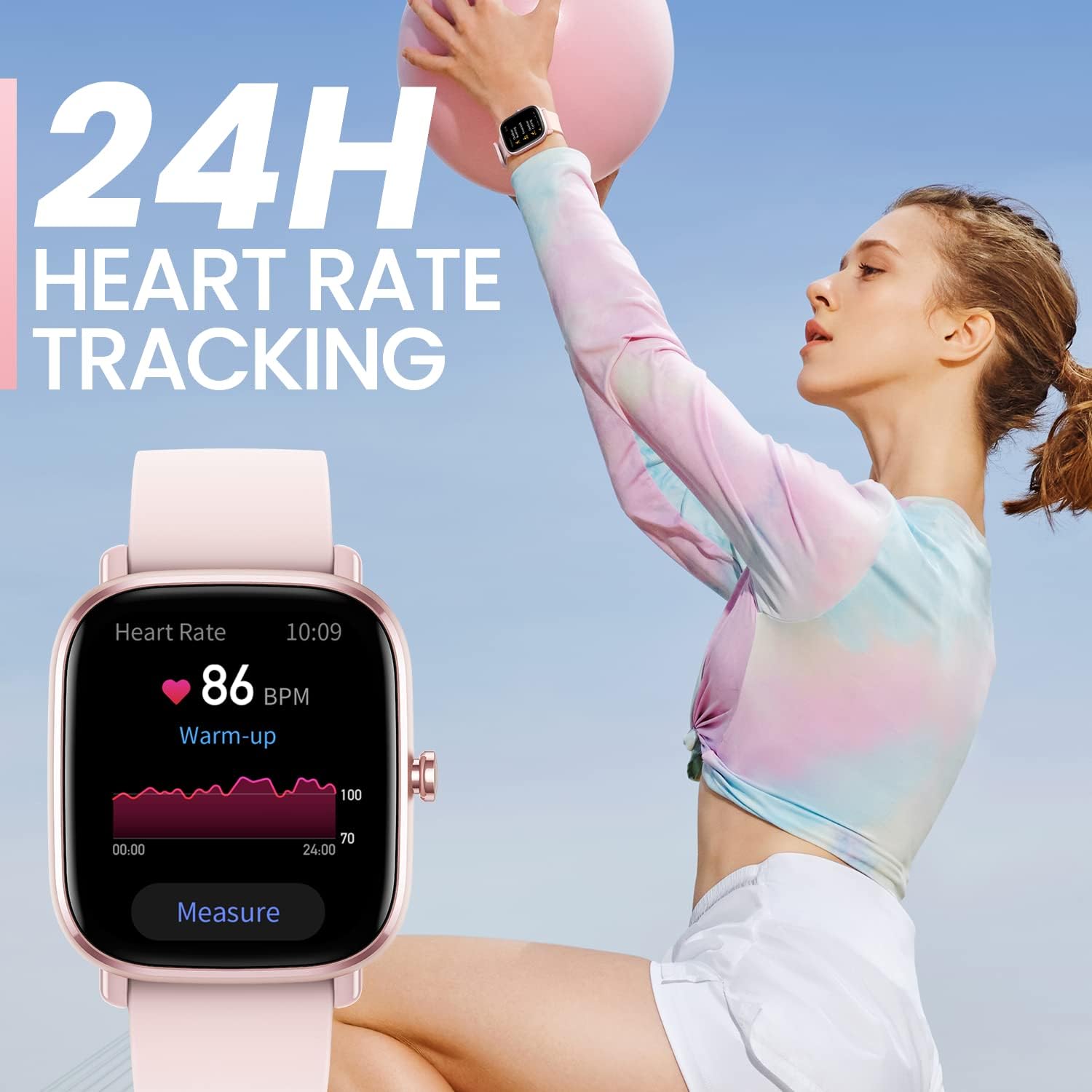
Image: The Amazfit GTS 2 Mini showing a graph of 24-hour heart rate data with a current reading of 86 BPM.

Image: Three Amazfit GTS 2 Mini smartwatches, with the central one displaying a blood oxygen saturation level of 98%.

Image: A woman sleeping peacefully, illustrating the watch's sleep quality monitoring feature.

Image: A woman wearing the Amazfit GTS 2 Mini, which displays a menstrual cycle tracking interface showing '3 Days to period'.
3.3 modalità sportive
The Amazfit GTS 2 Mini supports 68 built-in sport modes, covering a wide range of activities. It can track your exercise steps, conditions, and heart rate zones, generating a detailed sport data report in the app after your workout.

Image: The Amazfit GTS 2 Mini smartwatch displaying activity data including calories burned and steps taken, with a vibrant watch face.
3.4 Funzionalità intelligenti
- Alexa integrata: Use voice commands to ask questions, get translations, set alarms, create shopping lists, check the weather, and more.
- Controllo della musica: Controlla la riproduzione musicale sul tuo telefono direttamente dall'orologio.
- Notifiche intelligenti: Ricevi notifiche per chiamate, messaggi e avvisi delle app direttamente sul tuo polso.
- Bluetooth Remote Camera Control: Utilizza il tuo orologio come otturatore remoto per la fotocamera del tuo telefono.
- Previsioni del tempo: Ricevi aggiornamenti meteo in tempo reale direttamente sul tuo orologio.
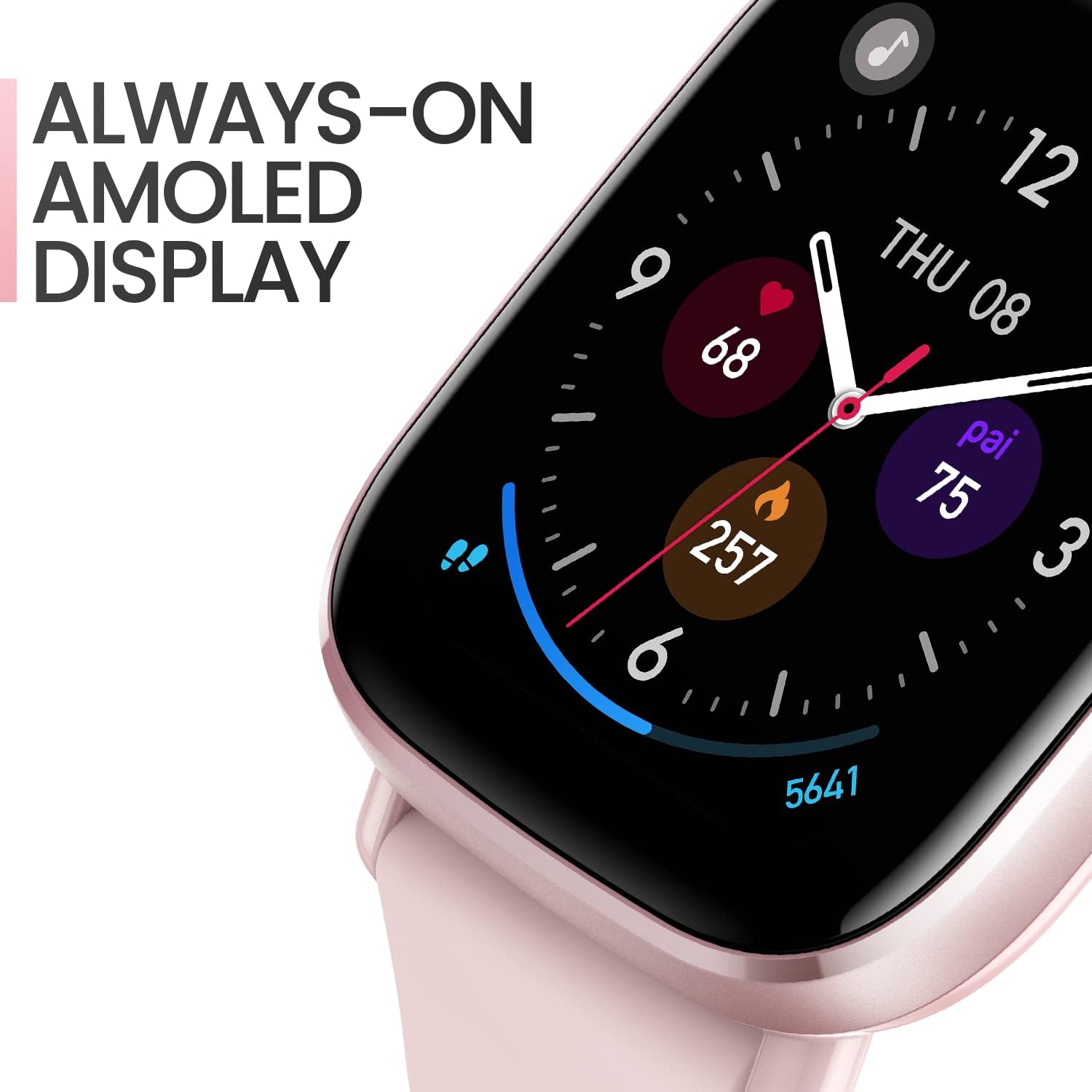
Image: A woman smiling with her hands framing her face, while the Amazfit GTS 2 Mini on her wrist displays 'Listening' for Alexa commands.
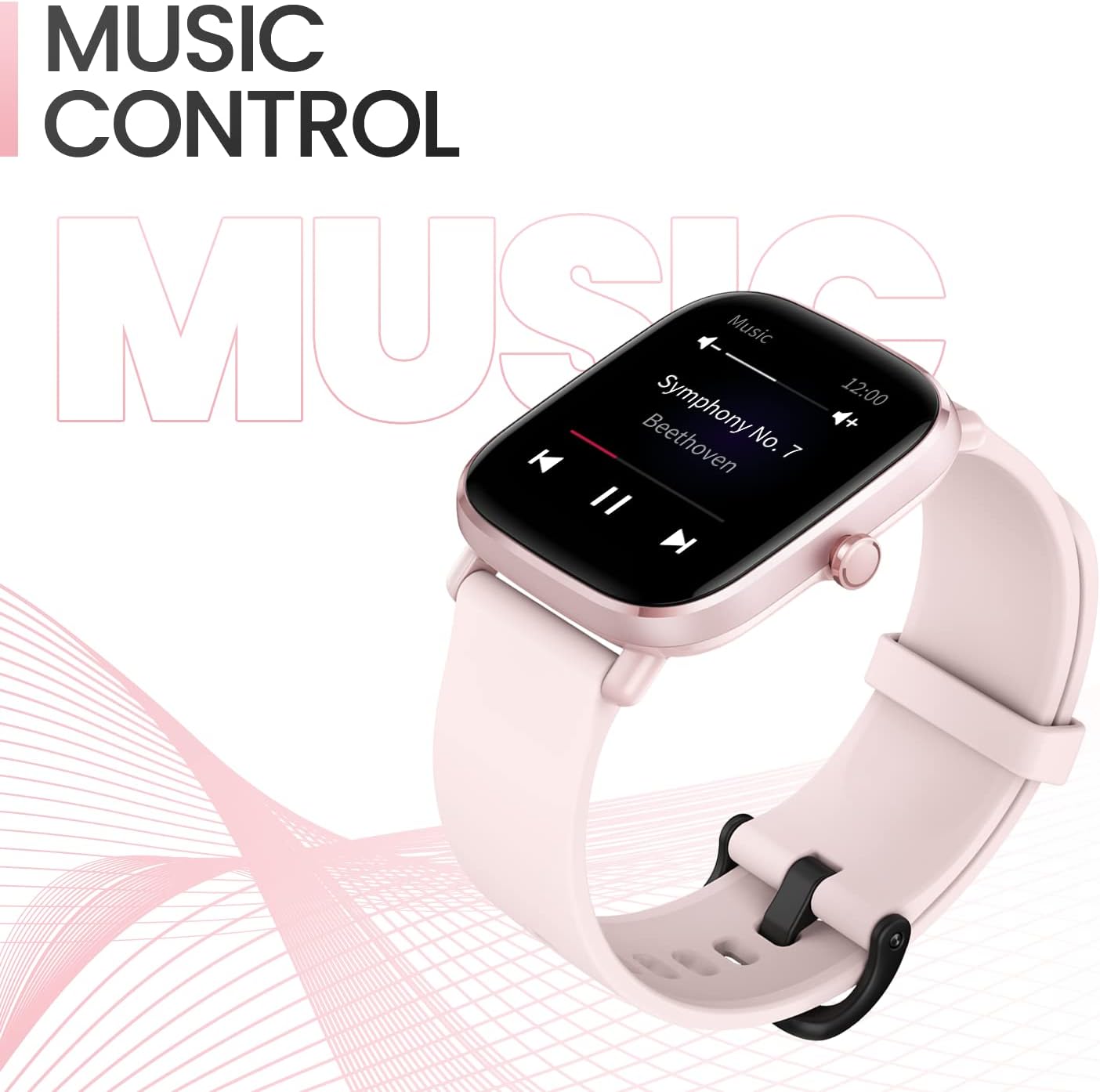
Image: The Amazfit GTS 2 Mini displaying a music control interface with play/pause and skip buttons.
3.5 Durata della batteria
The Amazfit GTS 2 Mini is designed for extended use, offering up to 14 days of battery life under typical usage conditions. This is achieved through a fully optimized battery management system and its 220 mAh Lithium-polymer battery.

Image: The Amazfit GTS 2 Mini displaying 100% battery charge, highlighting its ultra-long 14-day battery life.
4. Manutenzione
4.1 Pulizia
If the watch comes into contact with water, wipe it thoroughly with a soft, clean cloth. Avoid using harsh chemicals or abrasive materials for cleaning.
4.2 Resistenza all'acqua
The Amazfit GTS 2 Mini has a water resistance rating of 5 ATM, meaning it can withstand pressures equivalent to a depth of 50 meters. It is suitable for swimming in pools and shallow beaches. However, it is non adatto per:
- Diving, waterskiing, or other activities involving high-speed water or submersion in non-shallow water.
- Hot baths, saunas, or hot springs, as steam and high temperatures can affect the watch's seals.
- Exposure to sudden temperature fluctuations (e.g., using a hairdryer to blow hot air on the watch).
Do not immerse the watch in water for extended periods, and do not operate the watch buttons underwater.
5. Risoluzione Dei Problemi
If you encounter issues with your Amazfit GTS 2 Mini, consider the following general troubleshooting steps:
- L'orologio non si accende: Assicurati che l'orologio sia completamente carico. Collegalo al caricabatterie per almeno 30 minuti.
- Problemi di accoppiamento: Ensure Bluetooth is enabled on your phone and the watch is within range. Restart both your phone and the watch. Try unpairing and re-pairing the device through the Zepp App.
- Dati sanitari imprecisi: Ensure the watch is worn snugly on your wrist, about one finger's width from your wrist bone. Clean the sensor area on the back of the watch.
- Notifiche non ricevute: Check notification settings in the Zepp App and your phone's system settings to ensure permissions are granted for the Zepp App to access notifications.
- Problemi di sincronizzazione delle app: Ensure your phone has a stable internet connection. Close and reopen the Zepp App, or restart your phone.
For persistent issues, refer to the official Amazfit support websito o contattare il servizio clienti.
6. Specifiche
| Nome del modello | GTS 2 Mini Pink-New Version |
| Marca | Amazfit |
| Display | 1.55 Inch AMOLED |
| Dimensioni | Dimensioni: 4.05 x 3.58 x 0.89 cm |
| Peso | 19 grammi |
| Batteria | 220 mAh Lithium-polymer (up to 14 days typical use) |
| Resistenza all'acqua | 5 bancomat |
| Connettività | Bluetooth |
| Sensori | GPS, cardiofrequenzimetro |
| Sistema operativo | Sistema operativo Zepp |
| Materiale | Alluminio |
| Colore | Rosa |
7. Garanzia e supporto
For warranty information, please refer to the warranty card included with your product or visit the official Amazfit website. For technical support, frequently asked questions, or further assistance, please visit the Amazfit support page or contact their customer service directly. Keep your purchase receipt as proof of purchase for warranty claims.