
SVBONY SV406P
Manuale utente del cannocchiale da osservazione SVBONY SV406P 20-60x80 ED con fotocamera WiFi
Modello: SV406P | Marca: SVBONY
Introduzione
This manual provides detailed instructions for the setup, operation, and maintenance of your SVBONY SV406P 20-60x80 ED Spotting Scope with WiFi Camera. Please read this manual thoroughly before using the product to ensure optimal performance and longevity.
Cosa c'è nella scatola
- 1x SVBONY SV406P Spotting Scope
- 1x Custodia per il trasporto
- 1x Copriobiettivo
- 1x Coprioculare
- 1x panno per la pulizia delle lenti
- 1x SC001 WiFi Camera
- 1x Manuale utente (questo documento)

Figura 1: Componenti inclusi
Prodotto finitoview
The SVBONY SV406P is a high-performance spotting scope designed for detailed observation. It features ED glass for superior image clarity and reduced chromatic aberration, a large 80mm objective lens for excellent light gathering, and a versatile 20-60x magnification range. The included SC001 WiFi camera allows for wireless viewing and recording via a smartphone app.

Figure 2: SVBONY SV406P Spotting Scope with WiFi Camera
Impostare
1. Fissaggio del treppiede
- Unfold the tripod legs and ensure they are stable.
- Locate the standard 1/4-20 tapped hole thread on the bottom of the spotting scope.
- Align the spotting scope with the tripod mount and securely fasten it using the tripod's mounting screw.
Figura 3: Cannocchiale da osservazione su treppiede
2. Installing the SC001 WiFi Camera
- Remove the standard eyepiece from the SV406P spotting scope by twisting it counter-clockwise.
- Carefully insert the SC001 WiFi camera into the eyepiece port of the spotting scope.
- Secure the WiFi camera by twisting it clockwise until it is firmly in place.
- Attach the WiFi antenna to the designated port on the SC001 camera.
- Long press the power button on the SC001 camera to turn it on.
Video 1: Demonstrating the connection of the SC001 WiFi eyepiece to the SV406P Spotting Scope.
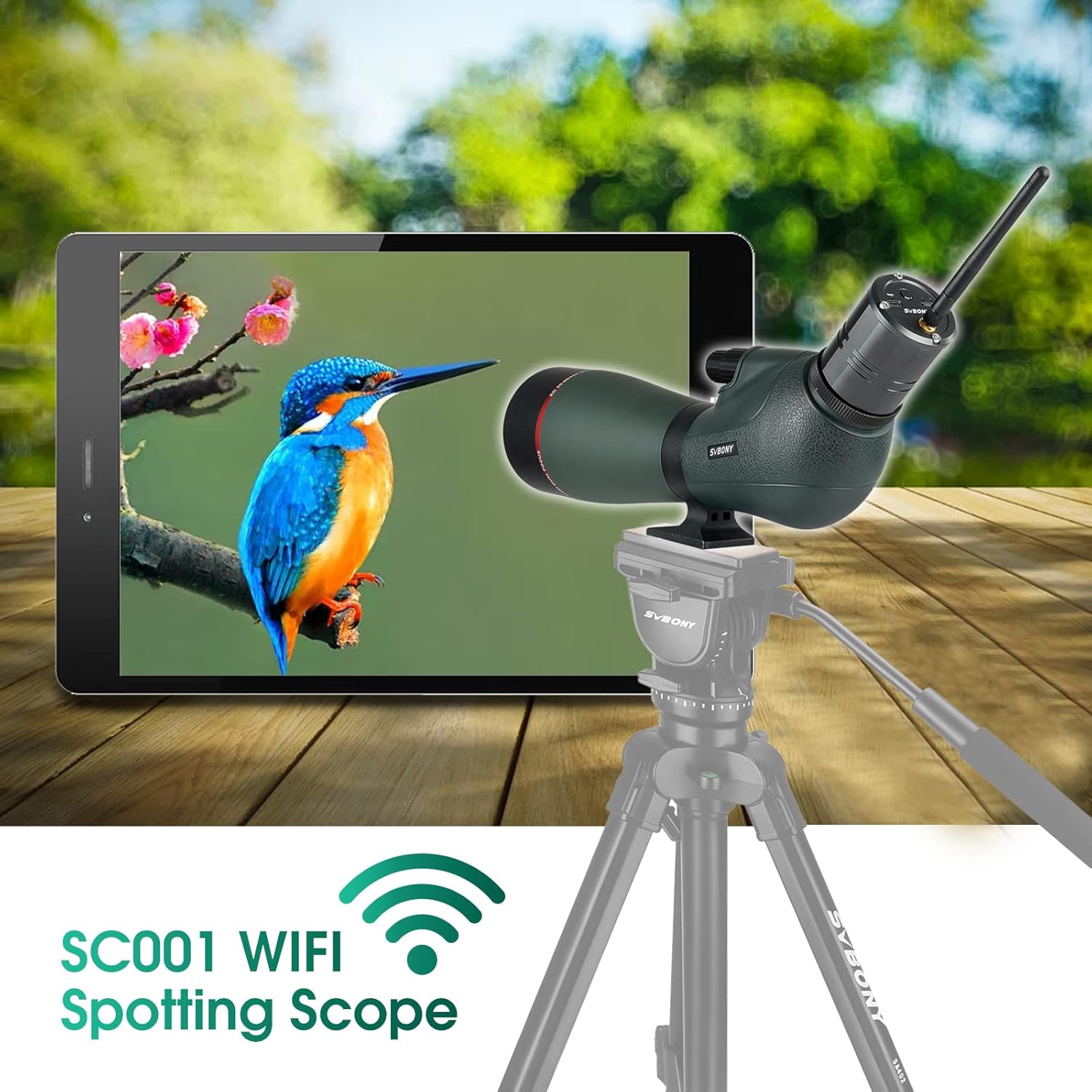
Figure 4: SC001 WiFi Camera connected to the Spotting Scope
Istruzioni per l'uso
1. Messa a fuoco e ingrandimento
- The SV406P features dual focus wheels: a large wheel for coarse focusing and a smaller wheel for fine adjustments. Rotate these wheels to achieve a sharp image.
- Adjust the magnification from 20x to 60x by rotating the magnification ring on the eyepiece.
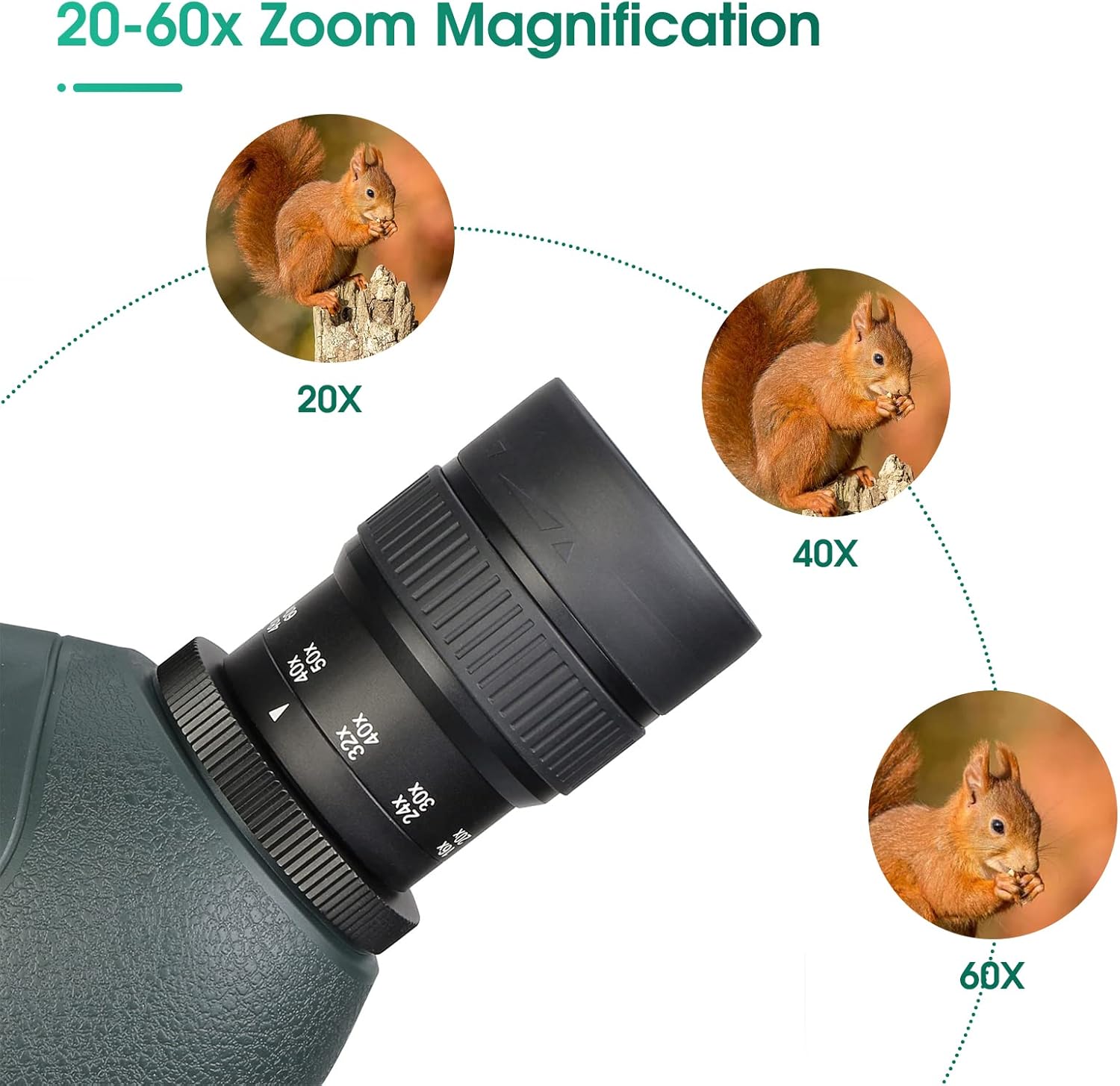
Figure 5: Magnification and Focus Controls
2. Using the WiFi Camera App
- Scarica l'App: Cercare "SVBONY Cam" in your device's APP store and download it.
- Connessione Wi-Fi:
- Turn on WiFi in your phone's settings.
- Find and select the SC001's WiFi network (e.g., "SC001_XXXXXX").
- Enter the initial password: 12345678, then click "Join".
- If prompted with "Cannot use local network, do you want to continue using it?", select "Allow".
- Accedi al dispositivo: Open the "SVBONY Cam" app. If you cannot enter the device immediately, refresh the app a few times. You should then be able to enter the device normally.
- Cattura immagini/video: Once connected, use the app interface to view the live feed, take photos, and record videos.
Video 2: Instructions on connecting the SC001 WiFi camera to the SVBONY Cam app on an iOS device.
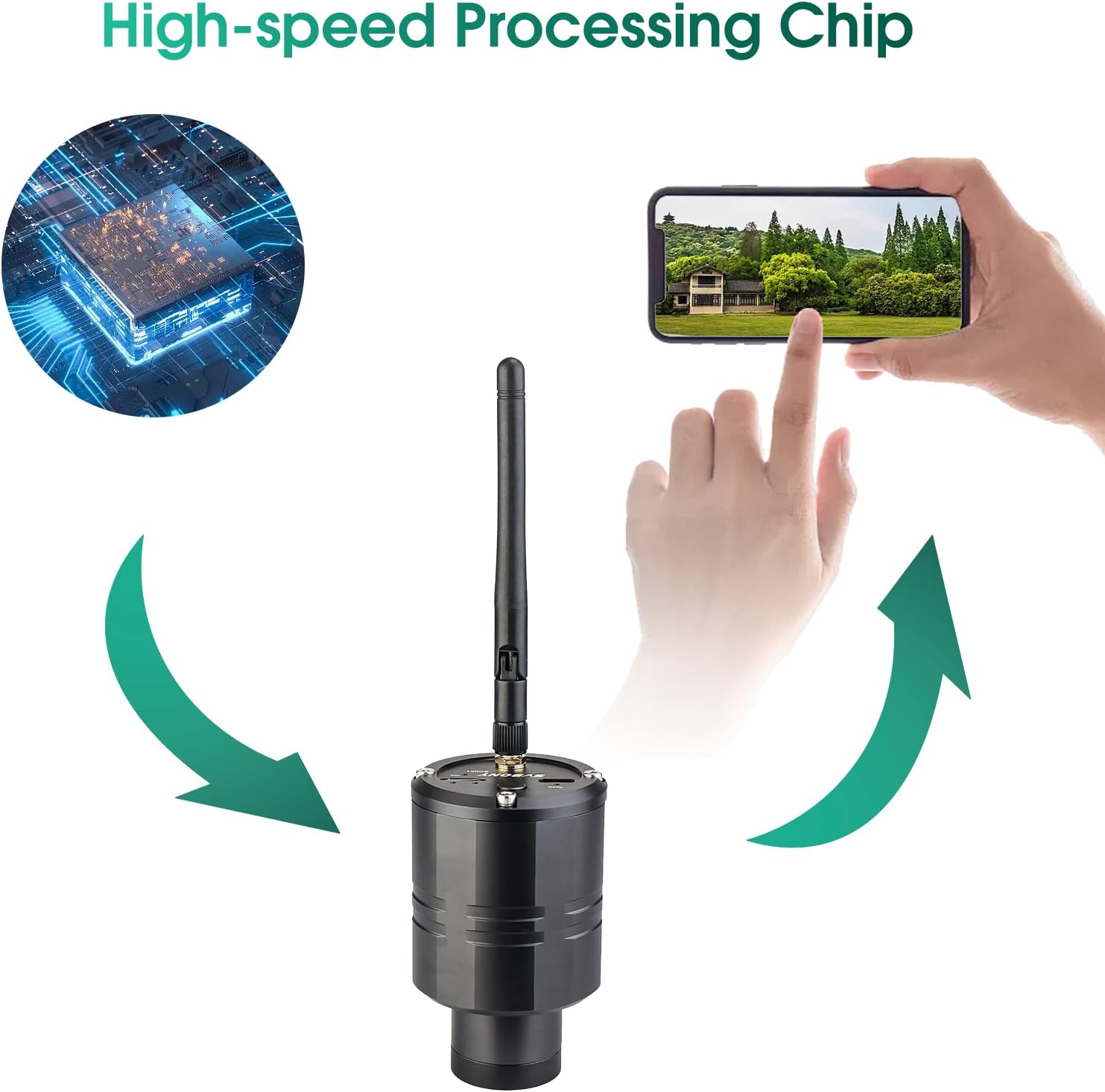
Figure 6: SC001 WiFi Camera with High-Speed Processing Chip
3. Extendable Sunshade and Twist-up Eyecup
- The extendable sunshade helps reduce glare and protect the objective lens. Extend it as needed.
- L'oculare girevole consente un utilizzo confortevole viewing with or without eyeglasses. Twist it up or down to find your preferred eye relief.
Caratteristiche principali
- Vetro ED: Minimizes dispersion and reduces chromatic aberration for clearer, brighter images.
- Grande obiettivo da 80 mm: Gathers more light, enhanced by FMC coating for detailed views.
- IPX7 impermeabile: Designed to withstand immersion in water, ensuring durability in various weather conditions.
- Batteria integrata: The SC001 WiFi camera has a 1500mAh lithium battery for over 3 hours of continuous shooting, rechargeable via Type-C.

Figure 7: Benefits of ED Glass

Figura 8: Obiettivo grande da 80 mm
Manutenzione
- Pulizia delle lenti: Use the provided lens cleaning cloth or a soft, lint-free cloth. For stubborn smudges, use a small amount of lens cleaning fluid. Avoid abrasive materials.
- Magazzinaggio: Store the spotting scope in its carrying case in a cool, dry place when not in use. Ensure all caps are on to protect the lenses.
- Cura impermeabile: While IPX7 waterproof, avoid prolonged submersion and always dry the scope thoroughly after exposure to moisture.
Risoluzione dei problemi
- Immagine sfocata: Adjust the dual focus wheels (coarse and fine) until the image is sharp. Ensure the magnification ring is set correctly.
- No Image through WiFi Camera:
- Check if the SC001 camera is powered on.
- Verify that your phone is connected to the SC001's WiFi network.
- Ensure the "SVBONY Cam" app has local network permissions.
- Try refreshing the app or restarting both the camera and the app.
- Aberrazione cromatica (frange di colore): While ED glass significantly reduces this, some minimal fringing might occur at very high magnifications or in extreme lighting conditions. This is normal for optical instruments.
Specifiche
| Caratteristica | Specificazione |
|---|---|
| Modello | SV406P |
| Ingrandimento | 20-60x |
| Diametro della lente dell'obiettivo | 80mm |
| Tipo di lente | Vetro ED |
| Rivestimento | FMC (completamente multistrato) |
| Grado di impermeabilità | Grado di protezione IPX7 |
| Tipo di messa a fuoco | Manual Focus (Dual Focus Wheels) |
| WiFi Camera Resolution | 1080P High-Definition |
| WiFi Camera Battery | 1500mAh Lithium (3+ hours continuous use) |
| Dimensioni | 17.72 x 8.27 x 5.91 pollici |
| Peso dell'articolo | 5.9 libbre |
Informazioni sulla sicurezza
- AVVERTIMENTO: Never look directly at the sun through the spotting scope or its accessories, as this can cause severe and permanent eye damage.
- Tenere fuori dalla portata dei bambini piccoli.
- Handle with care to avoid dropping or impacting the optical components.
Garanzia e supporto
For warranty information or technical support, please refer to the official SVBONY websito o contattare direttamente il servizio clienti. Conservare la ricevuta d'acquisto per eventuali reclami in garanzia.
Ask a question about this manual
Ask about setup, troubleshooting, compatibility, parts, safety, or missing instructions. Manuals+ will review the question and use this page’s manual context to help answer it.