Introduzione
Thank you for choosing the Abask Dashcam J05. This manual provides detailed instructions on how to set up, operate, and maintain your dashcam to ensure optimal performance and safety. Please read this manual thoroughly before using the device.
Contenuto della confezione
Dopo aver aperto la confezione, verificare che tutti gli articoli elencati di seguito siano presenti e in buone condizioni:
- Abask Dashcam J05 Unit
- Supporto a ventosa per parabrezza
- Caricabatteria da auto (adattatore per accendisigari)
- Scheda Micro SD da 32 GB
- Manuale dell'utente (questo documento)

Image: The Abask Dashcam J05 unit, including the main camera, suction cup mount, and a 32GB Micro SD card.
Prodotto finitoview
The Abask Dashcam J05 features dual cameras for simultaneous front and interior recording, a compact design, and essential safety features.
Componenti chiave:
- Lente frontale: Records the road ahead (170° wide angle).
- Interior Lens: Records the vehicle cabin (140° wide angle) with IR night vision.
- Schermo di visualizzazione: Schermo da 1.5 pollici per la diretta view e navigazione nel menu.
- Pulsanti di controllo: Power, Menu, OK, Up/Down navigation.
- Microfono: Records audio inside the cabin.
- Oratore: For playback audio and alerts.
- Slot per scheda microSD: Supports up to 64GB (32GB card included).
- Mini porta USB: Per l'alimentazione.
Istruzioni di installazione
- Inserisci la scheda Micro SD: Gently insert the provided 32GB Micro SD card into the card slot until it clicks into place. Ensure the card is inserted correctly to avoid damage.
- Fissare il supporto a ventosa: Secure the suction mount to the dashcam unit. Choose a location on your windshield that does not obstruct your view of the road. Press the suction cup firmly against the glass and flip the lever to lock it in place.
- Connetti alimentazione: Plug the car charger into your vehicle's cigarette lighter socket. Connect the Mini USB cable from the charger to the dashcam's Mini USB port. The dashcam will automatically power on and begin recording when the vehicle's ignition is turned on.
- Regola l'angolazione della telecamera: Adjust the front and interior lenses to ensure they cover the desired viewing areas. The front lens should capture the road ahead, and the interior lens should cover the cabin.

Image: Illustration of the dashcam mounted on the windshield and the power cable routed neatly along the car's interior.
Nota importante: The dashcam requires continuous power from the car's cigarette lighter to function correctly during driving. The built-in 200mAh battery is for emergency power only (1-2 minutes) and not for continuous operation.
Istruzioni per l'uso
Funzionamento di base:
- Accensione/spegnimento: The dashcam powers on automatically with vehicle ignition and powers off when the ignition is turned off. You can manually power on/off by pressing and holding the Power button.
- Registrazione: Once powered on, the dashcam automatically starts recording. A red indicator light or icon on the screen typically confirms recording is active.
- Navigazione nel menu: Premere il tasto MENU button to access settings. Use the SU/GIÙ pulsanti per navigare e OK per confermare le selezioni.
- Riproduzione: In modalità standby, premere il tasto MENU button to enter playback mode. Select the desired video file e premere OK giocare.
Registrazione con doppia telecamera:
The Abask J05 records simultaneously from both the front and interior cameras, providing a comprehensive view of your journey and cabin activity.

Image: A visual representation of the dual 1080p HD video recording capability, capturing both the road ahead and the vehicle's interior.
Caratteristiche principali spiegate
Visione notturna eccellente:
Equipped with 1080p recording and HDR technology, the dashcam ensures clear and accurate video quality even in low-light conditions. The interior camera features 4 discreet infrared (IR) lights to capture clear video inside the cabin during darkness, making it suitable for night driving.

Image: Depiction of the dashcam's Super Night Vision feature, showing clear video capture in a dark environment with IR LED lights, dual 1080p, and HDR icons.
Campo grandangolare di 310° View:
The front lens offers a 170-degree wide-angle view, covering both sides of the front of the car without blind spots. The interior lens provides a 140-degree view, sufficient to capture the entire cabin and its occupants.

Image: A diagram illustrating the 310° total wide-angle field of view, composed of a 170° front camera view and a 140° interior camera view.
Registrazione in loop e sensore G:
- Registrazione in loop: The dashcam continuously records video. When the Micro SD card is full, it automatically overwrites the oldest unlocked video fileServe per fare spazio a nuove registrazioni.
- Sensore G: The built-in G-sensor detects sudden impacts or collisions. In such an event, it automatically locks the current video segment, preventing it from being overwritten by loop recording. These locked fileservono come prova cruciale.

Image: A visual explanation of G-Sensor and Loop Recording, showing how video files are overwritten, and important files are locked during an impact.
24-Hour Parking Monitoring & Motion Detection:
With parking monitoring activated, the dashcam can record when your car is parked and detects an impact or motion. This feature helps protect your vehicle from vandalism or hit-and-runs while unattended.
Nota: To utilize the 24-hour parking monitoring feature, a separate "Dash Cam Hardwire Kit Mini USB" is required (not included) to provide continuous power to the dashcam when the vehicle is off.
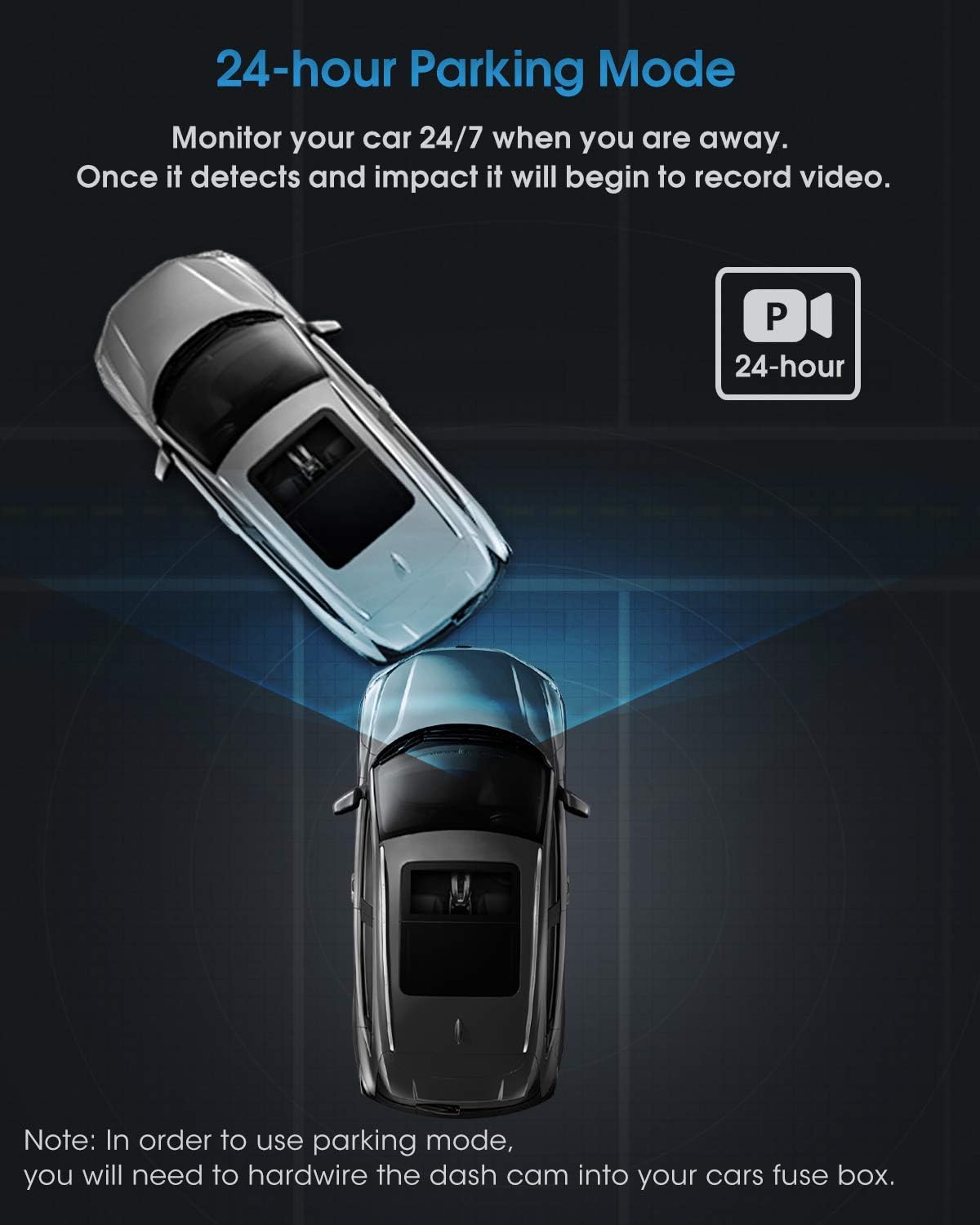
Immagine: una vista dall'alto view illustrating the 24-hour parking mode, showing the dashcam monitoring the vehicle for impacts.
Manutenzione
- Lenti pulite: Pulisci regolarmente le lenti della fotocamera con un panno morbido e privo di lanugine per garantire una qualità video nitida. Evita materiali abrasivi.
- Micro SD Card: Format the Micro SD card periodically (e.g., once a month) through the dashcam's menu to maintain optimal recording performance and prevent data corruption. Back up any important files prima della formattazione.
- Temperatura: Evitare di esporre la dashcam a temperature estreme per periodi prolungati, poiché ciò potrebbe influire sulla durata della batteria e sulle prestazioni del dispositivo.
- Aggiornamenti del firmware: Controlla l'Abask ufficiale websito per eventuali aggiornamenti firmware disponibili per migliorare le prestazioni e aggiungere nuove funzionalità.
Risoluzione dei problemi
| Problema | Possibile causa/soluzione |
|---|---|
| La dashcam non si accende. |
|
| La registrazione si interrompe o si blocca. |
|
| La qualità del video è scarsa o sfocata. |
|
| Parking Monitor does not work. |
|
Specifiche
| Marca | ABASK |
| Numero di modello | J05 |
| Colore | Nero |
| Dimensioni dello schermo | 1.5 pollici |
| Risoluzione video | Dual 1080p (Front & Interior) |
| Front Lens Field of View | 170 gradi |
| Interior Lens Field of View | 140 gradi |
| Caratteristiche speciali | G-Sensor, Night Vision (IR), Loop Recording, Parking Monitor, Motion Detection |
| Magazzinaggio | Supporta schede Micro SD fino a 64 GB (inclusi 32 GB) |
| Batteria | Built-in 200mAh Lithium-ion (for emergency power) |
| Tipo di montaggio | Supporto a ventosa per parabrezza |
Informazioni sulla sicurezza
- Do not operate the dashcam or adjust settings while driving. Always pull over safely before making any adjustments.
- Ensure the dashcam is installed in a location that does not obstruct your view della strada o interferire con l'attivazione dell'airbag.
- Use only the original car charger provided or a compatible Mini USB hardwire kit for power. Using incompatible chargers may damage the device.
- Keep the device away from water, moisture, and direct sunlight for prolonged periods.
- Do not attempt to disassemble or repair the dashcam yourself. Contact customer support for assistance.
Garanzia e supporto
Abask products come with a standard manufacturer's warranty. For specific warranty details, technical support, or service inquiries, please refer to the warranty card included in your package or visit the official Abask website. Please have your model number (J05) and purchase information ready when contacting support.
Produttore: ABASK
ASIN: B09PBS7DSP