
ASA JTV3220DC
Manuale utente del televisore LED DC Jensen JTV3220DC da 32 pollici
Model: JTV3220DC
Introduzione
Grazie per l'acquistoasing the Jensen JTV3220DC 32" LED DC Television. This manual provides essential information for the safe and efficient operation of your new television. Please read this manual thoroughly before using the product and retain it for future reference.
Informazioni sulla sicurezza
Per evitare scosse elettriche, incendi o lesioni, osservare sempre le seguenti precauzioni di sicurezza:
- Non esporre il televisore alla pioggia o all'umidità.
- Non ostruire le aperture di ventilazione. Lasciare spazio sufficiente attorno al televisore per un corretto flusso d'aria.
- Use only the power supply specified for this unit (12V DC).
- Non aprire la televisione casing. Affidare tutti gli interventi di assistenza a personale qualificato.
- Proteggere il cavo di alimentazione per evitare che venga calpestato o schiacciato.
- Pulire solo con un panno asciutto.
Cosa c'è nella scatola
Verificare che tutti gli elementi siano presenti:
- Jensen JTV3220DC 32" LED DC Television
- Remote Control (Dual function)
- Cavo di alimentazione CC
- In piedi
Prodotto finitoview

Figura 1: Fronte View. This image shows the front of the Jensen JTV3220DC television, featuring its 32-inch screen. The screen displays a vibrant, high-definition image of a futuristic city with a spacecraft, demonstrating the television's visual capabilities.
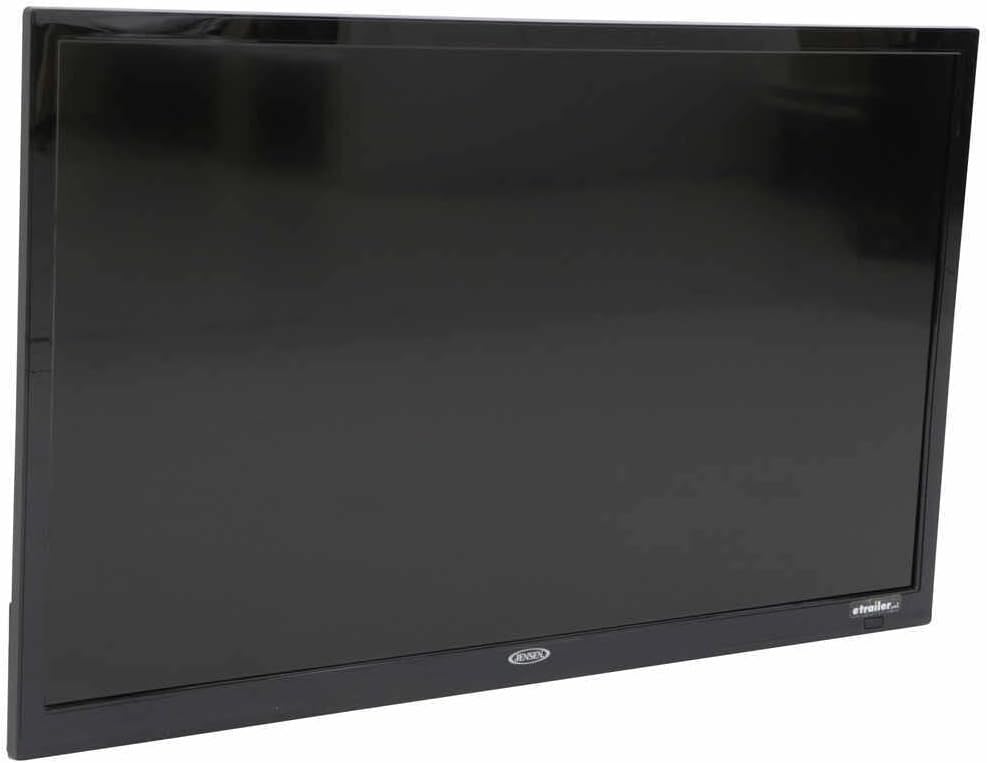
Figura 2: Prospettiva lateralefile. Questa immagine fornisce un lato view of the Jensen JTV3220DC television, highlighting its slim design and black bezel. The angle emphasizes the compact nature of the unit, suitable for various installations.

Figura 3: Collegamenti del pannello posteriore. This close-up image displays the rear input and output ports of the Jensen JTV3220DC. Visible connections include HDMI (with ARC support), USB, Composite Video, Component Video, RF, and various audio inputs and outputs, indicating comprehensive connectivity options.
Caratteristiche principali:
- Funzionamento con alimentazione CC
- Illuminazione a LED bianchi
- High Performance LCD Panel
- Risoluzione Full HD 1366 x 768
- 16.7 Million Colors Display
- Integrated HDTV (ATSC) Tuner
- HD Ready (1080p, 720p, 480p)
- jCOM HDMI Function with JENSEN HDMI-equipped DVD players
- Audio Return Channel (ARC) supported with HDMI2
- VESA 100mm x 100mm Mounting Pattern
Impostare
Mounting the Stand:
- Posizionare con cautela il televisore a faccia in giù su una superficie morbida e pulita per evitare di danneggiare lo schermo.
- Allineare il supporto con i fori di montaggio nella parte inferiore del televisore.
- Fissare il supporto utilizzando le viti fornite. Non serrare eccessivamente.
Collegamento dell'alimentazione:
Connect the supplied DC power cord to the 12V DC input on the television and to a compatible 12V DC power source.
Collegamento di dispositivi esterni:
- HDMI: Connect HDMI cables from your devices (e.g., DVD player, game console) to the HDMI 1 or HDMI 2 (ARC) ports.
- USB: Inserire un'unità USB nella porta USB per la riproduzione multimediale.
- Antenna/cavo: Connect an antenna or cable TV feed to the RF input.
- Composite/Component Video: Use the corresponding RCA jacks for older video devices.
Istruzioni per l'uso
Accensione/spegnimento:
Premere il tasto ENERGIA button on the remote control or on the television to turn the unit on or off.
Selezione della sorgente di ingresso:
Premere il tasto INGRESSO or FONTE button on the remote control to cycle through available input sources (TV, HDMI 1, HDMI 2, USB, AV, Component).
Channel Scan (TV Mode):
- Switch the input source to TV.
- Accedi al MENU e vai al Canale or Impostare sezione.
- Selezionare Scansione automatica or Programma automatico per cercare i canali disponibili.
Controllo del volume:
Utilizzare il Volume+ E vol- pulsanti sul telecomando per regolare il volume.
Navigazione nel menu:
Utilizzare i pulsanti freccia e OK/INVIO button on the remote to navigate through the on-screen menu for picture, sound, and other settings.
Manutenzione
Pulizia dello schermo:
Pulire delicatamente lo schermo con un panno morbido e privo di lanugine. Per macchie ostinate, strofinare leggermenteampPulire il panno con acqua o con un detergente specifico per schermi. Non spruzzare il liquido direttamente sullo schermo.
Pulizia dell'armadio:
Pulisci il mobile del televisore con un panno morbido e asciutto. Evita di utilizzare detergenti abrasivi o solventi.
Magazzinaggio:
If storing the television for an extended period, disconnect it from the power source and store it in a cool, dry place, ideally in its original packaging.
Risoluzione dei problemi
| Problema | Possibile causa | Soluzione |
|---|---|---|
| Nessun potere | Power cord not connected; Power source issue. | Ensure DC power cord is securely connected. Verify 12V DC power source is active. |
| Nessuna immagine/suono | Incorrect input source; Loose cable connection. | Press INPUT/SOURCE button to select correct input. Check all cable connections. |
| Qualità dell'immagine scadente | Weak antenna signal; Incorrect display settings. | Adjust antenna position or check signal strength. Adjust picture settings (brightness, contrast, etc.) in the menu. |
| Il telecomando non funziona | Batterie scariche; ostruzione tra telecomando e TV. | Replace batteries. Remove any obstructions and ensure direct line of sight to the TV's IR sensor. |
Specifiche
| Caratteristica | Specificazione |
|---|---|
| Dimensione diagonale | 31.5" (82 cm) |
| Risoluzione | 1366 x 768 (Full HD) |
| Luminosità | 200 lendini |
| Rapporto di contrasto | 3000:1 |
| View Angoli | Top 89° / Bottom 89° / Left 89° / Right 89° |
| Formato di visualizzazione | 16:9 |
| Tempo di risposta | 6.5 millisecondo |
| Video / Display System | NTSC/ATSC/PAL |
| Uscita audio | 8W x 2 |
| Sistema di alimentazione | CC 12V |
| Consumo energetico | 20mA standby / 3.17A max |
| Temperatura di esercizio | Da -4°C a 149°C (da -20°F a 65°F) |
| Temperatura di conservazione | Da -22°C a 158°C (da -30°F a 70°F) |
| Massima umidità relativa | 85% |
| Overall Dimensions (without stand) | 28.8"L x 17.2"A x 3.2"P |
| Product Weight (unpackaged) | 9.9 libbre |
Garanzia e supporto
This Jensen product is covered by a manufacturer's warranty. For specific warranty terms and conditions, please refer to the warranty card included with your product or visit the official ASA (Jensen) website. For technical support, service, or replacement parts, please contact ASA customer service directly. Keep your purchase receipt as proof of purchase for warranty claims.
Risorse online: For the most up-to-date information, FAQs, and additional support, please visit the official ASA websito.
Ask a question about this manual
Ask about setup, troubleshooting, compatibility, parts, safety, or missing instructions. Manuals+ will review the question and use this page’s manual context to help answer it.