1. Introduzione
This manual provides comprehensive instructions for the CEYOMUR CY60 Trail Camera. This device is designed for capturing high-resolution photos and videos of wildlife, offering features such as 4K video recording, 36MP photo resolution, infrared night vision, and IP66 waterproof rating. Please read this manual thoroughly before operating the camera to ensure proper usage and optimal performance.
2. Contenuto della confezione
Verifica che tutti gli articoli elencati di seguito siano inclusi nel tuo pacchetto:
- 1 x telecamera da pista CEYOMUR CY60
- 1 cavo USB
- 1 x Cinghia di montaggio
- 1 staffa di montaggio regolabile
- 1 x Manuale utente

Image: Contents of the CEYOMUR CY60 Trail Camera package, showing the camera, USB cable, mounting strap, and user manual.
3. Fotocamera finitaview
Familiarize yourself with the main components of your CEYOMUR CY60 Trail Camera.

Immagine: Frontale view of the CEYOMUR CY60 Trail Camera, highlighting the lens, PIR sensors, and infrared LEDs.

Image: The CEYOMUR CY60 Trail Camera with its front casing open, revealing the internal LCD screen, control buttons, and SD card slot.
4. Impostazione
4.1 Installazione della batteria
The camera requires 8 AA batteries (not included). For optimal performance and extended battery life, especially in cold conditions, it is recommended to use high-quality alkaline or rechargeable AA batteries.
- Aprire la fotocamera casing.
- Individuare il vano batteria nella parte inferiore della fotocamera.
- Inserire 8 batterie AA, assicurandosi che la polarità (+/-) sia corretta, come indicato all'interno del vano.
- Chiudere bene il vano batterie.
4.2 Installazione della scheda SD
A Micro SD card (up to 32GB, not included) is required to store photos and videos. Ensure the card is formatted before first use.
- Con la macchina fotografica casing aperto, individuare lo slot per la scheda SD sul lato.
- Inserire la scheda Micro SD nello slot finché non scatta in posizione.
- Per rimuoverla, premere delicatamente la scheda finché non scatta fuori.
Immagine: un primo piano view of the CEYOMUR CY60 Trail Camera's side, indicating the SD card slot and the external power port for convenient access.
4.3 Montaggio della telecamera
The camera can be mounted using the included strap or the adjustable mounting bracket.
- Montaggio della cinghia: Infilare la cinghia di montaggio nelle fessure sul retro della telecamera e fissarla attorno a un albero o a un palo.
- Montaggio su staffa: Attach the adjustable mounting bracket to a wall or flat surface using screws (not included). Then, secure the camera to the bracket.

Image: The CEYOMUR CY60 Trail Camera securely mounted to a tree trunk using the provided strap, demonstrating its outdoor placement.

Image: The CEYOMUR CY60 Trail Camera camouflaged against a tree, illustrating its discreet design for wildlife observation.
5. Istruzioni per l'uso
5.1 Accensione e impostazioni di base
- Aprire la fotocamera casing.
- Slide the power switch from OFF to SETUP. The LCD screen will turn on.
- Use the navigation buttons (UP, DOWN, LEFT, RIGHT, OK) to access the menu.
- Navigate to "Date/Time" to set the current date and time. This is crucial for accurate timestamps sulle tue registrazioni.
- Format the SD card through the menu option to ensure compatibility and clear any previous data.
Modalità operative 5.2
The camera offers three primary operating modes:
- Modalità foto: Cattura immagini fisse quando attivato.
- Modalità video: Registra clip video quando attivato.
- Modalità foto + video: Quando attivato, cattura un'immagine fissa seguita da un videoclip.
Select your desired mode from the camera's menu settings.
5.3 PIR Sensor and Trigger Settings
The Passive Infrared (PIR) sensor detects motion and triggers the camera. The CY60 features a 120° detection angle with a central 60° sensor and two side 30° sensors.
- Sensibilità PIR: Adjust sensitivity (Low, Medium, High) based on the environment to prevent false triggers or missed events.
- Intervallo PIR: Set the delay between consecutive triggers to avoid capturing too many redundant images/videos of the same event.
- Velocità di innesco: The camera boasts an ultra-fast 0.2-second trigger speed to capture fast-moving subjects.

Image: A visual representation of the CEYOMUR CY60 Trail Camera's 120-degree detection angle, showing the coverage area of its PIR sensors.

Image: A cheetah in mid-leap, overlaid with a target reticle, illustrating the camera's ultra-fast 0.2-second trigger speed for capturing dynamic wildlife moments.
5.4 Visione notturna
The camera utilizes 36 low-glow 850nm infrared LEDs for night vision, providing clear black and white images and videos in low-light conditions without disturbing wildlife.

Image: A split image demonstrating the camera's capability, showing a red panda in full color during the day and the same scene in clear black and white using infrared night vision.
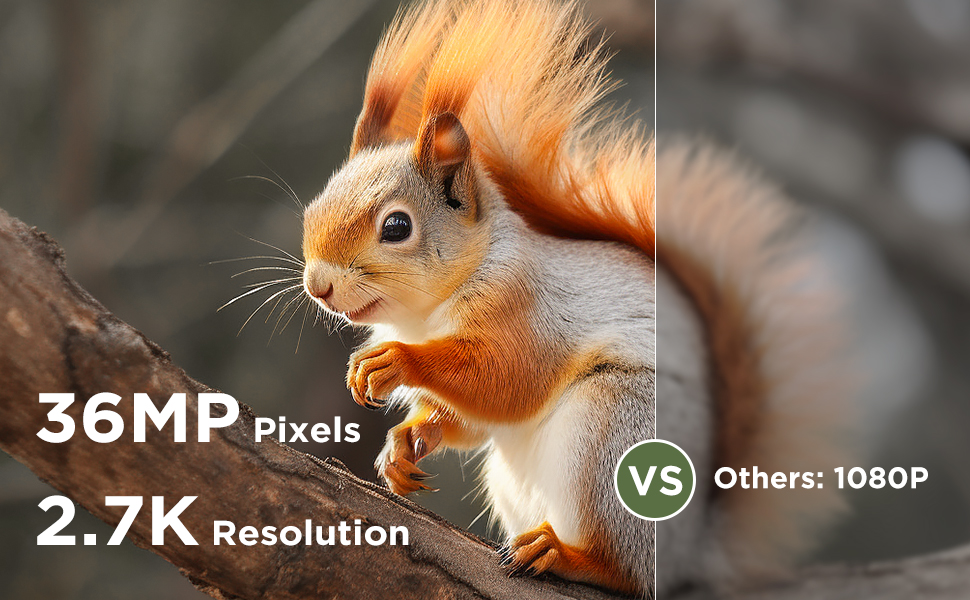
Image: A comparison illustrating the effectiveness of 940nm No Glow infrared LEDs for discreet night vision, showing two fawns undisturbed in their natural habitat.
5.5 ViewMedia
Puoi view captured photos and videos directly on the camera's LCD screen or by connecting the camera to a computer using the provided USB cable. Alternatively, remove the SD card and insert it into a compatible card reader.
6. Manutenzione
6.1 Pulizia
To maintain optimal performance, regularly clean the camera lens and the PIR sensors with a soft, dry cloth. Avoid using abrasive cleaners or solvents.
If condensation appears on the lens, open the camera casing to allow it to air dry in a dry environment.
6.2 Resistenza all'acqua
The CEYOMUR CY60 is rated IP66 waterproof, providing protection against dust and strong jets of water. Ensure the casing is securely closed and the rubber seal is free of debris to maintain its water resistance.
6.3 Battery and SD Card Management
Replace batteries when the low battery indicator appears on the screen. Regularly check the SD card for available space and transfer important filesu un computer per evitare la perdita di dati.
7. Risoluzione Dei Problemi
- La fotocamera non si accende:
Ensure batteries are inserted correctly with the right polarity and are fully charged. Check if the power switch is in the 'SETUP' or 'ON' position.
- Nessuna foto/video catturato:
Verify that the SD card is properly inserted and has sufficient free space. Check PIR sensitivity settings; increase if necessary. Ensure the camera is in the correct operating mode (Photo, Video, or Photo+Video). Confirm that the PIR interval is not set too long.
- Visione notturna scarsa:
Ensure the camera lens and IR LEDs are clean and unobstructed. Check battery levels, as low power can affect IR performance.
- Breve durata della batteria:
Using high-quality alkaline or rechargeable batteries is recommended. Frequent video recording, especially at night, consumes more power. Reduce PIR sensitivity or interval if excessive triggers occur.
- Condensation on lens:
Aprire la fotocamera casing and allow it to dry in a warm, dry environment. Ensure the rubber seal is clean and the casing is securely closed to prevent moisture ingress.
8. Specifiche
| Caratteristica | Specificazione |
|---|---|
| Numero di modello | CY60 |
| Risoluzione della foto | 36MP (Upgraded from 30MP) |
| Risoluzione video | 4K (2160p) 30fps |
| Angolo di rilevamento | 120 degrees (60° central PIR + two 30° side PIRs) |
| Trigger Speed | 0.2 secondi |
| Visione notturna | 36 x 850nm Low-Glow IR LEDs |
| Resistenza all'acqua | Grado di protezione IP66 |
| Fonte di alimentazione | 8 batterie AA (6 V CC) |
| Magazzinaggio | Micro SD Card fino a 32GB |
| Dimensioni (L x P x A) | Dimensioni: 14.7 x 10.4 x 8 cm |
| Materiale | Gomma |
| Connettività | Wired IR, USB |
9. Garanzia e supporto
La telecamera da pista CEYOMUR CY60 è dotata di un Garanzia del produttore di 1 anni.
For technical support, troubleshooting assistance, or warranty claims, please contact CEYOMUR customer service. Refer to the contact information provided on the product packaging or the official CEYOMUR websito.