
1. Introduzione
Thank you for choosing the Retevis RA79 Two Way Radio. This manual provides essential information for the safe and efficient operation of your device. The RA79 is a high-power, dual-band ham radio featuring 128 channels, designed for reliable long-range communication. Please read this manual thoroughly before use.
Contenuto della confezione:
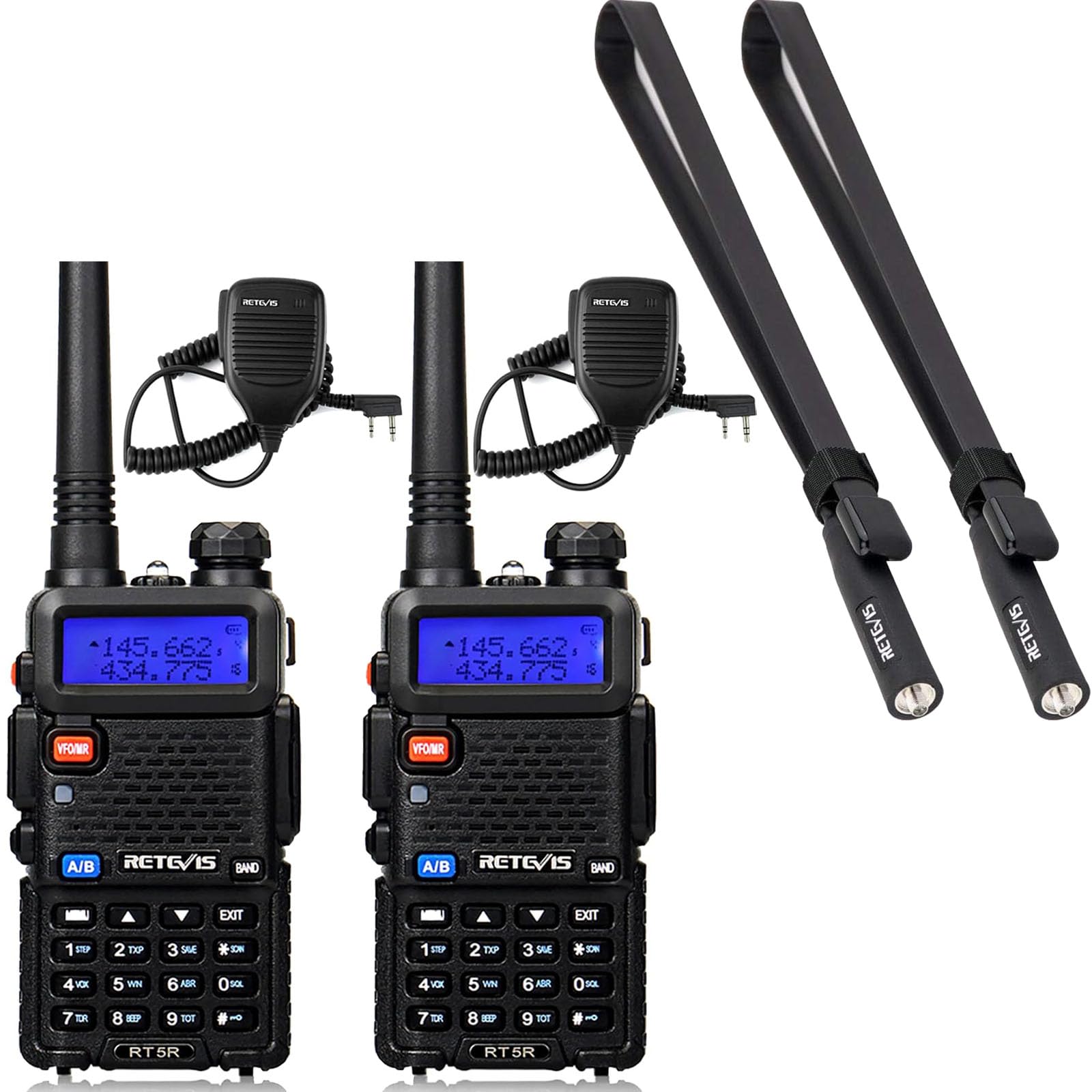
- 2 x Retevis RA79 Two Way Radio
- 2 antenna standard
- 2 x Foldable Tactical Antenna
- 2 x Auricolare
- 2 batteria agli ioni di litio
- 2 x Caricabatterie
- 2 x clip per cintura
- 2 x Fionda
- 2 x adattatore
- 2 microfono altoparlante
2. Impostazione
2.1 Installazione della batteria
- Allineare il pacco batteria con le scanalature sul retro della radio.
- Far scorrere la batteria verso l'alto finché non scatta in posizione.
- Per rimuoverla, premere il fermo di rilascio della batteria e farla scorrere verso il basso.
2.2 Attacco dell'antenna
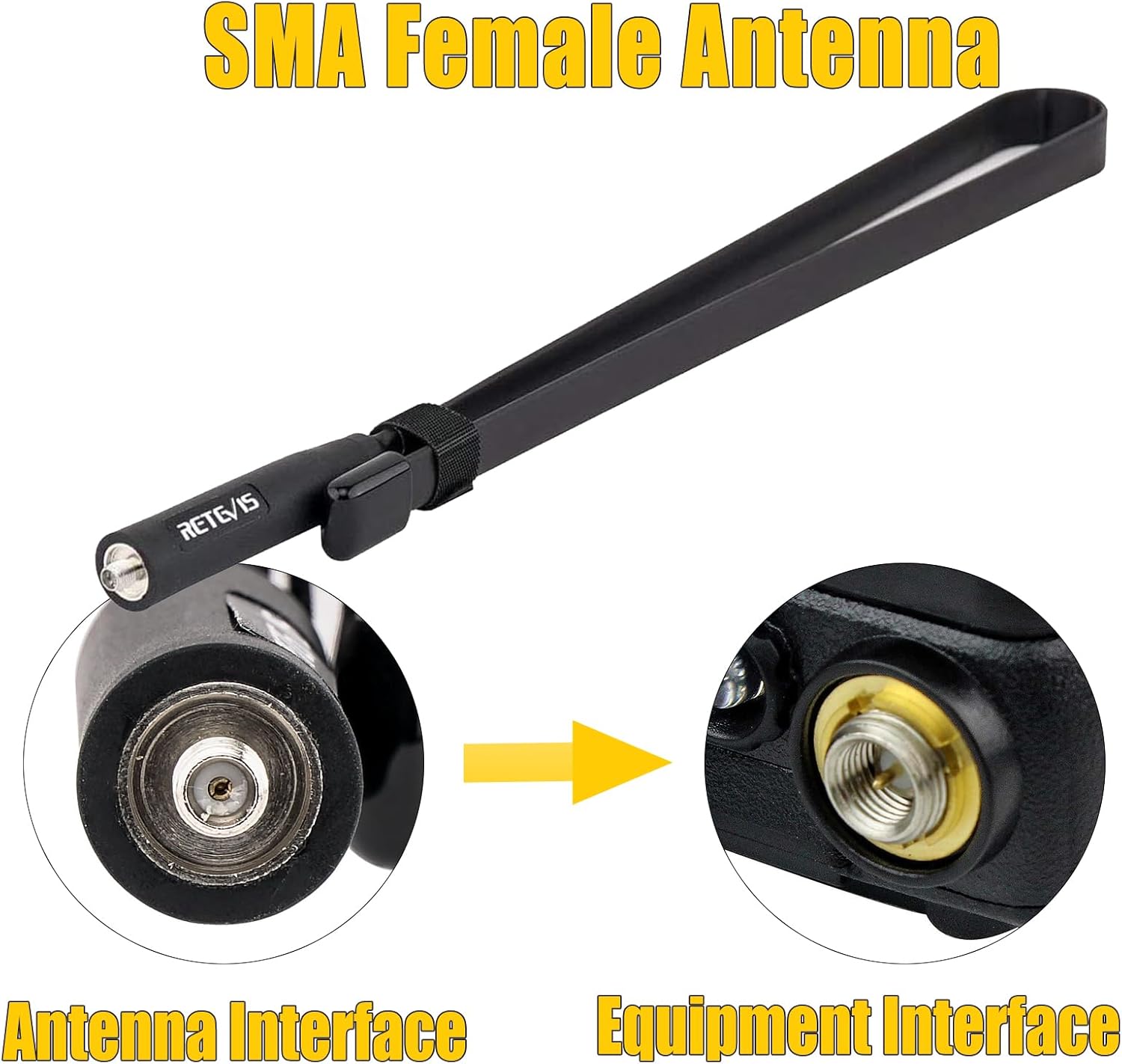
The RA79 uses an SMA female antenna interface. You can choose between the standard antenna or the foldable tactical antenna for enhanced signal strength.
- Screw the desired antenna clockwise into the antenna connector on top of the radio until it is finger-tight. Do not overtighten.
- Garantisci una connessione sicura per prestazioni ottimali.

2.3 Caricamento della batteria
- Connect the adapter to the charger base.
- Collegare l'adattatore a una presa di corrente.
- Place the radio with the battery attached (or just the battery pack) into the charger base.
- La spia luminosa del caricabatterie indicherà lo stato di carica (in genere rossa per la carica in corso, verde per la carica completa).
2.4 Collegamento degli accessori
- Clip da cintura: Fissare la clip da cintura sul retro della radio utilizzando le viti in dotazione.
- Earpiece/Speaker Mic: Plug the earpiece or speaker mic into the accessory jack on the side of the radio.
3. Istruzioni per l'uso
3.1 Accensione/Spegnimento
- Accensione: Ruotare la manopola di accensione/volume in senso orario fino a sentire un clic.
- Spegni: Ruotare la manopola di accensione/volume in senso antiorario fino a sentire un clic.
3.2 Regolazione del volume
Ruotare la manopola di accensione/volume in senso orario per aumentare il volume e in senso antiorario per diminuirlo.
3.3 Channel Selection and Dual-Band Display
The RA79 supports 128 channels and features a dual-band display, allowing you to monitor two different frequencies simultaneously. Use the keypad to directly input frequencies or navigate through programmed channels.


3.4 Trasmissione e ricezione
- Ricezione: Quando la radio è accesa e sintonizzata su un canale attivo, riceverà automaticamente le trasmissioni in arrivo.
- Trasmissione: Press and hold the Push-to-Talk (PTT) button on the side of the radio. Speak clearly into the microphone. Release the PTT button to stop transmitting and return to receive mode.
3.5 CHIRP Software Support
The Retevis RA79 supports CHIRP software, allowing for personalized programming of channels, frequencies, and other settings. This enables users to customize the radio's functionality to meet specific operational needs. Refer to the CHIRP software documentation for detailed programming instructions.

4. Manutenzione
4.1 Cura della batteria
- Caricare completamente la batteria prima del primo utilizzo.
- Evitare di sovraccaricare o scaricare completamente la batteria per prolungarne la durata.
- Conservare le batterie in un luogo fresco e asciutto quando non vengono utilizzate.
4.2 Pulizia della radio
Pulisci la superficie della radio con un panno morbido eamp cloth. Do not use harsh chemicals or abrasive cleaners. Ensure the radio is powered off and dry before cleaning.
4.3 Cura dell'antenna
The foldable tactical antenna is designed for durability and flexibility. While it can bend easily, avoid excessive force or sharp angles that could damage the internal wiring. Ensure the antenna connection remains tight.
4.4 Gestione generale
The RA79 is built with an anti-falling design for enhanced durability. However, avoid dropping the radio from significant heights or subjecting it to severe impacts to prevent damage.

5. Risoluzione Dei Problemi
If you encounter issues with your Retevis RA79 radio, please refer to the following common problems and solutions:
- La radio non si accende:
- Assicurarsi che la batteria sia installata correttamente e carica.
- Verificare che la manopola di accensione/volume sia ruotata in senso orario oltre la posizione "off".
- Impossibile trasmettere o ricevere:
- Verificare che l'antenna sia fissata saldamente.
- Verifica di essere sulla frequenza/canale corretto.
- Controlla se il livello della batteria è sufficiente.
- Ensure no squelch settings are too high, blocking weak signals.
- Scarsa qualità audio:
- Regola il livello del volume.
- Controllare la connessione dell'antenna.
- Assicuratevi di trovarvi nel raggio d'azione dell'altra radio o del ripetitore.
- If using an earpiece/speaker mic, ensure it is fully plugged in and functional.
If these steps do not resolve the issue, please contact Retevis customer support.
6. Specifiche
| Caratteristica | Specificazione |
|---|---|
| Marca | Retevis |
| Modello | RA79 |
| Numero di canali | 128 |
| Bande di frequenza | Dual Band (VHF & UHF) |
| Potenza in uscita | High Power (5W) |
| Tipo di antenna | SMA femmina |
| Antenna Gain (Tactical) | 5dBi |
| Antenna Length (Tactical) | 73.5 cm / 28.9 pollici |
| Impedenza dell'antenna | 50Ω |
| Caratteristiche dello schermo | LCD, Dual-band Display |
| Programmazione | Supports CHIRP |
| Durata | Anti-falling design |

7. Garanzia e supporto
For warranty information, please refer to the documentation included with your product or visit the official Retevis website. Retevis provides customer support for product inquiries, technical assistance, and warranty claims.
Puoi trovare maggiori informazioni e recapiti sul sito Negozio Retevis su Amazon.