
Introduzione
Grazie per l'acquistoasing the Hoco HC4 5.0 Wireless Bluetooth Sport Speaker. This manual provides detailed instructions for the proper setup, operation, and maintenance of your device. Please read this manual thoroughly before use to ensure optimal performance and to prevent damage.
Prodotto finitoview
The Hoco HC4 is a portable wireless speaker designed for outdoor and sport use, featuring Bluetooth 5.0 connectivity, multiple playback options, and a robust design.
Contenuto della confezione:
- Altoparlante Bluetooth wireless Hoco HC4
- Cavo di ricarica USB
- Manuale d'uso
Controlli e porte:
Familiarizza con i pulsanti e le porte di connessione dell'altoparlante:

Immagine: Close-up of the Hoco HC4 speaker showing the AUX port, DC-5V charging port, USB port, TF card slot, and control buttons.
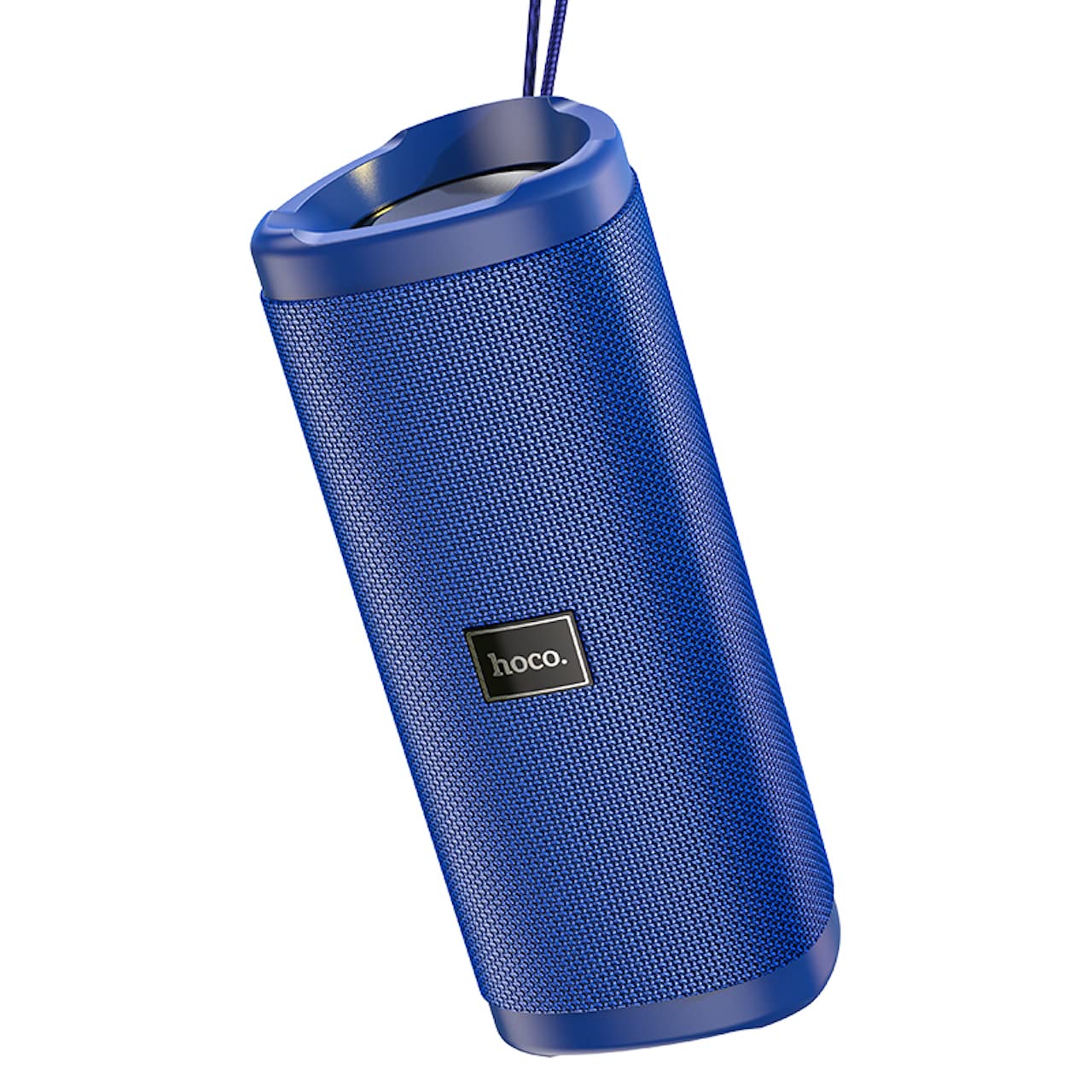
Immagine: Un angolo view of the Hoco HC4 blue wireless speaker, highlighting its cylindrical design and fabric mesh.
- Pulsante di accensione: Tenere premuto per accendere/spegnere. Premere brevemente per riprodurre/mettere in pausa.
- Pulsante Modalità (M): Premere brevemente per passare tra le modalità Bluetooth, Radio FM, Scheda TF, USB e AUX.
- Pulsante Volume giù / Traccia precedente (-): Pressione breve per la traccia precedente, pressione prolungata per diminuire il volume.
- Pulsante Volume su / Traccia successiva (+): Premere brevemente per la traccia successiva, premere a lungo per aumentare il volume.
- Porta AUX: Per la connessione audio cablata tramite cavo audio da 3.5 mm.
- Porta DC-5V: Per caricare l'altoparlante tramite il cavo USB in dotazione.
- Porta USB: Per riprodurre l'audio da una chiavetta USB.
- Slot per schede TF: Per riprodurre l'audio da una scheda TF (MicroSD).
Impostare
Carica iniziale:
- Prima del primo utilizzo, caricare completamente l'altoparlante.
- Connect the small end of the USB charging cable to the DC-5V port on the speaker.
- Connect the larger end of the USB cable to a USB power adapter (5V/1A recommended) or a computer's USB port.
- La spia di carica si accenderà durante la ricarica e si spegnerà quando la carica sarà completamente completata.
Istruzioni per l'uso
Accensione/spegnimento:
- Per accendere: Tieni premuto il pulsante di accensione per circa 3 secondi. Verrà emesso un segnale acustico.
- Per spegnere: Tieni premuto il pulsante di accensione per circa 3 secondi. Verrà emesso un segnale acustico.
Accoppiamento Bluetooth:
- Ensure the speaker is powered on and in Bluetooth mode (indicated by a flashing blue LED and an audible prompt). If not, short press the 'M' (Mode) button to switch to Bluetooth mode.
- Abilita il Bluetooth sul tuo dispositivo mobile (smartphone, tablet, ecc.).
- Cercare available Bluetooth devices. Select "HC4" from the list.
- Once paired, the blue LED will stop flashing and remain solid, and you will hear a confirmation sound.
- Ora puoi riprodurre l'audio dal tuo dispositivo tramite l'altoparlante.
Modalità radio FM:
- Short press the 'M' (Mode) button until you hear the FM radio prompt.
- Per eseguire la scansione automatica e salvare le stazioni disponibili, premere brevemente il pulsante di accensione. L'altoparlante eseguirà la scansione e memorizzerà automaticamente le stazioni.
- Use the '-' and '+' buttons to navigate between saved stations.
TF Card / USB Playback:
- Insert a TF (MicroSD) card or USB flash drive into the respective slot.
- L'altoparlante passerà automaticamente alla modalità scheda TF o USB e inizierà a riprodurre l'audio files. If not, short press the 'M' (Mode) button to select the correct mode.
- Use the Power button to play/pause, and the '-' and '+' buttons for track navigation and volume control.
Modalità AUX:
- Collegare un'estremità di un cavo audio da 3.5 mm (non incluso) alla porta AUX dell'altoparlante.
- Connect the other end to the audio output of your device (e.g., laptop, MP3 player).
- Short press the 'M' (Mode) button to switch to AUX mode.
- Audio will now play through the speaker. Volume can be controlled via the speaker or your connected device.
Funzione True Wireless Stereo (TWS):
La funzione TWS consente di abbinare due altoparlanti Hoco HC4 per un'esperienza audio stereo.
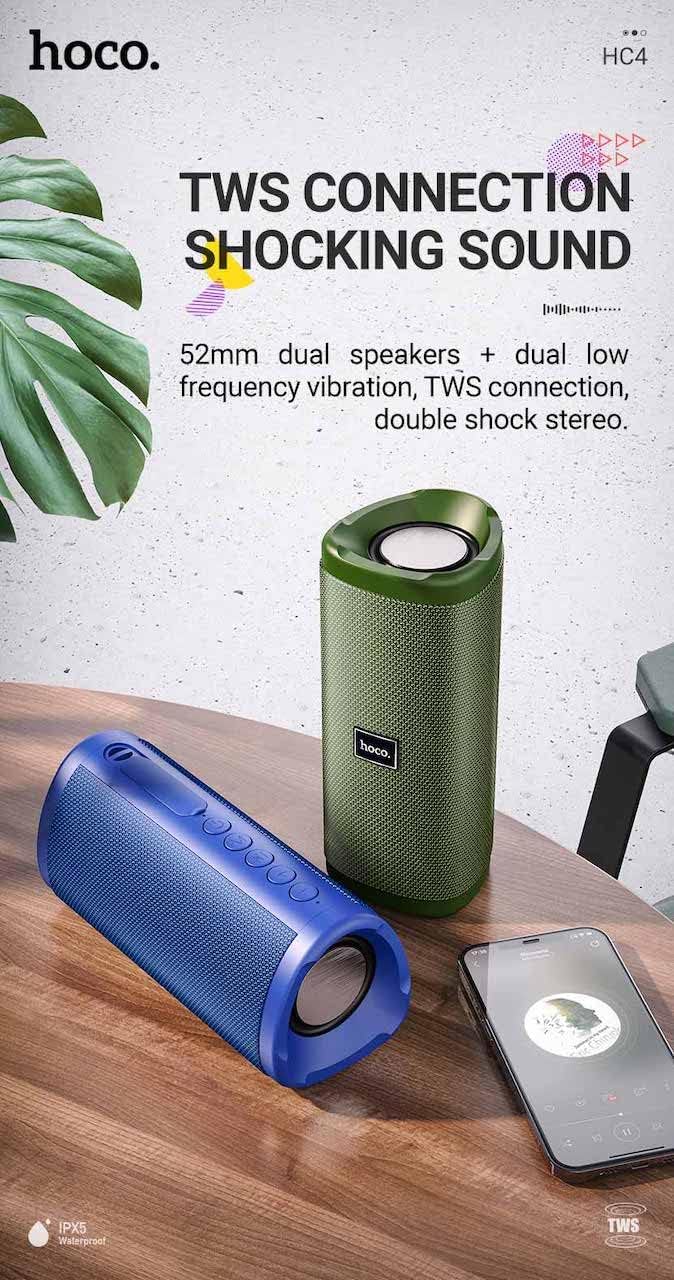
Immagine: A promotional image showing two Hoco HC4 speakers (blue and green) connected via TWS, with a smartphone playing music. The image also highlights 'IPX5 Waterproof'.
- Ensure both HC4 speakers are powered on and in Bluetooth pairing mode (flashing blue LED).
- On one of the speakers (this will be the primary speaker), double-press the Power button. You will hear a tone indicating it is searching for another speaker.
- The two speakers will automatically connect to each other. Once connected, you will hear a confirmation sound, and the LED on the primary speaker will flash, while the secondary speaker's LED will be solid.
- Ora collega il tuo dispositivo mobile all'altoparlante principale tramite Bluetooth come descritto nella sezione "Associazione Bluetooth".
- Ora l'audio verrà riprodotto in stereo attraverso entrambi gli altoparlanti.
Ricarica
When the battery is low, the speaker will emit an audible warning. Connect the speaker to a power source using the provided USB cable to recharge. A full charge takes approximately 2-3 hours. The speaker provides up to 3 hours of playtime on a full charge, depending on volume level and usage.
Manutenzione
Pulizia:
Pulisci l'altoparlante con un panno morbido e asciutto. Non utilizzare detergenti abrasivi, alcol o altri solventi chimici, poiché potrebbero danneggiarne la superficie.
Magazzinaggio:
Store the speaker in a cool, dry place away from direct sunlight and extreme temperatures. If storing for an extended period, charge the battery at least once every three months to prolong its lifespan.
Resistenza all'acqua (IPX5):
The Hoco HC4 speaker features an IPX5 water resistance rating, meaning it is protected against low-pressure water jets from any direction. This makes it suitable for outdoor use and resistant to splashes and light rain. Non immergere l'altoparlante in acqua. Ensure the port cover is securely closed to maintain water resistance.
Risoluzione dei problemi
| Problema | Possibile causa | Soluzione |
|---|---|---|
| L'altoparlante non si accende | Batteria scarica; il pulsante di accensione non è stato premuto abbastanza a lungo | Caricare l'altoparlante; tenere premuto il pulsante di accensione per 3 secondi |
| Nessun suono | Volume troppo basso; Modalità errata; Dispositivo non connesso | Increase volume; Switch to correct mode (Bluetooth, AUX, etc.); Ensure device is paired/connected |
| L'associazione Bluetooth non riesce | Altoparlante non in modalità di associazione; Bluetooth del dispositivo disattivato; Troppo lontano dall'altoparlante | Ensure speaker is in Bluetooth mode (flashing LED); Turn on device Bluetooth; Move device closer (within 10m) |
| L'associazione TWS non riesce | Altoparlanti non in modalità di associazione TWS; troppo distanti | Ensure both speakers are in Bluetooth mode, then double-press Power button on one; Keep speakers close during TWS pairing |
Specifiche

Immagine: The Hoco HC4 speaker with its dimensions clearly marked: 20 cm in length, 8.8 cm in height, and 8.1 cm in width.
- Marca: Hoco
- Modello: HC4
- Versione Bluetooth: 5.0
- Potenza di uscita: 10W
- Dimensioni altoparlante: 52mm
- Capacità della batteria: 1500mAh
- Tempo di gioco: Circa 3 ore (al 80% del volume)
- Tempo di ricarica: Circa 2-3 ore
- Dimensioni: 200 x 88 x 81 mm (Length x Height x Width)
- Peso: 540 grammi
- Opzioni di connettività: Bluetooth, radio FM, scheda TF, USB, AUX
- Resistenza all'acqua: IPX5 (resistente agli spruzzi)
- Tipo di controllo: Pulsante
Informazioni sulla sicurezza
- Non esporre l'altoparlante a temperature estreme o alla luce solare diretta per periodi prolungati.
- Evitare di far cadere o di sottoporre l'altoparlante a forti urti.
- Keep the speaker away from water and liquids, especially when ports are open.
- Non tentare di smontare, riparare o modificare autonomamente l'altoparlante. Ciò invaliderà la garanzia e potrebbe causare danni.
- Utilizzare solo il volume di carica specificatotage (DC 5V) and the provided charging cable.
- Tenere fuori dalla portata dei bambini.
Garanzia e supporto
This product is covered by a standard manufacturer's warranty. For specific warranty terms and conditions, please refer to the warranty card included with your purchase or contact your local retailer. For technical support or service inquiries, please contact Hoco customer service or the authorized distributor in your region.