
1. Introduzione
Welcome to the WOLILIWO 7-Inch Video Intercom System user manual. This guide provides detailed instructions for the installation, operation, and maintenance of your new video doorbell system. Designed for enhanced home security and convenience, this system allows you to see, hear, and speak to visitors from the comfort of your home, and even remotely unlock your door.
2. Prodotto finitoview
2.1. componenti
Your WOLILIWO Video Intercom System includes the following components:
- Outdoor Unit (Doorbell Camera)
- Indoor Monitors (x2)
- Adattatori di alimentazione (x2)
- Hanging Plates (x2)
- Confezione di viti per il montaggio
- Cavo di prova
- Fili di collegamento
- Manuale d'uso

Figure 2.1: All components included in the WOLILIWO Video Intercom System package.
2.2. Caratteristiche principali
- Wired Video Intercom System: Provides secure visual and audio communication with visitors.
- Rainproof and Night Vision Outdoor Unit: IP65 waterproof design with 1200TVL pinhole camera, anti-oxidation aluminum alloy panel, and IR LED illumination for clear night vision.
- Compatible with Electrical Lock and Indoor Unlock: Allows connection to a 12V electrical lock for convenient remote unlocking from the indoor monitor.
- Handsfree Dual-way Intercom: Enables two-way communication with visitors. The monitor activates upon doorbell press, showing the image and allowing conversation.
- Monitoring Feature: Press the monitoring button on the indoor unit to view and hear the outside situation at any time.
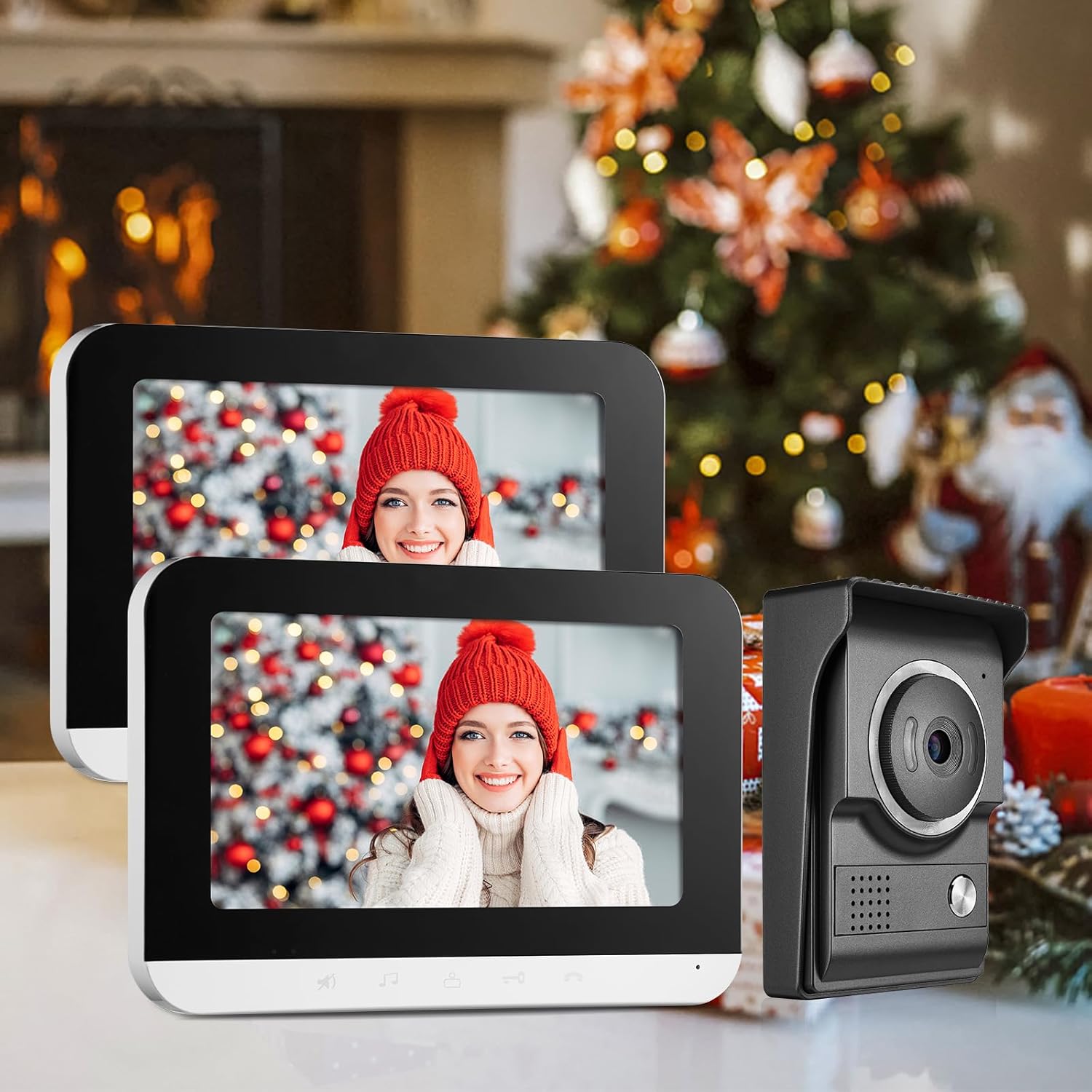
Figure 2.2: The indoor monitor displaying a visitor at the door, demonstrating the visual intercom feature.
3. Configurazione e installazione
3.1. Outdoor Unit (Doorbell Camera)
The outdoor unit (Model: MSA) is designed for durability and clear imaging. It features a weatherproof box, microphone, camera with night vision, call button, and speaker.

Figure 3.1: Outdoor unit diagram with labeled components and dimensions.
3.2. Monitor interno
The indoor monitor (Model: V70MG) provides the interface for communication and control. It includes a microphone, loudspeaker, LED light indicators, and buttons for ring cancel, ring tone/volume adjustment, intercom, unlock, and monitor functions.

Figure 3.2: Indoor monitor diagram with labeled components and dimensions.
3.3. Schema elettrico
Proper wiring is crucial for the system's functionality. Ensure all connections are secure and follow the provided diagram for connecting the outdoor unit, electronic lock (optional), and indoor monitors.

Figura 3.3: Schema elettrico del sistema.
3.4. Wiring Extension Cables
This video demonstrates the correct procedure for wiring extension cables, ensuring proper connection between components. Please use RVV4 core wire if the indoor unit is linked to the outdoor unit, and RVV5 core wire if the indoor unit is linked to another indoor unit. Ensure the function of both ends of the terminal wires is consistent and attach insulating tape to the junction.
Video 3.4: Method for wiring extension cables.
3.5. UTP Cable Connection
Learn how to connect the system using a UTP cable for reliable data transmission. This video provides a step-by-step guide for proper UTP cable integration.
Video 3.5: How to connect the system with a UTP cable.
4. Istruzioni per l'uso
4.1. Funzionamento di base
- Risposta a una chiamata: When a visitor presses the doorbell, the indoor monitor will activate and display the outdoor view. Press the 'Answer' button to begin two-way communication. Press it again to end the call. If no one answers, the monitor will turn off automatically after 60 seconds.
- Monitoraggio: A view the outdoor area at any time, press the 'Monitor' button on the indoor unit.
- Sblocco: If an electrical lock is connected, press the 'Unlock' button on the monitor to remotely open the door for your guest.
- Changing Ringtone: Long press the 'Ring Tone' button to cycle through available ringtones.
- Funzione muto: Press the 'Mute' button to silence the ringtone.

Figure 4.1: Indoor monitor showing the live view dall'unità esterna.
4.2. Funzionalità interfono
This video demonstrates the various functions of the monitor, including the unlock feature, two-way intercom, and the effectiveness of the infrared night vision.
Video 4.2: Monitor, Unlock, Intercom, and IR Night Vision Effect demonstration.
5. Manutenzione
5.1. Pulizia
To ensure optimal performance and longevity, regularly clean the outdoor unit and indoor monitors. Use a soft, damp cloth to wipe surfaces. Avoid abrasive cleaners or solvents that could damage the finish or electronic components.
5.2. Protezione dalle intemperie
The outdoor unit is designed with an IP65 waterproof rating, ensuring stable operation in various weather conditions including rain, clouds, cold, and snow. While robust, avoid direct high-pressure water jets or prolonged submersion.

Figure 5.1: Outdoor unit's weather resistance in various environmental conditions.
6. Risoluzione Dei Problemi
6.1. Problemi comuni e soluzioni
| Problema | Possibile causa | Soluzione |
|---|---|---|
| Nessun video sul monitor interno | Loose wiring; Power issue; Camera malfunction. | Check all wiring connections; Ensure power adapters are plugged in; Contact customer support if issue persists. |
| Nessun audio durante l'interfono | Loose audio wiring; Mute function activated; Speaker/microphone malfunction. | Verify audio wire connections; Deactivate mute function; Test speaker/microphone. |
| Lo sblocco della porta non funziona | Incorrect wiring to electric lock; Electric lock malfunction; Power supply issue to lock. | Review electric lock wiring diagram; Test electric lock independently; Ensure adequate power supply. |
| Scarsa qualità della visione notturna | IR LEDs obstructed or faulty; Low light conditions. | Clear any obstructions from the outdoor unit's IR LEDs; Ensure sufficient ambient light if possible; Contact support if IR LEDs are faulty. |
| Il monitor non si accende | No power; Faulty power adapter; Internal issue. | Check power outlet and adapter connection; Try a different power outlet; Contact customer support. |
7. Specifiche
7.1. Dettagli tecnici
- Dispositivi compatibili: Smartphone (for remote features, if applicable)
- Fonte di energia: Cablato (12 Volt)
- Tecnologia di connettività: Cablato
- Tipo di controller: Buttons on monitor
- Tipo di montaggio: Montaggio a parete
- Risoluzione di acquisizione video: Formato: 720p
- Colore: 7in-1 Camera & 2 Monitor
- Numero di canali: 2
- Viewangolo di ing: 120 gradi
- Materiale: Alluminio
- Grado di protezione internazionale: IP65 (unità esterna)
- Caratteristica speciale: Visione notturna
- Dimensioni del prodotto: 10.55 x 7.17 x 4.69 pollici
- Peso dell'articolo: 3.54 libbre
- Codice UPC: 194998862099
8. Garanzia e supporto
8.1. Assistenza clienti
WOLILIWO is committed to 100% customer satisfaction. If you have any queries about our products or require assistance with installation, please do not hesitate to contact us. We aim to respond within 12 hours to address your concerns.
8.2. Piani di protezione
Additional protection plans are available for purchase to extend coverage beyond the standard warranty. These plans offer peace of mind for your investment:
- Piano di protezione biennale
- Piano di protezione biennale
- Protezione completa: un piano copre tutti gli acquisti idonei passati e futuri (fatturazione mensile)