
Beeasy AW02
Manuale utente dell'orologio digitale impermeabile Beeasy
Modello: AW02
Introduzione
This manual provides detailed instructions for the Beeasy Digital Waterproof Watch, Model AW02. Please read this manual carefully to understand the watch's functions and ensure proper use and maintenance.

Immagine: Frontale view of the Beeasy Digital Waterproof Watch, displaying time, day, and date.
Caratteristiche principali
The Beeasy Digital Waterproof Watch offers a range of features designed for daily wear and active lifestyles.
- Ultra-thin design (6.6 mm case thickness)
- Retroilluminazione per condizioni di scarsa illuminazione
- Dual time zone display
- 12/24 hour format switch
- Automatic calendar
- Sveglia giornaliera e hourly carillon
- Cronometro 1/100 di secondo
- Countdown timer (max 23 hours, 59 minutes, 59 seconds)
- 50M (5ATM) water resistance

Image: Diagram illustrating various features of the Beeasy Digital Watch, including 12/24H, auto calendar, backlight, dual time, alarm mode, stopwatch, countdown, and split time.
Impostare
Accensione iniziale
The watch comes with a pre-installed battery. If the display is blank, press any button to activate it.
Funzioni dei pulsanti
The watch typically has four buttons:
- LEGGERO: Attiva la retroilluminazione.
- DIREZIONI: Passa attraverso diverse modalità (Ora, Sveglia, Cronometro, Conto alla rovescia, Doppio fuso orario).
- ST/STOP: Starts/stops functions in Stopwatch/Countdown mode, adjusts settings.
- RIPRISTINA: Resets functions, adjusts settings.
Image: Close-up of the watch face, highlighting the "LIGHT", "MODE", "ST/STOP", and "RESET" button labels around the bezel.
Istruzioni per l'uso
Impostazione di ora e data
- Dalla visualizzazione normale dell'ora, premere il tasto MODALITÀ button repeatedly until the seconds start flashing.
- Premere RESET per scorrere le impostazioni: Secondi → Ora → Minuti → Anno → Mese → Giorno.
- Utilizzo ST/STOP per regolare il valore lampeggiante.
- Una volta che tutte le impostazioni sono corrette, premere MODALITÀ per tornare alla visualizzazione normale dell'ora.
Formato 12/24 ore
In the normal time display, press ST/STOP per passare dal formato 12 ore (con indicatore AM/PM) a quello 24 ore.
Impostazione doppio orario
Questa funzione consente di monitorare un secondo fuso orario.
- Premere MODALITÀ until you reach the Dual Time mode (often indicated by "DT" or a second time display).
- Premere e tenere premuto RESET finché non lampeggia l'ora.
- Utilizzo ST/STOP per regolare l'ora, quindi RESET per passare ai minuti.
- Utilizzo ST/STOP per regolare i minuti.
- Premere MODALITÀ per salvare e uscire.
Image: Diagram illustrating the dual time feature, showing two different time zones (e.g., London and New York) on the watch display.
Funzione di allarme
- Premere MODALITÀ until you reach the Alarm mode (indicated by "AL" or an alarm icon).
- Premere RESET per selezionare l'ora o i minuti da impostare.
- Utilizzo ST/STOP per regolare il valore lampeggiante.
- Premere MODALITÀ per salvare l'ora della sveglia.
- Per accendere/spegnere la sveglia, premere ST/STOP in Alarm mode. An alarm icon will appear when active.
- Per attivare/disattivare l'hourly chime, premere RESET in Alarm mode (while not setting the alarm time).
Image: Diagram illustrating the alarm mode, showing an alarm clock icon and a person sleeping, indicating the watch's alarm function.
Funzione cronometro
- Premere MODALITÀ until you reach the Stopwatch mode (indicated by "ST" or "CH").
- Premere ST/STOP per avviare il cronometro.
- Premere ST/STOP di nuovo per fermarlo.
- Premere RESET per azzerare il cronometro.
- Per registrare i tempi parziali, premere RESET while the stopwatch is running. The display will freeze, but the stopwatch continues to run in the background. Press RESET di nuovo per tornare al tempo di esecuzione.
Image: Diagram illustrating the stopwatch and countdown functions, showing a stopwatch icon and a person exercising, indicating the watch's timing capabilities.
Funzione timer per il conto alla rovescia
- Premere MODALITÀ until you reach the Countdown Timer mode (indicated by "TR" or "CD").
- Premere RESET per selezionare l'ora, i minuti o i secondi da impostare.
- Utilizzo ST/STOP per regolare il valore lampeggiante.
- Premere MODALITÀ per salvare il conto alla rovescia.
- Premere ST/STOP per iniziare il conto alla rovescia.
- Premere ST/STOP di nuovo per mettere in pausa/riprendere.
- Premere RESET to reset the countdown to the initial set time.
Retroilluminazione
Premere il tasto LEGGERO pulsante per illuminare il display per alcuni secondi.
Manutenzione
Pulizia
Pulire regolarmente l'orologio con un panno morbido e asciutto. Per lo sporco ostinato, utilizzare un panno leggermenteamp È possibile utilizzare un panno e procedere all'asciugatura. Evitare prodotti chimici aggressivi o detergenti abrasivi.
Resistenza all'acqua
The watch is water-resistant up to 50 meters (5ATM). This means it is suitable for swimming and cold showers.
Important: Avoid contact with hot water or steam, as this can compromise the watch's water resistance seals.
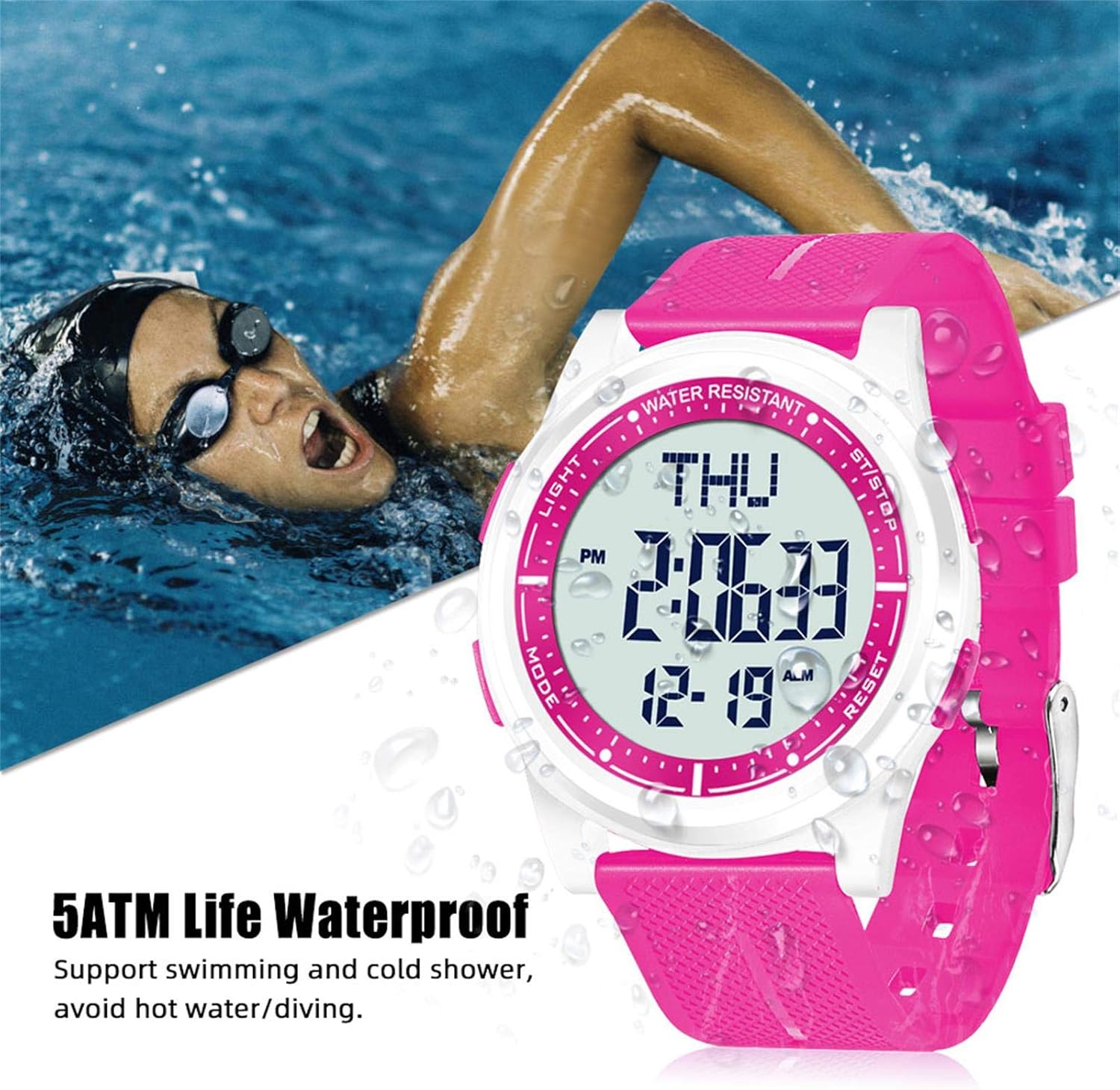
Image: The Beeasy Digital Watch worn by a person swimming, illustrating its 5ATM water resistance. Text on image states "5ATM Life Waterproof, Support swimming and cold shower, avoid hot water/diving."
Sostituzione della batteria
The watch uses a Lithium metal battery. When the display dims or functions become erratic, it may be time to replace the battery. It is recommended to have battery replacement performed by a qualified watch technician to ensure proper sealing and maintain water resistance.
Risoluzione dei problemi
| Problema | Possibile causa | Soluzione |
|---|---|---|
| Il display è vuoto o poco luminoso. | Batteria scarica. | Sostituire la batteria. |
| I pulsanti non rispondono. | L'orologio potrebbe essere in modalità bloccata o la batteria potrebbe essere molto scarica. | Try pressing all buttons to see if it responds. If not, replace battery. |
| L'ora non è corretta. | L'ora non è impostata correttamente o la batteria è scarica. | Refer to "Setting Time and Date" section. Replace battery if issue persists. |
| Acqua all'interno dell'orologio. | Exposure to hot water/steam or damaged seal. | Stop using the watch immediately. Seek professional repair. Avoid hot water/steam. |
Specifiche
- Numero modello: AW02
- Dimensioni (L x P x A): 24.5 x 4.4 x 0.66 cm (9.65 x 1.73 x 0.26 pollici)
- Peso: 36.8 grammi (1.3 once)
- Spessore della cassa: 6.6 millimetri
- Resistenza all'acqua: 50 metri (5 ATM)
- Tipo di batteria: 1 Lithium metal battery (required)
- Tipo di visualizzazione: Digitale
- Funzioni: Time (12/24H), Date, Day, Alarm, Hourly Chime, Stopwatch (1/100s), Countdown Timer, Dual Time, Backlight
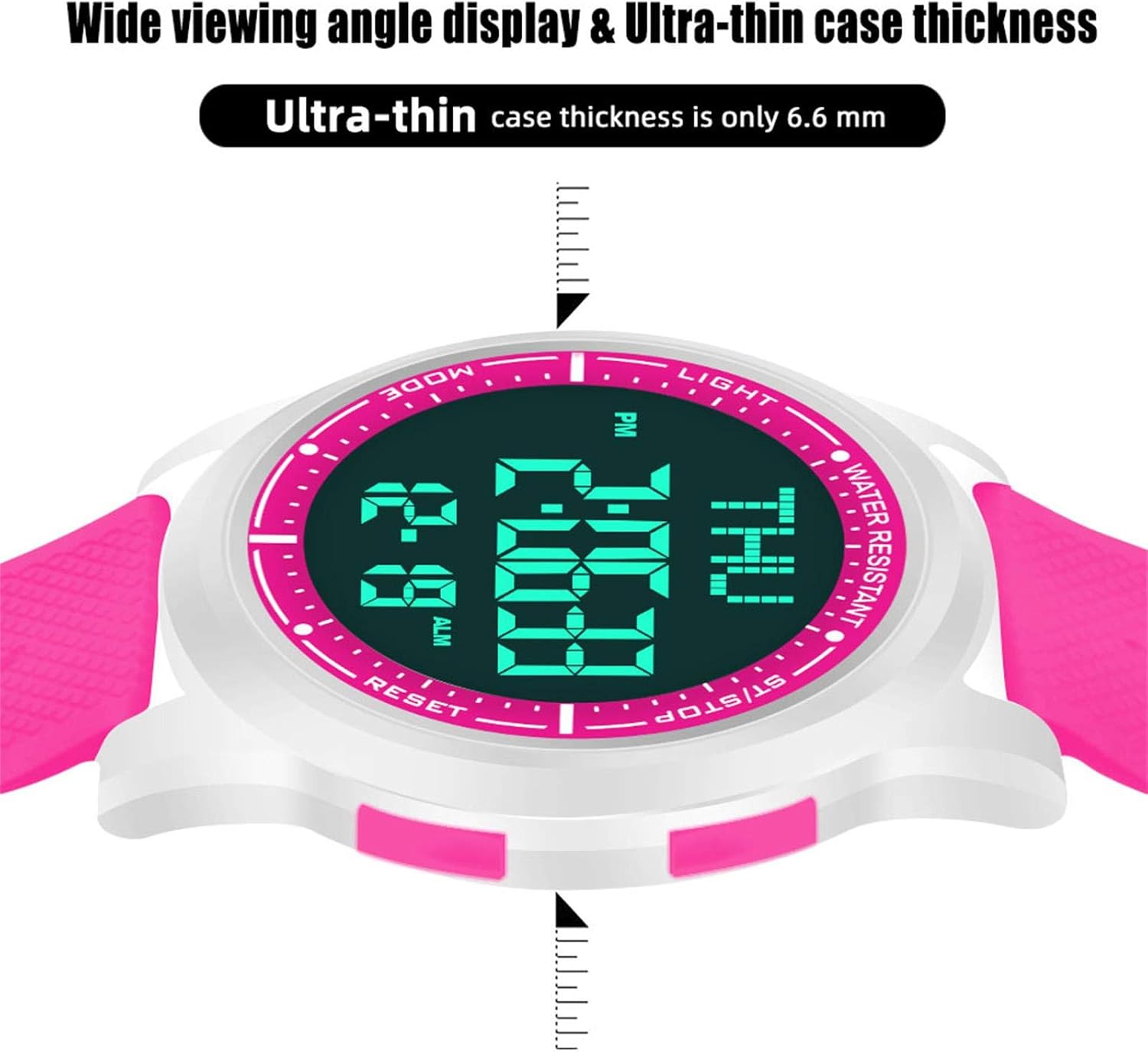
Image: Diagram showing the precise dimensions of the Beeasy Digital Watch, including strap length, case width, and ultra-thin case thickness (6.6mm).
Garanzia e supporto
For warranty information or technical support, please contact Beeasy customer service. Refer to your purchase documentation for specific warranty terms.
For more information, you may visit the official Beeasy store on Amazon: Beeasy Store