1. Introduzione
This manual provides essential instructions for the safe and effective use of your Wellue Bluetooth Blood Pressure Monitor BP2A. This device is designed for home use to measure systolic blood pressure (SYS), diastolic blood pressure (DIA), mean arterial pressure (MAP), pulse rate, and pulse pressure. It also features an ECG function for additional heart health monitoring. Please read this manual thoroughly before first use and retain it for future reference.
2. Informazioni importanti sulla sicurezza
- Consultare il proprio medico prima di utilizzare questo dispositivo per qualsiasi condizione medica. L'autodiagnosi e il trattamento basati su misurazioni possono essere pericolosi.
- This device is intended for adult home use only. It is not intended for use on infants, children, or pregnant women.
- Do not use this device in conjunction with high-frequency surgical equipment.
- Tenere il dispositivo fuori dalla portata dei bambini e degli animali domestici.
- Non smontare o tentare di riparare il dispositivo. Per qualsiasi intervento di assistenza, rivolgersi a personale qualificato.
- Avoid strong electromagnetic fields during use, as they may interfere with the device's operation.
- Le dichiarazioni relative agli integratori alimentari non sono state valutate dalla FDA e non intendono diagnosticare, trattare, curare o prevenire alcuna malattia o condizione di salute.
3. Contenuto della confezione
Verificare che tutti gli articoli siano presenti all'apertura della confezione:
- Wellue Bluetooth Blood Pressure Monitor BP2A (integrated with cuff)
- Cavo di ricarica USB
- Manuale d'uso
4. Dispositivo suview
The Wellue BP2A monitor features a compact, one-piece design for ease of use and portability. It includes an integrated arm cuff, a digital display, and control buttons.

Figure 4.1: Wellue BP2A Blood Pressure Monitor and ViHealth App Interface.

Figure 4.2: Key features of the Wellue BP2A monitor, including Bluetooth connectivity, FDA clearance, rechargeable battery, and built-in memory for 50 readings.
5. Impostazione
5.1 Ricarica del dispositivo
Before initial use, fully charge the device using the provided USB cable. Connect the cable to the monitor's charging port and a standard USB power adapter (not included). A full charge can provide power for up to 300 measurements.
5.2 Installing the ViHealth App
The Wellue BP2A works with the free ViHealth app, available for iOS and Android devices. Cercare "ViHealth" in your device's app store and install it.

Figure 5.1: The ViHealth app for Android and iOS, used to track blood pressure and heart measurements.
5.3 Associazione Bluetooth
Ensure Bluetooth is enabled on your smartphone. Open the ViHealth app. Turn on the Wellue BP2A monitor. The device should automatically connect to the app. Follow any on-screen prompts within the app to complete the pairing process.
6. Istruzioni per l'uso
6.1 Posizionamento corretto del bracciale
Accurate measurement depends on correct cuff placement. Ensure the cuff is placed directly on your bare upper arm, 1-2 cm above the elbow joint. The air tube (if applicable, though this is a one-piece design, the sensor area should be aligned) should be positioned over the brachial artery. The cuff should fit snugly but not too tightly. Refer to the diagram below for guidance.

Figure 6.1: Correct cuff placement for accurate blood pressure measurement.
6.2 Effettuare una misurazione della pressione sanguigna
- Sedetevi comodamente con la schiena appoggiata e i piedi ben appoggiati sul pavimento. Appoggiate il braccio su un tavolo in modo che il bracciale sia all'altezza del cuore.
- Ensure the device is powered on and, if desired, connected to the ViHealth app.
- Premere il tasto Avvio/Arresto button on the device. The cuff will begin to inflate.
- Rimanere fermi e in silenzio durante la misurazione.
- Once complete, your blood pressure readings (SYS, DIA, MAP, Pulse Rate, Pulse Pressure) will be displayed on the device screen and automatically uploaded to the ViHealth app if connected.

Figure 6.2: User taking a blood pressure measurement with the Wellue BP2A monitor.
6.3 Taking an ECG Measurement
The device also supports ECG measurements. To take an ECG:
- Ensure the device is powered on and connected to the ViHealth app.
- Hold the device with both hands, placing your thumbs on the designated electrodes (usually the metal strips on the sides or top of the device).
- Remain still and relaxed for the duration of the measurement (typically 30 seconds).
- The ECG waveform and heart rate will be displayed on the device and recorded in the app.
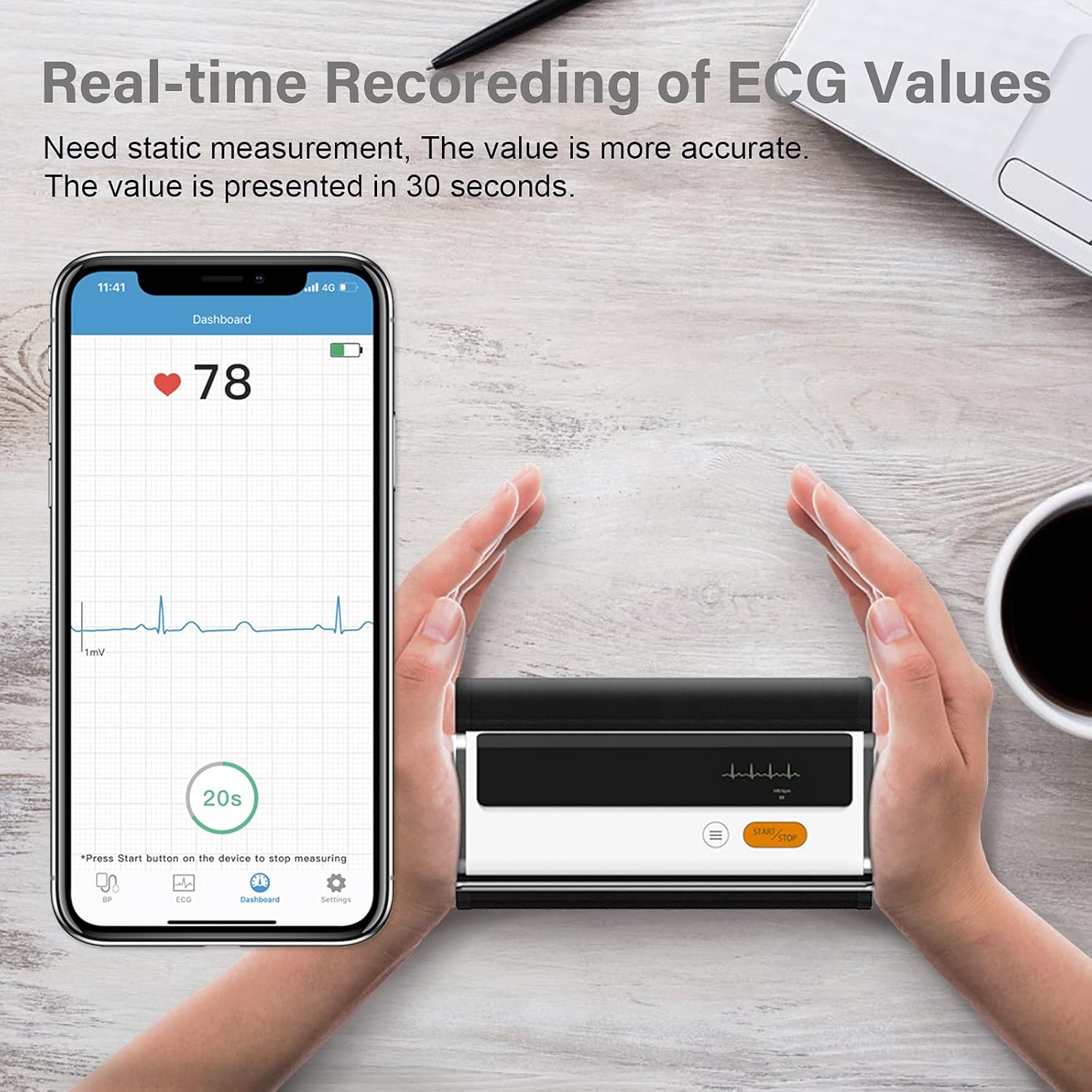
Figure 6.3: Real-time recording of ECG values using the Wellue BP2A monitor.
6.4 Using the ViHealth App for Data Management
The ViHealth app allows you to:
- View real-time readings during measurement.
- Access historical data and trends for multiple users.
- Generate and share PDF/CSV reports with healthcare providers.
- Track both blood pressure and ECG data in one place.
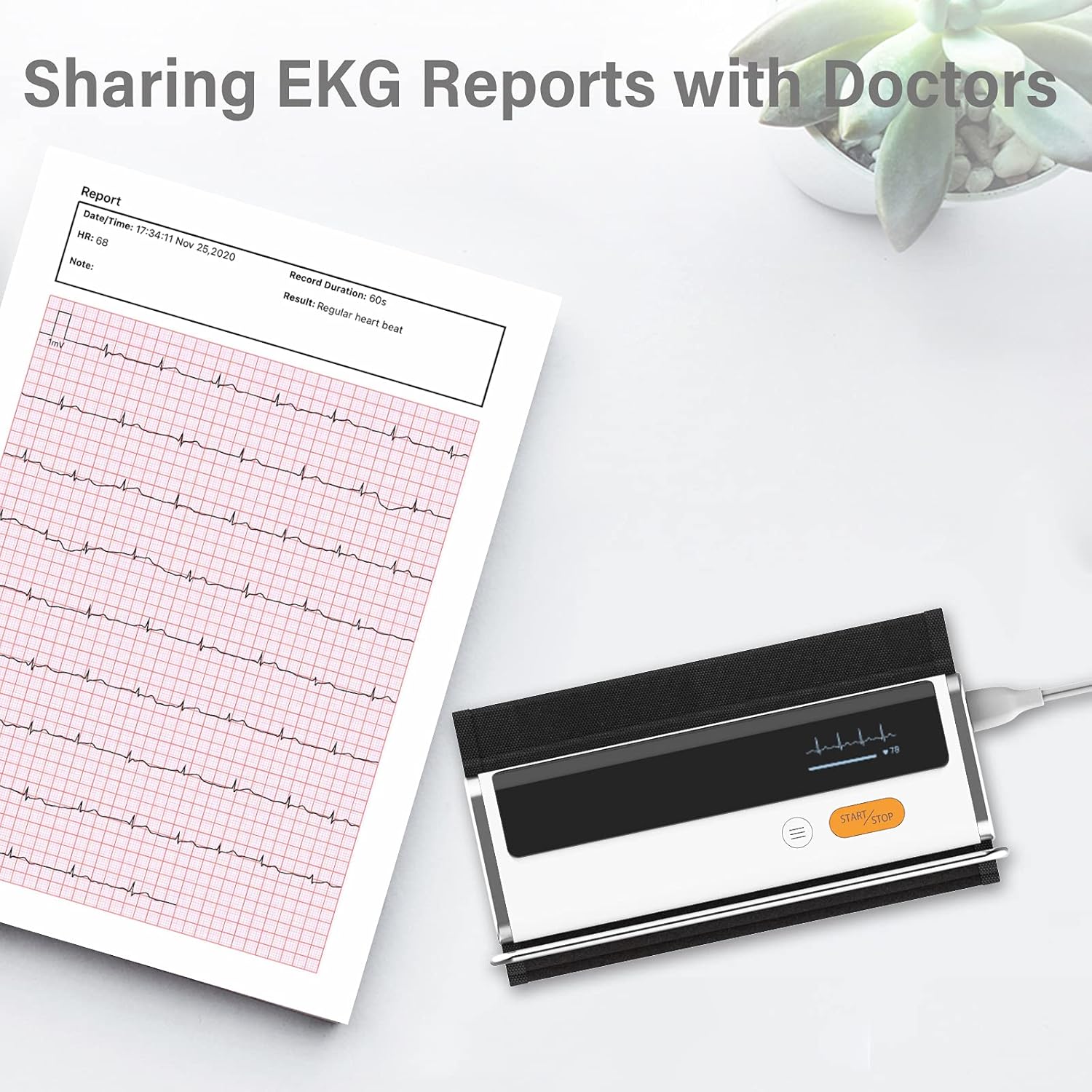
Figure 6.4: Sharing EKG reports generated by the ViHealth app.
Video 6.1: Demonstration of the Wellue blood pressure monitor's features and its integration with the ViHealth app for real-time readings and data sharing.
7. Manutenzione
7.1 Pulizia
Wipe the device and cuff with a soft, dry cloth. If necessary, use a cloth lightly dampened with water or a mild disinfectant. Do not immerse the device in water or use abrasive cleaners.
7.2 Conservazione
Conservare il dispositivo in un luogo fresco e asciutto, lontano dalla luce solare diretta e da temperature estreme. Conservarlo nella confezione originale o in una custodia protettiva quando non in uso.
7.3 Cura della batteria
Per prolungare la durata della batteria, caricare regolarmente il dispositivo, anche se non utilizzato frequentemente. Evitare di scaricare completamente la batteria per periodi prolungati.
8. Risoluzione Dei Problemi
| Problema | Possibile causa | Soluzione |
|---|---|---|
| Il dispositivo non si accende | Batteria scarica | Caricare il dispositivo tramite il cavo USB. |
| Impossibile connettersi all'app | Bluetooth off, app not open, device not in pairing mode | Ensure Bluetooth is on, open ViHealth app, restart device. |
| Letture imprecise | Incorrect cuff placement, movement during measurement, speaking during measurement | Re-position cuff correctly, remain still and silent during measurement. |
| Il bracciale non si gonfia | Cuff not properly attached, air leak | Check cuff connection, ensure no leaks. |
9. Specifiche
- Nome modello: Armfit Plus
- Numero modello articolo: BP2A
- Marca: Bene
- Dimensione del polsino: 8.7-16.5 pollici (22-42 cm)
- Fonte di energia: Alimentato a batteria (1 batteria agli ioni di litio, inclusa)
- Tipo di visualizzazione: Digitale
- Dimensioni del prodotto: 5.9"L x 1.9"W x 1.18"S
- Peso: Circa 15.84 once
- Connettività: Bluetooth
- Memoria: Built-in memory for 50 sets of readings
10. Garanzia e supporto
For warranty information and technical support, please refer to the official Wellue webo contattare direttamente il servizio clienti. Conservare la ricevuta d'acquisto come prova d'acquisto per eventuali reclami in garanzia.