
Canon USA 4082C002
Manuale di istruzioni per la fotocamera mirrorless full-frame Canon EOS R6
Brand: Canon USA
1. Introduzione
This manual provides essential information for the safe and effective use of your Canon EOS R6 Full-Frame Mirrorless Camera. The EOS R6 is designed for high-performance photography and videography, featuring a 20 Megapixel Full-frame CMOS Sensor, DIGIC X Image Processor, and advanced autofocus capabilities.
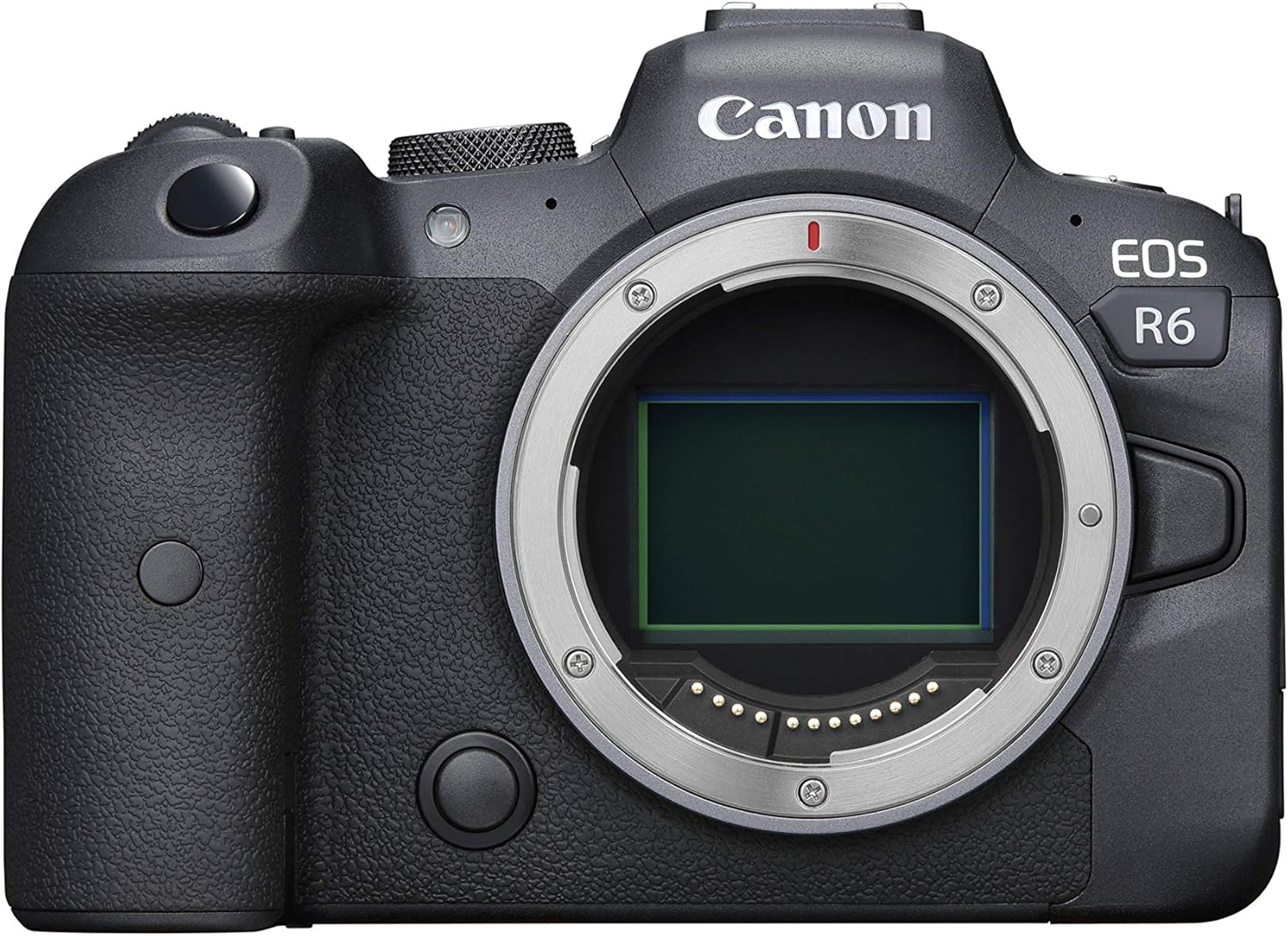
Figura 1.1: Fronte view of the Canon EOS R6 camera body, showcasing the lens mount and grip.
2. Impostazione
2.1. Cosa c'è nella scatola
The Canon EOS R6 (Body Only) package typically includes the following components:
- Corpo macchina fotografica Canon EOS R6
- Batteria LP-E6NH
- Caricabatteria LC-E6
- Strap ER-EOS R6
- Cavo di interfaccia IFC-100U
- Protettore del cavo

Figure 2.1: Typical contents included with the Canon EOS R6 camera body.
2.2. Installazione e ricarica della batteria
- Aprire il coperchio del vano batteria situato nella parte inferiore della fotocamera.
- Insert the LP-E6NH battery pack with the electrical contacts facing inward, ensuring it clicks into place.
- Chiudere il coperchio del vano batterie.
- To charge, insert the battery into the LC-E6 charger and plug the charger into a power outlet. The charging indicator light will show the charging status.
2.3. Installazione della scheda di memoria
The EOS R6 features dual UHS-II SD memory card slots.
- Aprire il coperchio dello slot della scheda di memoria sul lato della fotocamera.
- Insert the SD card(s) into the slots with the label facing the front of the camera until they click into place.
- Chiudere il coperchio dello slot della scheda di memoria.

Figure 2.2: Dual UHS-II SD memory card slots on the Canon EOS R6.
2.4. Collegamento di un obiettivo
Align the red or white index mark on the lens with the corresponding mark on the camera's lens mount. Rotate the lens clockwise until it clicks into place.
3. Utilizzo della fotocamera
3.1. Accensione/spegnimento
Locate the ON/OFF switch on the top left side of the camera body and slide it to the 'ON' or 'OFF' position.

Figure 3.1: Top controls of the Canon EOS R6, including the ON/OFF switch.
3.2. Modalità fotografiche di base
La ghiera delle modalità sulla parte superiore della fotocamera consente di selezionare diverse modalità di scatto:
- P (Program AE): Camera sets aperture and shutter speed automatically.
- Tv (Shutter-priority AE): Tu imposti la velocità dell'otturatore, la fotocamera imposta l'apertura.
- Av (Aperture-priority AE): Tu imposti l'apertura, la fotocamera imposta la velocità dell'otturatore.
- M (esposizione manuale): È possibile impostare sia l'apertura che la velocità dell'otturatore.
- C1/C2/C3 (Custom Shooting Modes): Register frequently used settings for quick recall.
3.3. Sistema di messa a fuoco automatica
The EOS R6 features Dual Pixel CMOS AF II with approximately 100% coverage and 1,053 Automatic AF Zones. It supports advanced subject tracking:
- Eye, Face, and Head Detection AF: For tracking human subjects.
- Animal Detection AF: For tracking the whole body, face, or eye of cats, dogs, or birds.
3.4. In-Body Image Stabilization (IBIS)
The camera incorporates a 5-axis In-Body Image Stabilizer, providing up to 8-stops of shake correction with compatible lenses, enhancing stability for both photos and videos, especially in low light.
3.5. Registrazione video
The EOS R6 supports high-quality video recording:
- Risoluzione 4K Ultra HD: Up to 60P
- Alta definizione completa: Up to 120P
It also offers internally recorded 4:2:2 10-bit Canon Log or HDR-PQ recording for advanced color grading.
3.6. Connettività
The camera includes built-in Wi-Fi and Bluetooth for wireless image transfer, remote control, and automatic backup options.

Figure 3.2: Rear controls and LCD screen of the Canon EOS R6.
4. Manutenzione
4.1. Pulizia della fotocamera
- Per pulire il corpo della fotocamera, utilizzare un panno morbido e privo di lanugine.
- For the LCD screen, use a screen-specific cleaner and cloth.
- For the sensor, use a blower brush to remove dust. For stubborn dust, professional cleaning is recommended.
4.2. Cura della batteria
- Conservare le batterie in un luogo fresco e asciutto quando non vengono utilizzate.
- Evitare di scaricare completamente le batterie frequentemente per prolungarne la durata.
4.3. Conservazione
When storing the camera for extended periods, remove the battery and memory cards. Store the camera in a dry, dust-free environment, ideally with desiccant packets to prevent mold and mildew.
5. Risoluzione Dei Problemi
Problemi comuni e soluzioni
| Problema | Possibile causa | Soluzione |
|---|---|---|
| La fotocamera non si accende | La batteria è scarica o inserita in modo errato. | Caricare completamente la batteria e assicurarsi che sia inserita correttamente. |
| Le immagini sono sfocate | Messa a fuoco errata, vibrazioni della fotocamera o bassa velocità dell'otturatore. | Controllare la modalità di messa a fuoco, utilizzare la stabilizzazione dell'immagine, aumentare la velocità dell'otturatore o utilizzare un treppiede. |
| Errore scheda di memoria | La scheda è piena, danneggiata o incompatibile. | Formattare la scheda (will erase data), try a different card, or ensure it's a compatible UHS-II SD card. |
| La registrazione video si interrompe inaspettatamente | Memory card write speed is too slow or camera overheating. | Use a faster UHS-II SD card. Allow camera to cool down if overheating. |
6. Specifiche
| Caratteristica | Dettaglio |
|---|---|
| Numero di modello | 4082C002 |
| Sensore | 20 Megapixel Full-frame CMOS Sensor |
| Processore di immagini | DIGIC X |
| Gamma ISO | 100-102,400 (espandibile a 204,800) |
| Scatto continuo | Up to 12 fps (Mechanical Shutter), Up to 20 fps (Electronic Shutter) |
| Sistema di messa a fuoco automatica | Dual Pixel CMOS AF II (approx. 100% coverage, 1,053 AF areas) |
| Stabilizzazione dell'immagine | 5-axis In-Body Image Stabilizer (up to 8-stops correction) |
| Risoluzione video | 4K UHD 60P, Full HD 120P |
| Slot per schede di memoria | Dual UHS-II SD |
| Connettività | Wi-Fi, Bluetooth |
| Dimensioni (L x A x P) | 5.45 x 3.84 x 3.48 pollici |
| Peso | 1.5 libbre (solo corpo) |
| Supporti compatibili | Canone RF |
| Supportato File Formato | JPEG, Raw, HEIF |
7. Garanzia e supporto
For detailed warranty information and customer support, please refer to the official Canon USA website or the warranty card included with your product. You can also find the comprehensive user manual in PDF format for further details: