
Riapow T11PWX
Manuale utente del caricabatterie solare Power Bank Riapow da 26800 mAh
Model: T11PWX | Brand: Riapow
Introduzione
Thank you for choosing the Riapow 26800mAh Solar Charger Power Bank. This device is designed to provide reliable portable power for your electronic devices, especially in outdoor and emergency situations. It features a high-capacity battery, wireless charging, fast charging capabilities, and a built-in flashlight, all housed in a durable, multi-proof casing.

Figure 1: Riapow 26800mAh Solar Charger Power Bank. This image shows the front and back of the power bank, highlighting its solar panel and dual LED flashlights.
Impostare
Carica iniziale
Before first use, it is recommended to fully charge the power bank using a wall adapter. This ensures the internal battery is calibrated and ready for optimal performance.
- Collegare il cavo USB-C in dotazione alla porta di ingresso USB-C del power bank.
- Collegare l'altra estremità del cavo a un adattatore da parete USB compatibile (non incluso).
- Gli indicatori LED si illumineranno per mostrare l'avanzamento della ricarica. Tutti e quattro i LED saranno fissi quando la carica sarà completa.

Figure 2: USB Charging. The power bank is shown connected to a wall charger via a USB cable for efficient charging.
Ricarica solare
The solar panel is designed for emergency use and supplementary charging. It is not intended to be the primary charging method due to the slower charging speed compared to wall charging.
- Posizionare il power bank alla luce diretta del sole con il pannello solare rivolto verso l'alto.
- The green solar charging indicator light will turn on when solar charging is active.
- For best results, ensure the panel is clean and unobstructed.

Figure 3: Solar Charging. The power bank is positioned to absorb sunlight for emergency power replenishment.
Istruzioni per l'uso
Caricare i tuoi dispositivi
The Riapow power bank offers multiple ways to charge your devices:
Ricarica cablata (USB-A e USB-C)
- Collega il cavo di ricarica del tuo dispositivo a una delle porte di uscita USB-A o alla porta di uscita USB-C del power bank.
- Il power bank inizierà automaticamente a caricare il tuo dispositivo.
- The power bank supports charging up to 3 devices simultaneously via wired connections.
Ricarica wireless (Qi)
- Assicurati che il tuo dispositivo supporti la ricarica wireless Qi.
- Place your Qi-enabled device directly on the wireless charging pad located on the power bank.
- The wireless charging indicator light will illuminate, and your device should begin charging. Adjust placement if charging does not start immediately.

Figure 4: High Capacity Charging. This image illustrates the power bank's ability to charge multiple devices simultaneously, including phones and tablets, showcasing its 26800mAh capacity.
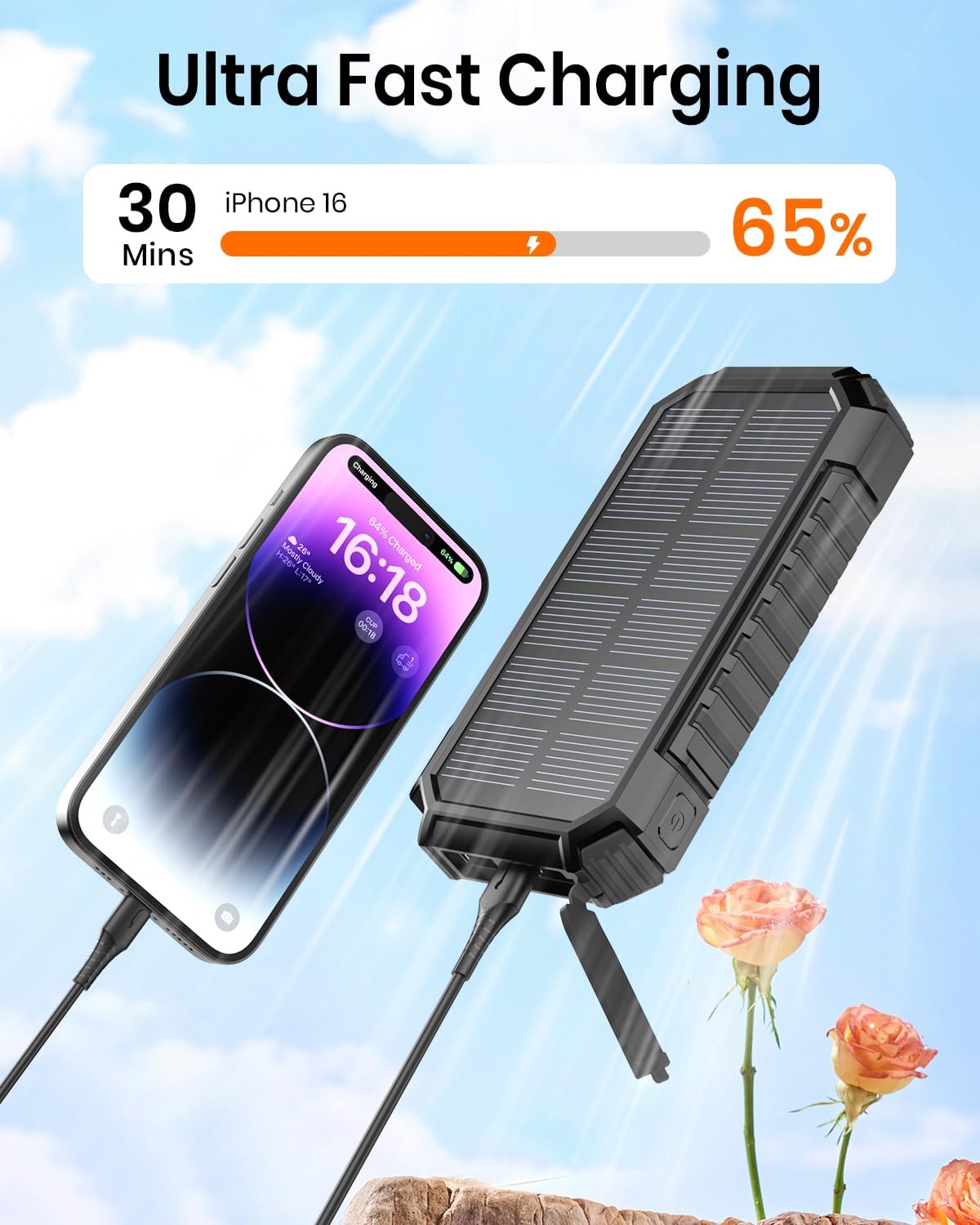
Figure 5: Ultra Fast Charging. A close-up view of the power bank charging a smartphone rapidly via its USB-C port.

Figure 6: 15W Wireless Charging. This image demonstrates the power bank's wireless charging capability, showing a phone placed on the charging pad.
Utilizzando la torcia
The power bank is equipped with dual LED flashlights for illumination in low-light conditions.
- Per accendere/spegnere: Tieni premuto il pulsante di accensione per circa 3 secondi.
- Per scorrere le modalità: Once the flashlight is on, short press the power button to switch between modes: Steady light, SOS signal, Strobe light.
Manutenzione
Proper maintenance will extend the lifespan of your Riapow power bank.
- Pulizia: Use a soft, dry cloth to wipe the surface of the power bank. Avoid using harsh chemicals or abrasive materials. Ensure the solar panel is clean for efficient solar charging.
- Magazzinaggio: Store the power bank in a cool, dry place away from direct sunlight and extreme temperatures. If storing for extended periods, charge the power bank to about 50-75% capacity every 3 months to preserve battery health.
- Protezione ambientale: While the power bank is IP67 waterproof, shockproof, and dustproof, avoid intentional submersion in water or exposing it to severe impacts. The waterproof silicone gel provides protection for internal components.

Figure 7: Multi-Proof Design. This composite image highlights the power bank's resistance to water, shocks, and dust, making it suitable for rugged outdoor use.
Risoluzione dei problemi
| Problema | Possibile causa | Soluzione |
|---|---|---|
| La power bank non si ricarica | Cable issue, adapter issue, power bank fully charged. | Try a different USB-C cable and wall adapter. Ensure the power bank is not already fully charged (all LEDs solid). |
| Il dispositivo non si ricarica dal power bank | Power bank low on battery, cable issue, device not properly placed for wireless charging. | Ensure power bank has sufficient charge. Try a different charging cable. For wireless charging, reposition the device on the charging pad. |
| Solar charging indicator not on | Insufficient sunlight, solar panel obstructed or dirty. | Move the power bank to direct, strong sunlight. Clean the solar panel surface. |
| Torcia non funzionante | Power button not pressed correctly, power bank low on battery. | Press and hold the power button for 3 seconds to activate. Ensure the power bank has charge. |
Specifiche
- Modello: T11PWX
- Capacità della batteria: 26800mAh
- Tipo di batteria: Polimero di litio
- Dimensioni del prodotto: 6.89 x 3.54 x 1.18 pollici
- Peso dell'articolo: 1.04 libbre
- Ingresso (USB-C): 5V/3.0A (ricarica rapida)
- Uscita (USB-C): 5V/3.0A (ricarica rapida)
- Uscita (USB-A): Porte USB-A standard
- Uscita wireless: Ricarica wireless Qi da 15 W
- Caratteristiche speciali: Solar Charging, Dual LED Flashlight (Steady, SOS, Strobe modes), IP67 Waterproof, Shockproof, Dustproof.
- Produttore: Dongguan Jili Intelligent Technology Co., Ltd.
- Paese di origine: Cina
Garanzia e supporto
Riapow offers an industry-leading 10-year quality commitment for this product. If you encounter any issues or have questions regarding your Riapow Solar Charger Power Bank, please do not hesitate to contact Riapow customer support. Refer to the product packaging or the Riapow official websito per le informazioni di contatto.
For more information and support, visit the official Riapow store: Riapow Store on Amazon.
Ask a question about this manual
Ask about setup, troubleshooting, compatibility, parts, safety, or missing instructions. Manuals+ will review the question and use this page’s manual context to help answer it.