1. Introduzione
This manual provides comprehensive instructions for the safe and effective use of your AKG K371-BT Bluetooth Studio Headphones. Please read this manual thoroughly before using the product and retain it for future reference.
2. Informazioni sulla sicurezza
Per evitare danni alle cuffie o lesioni personali, osservare le seguenti precauzioni di sicurezza:
- Per evitare danni all'udito, evitare l'ascolto prolungato a volumi elevati.
- Non esporre le cuffie a temperature estreme, umidità o liquidi.
- Non tentare di smontare o modificare le cuffie. Ciò invaliderà la garanzia.
- Tenere fuori dalla portata dei bambini.
- Utilizzare solo cavi di ricarica e fonti di alimentazione approvati.
3. Contenuto della confezione
Verifica che tutti gli articoli siano presenti nella confezione del prodotto:
- AKG K371-BT Studio Headphones
- Custodia protettiva
- Audio Cables (various lengths/types as supplied)
- Cavo di ricarica
4. Prodotto finitoview
The AKG K371-BT headphones are designed for professional performance with both wired and wireless capabilities. They feature an over-ear, closed-back design for superior isolation and comfort.

Figura 4.1: Principale view of the AKG K371-BT Bluetooth Studio Headphones.
Caratteristiche principali:
- Closed-Back, Over-Ear Design: Oval earpads provide superior isolation and enhanced bass response.
- Driver rivestiti in titanio da 50 mm: Tuned to the AKG Reference Response Curve for extended frequency response (5 Hz to 40 kHz).
- Wired or Wireless Listening: Bluetooth 5.0 connectivity with up to 40 hours of battery life, or traditional wired connection.
- Foldable, Notched Hinge: 8-position articulated hinge for maximum portability.
- Slow-Retention Foam Earpads: Ensures superior comfort for long listening sessions.
- Microfono incorporato: For calls and live-streams.
- Earcup Gesture Controls: Swipe for volume, track control, and more.
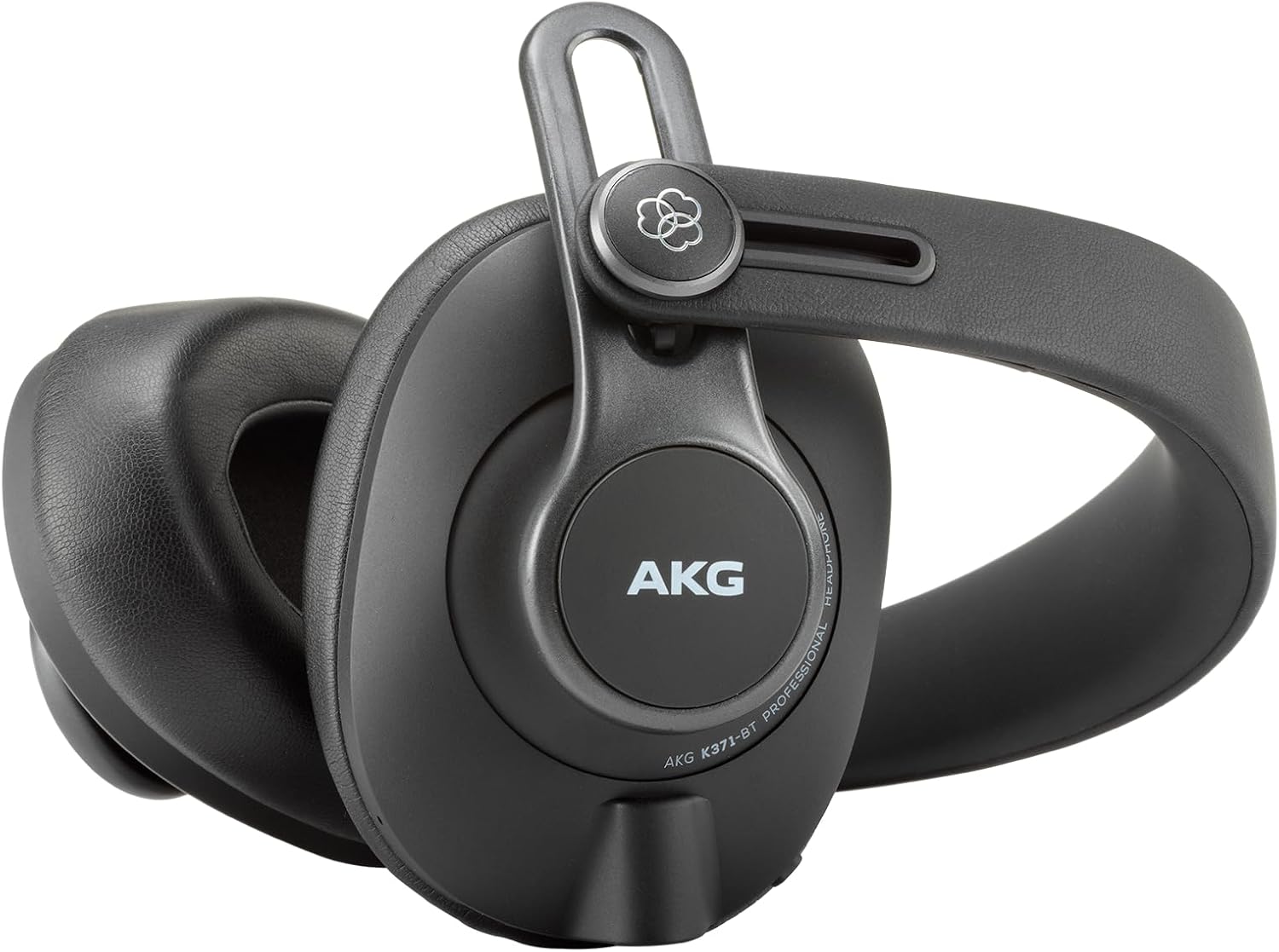
Figure 4.2: The K371-BT headphones feature a foldable design for easy transport.
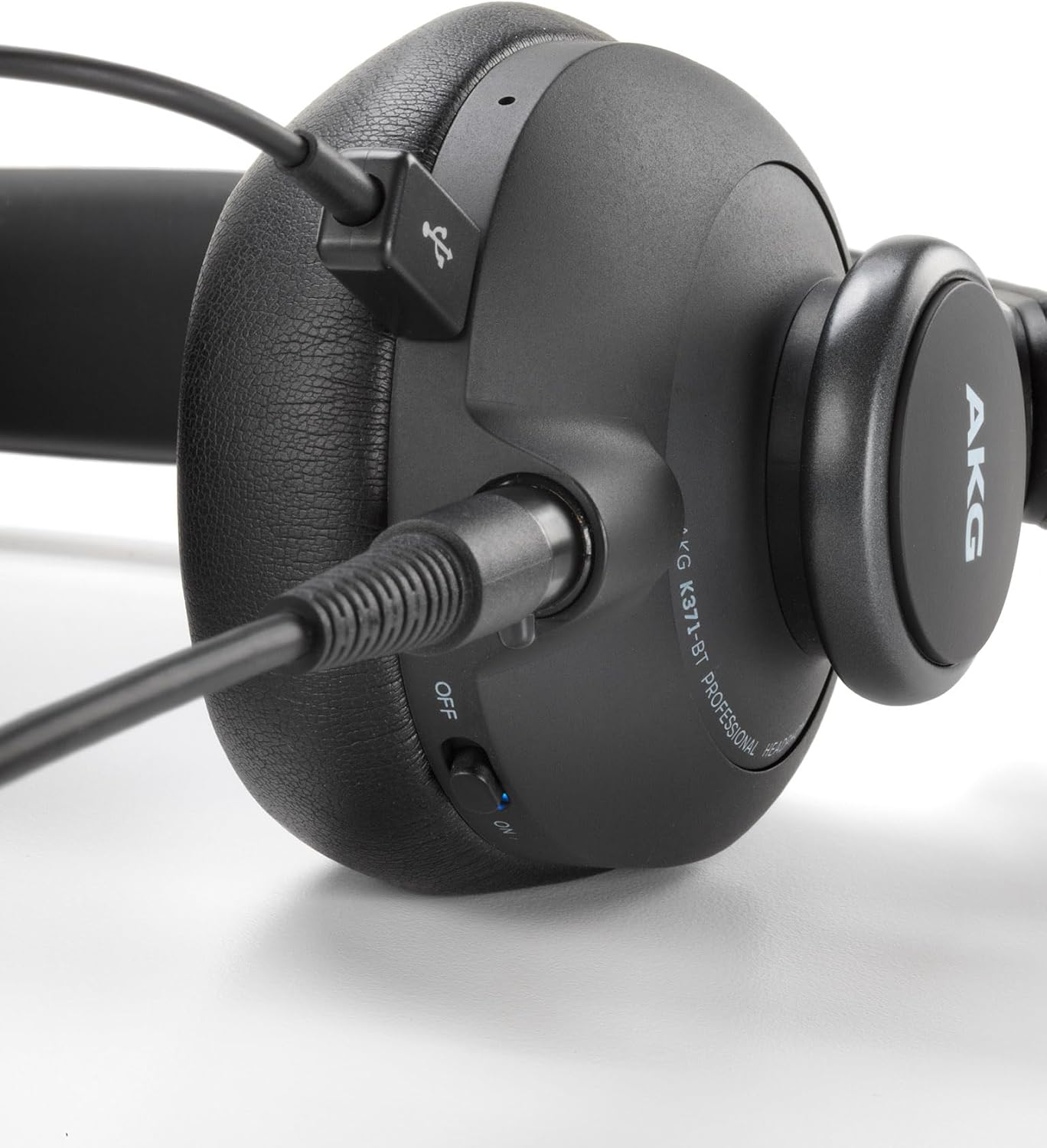
Figure 4.3: Wired connection port on the K371-BT headphones.
5. Impostazione
5.1 Ricarica delle cuffie
Before first use, fully charge your K371-BT headphones. A full charge takes approximately 2 hours.
- Connect the supplied charging cable to the charging port on the headphones.
- Collegare l'altra estremità del cavo a una fonte di alimentazione USB (ad esempio, una porta USB del computer, un adattatore USB da parete).
- L'indicatore LED mostrerà lo stato di carica e si spegnerà quando la carica sarà completa.
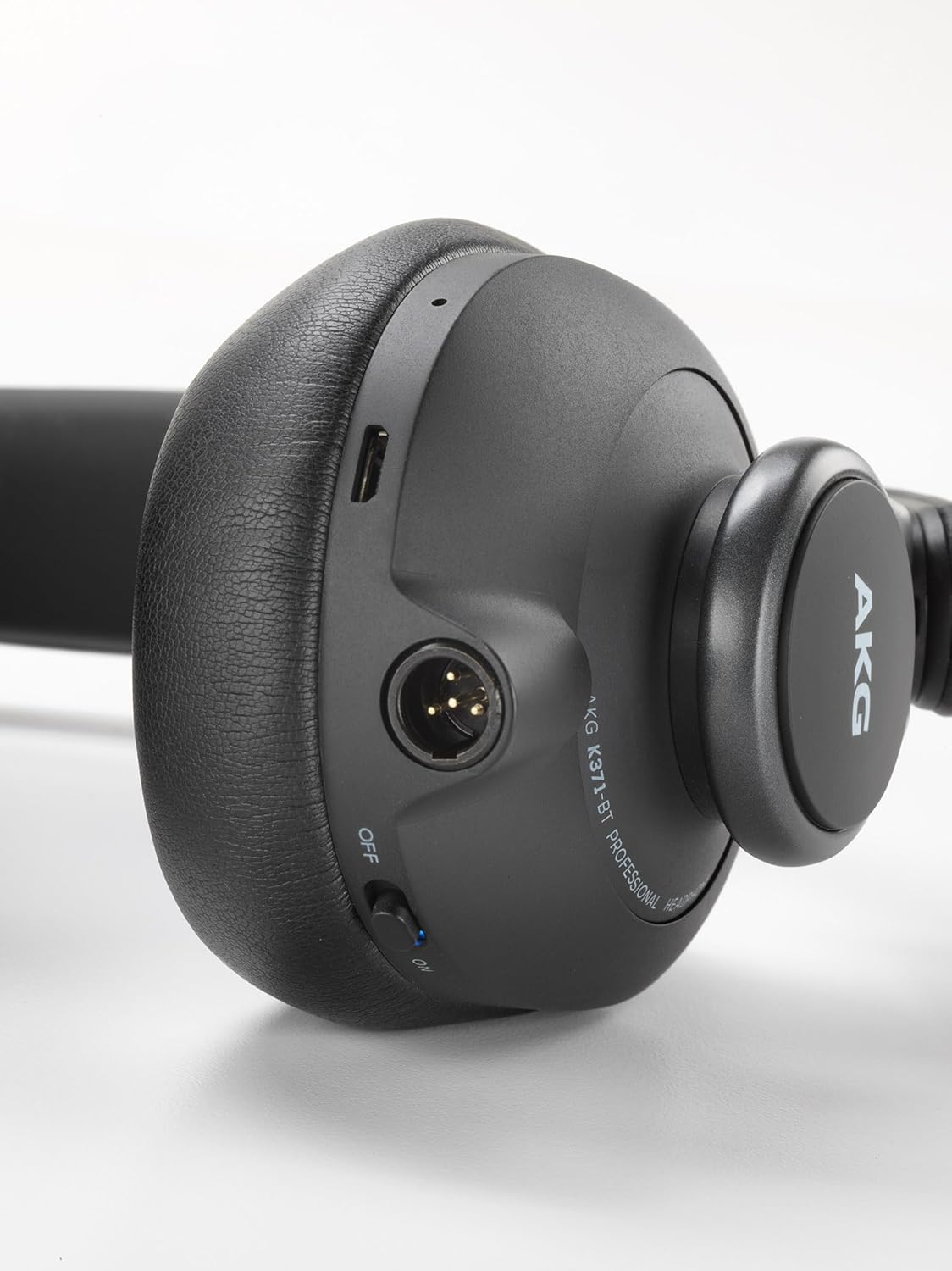
Figure 5.1: Charging port location on the K371-BT headphones.
5.2 Associazione Bluetooth
- Assicurarsi che le cuffie siano cariche e spente.
- Tenere premuto il pulsante di accensione finché l'indicatore LED non lampeggia in blu e rosso, indicando la modalità di associazione.
- Sul tuo dispositivo (smartphone, tablet, computer), attiva il Bluetooth e cerca i dispositivi disponibili.
- Select "AKG K371-BT" from the list of devices.
- Una volta connesso, l'indicatore LED diventerà blu fisso.
5.3 Connessione cablata
For wired listening, connect one of the supplied audio cables to the headphone's audio input port and the other end to your audio source's 3.5mm output.
6. Istruzioni per l'uso
6.1 Accensione/spegnimento
- Per accendere: tenere premuto il pulsante di accensione per 2 secondi.
- Per spegnere: tenere premuto il pulsante di accensione per 3 secondi.
6.2 Gesture Controls (Right Earcup)
The right earcup features touch-sensitive controls for convenient operation:
- Riproduci/Pausa: Tocca due volte il centro del padiglione auricolare destro.
- Aumenta volume: Scorri verso l'alto sul padiglione auricolare destro.
- Volume basso: Scorri verso il basso sul padiglione auricolare destro.
- Traccia successiva: Swipe forward (right) on the right earcup.
- Traccia precedente: Swipe backward (left) on the right earcup.
- Rispondi/Termina chiamata: Single-tap the center of the right earcup.
- Rifiuta chiamata: Press and hold the center of the right earcup for 2 seconds.
6.3 Utilizzo del microfono incorporato
The integrated microphone allows for clear voice communication during calls and live-streams when connected via Bluetooth.
Video: Oltreview of AKG K361-371BT Professional Studio Headphones features.
7. Manutenzione
Una cura adeguata prolungherà la durata delle tue cuffie:
- Clean the earpads and headband with a soft, dry cloth. Do not use harsh chemicals or abrasive materials.
- Store the headphones in their protective case when not in use to prevent scratches and damage.
- Avoid exposing the headphones to direct sunlight or extreme temperatures.
- Do not submerge the headphones in water, as they are not water resistant.
8. Risoluzione Dei Problemi
| Problema | Possibile causa | Soluzione |
|---|---|---|
| Nessun suono dalle cuffie. | Headphones not powered on; low battery; not paired (Bluetooth); cable not connected properly (wired). | Ensure headphones are powered on and charged. Re-pair Bluetooth. Check cable connections. |
| Connessione Bluetooth instabile. | Troppo lontano dal dispositivo; interferenza; batteria scarica. | Move closer to the device. Avoid strong Wi-Fi signals. Charge headphones. |
| Gesture controls not responding. | Incorrect gesture; temporary software glitch. | Ensure correct swipe/tap motion. Power cycle the headphones. |
9. Specifiche
| Caratteristica | Dettaglio |
|---|---|
| Modello | K371BT |
| Tecnologia di comunicazione wireless | Bluetooth 5.0 |
| Dimensioni del conducente | 50mm Titanium-Coated |
| Gamma di frequenza | da 5 Hz a 40 kHz |
| Impedenza | 32 Ohm |
| Durata della batteria | Fino a 40 ore |
| Tempo di ricarica | Circa 2 ore |
| Peso dell'articolo | 300 grammi |
| Dimensioni del prodotto | Dimensioni: 11 x 22.5 x 23.5 cm |
| Materiale | Plastica |
| Livello di resistenza all'acqua | Non resistente all'acqua |
10. Garanzia e supporto
AKG products are designed for reliability and performance. For warranty information and technical support, please refer to the warranty card included with your product or visit the official AKG websito. Conservare la prova d'acquisto per eventuali reclami in garanzia.
For further assistance, you may contact AKG customer support through their official channels.