
1. Introduzione
The VBESTLIFE VC-818TX is a 2.4G E-TTL wireless flash controller designed for photographers requiring advanced lighting control. This transmitter supports 1/8000s high-speed synchronization, 8 channels, 30 IDs, and ABC three groups, offering versatile control over compatible flash units. It features an LCD display for real-time parameter adjustments and supports manual, TTL, and strobe flash modes. The device is compatible with various Canon camera models and specific flash units, enhancing your photographic capabilities.
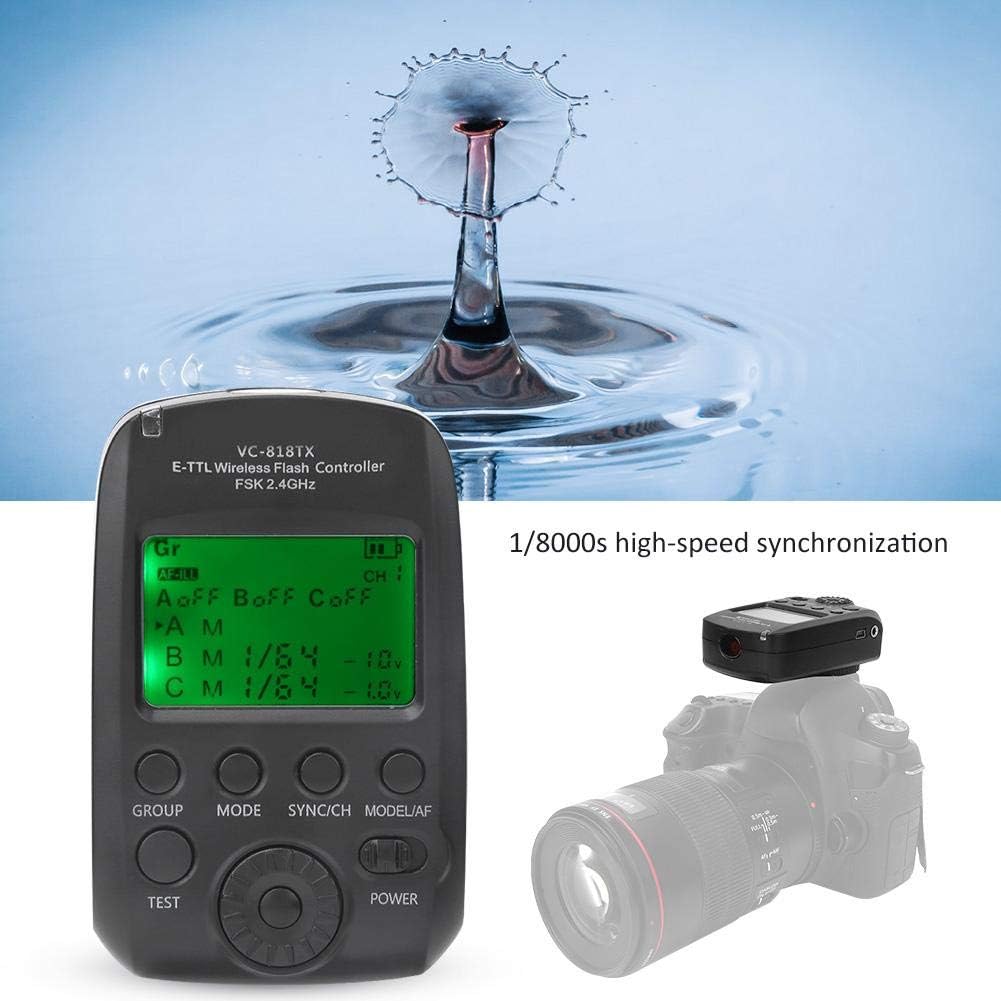
Image 1.1: The VBESTLIFE VC-818TX E-TTL Wireless Flash Controller, demonstrating its high-speed synchronization capability with a water drop effect.
2. Informazioni sulla sicurezza
- Non esporre il dispositivo all'acqua o a umidità eccessiva.
- Evitare di far cadere o sottoporre il dispositivo a forti impatti.
- Tenere il dispositivo lontano dalla luce solare diretta e dalle alte temperature.
- Non tentare di smontare o riparare il dispositivo da soli. Rivolgersi a personale qualificato.
- Use only specified batteries (if applicable) and dispose of them properly.
- Ensure the device is securely mounted to the camera hot shoe to prevent accidental detachment.
3. Prodotto finitoview
The VC-818TX features a clear LCD screen and intuitive controls for easy operation. Familiarize yourself with the main components:

Immagine 3.1: anteriore view of the VC-818TX controller, highlighting the LCD display, GROUP, MODE, SYNC/CH, MODEL/AF, TEST, and POWER buttons, and the control dial.
- Schermo LCD: Shows current settings, flash mode, channel, ID, and group information.
- Pulsante GRUPPO: Selects flash groups (A, B, C).
- Pulsante MODE: Cycles through flash modes (TTL, Manual, Multi/Strobe).
- SYNC/CH Button: Adjusts synchronization settings and wireless channels.
- MODEL/AF Button: Activates modeling light or auxiliary focus assist.
- Pulsante PROVA: Attiva un flash di prova.
- Pulsante di accensione: Accende/spegne l'unità.
- Quadrante di controllo: Consente di navigare nei menu e di regolare i valori dei parametri.

Immagine 3.2: Lato view of the VC-818TX mounted on a camera, showing the USB port and 2.5mm sync port.
- Attacco slitta: For attaching the controller to your camera's hot shoe.
- Porta USB: Per gli aggiornamenti del firmware.
- 2.5mm Sync Port: For connecting to cameras or studio flashes via sync cable.
4. Impostazione
4.1. Installazione della batteria
The VC-818TX typically uses AA batteries. To install:
- Individuare il coperchio del vano batterie sul retro dell'unità.
- Far scorrere il coperchio per aprirlo.
- Inserire le batterie, rispettando la corretta polarità (+/-).
- Chiudere saldamente il coperchio del vano batterie.
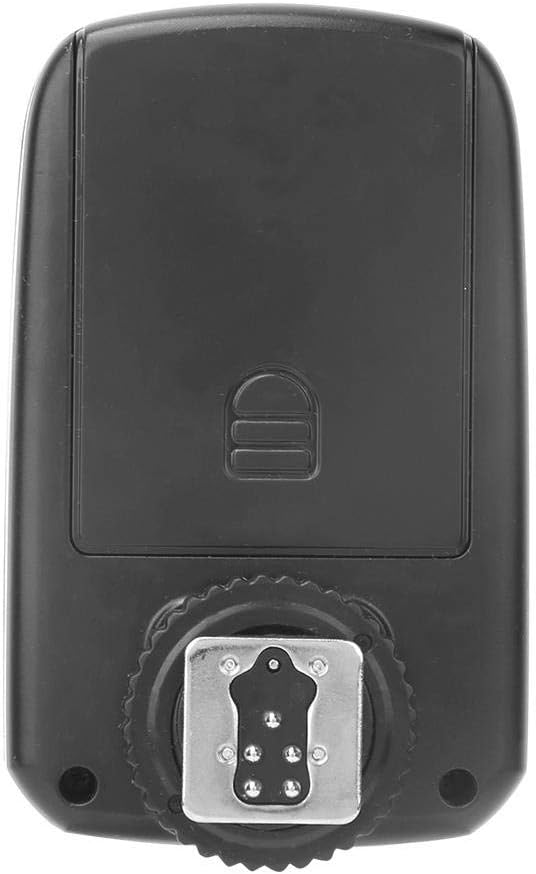
Immagine 4.1: posteriore view of the VC-818TX, showing the battery compartment cover and hot shoe mount.
4.2. Montaggio sulla telecamera
To attach the controller to your camera:
- Slide the hot shoe mount of the VC-818TX into your camera's hot shoe.
- Tighten the locking ring or lever (if present) on the controller to secure it firmly.
- Ensure the controller is fully seated and locked to prevent accidental dislodgement.
Image 4.2: The VC-818TX controller securely mounted on a camera's hot shoe.
5. Istruzioni per l'uso
5.1. Accensione/spegnimento
Premere e tenere premuto il tasto ENERGIA pulsante per accendere o spegnere l'unità.
5.2. Setting Channels and IDs
The VC-818TX operates on a 2.4G wireless system with 8 channels and 30 IDs to prevent interference. To set:
- Premere il tasto SYNC/CH button to enter channel setting mode.
- Use the control dial to select the desired channel (1-8).
- Premere il tasto SYNC/CH button again to switch to ID setting mode.
- Use the control dial to select the desired ID (1-30).
- Ensure your remote flash units are set to the same channel and ID as the controller.
5.3. Group Control (A, B, C)
The controller supports three independent groups (A, B, C) for flexible lighting setups.
- Premere il tasto GRUPPO button to cycle through groups A, B, C, or all groups.
- Once a group is selected, use the control dial to adjust its power output or mode.
- Individual groups can be turned on or off as needed.

Image 5.1: The VC-818TX controller managing three separate flash units (A, B, C) for multi-group lighting.
5.4. Flash Modes (TTL, Manual, Strobe)
Premere il tasto MODALITÀ button to switch between the following flash modes:
- TTL (attraverso l'obiettivo): Esposizione automatica del flash basata sulla misurazione della fotocamera.
- Manuale (M): Allows manual adjustment of flash power output (e.g., 1/1 to 1/128).
- Multi (Strobe): Fires a series of rapid flashes during a single exposure for creative effects.
Use the control dial to adjust parameters within each mode.
5.5. High-Speed Synchronization (HSS)
The VC-818TX supports 1/8000s high-speed synchronization, allowing you to use flash at shutter speeds faster than your camera's native sync speed. This is ideal for freezing fast motion or using wide apertures in bright conditions. Ensure your camera and flash units also support HSS.
5.6. Auxiliary Focus Function
The controller includes an auxiliary focus assist light to help your camera achieve focus in low-light conditions. Activate this feature by pressing the MODEL/AF pulsante.
5.7. Aggiornamento del firmware
The VC-818TX supports USB firmware upgrades. Connect the controller to a computer using a USB cable and follow the instructions provided on the VBESTLIFE websito per gli ultimi aggiornamenti del firmware.
6. Manutenzione
- Pulizia: Use a soft, dry cloth to clean the exterior of the controller. Do not use liquid cleaners or solvents.
- Magazzinaggio: When not in use for extended periods, remove the batteries to prevent leakage. Store the unit in a cool, dry place, away from dust and extreme temperatures.
- Contatti Hot Shoe: Keep the hot shoe contacts clean and free from debris to ensure proper communication with the camera.
7. Risoluzione Dei Problemi
| Problema | Possibile causa | Soluzione |
|---|---|---|
| Il controller non si accende. | Batterie scariche o installate in modo errato. | Sostituire le batterie o verificare la corretta polarità. |
| Le unità flash non si attivano. | Incorrect channel/ID settings; flash units not powered on; out of range. | Verify channel and ID match on controller and flashes. Ensure flashes are on. Move flashes closer to the controller. |
| Inconsistent flash exposure. | TTL metering issues; incorrect manual power settings. | Check camera's exposure settings. Adjust flash exposure compensation. In manual mode, adjust power output. |
| High-speed sync not working. | Camera or flash unit does not support HSS; HSS not enabled. | Ensure all components support HSS. Check camera and controller settings to enable HSS. |
| Il display LCD è vuoto o tremolante. | Low battery power; internal fault. | Sostituisci le batterie. Se il problema persiste, contatta l'assistenza clienti. |
8. Specifiche
| Caratteristica | Dettaglio |
|---|---|
| Modello | VC-818TX |
| sistema senza fili | 2.4G FSK |
| Canali | 8 |
| ID | 30 |
| Gruppi | Una, B, C |
| Synchronization Speed | Fino a 1/8000s (sincronizzazione ad alta velocità) |
| Modalità flash | E-TTL, Manual, Multi (Strobe) |
| Display | LCD |
| Aggiornamento del firmware | Porta USB |
| Messa a fuoco ausiliaria | Supportato |
| Unità flash compatibili | VCHSS/TTL/VCHHLR/VCHH/VE PLUS/VL PLUS/VISICO4/VISICO5 |
| Fotocamere compatibili | Canon 450D/600D/700D/750D/800D/5D2/5D3/5D4/5DS/6D/6D2/7D/7D2/70D/80D/1D3/1D4/1DX |
| Peso dell'articolo | 4.2 once |
| ASIN | B0839BHD7P |
| Codice UPC | 738589220082 |

Image 8.1: Dimensions of the VC-818TX controller, showing approximate measurements of 90mm (3.54in) height, 56mm (2.2in) width, and 40mm (1.57in) depth.
9. Garanzia e supporto
Per informazioni sulla garanzia e supporto tecnico, fare riferimento al sito ufficiale VBESTLIFE websito o contattare il rivenditore. Conservare la ricevuta d'acquisto come prova d'acquisto per eventuali reclami in garanzia.
Per ulteriore assistenza, puoi visitare il Negozio VBESTLIFE su Amazon.